

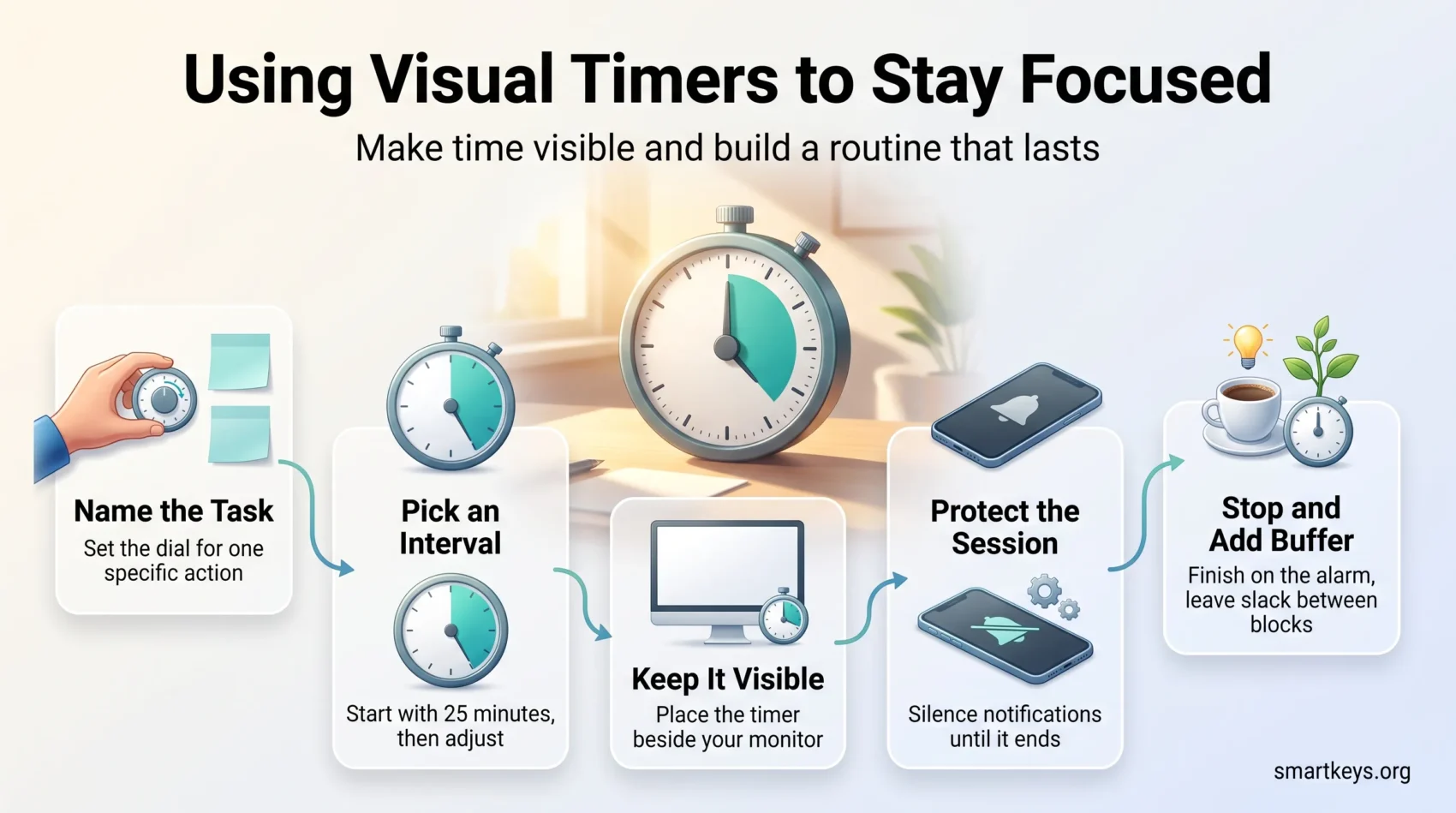
A visual timer shows time as something you can see: a shrinking coloured disc, a draining bar, a falling column of sand. That single design choice makes an abstract quantity concrete, which is why visual timers have moved from special education classrooms into ordinary offices, study desks and home routines.
This guide explains what visual timers actually do for focus, which types exist, what the good hardware and apps cost in 2026, and how to build a timer habit that survives past the first week. It also covers the mistakes that make timers feel stressful rather than steadying.
Key Takeaways
- Visual timers turn elapsed and remaining time into a shape you can read at a glance, without doing mental arithmetic.
- They help most with task transitions, open-ended work and the moment before you start.
- People with ADHD show measurable differences in time perception, which is why a visible countdown can be so useful.
- Physical timers avoid the phone; timer apps win on flexibility and logging.
- Time Timer sells the best known analog models, from about $24.95 for a personal unit to $43.95 for a 12 inch classroom version.
- The habit matters more than the device. Pick one timer, use it daily, and adjust the interval to the work.
What Is a Visual Timer?
A visual timer displays remaining time as a continuously changing image rather than as digits. The best known design is the analog disc: you set the dial, a coloured segment appears, and that segment shrinks as time runs out. Sand timers, progress bars, shrinking rings in apps and colour changing cubes all work the same way.
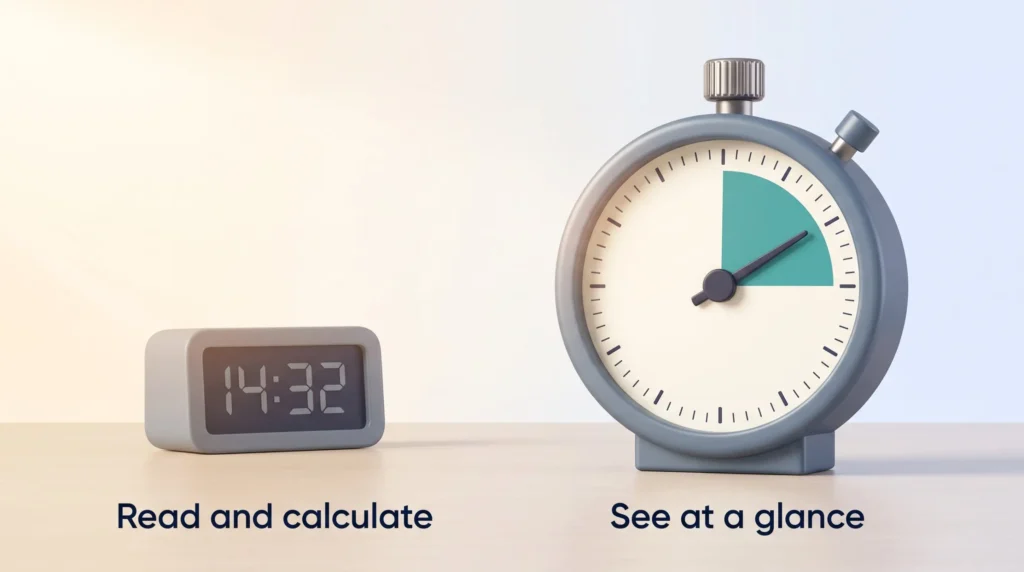
The difference from a normal clock is small but important. A digital readout of 14:32 requires you to subtract, compare and imagine. A shrinking disc requires none of that. You look, and you know roughly how much is left. That is useful for anyone, and it is especially useful for children, for people who struggle with time blindness, and for anyone doing work with no natural end point.
Visual timers now appear in three places: classrooms, where teachers use them to manage transitions; meeting rooms, where they cap discussion; and personal desks, where they anchor focused work sessions.
Why Visual Timers Help You Focus
A timer does four things at once, and each of them attacks a different failure mode.
It creates a start signal. Most procrastination is a starting problem, not a working problem. Setting a timer for 20 minutes converts “write the report” into something small enough to begin. If starting is your main obstacle, the same logic drives tackling your hardest task first.
It sets a boundary. Open-ended work expands to fill whatever time you give it, an effect commonly described as Parkinson’s Law. A visible countdown puts a wall at the end of the session.
It makes drift obvious. When the disc is half gone and you have written two sentences, you notice immediately. That feedback is the part a mental estimate cannot provide, and it is why timers pair well with a periodic time audit.
It reduces the anxiety of not knowing. For many people, uncertainty about how long something will last is worse than the length itself. Seeing the remaining time removes the guesswork, which is why timers help so much at transitions.
The evidence base is strongest for the underlying problem rather than for any specific product. A 2021 meta-analysis in the Journal of the American Academy of Child and Adolescent Psychiatry pooled dozens of studies and found consistent timing deficits in people with ADHD across every paradigm tested, including time discrimination, estimation, production and reproduction. If internal time sense is unreliable, an external and continuously visible one is a reasonable accommodation. That principle sits at the heart of practical neurodiversity inclusion at work and at school.
Types of Visual Timers
Each format solves a slightly different problem.
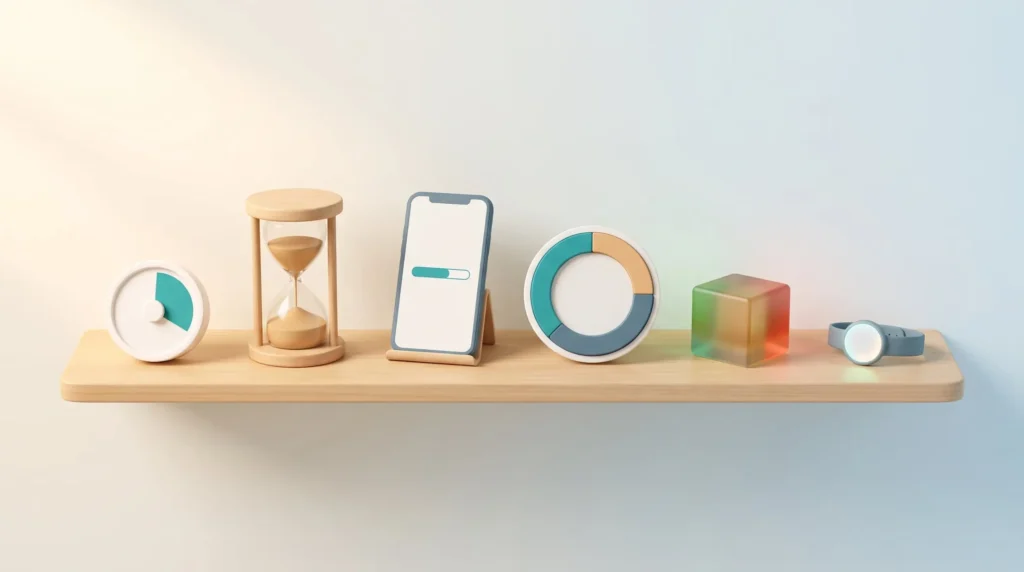
- Analog disc timers. A coloured segment shrinks toward zero. Readable from across a room, silent in most models, and the closest thing to a default choice.
- Sand timers. Fixed durations, no batteries, no settings. Excellent for young children and for short routines such as tidying up or a two minute reset.
- Countdown apps and progress bars. Flexible intervals, logging, and presets. Best when you already work at a screen.
- Interval and Pomodoro timers. Alternate work and break blocks automatically, usually 25 minutes of work and 5 minutes of rest, so you never have to reset anything mid session.
- Colour changing cube timers. A cube glows green, then amber, then red. Popular in meetings because everyone in the room reads it at once without staring at a screen.
- Ambient and wearable timers. Vibration or a quiet light cue instead of an alarm, useful in shared offices where a beep is unwelcome.
If you are still deciding what kind of support you need, it is worth comparing timers against the broader category of focus tools before you buy anything.
What Good Visual Timers Cost in 2026
Hardware and software solve the same problem differently. Physical timers keep the phone out of the equation, which matters if notifications are your main leak. Apps cost nothing to try and record what you actually did.
On the hardware side, Time Timer remains the reference brand. As of August 2026 the company lists the Original 3 inch pocket model at $29.95, the MOD Home Edition at $24.95, and the extra large Original 12 inch classroom timer at $43.95 on its own store. Sand timers and generic kitchen style disc timers cost a few dollars and do most of the same work, with less precision and no silent mode.
For meetings, cube timers such as Timeqube sit in the middle of the table and change colour as the slot runs down, which does more to shorten a meeting than any agenda item. If your meeting load is the real problem, a structural fix usually beats a timer: start with a proper meeting audit.
On the software side, Time Timer publishes its own iOS and Android apps that reproduce the disc on screen. Most operating systems now include a serviceable countdown, and dedicated focus apps add session logging, blocking and statistics. A broader look at the category is covered in our guide to productivity apps, and if distraction rather than time is the issue, website blockers tend to help more than any timer.
Prices and app features change. Check the current listing before you buy, and treat any timer as a cheap experiment rather than a permanent commitment.
How to Set Up a Visual Timer That You Actually Use
1. Decide what the timer is for
Name the task before you set the dial. “Draft section two” works. “Do some writing” does not, because there is nothing for the timer to bound. Pairing a timer with a specific next action is the same discipline that makes task management systems work.
2. Choose an interval that fits the work
Shallow admin work tolerates short blocks. Deep analytical work needs longer ones, because the first stretch of any session is spent reloading context. Start with 25 minutes if you have no better guess, then adjust after a week. Shorter intervals help when starting is hard; longer intervals help when switching is the problem, a cost explored in our piece on task switching.
3. Put it where you can see it without turning your head
A timer you have to look for is a timer you will forget. Beside the monitor, not behind it. If you use a phone app, put the phone face up and out of reach, or the timer becomes an excuse to pick it up.
4. Protect the session
Silence notifications for the duration. On most devices a built in focus mode does this in one tap. A timer cannot compete with a message preview.
5. Stop when it stops
This is the part people skip, and it is the part that makes the system work. Finishing on the alarm even when you are mid sentence teaches you what your real pace is. That estimate is the raw material for better weekly planning.
6. Add buffer between blocks
Back to back timed sessions look efficient and feel brutal. A few minutes of slack absorbs overruns and gives your attention somewhere to land, a habit covered in more detail under time buffering.
Visual Timers and Time Blindness
Time blindness is the everyday name for a weak internal sense of duration: five minutes and forty minutes feel similar until something external corrects you. It is strongly associated with ADHD, and it is what makes “I will just finish this first” turn into a missed appointment.
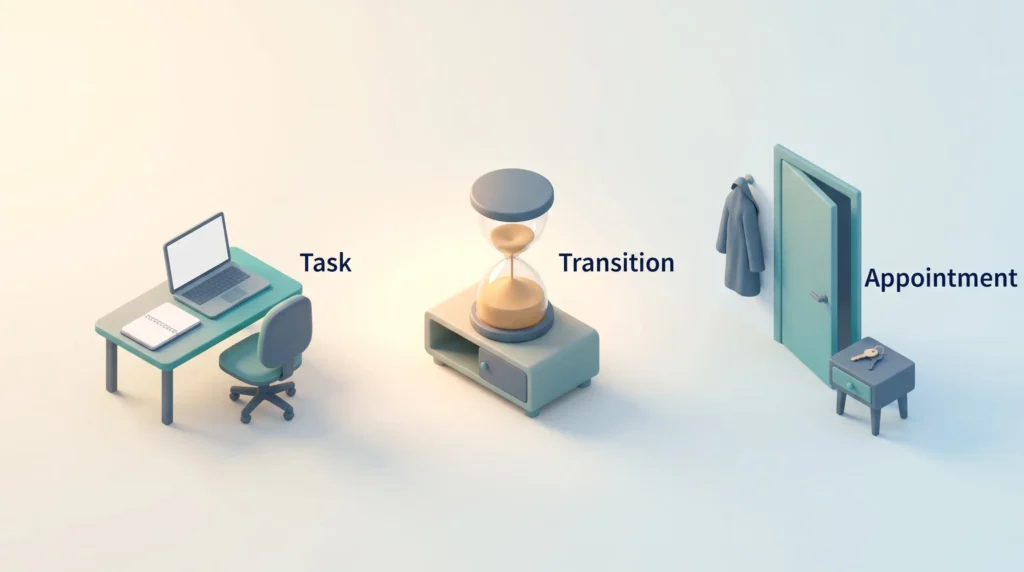
A visual timer is a direct workaround. It replaces the internal estimate with an external one that updates continuously and requires no effort to read. Three habits make it work better:
- Time the ordinary things once. Most people are surprised by how long email, a shower or a commute really takes. One round of measurement fixes years of bad estimates.
- Set a timer for the transition, not just the task. The gap between activities is where time disappears.
- Expect your first estimates to be optimistic. Systematic underestimation of duration is well documented as the planning fallacy, so add margin deliberately rather than hoping to be faster next time.
For a deeper treatment of the underlying pattern and the strategies that address it, see our full guide to overcoming time blindness.
Visual Timers in Classrooms and at Home
In schools, visual timers do most of their work at transitions. Children who can see that three minutes remain pack up more calmly than children who are simply told to stop. Teachers also use them to pace tests, cap group activities and give a warning that arrives without a raised voice.
The same logic applies at home. A sand timer for tooth brushing, a disc timer for homework, a colour cube for screen time: the device becomes the authority instead of the parent, which removes a surprising amount of friction.
Two things improve the outcome. Let the child pick the timer, because a device they chose gets used. And introduce it as a helper rather than a punishment, since a timer framed as pressure will simply be ignored or resented.
Common Mistakes to Avoid
- Timing everything. A timer on every activity turns the day into a series of sprints. Reserve it for work that needs a boundary.
- Treating the interval as a target. The timer measures attention, not output. Finishing early is fine.
- Using a phone timer while the phone stays in your hand. This defeats the entire purpose.
- Never revisiting the setting. The interval that worked in January may not fit the work you do now.
- Stacking blocks with no recovery. Sustained timed work without breaks is a fast route to digital fatigue.
- Expecting the device to supply the motivation. A timer structures attention; it does not create it. Broader techniques are covered in our overview of focus management.
Conclusion
A visual timer is one of the cheapest interventions in the whole productivity toolkit. It costs a few dollars to a few tens of dollars, needs no training, and addresses a specific and common problem: time is invisible until it is gone.
The device matters far less than the routine around it. Pick one format, keep it in view, choose an interval that matches the work, stop when it stops, and leave slack between sessions. Do that for a fortnight and you will have a much better sense of how long your work actually takes, which is the real payoff. From there, the same visible discipline extends naturally into calendar management and everyday time management.
Found this useful?
Make SmartKeys a preferred source on Google, and our articles will surface more often in your Top Stories, AI Overviews, and AI Mode.
Add as Preferred Source




