If you are researching Toggl Plan in 2026, the first thing you need to know is that it is no longer the product Toggl is building. Toggl has folded its planning tool into a new app called Toggl 2.0, and the Toggl Plan pricing page now redirects to Toggl 2.0 plans with the note that “Toggl Plan has leveled up into Toggl 2.0.” The original Toggl Plan app still works, but only for existing users.
That changes the question this review has to answer. It is no longer “is Toggl Plan a good project management tool?” but “what happens to my team if we are on it, and should anyone still start with it?” This review covers what Toggl Plan does, what Toggl 2.0 costs today, what Toggl has officially said about the transition, and where the tool now sits against the alternatives.
Key Takeaways
- Toggl Plan is now a legacy app. New signups are steered to Toggl 2.0, which is the product Toggl actively develops.
- Toggl 2.0 pricing on Toggl’s own Plan page: Free for up to three users, Starter at $9 per license per month, Premium at $16 per license per month, and custom Enterprise pricing.
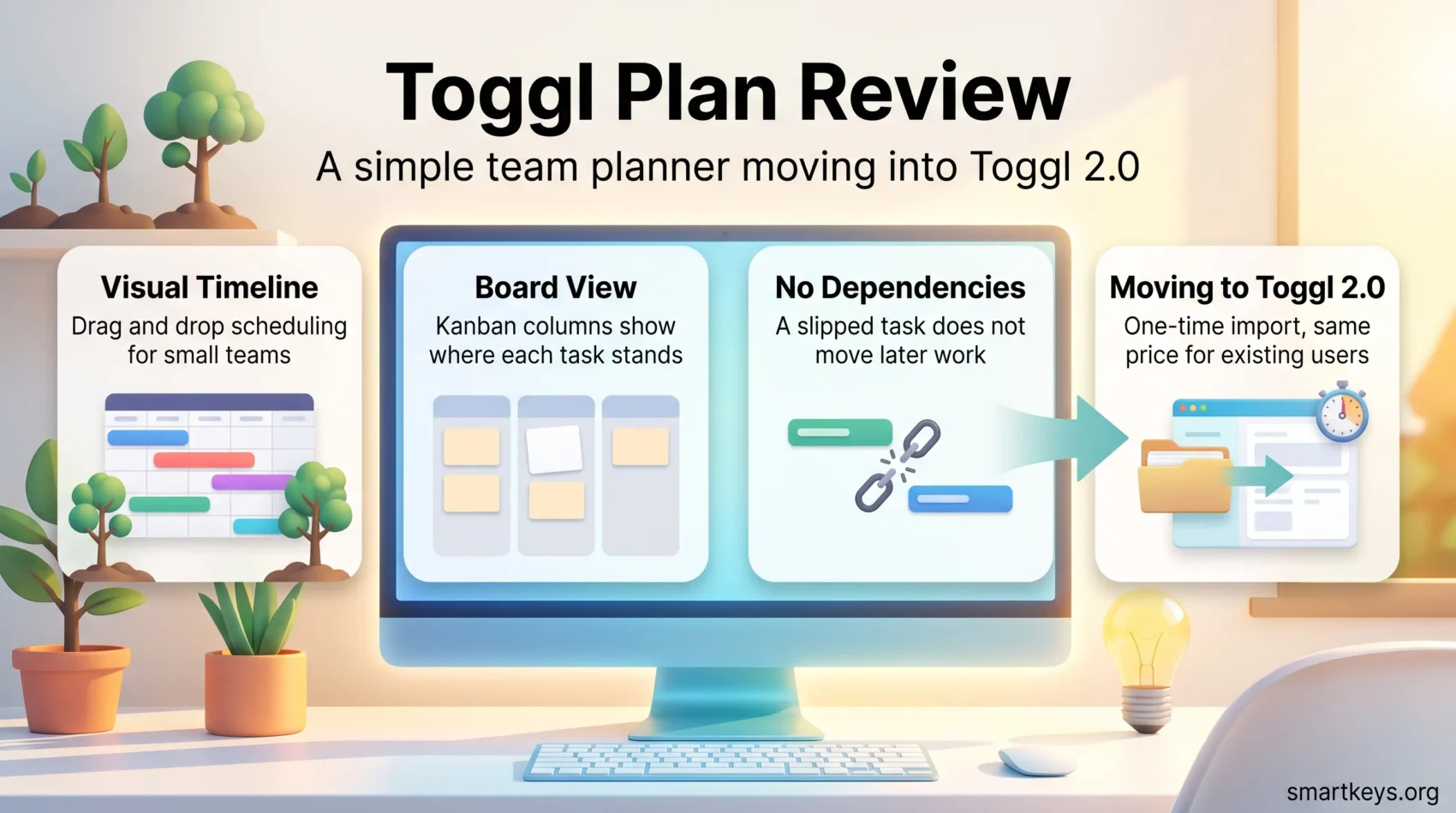
- Toggl says existing Toggl Plan customers keep the same feature access and price point after switching, with no extra charge.
- Moving your projects, tasks, milestones and clients into Toggl 2.0 is a one-time import, not a continuous sync between the two apps.
- No shutdown date for Toggl Plan has been announced. Toggl says it will be communicated in advance.
- Task dependencies are still not supported in Toggl Plan, which limits it for sequenced project work.
- Toggl Plan runs on the web plus Android and iOS, and integrates with Toggl Track, Slack and Google Calendar.
What is Toggl Plan?
Toggl Plan is a project planning software built around visual scheduling rather than heavy process. Its core idea is simple: put every project and every person on a shared timeline so the team can see who is working on what, and when. That focus made it popular with small teams, non-profits and creative studios that wanted a planning view without the configuration burden of an enterprise suite.
The interface is deliberately light. You create projects, drag tasks into place, colour-code them, and reschedule work by clicking and dragging. There are milestones, subtasks, task comments, checklists, tags and estimates, but no formulas, no automation builder and no dependency graph. If your team’s planning problem is visibility rather than governance, that trade is a good one. If you need to model sequenced work, it is not.
The same simplicity is why Toggl Plan never grew into a full task management system. Recurring tasks are absent, reporting is thin, and the free tier restricts how much of the board and timeline you can use. Teams that outgrew it usually moved to something like Asana or ClickUp rather than upgrading within Toggl.
Toggl Plan Is Now Toggl 2.0
This is the most important development since our last update, and it reframes everything else in this review.
Toggl’s own product page states that Toggl Plan “has leveled up into Toggl 2.0 — a no-bloat planning tool built around our leading time tracking experience,” and that “the Toggl Plan app is still available to existing users.” Toggl 2.0 is a planning tool with time tracking built in, rather than planning in one app and tracking in another.
What Toggl Has Actually Committed To
Toggl’s support team has been clear about the shape of the transition, if not its timing. In the official FAQ for people switching from Toggl Plan, Toggl states that “Toggl Plan will remain available for a while to ensure all users can transition to Toggl 2.0 smoothly,” and that “there is no date decided on yet – the eventual complete replacement of Toggl Plan with Toggl 2.0 will be communicated in advance.” Users have been seeing redirect prompts since late October 2025.
Three practical points follow from Toggl’s own documentation:
- Your data moves as a one-time import. Projects, tasks, milestones and client records can be transferred into Toggl 2.0, but Toggl explicitly notes this is “not a continuous sync between Toggl Plan and Toggl 2.0.” Anything you change in one app afterwards does not appear in the other.
- Your price does not change. Toggl states that “your access to features and price point will remain the same as they are in Toggl Plan,” with no additional charge for Toggl 2.0.
- You can switch back. The move is reversible through Settings, under Toggl 2.0 Preferences. Once an organisation switches, though, everyone in it is redirected on login, so it is a team-level decision rather than an individual one.
What This Means For Your Decision
For an existing Toggl Plan team, there is no emergency. The app works, the price holds, and Toggl has promised advance notice. Run the import into a test workspace, check the views your team relies on, and decide on your own schedule.
For a team evaluating Toggl Plan today, the calculus is different. Choosing a tool the vendor has stopped developing means planning a migration you have not scheduled yet. Evaluate Toggl 2.0 directly, or look at the tools we cover in Asana vs Trello and Monday.com vs Trello before committing.
Key Features of Toggl Plan
The feature set is small by design. These are the parts that carry the product.
Timeline View
The timeline is a Gantt-style schedule showing tasks as bars across dates, either per project or per team member. It is the reason most teams choose Toggl Plan: workload and overlaps are visible at a glance, and rescheduling is a drag rather than a form. It shows overlap, but it does not model dependencies, so a slipped task does not push the work that follows it.
Board View
The board is a standard kanban layout with drag-and-drop between columns. It is competent rather than distinctive, and it pairs well with the timeline: the board answers “what state is this in,” the timeline answers “when does it land.” Teams that live in boards may prefer a dedicated tool, and our Trello vs Jira comparison covers that ground.
Task Management and Milestones
Tasks support descriptions, subtasks, checklists, comments, tags and estimates, and milestones mark fixed dates on the timeline. That is enough structure for small projects. What is missing is the dependency layer: you cannot say task B starts when task A finishes, which is precisely the feature that separates a planning calendar from project management software. For teams that need it, Wrike and Smartsheet are built around it.
Customization and Data Handling
Customization is mostly visual: colour-coding projects, tags and filtered views. It is effective for scanning a busy timeline, and it is the main lever you have for making a shared plan readable. On the data side, the question that matters in 2026 is the Toggl 2.0 import path described above, since that is how most teams will move their history.
Toggl Plan Pricing in 2026
Toggl no longer publishes standalone Toggl Plan pricing. The URL that used to serve it now returns Toggl 2.0 plans, so the numbers below are what a new team actually pays.
Toggl 2.0 Plans
- Free — $0, for up to three users. Manual and real-time timers, focus mode, calendar integrations, task and board views, and personal-level reports.
- Starter — $9 per license per month. Adds billable rates, timeline views, tags, milestones, PTO tracking, public holidays and team reports.
- Premium — $16 per license per month. Adds labour costs, profitability reports, capacity management, utilisation and workload reporting, project dashboards, Jira and Asana integrations, fixed-fee projects and single sign-on.
- Enterprise — custom pricing. Adds custom roles, personalised onboarding, dedicated support and multiple workspaces under one subscription.
Toggl advertises a 30-day trial with no credit card required, and states that annual billing saves the equivalent of four monthly payments compared with paying month to month.
What Existing Toggl Plan Subscribers Pay
Legacy Toggl Plan tiers were named Solo, Team and Business, with Solo free. Toggl has removed those prices from its public pages, so treat any figure you find on a third-party listing with caution. What Toggl does say is that customers who move to Toggl 2.0 keep the feature access and price point they had. If you are on an old rate, switching should not raise your bill — but check your invoice after the first cycle rather than assuming.
Compared with the market, $9 and $16 per seat sit in normal territory. Whether that is good value depends on whether you use the time-tracking side, because that is what Toggl offers that most planning tools do not. If you only need boards and timelines, cheaper options exist — our Basecamp review covers one of them.
Toggl Plan Integrations
Integration with Toggl Track
The Toggl Track connection is the historical reason to pick Toggl Plan over a generic planner. You schedule work in Plan and log time against it in Track, which gives you planned-versus-actual visibility that most planning tools cannot produce on their own. Setup takes an API token and a few minutes, and it requires a paid subscription.
The pairing has always been looser than it sounds: it links the two systems rather than reconciling estimates against logged hours automatically. Toggl 2.0 exists largely to close that gap by putting tracking inside the planning app instead of alongside it.
Other Tools and Apps
Beyond Track, Toggl Plan connects to Slack and Google Calendar, which covers the two integrations most small teams actually use — notifications where the team already talks, and deadlines where people already look. If Slack is your hub, our Slack review goes through what its own project features can absorb before you need a separate tool. Note that the deeper integrations Toggl now advertises, including Jira and Asana, sit on Toggl 2.0’s Premium tier rather than in legacy Toggl Plan.
How Toggl Plan Compares
Toggl Plan competes on clarity, not capability. Against ClickUp and Asana, it has a fraction of the features and a fraction of the setup cost. Against Jira, it is not in the same category at all — Jira is built for engineering workflows with issue types, sprints and automation, while Toggl Plan is a shared calendar with tasks on it.
The closest comparisons are tools that also lead with a timeline. Teamwork and Wrike both offer scheduling views with dependency support, which is the main gap in Toggl Plan. Zoho Projects is a cheaper route to Gantt charts with dependencies. And if your real problem is personal rather than team scheduling, a planner may be overkill — our guides to effective to-do lists and time management techniques are a better starting point.
Common Pain Points
No Task Dependencies
This remains the single biggest limitation. Without dependencies you cannot express sequence, so the timeline shows when work is scheduled but not what blocks what. When a task slips, nothing downstream moves, and someone has to redraw the plan by hand. For a two-week campaign that is fine. For a build with a critical path, it is a structural problem.
Notification Volume
The second recurring complaint is notification volume. Comment and assignment alerts arrive frequently enough to interrupt focused work, and while the settings can be tuned, the defaults are noisy. If your team already struggles with interruptions, agree on notification norms before rollout.
Thin Reporting
Reporting has always been the weakest area, which is part of why Toggl 2.0 leads with utilisation, workload and profitability reports on its paid tiers. If you need to answer “are we profitable on this project,” legacy Toggl Plan will not tell you.
Mobile and Cross-Platform Access
Toggl Plan runs in the browser and as Android and iOS apps, so plans stay reachable away from a desk. The mobile apps are best treated as a companion rather than a full workspace: checking assignments, updating status and reading comments works well, while building or restructuring a timeline is a desktop job. That split is inherent to visual planning tools, where the value is in seeing the whole schedule at once.
Who Should Use Toggl Plan in 2026?
Stay on it if: you are an existing customer, your projects are short and mostly parallel, the timeline view is doing real work for your team, and you would rather migrate on your own schedule than on someone else’s. Nothing about the current situation forces a rushed move.
Look at Toggl 2.0 instead if: you want the same planning approach with time tracking built in, or you need the reporting — utilisation, workload, profitability — that legacy Toggl Plan never had.
Look elsewhere if: you need dependencies, recurring tasks, automation or serious reporting. Those requirements point to Smartsheet or Airtable for structured planning, or the mainstream suites covered in our Basecamp vs Monday.com comparison.

Conclusion
Toggl Plan is still a pleasant tool to use. The timeline is clear, the learning curve is short, and for a small team that needs to see who is doing what this week, it does the job with less ceremony than almost anything else in the category.
But a review has to account for direction as well as quality, and the direction here is settled: Toggl is building Toggl 2.0, and Toggl Plan is the app it replaces. For existing customers that is a manageable transition on generous terms — same price, reversible switch, advance notice promised. For anyone choosing a planning tool from scratch, it means Toggl Plan is the wrong entry point, and Toggl 2.0 or a competitor is the right one.
The honest verdict: a good tool, on its way out, with a clearly marked exit. Evaluate the destination, not the departure point.
Found this useful?
Make SmartKeys a preferred source on Google, and our articles will surface more often in your Top Stories, AI Overviews, and AI Mode.
Add as Preferred Source