

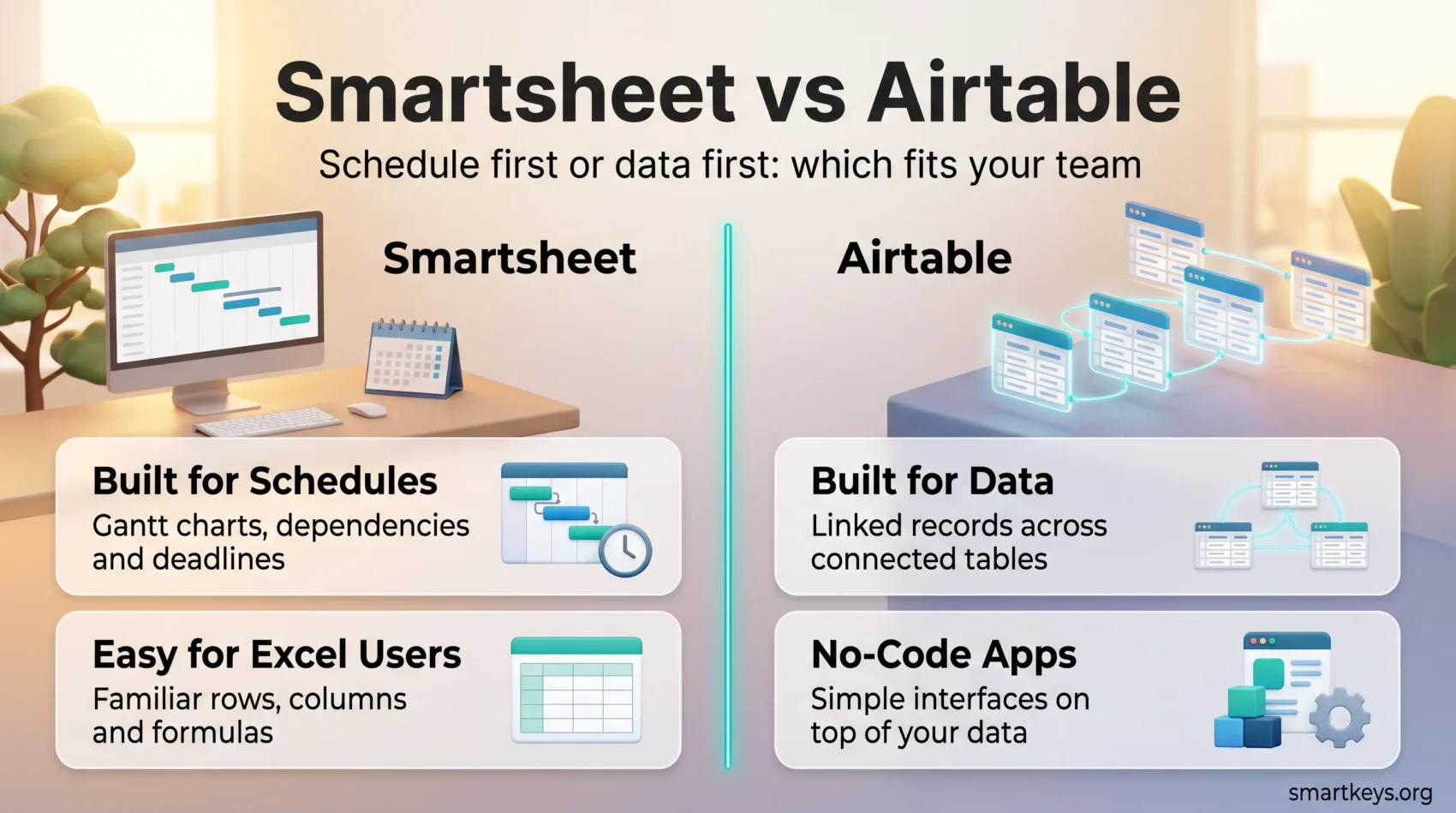
Smartsheet and Airtable both look like spreadsheets when you open them. That is where the similarity stops. Smartsheet is a project management platform built around the schedule: tasks, dates, dependencies and Gantt charts. Airtable is a relational database, which means records in one table can be linked to records in another, so a project can point at the client, the budget and the deliverables without copying data around.
That difference decides which tool fits your team. This comparison covers what each platform does in 2026, what the plans actually cost, how steep the learning curve is, and where each one stops being the right answer.
Key Takeaways
- Smartsheet is built for scheduled project work: Gantt charts, task dependencies and resource tracking.
- Airtable is a relational database with app building on top, better suited to structured data than to timelines.
- Smartsheet is cheaper per seat. Pro costs $9 per user per month billed annually, against $20 for Airtable Team.
- Smartsheet closed its free plan to new signups in August 2024. Airtable still has a real free tier for up to five editors.
- Smartsheet is faster to learn if your team lives in Excel. Airtable asks you to think in linked tables first.
What Smartsheet and Airtable Actually Are
Smartsheet is work management software. You build a sheet of tasks, give each one an owner and a date, link tasks that depend on each other, and the platform draws the timeline for you. It is closest in spirit to a project plan that a whole team can edit at once.
Airtable is a no-code database. A base, which is Airtable’s word for a workspace of connected tables, holds your records. You then choose how to look at them: a grid, a Kanban board, a calendar, a gallery. On top of that you can build small internal apps and interfaces so colleagues see only what they need.
If your central question is “when will this be finished”, Smartsheet answers it more directly. If your question is “what do we know about each of these things and how are they connected”, Airtable is the better shape. Teams comparing broader options often also weigh ClickUp against Asana or Monday.com against Trello before settling on a spreadsheet-style tool at all.
Smartsheet in 2026
What Smartsheet Does Well
Smartsheet’s strength is structured project execution. The core features include:
- Gantt charts that update automatically when a task slips
- Task dependencies, so moving one date moves everything downstream
- Calendar, card and grid views of the same underlying sheet
- A large template library covering common project types
- Reports and dashboards that roll several sheets into one status view
- Resource management, showing who is overloaded and who has capacity
Smartsheet has also added AI tools. Smart Assist answers questions about your project data in plain language, and Smart Columns run operations such as sentiment analysis or translation. There is also an AI dashboard builder and formula generation. These are helpers inside the sheets you already have, not a separate product. For the wider picture, see AI in project management.
On Capterra, Smartsheet holds 4.5 stars from more than 3,500 reviews, which puts it firmly in the well-liked category rather than the beloved one. For a fuller breakdown, see our Smartsheet review.
Smartsheet Pricing in 2026
One thing has changed and it matters. Smartsheet’s free plan is no longer available to new signups; it closed on 28 August 2024. Accounts created before that date keep it. Everyone else gets a 30-day trial instead.
Current plans, priced per user per month:
- Pro: $9 billed annually, $12 billed monthly. Up to 10 members, 20 GB of attachment storage, 250 automations a month.
- Business: $19 billed annually, $24 billed monthly. Minimum three members, 1 TB of storage, unlimited automations.
- Enterprise: custom pricing, from 10 members. Unlimited storage, single sign-on and portfolio-level tools.
Airtable in 2026
What Airtable Does Well
Airtable is strongest when your work is really a set of connected records. A content calendar, a product catalogue, a recruiting pipeline, an asset library: each of these is a database wearing a project management costume.
The features that matter most:
- Linked records, so one client row can connect to every project, invoice and contact for that client
- Multiple views of the same data, including grid, Kanban, calendar, timeline and gallery
- Interface Designer, which builds simple internal apps without code
- Automations that trigger on record changes and run through connected services
- Omni, Airtable’s AI assistant, which can build tables, edit records and answer questions about a base
Omni is available on every plan, including the free one, but it draws on the AI credits included with your tier. Airtable’s own documentation notes it is good at building and editing, and weaker at statistical work such as averages and variances.
Airtable scores 4.6 on Capterra from roughly 2,200 reviews. If you are choosing between flexible workspace tools, our comparison of Airtable and Notion covers a closer matchup.
Airtable Pricing in 2026
Airtable charges per seat, and only for people with editor or creator access. Read-only collaborators and form respondents are free on paid plans.
- Free: $0. Up to five editors, 1,000 records per base, 1 GB of attachments per base, 100 automation runs a month, two weeks of revision history.
- Team: $20 per seat per month billed annually, $24 monthly. 50,000 records per base, 20 GB of attachments, 25,000 automation runs, one year of revision history.
- Business: $45 per seat per month billed annually, $54 monthly. 125,000 records per base, 100 GB of attachments, 100,000 automation runs, admin controls and two-way sync.
- Enterprise Scale: custom pricing, with far higher record limits, audit logs and automated user provisioning.
The record limit is the number to watch. A busy operations base can pass 50,000 records faster than you expect, and hitting the ceiling forces an upgrade that more than doubles the per-seat cost.
Smartsheet vs Airtable: The Core Differences
Project Planning
Smartsheet wins this outright. Dependencies, critical path, baselines and resource views are built in and behave the way a project manager expects. Airtable can show a timeline, but it does not recalculate a schedule when an upstream task slips. If your projects have real sequencing, that gap is the whole argument. Teams that need heavier planning still often end up in Jira or Wrike instead.
Customization and App Building
Airtable wins this one just as clearly. You can model almost any process as linked tables, then put a clean interface on top so a colleague sees a simple form rather than a raw grid. Smartsheet lets you configure sheets, forms and dashboards, but you are always working inside a sheet. This is the same trade-off that shows up in the wider low-code market: structure and speed on one side, flexibility on the other.
How Each Handles Your Data
Smartsheet treats data the way a spreadsheet does. Each sheet is largely self-contained, and you connect sheets through cell links and reports. That is simple and it is also limiting once the same information lives in several places.
Airtable treats data the way a database does. One record exists once and is referenced everywhere else. Change a client’s address in one place and every linked project reflects it. That is a real advantage for anything you plan to report on later, and it makes Airtable a more natural feeder for business intelligence tools.
Usability: Which Tool Is Easier to Learn?
Learning Smartsheet
If your team already works in Excel or Google Sheets, Smartsheet feels familiar within an hour. Rows, columns, formulas and filters behave roughly as expected. The project features sit on top rather than replacing that mental model.
The friction comes later, when a sheet has to do something it was not designed for. Complex cross-sheet reporting takes real setup work. Our guide to practical task management covers the habits that keep a tool like this from sprawling.
Learning Airtable
Airtable is friendly on day one and demanding in week three. Creating a table and dragging in some data is easy. Designing a base properly is not, because you have to decide up front how your tables relate to each other. Get that wrong and you will rebuild.
The payoff is that a well-designed base keeps working as the team grows. The cost is that someone has to learn a little database thinking first. If nobody on the team wants that job, a more opinionated tool such as Asana or ClickUp will get you moving faster.
Integrations and Automation
Smartsheet Integrations
Smartsheet connects to the software most companies already run: Microsoft 365, Google Workspace, Salesforce, Slack, Teams and Jira among them. Several of these are sold as dedicated connectors that sync two systems both ways rather than simply pushing a notification, and some of those sit on higher tiers. Automation is set up through a plain rules builder: when a status changes, notify someone, move a row, request an approval.
Airtable Integrations
Airtable’s integrations are broader in spirit but shallower in project tooling. Its automation builder connects to services such as Slack, Google Workspace, Outlook and GitHub, and can run custom scripts when the built-in actions fall short. For anything outside that list, most teams route through an automation platform; our Workato and Zapier comparison covers the two common choices.

Customer Support and Resources
Smartsheet Support
Smartsheet offers tiered support, and the level you get depends on what you pay. Phone support and faster response targets are attached to higher plans rather than included for everyone. Alongside that sits a large learning centre, a community forum and formal training courses.
Airtable Support
Airtable leans on self-service. The help centre is genuinely good, with clear documentation and worked examples, and email support handles the rest. Phone support is not part of the standard offering, and response times on lower tiers can stretch.
That suits teams comfortable solving their own problems. It suits a non-technical department with an urgent issue much less.
Security and Compliance
Security in Smartsheet
Smartsheet is built for regulated environments and its security options reflect that:
- Encryption of data at rest and in transit
- Two-factor authentication and single sign-on through SAML on Enterprise plans
- Granular sharing permissions down to individual sheets and reports
- Admin controls covering domain ownership and user provisioning
Security in Airtable
Airtable covers the same ground, with the heavier controls concentrated in the top tiers:
- Encryption at rest and in transit
- Role-based permissions at workspace, base and interface level
- Admin panels and two-way sync on Business plans
- Audit logs and automated user provisioning on Enterprise Scale
For most teams the practical difference is not the encryption. It is whether your compliance team requires single sign-on and audit logs, because on both platforms those live on the plans that require a sales conversation.

Cost Comparison: Which Offers Better Value?
On raw per-seat price, Smartsheet is cheaper at every comparable tier. Pro at $9 sits well under Airtable Team at $20, and Business at $19 undercuts Airtable Business at $45. Annual billing saves roughly 20% on both platforms.
The comparison is less lopsided than those numbers suggest, for two reasons.
First, seat counting differs. Smartsheet charges for members but not for contributors who only view and update shared rows. Airtable charges for editors and creators but not for read-only collaborators or form respondents. Both models reward keeping the number of true builders small.
Second, Airtable’s limits bite before its price does. If your base outgrows 50,000 records, the jump from Team to Business is the real cost, not the seat price. Smartsheet’s equivalent pressure point is the 10-member cap on Pro, which pushes growing teams onto Business.
A worked example makes it concrete. A six-person team on annual billing pays about $684 a year for Smartsheet Pro and about $1,440 for Airtable Team. If the same team needs Business features, that becomes roughly $1,368 against $3,240. Smartsheet stays cheaper, but only if the sheet-based model actually fits the work.
Which One Should You Choose?
Choose Smartsheet if your work runs on schedules and deadlines, if your team thinks in spreadsheets, and if you want the cheaper seat. It is the safer pick for construction, marketing campaigns, IT rollouts and anything with a critical path.
Choose Airtable if your work is really a body of connected information: a catalogue, a pipeline, a content operation, an asset library. Pay the extra per seat for the relational model and the app building, not for the project features.
If neither fits, the problem may be the spreadsheet framing itself. Board-first tools such as Trello and Jira, Asana and Trello, Monday.com and Notion, Basecamp and Monday.com, Zoho Projects and Jira, Pipefy and Trello or Teamwork and Wrike approach the same problem from a different angle. Try the free tier or trial with one real project before committing a whole team.
Found this useful?
Make SmartKeys a preferred source on Google, and our articles will surface more often in your Top Stories, AI Overviews, and AI Mode.
Add as Preferred Source




