

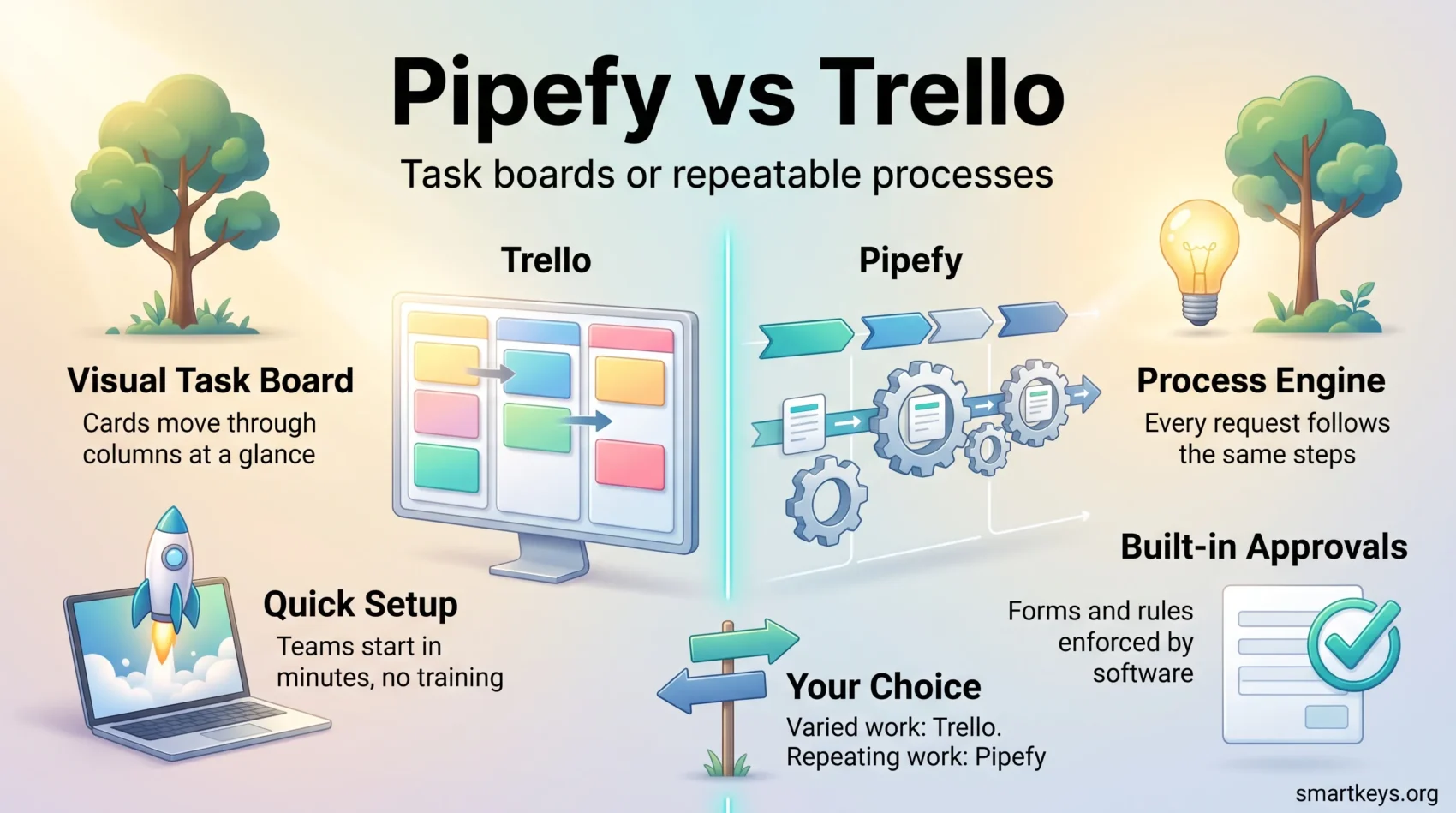
Pipefy and Trello turn up in the same searches, but they are not really the same kind of tool. Trello is a visual task board: you create lists, drag cards between them, and anyone can see at a glance where a piece of work stands. Pipefy is a process automation platform: you define a repeatable business process once, then every request that arrives runs through the same steps, rules and approvals.
That difference shapes everything else, including the price and the amount of setup work involved. This comparison covers what each platform does in 2026, what the plans actually cost, and which kind of team each one fits.
Key Takeaways
- Trello is built for visible task management; Pipefy is built for structured, repeatable processes with approvals and hand-offs.
- Trello publishes its prices: Free, Standard at $5, Premium at $10 and Enterprise at $17.50 per user per month on annual billing.
- Pipefy publishes only its free Starter plan. Business and Enterprise pricing is quoted by its sales team, so you cannot compare costs without a call.
- Trello’s free plan is genuinely usable for a small team, with a cap of 10 boards and 10 collaborators per Workspace.
- Pipefy’s free Starter plan allows up to five processes and up to 10 users.
- Choose Trello if the work is varied and the goal is visibility. Choose Pipefy if the same request type arrives every week and needs the same handling every time.
What each tool is actually built for
Before comparing features, it helps to be clear about the job each product was designed to do. They solve related problems in very different ways.
Trello: a board that makes work visible
Trello uses the kanban model, a board where work moves left to right through columns such as To Do, Doing and Done. Each task is a card you can open, assign, comment on and attach files to.
The appeal is that nobody needs training. A marketing team can set up a content calendar in an afternoon. A small agency can track client jobs on one board and see instantly which ones are stuck.
Atlassian rebuilt parts of Trello in 2025, and those changes now sit across the Free, Standard and Premium plans. An Inbox collects tasks you send in from Slack, Microsoft Teams or email, and a Planner lets you connect a Google or Microsoft calendar and drag tasks into time blocks in your day. AI features read forwarded messages and pull out due dates and action items. If you want to go further with add-ons, our guide to Trello Power-Ups for better task management covers the extensions worth installing.
Pipefy: an engine for repeatable processes
Pipefy describes itself as a way “to digitize your business processes with the power of automation and AI Agents”. In practice you build a pipe: a defined sequence of phases, with required fields, conditional rules and approvals at each step.
A concrete example makes this clearer. Suppose your finance team receives 200 supplier invoices a month. In Trello, someone creates a card for each one and remembers to move it along. In Pipefy, a supplier submits a form, the request lands in the first phase automatically, the system checks the required fields, routes anything above a set amount to a manager for approval, and closes the case when payment is confirmed. Nobody has to remember the steps because the process holds them.
Pipefy targets departments where the same request type arrives constantly: procurement, accounts payable, HR onboarding, legal contract review and customer support. This is the same territory covered by digital workflows that streamline team productivity and by standard operating procedures, except that the rules are enforced by software rather than by a document.
Trello pricing in 2026
Trello lists every price on its website, which makes budgeting simple. All per-user figures below are for annual billing.
Free: $0. You get up to 10 boards per Workspace, up to 10 collaborators per Workspace, 250 automation command runs a month and unlimited storage with a 10 MB limit per file. For a small team running a handful of projects, this is often enough.
Standard: $5 per user per month, or $6 billed monthly. This removes the board limit and adds advanced checklists, custom fields, card mirroring, AI features and 1,000 command runs a month. The per-file limit rises to 250 MB.
Premium: $10 per user per month, or $12.50 billed monthly. This is the tier that adds the other views: Calendar, Timeline, Table, Dashboard and Map. It also brings unlimited command runs, admin controls and Workspace-level templates.
Enterprise: $17.50 per user per month on annual billing. It adds unlimited Workspaces, organization-wide permissions, Power-Up administration and single sign-on through Atlassian Guard.
The practical decision point is Premium. If your team only needs boards, Standard is fine. If managers want a timeline or a dashboard view of the same cards, you are paying $10 a seat. For a 20-person team that is $2,400 a year. Our full Asana vs Trello comparison and Trello vs Jira comparison show how that compares with the obvious alternatives.
Pipefy pricing in 2026
Pipefy is far less transparent, and you should factor that into the decision.
Starter: free, with no credit card required. It covers up to five processes, up to 10 users, basic automations, ready-made process templates, a request tracker and 1,000 AI credits. That is enough to model one or two real workflows and see whether the approach suits your team.
Business: priced on request. It removes the process and user limits and adds API access, role-based access control, private processes, conditional logic, electronic signature and data recovery.
Enterprise: also priced on request. It adds broader automation and integration allowances, two-factor authentication, single sign-on, a custom email domain and higher storage limits.
Pipefy does not publish per-user rates for Business or Enterprise. Older articles quoting a figure such as $18 or $19 per user per month are repeating numbers the company no longer stands behind, so treat them as unreliable. If you shortlist Pipefy, budget for a sales conversation and ask specifically how automation runs, AI credits and integrations are metered, because those are the items that usually move the final quote.
Automation compared
Both tools automate, but at different levels.
Trello’s automation is called Butler and works on rules attached to a board: when a card moves to Done, tick the checklist and notify the owner. It is genuinely useful and needs no technical skill. The limit is the metering. Free gives you 250 command runs a month, Standard 1,000, and only Premium removes the cap. An active board can burn through 250 runs quickly.
Pipefy automates the process itself rather than a board. Rules decide which phase a request moves to, who must approve it, what happens when a deadline passes and which external system gets updated. It also offers AI agents that can carry out steps and pull data from connected systems. That power comes with setup cost: someone has to map the process properly first, and a badly mapped process becomes an obstacle rather than a help.
If your main need is connecting several systems rather than running a process, a dedicated integration tool may serve you better. See our Workato vs Zapier comparison, our Zapier vs Integromat comparison and the wider picture in iPaaS as the backbone of business integration.
Views, forms and intake
How work gets into the tool matters as much as what happens afterwards.
Trello starts with the board. Premium adds Calendar, Timeline, Table, Dashboard and Map views over the same cards, so a manager can see deadlines without disrupting how the team works day to day. Intake is informal: people create cards, or send items into the Inbox from chat and email.
Pipefy starts with the form. You publish a request form, and every submission arrives as a structured record with the fields you require. That is the difference that matters for a shared service team: you stop chasing people for missing information because the form will not submit without it. Pipefy also supports portals, so different audiences see only the interface meant for them.
For teams whose work looks more like a database than a board, a spreadsheet-style tool can be a better third option. Our Smartsheet vs Airtable comparison and Airtable vs Notion comparison cover that category.
Integrations
Both platforms connect to the usual business software. Trello links to Slack, Google Calendar, Google Drive, Dropbox and hundreds of other services through Power-Ups, its add-on marketplace. Pipefy advertises hundreds of integrations plus native automation and messaging through WhatsApp, Microsoft Teams and Slack.
Counting connectors is not a useful way to choose. The better question is whether the specific systems you depend on, such as your accounting software, your CRM or your HR system, are supported in the direction you need, and whether that connector sits on the plan you intend to buy. With Pipefy in particular, several integration capabilities are tied to the paid tiers.
Which teams each tool fits
The choice is usually clearer than a feature list suggests.
Pick Trello when
Your work is varied and changes often. You need people using the tool this week, not after a rollout project. Visibility is the goal: everyone should see what is in flight and what is blocked. Teams that do well with Trello include marketing and content teams, small agencies, product squads and anyone already comfortable with a personal kanban board. It also works well alongside general task management habits and a team productivity playbook.
Pick Pipefy when
The same request type arrives every week and must be handled the same way every time. You need approvals, audit trails and structured intake rather than free-form cards. You have someone who can own the process design and keep it current. Typical fits are procurement, accounts payable, HR service delivery, legal intake and customer operations in mid-sized and larger companies. Pipefy sits close to the low-code business process automation category, and the same governance questions apply.
Consider something else when
If you need project scheduling, dependencies and resource planning, neither tool is the natural answer. Look instead at Monday.com vs Trello, ClickUp vs Asana, Teamwork vs Wrike or Basecamp vs Monday.com. For software teams specifically, our Jira Software review is the better starting point, and AI-powered project management tools covers what the newer assistants add.
The verdict
For most small and mid-sized teams, Trello is the safer choice. The pricing is public, the free plan is real, adoption takes hours rather than weeks, and the 2025 Inbox and Planner additions closed the gap on personal task capture. The main cost trap is Premium: if you need views beyond the board, the bill doubles.
Pipefy earns its place when the problem is a process, not a task list. If you are handling the same structured requests at volume, need approvals recorded and want intake that enforces its own rules, a board will not get you there. The trade-offs are the setup effort and the lack of published pricing, which makes budgeting harder and comparison shopping slower.
A reasonable way to decide: list the five things your team does most often. If they are different every time, choose Trello. If they are the same every time and pass through more than one person, look seriously at Pipefy.
Found this useful?
Make SmartKeys a preferred source on Google, and our articles will surface more often in your Top Stories, AI Overviews, and AI Mode.
Add as Preferred Source




