

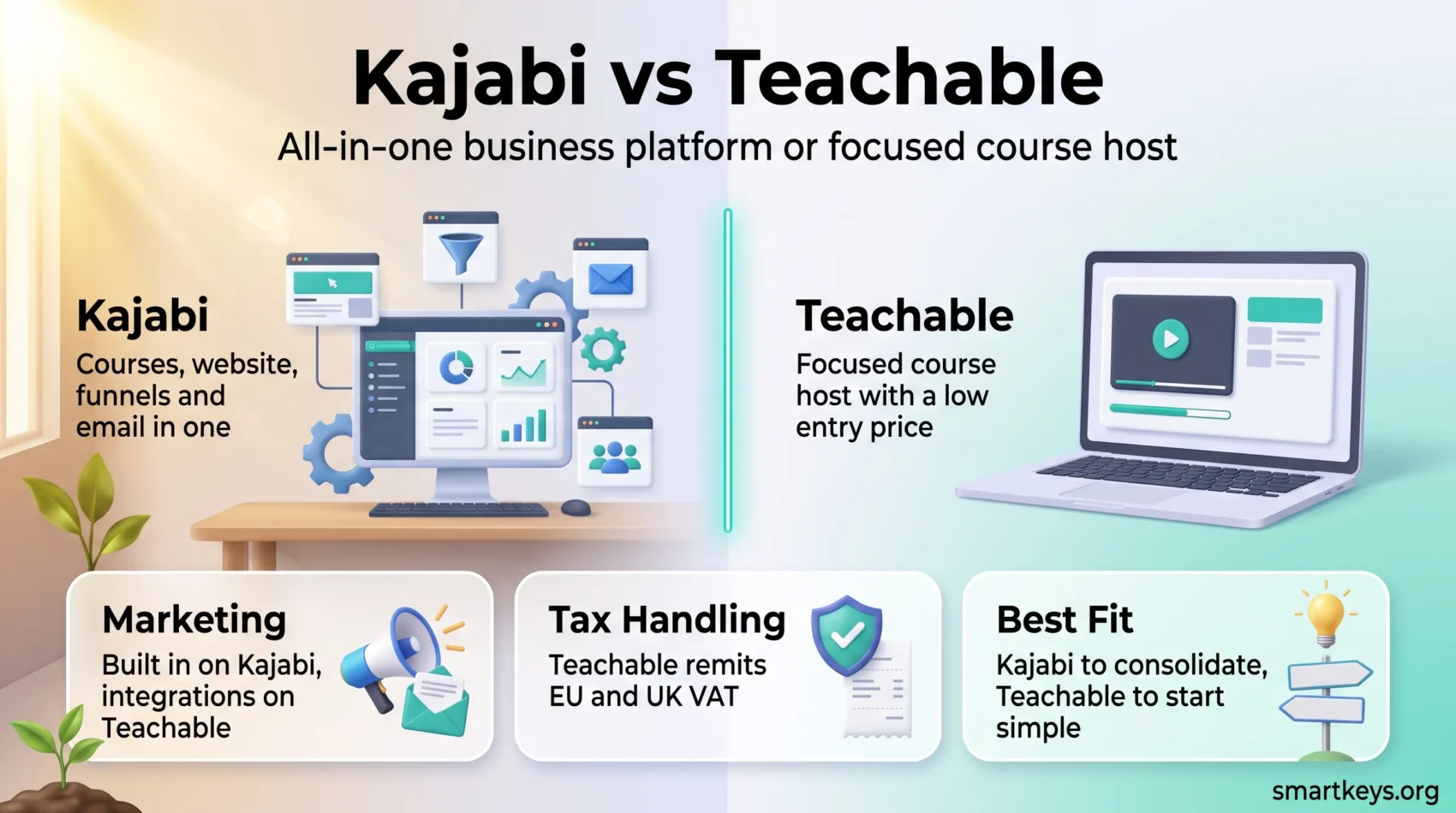
In online education, the platform you pick shapes your margins as much as your marketing does. When you compare Kajabi vs Teachable in 2026, the gap is wider than it used to be: Kajabi has moved upmarket after retiring its cheapest plan, while Teachable still starts at $39 per month but no longer offers a free tier.
This updated comparison covers what each platform costs today, how they differ on course building, engagement, marketing and tax handling, and which one fits the business you are building.
Key Takeaways
- Kajabi starts at $179 per month on Basic; Teachable starts at $39 per month on Starter (kajabi.com/pricing, teachable.com/pricing).
- Teachable has discontinued its free plan. Both now rely on trials plus a 30-day money-back guarantee.
- Teachable’s Starter plan carries a 7.5% platform fee on every sale; Builder and above charge 0%.
- Kajabi bundles website, funnels, email and community in one subscription; Teachable concentrates on course delivery.
- Kajabi’s branded mobile app and API access sit on the Pro plan only.
- Teachable calculates and remits EU and UK VAT on its own gateways; Kajabi collects tax but leaves filing to you.
Introduction to Online Course Platforms
Course platforms handle the unglamorous half of selling knowledge: hosting video, taking payment, tracking progress and chasing drop-offs. The trade-off is that each one bakes in assumptions about how you sell, and those assumptions get expensive to unwind later.
Three questions decide the fit. How many products will you run? How much of your marketing stack do you want inside the platform? And how much of every sale are you willing to hand over? If you are still shaping the offer itself, our go-to-market strategy playbook is a useful companion, and the rise of micro-credentials in hiring explains why demand for structured online courses keeps growing.

Overview of Kajabi
Kajabi sells itself as the whole business in one subscription: courses, coaching, communities, a website, funnels, email and analytics. That breadth is why people pay for it — and why the bill looks steep next to a pure course host.
What Makes Kajabi Stand Out?
The marketing layer is the differentiator. Email sequences, pipelines and checkout pages live in the same account as your course, so a lead never leaves the system between the opt-in and the sale. For creators who would otherwise stitch together a course host, an email marketing platform and a landing page builder, that consolidation is worth real money.
Kajabi has also leaned into communities and coaching, which makes recurring revenue easier to build than one-off launches. The economics of subscription-based business models reward retention, and a community-led growth motion gives members a reason to stay past module three.
Key Features of Kajabi
- Courses, coaching, communities, podcasts and digital downloads as product types.
- Built-in website and funnel builder with a template library.
- Native email marketing, with advanced automations from the Growth plan up.
- Kajabi Payments for checkout, subscriptions and payment plans.
- Course completion certificates, issued through automations.
- A branded mobile app for your students, available on the Pro plan.
Overview of Teachable
Teachable does one job and keeps the price of entry low. You get a clean course builder, a checkout that works in most countries, and enough marketing to launch — but not a marketing suite.
Why Choose Teachable?
Cost is the obvious draw. Starter is $39 per month ($29 billed annually) against Kajabi’s $179, so a first course goes live for a fraction of the commitment. The catch is the 7.5% platform fee on Starter sales, which quietly becomes your most expensive line item. At roughly $2,000 in monthly sales, the fee alone costs more than upgrading to Builder.
The free plan that earlier versions of this comparison recommended is gone. Teachable now lists a 7-day free trial and a 30-day money-back guarantee instead, so testing the platform means entering payment details.
Key Features of Teachable
- Courses, coaching sessions, digital downloads and bundles.
- Granular lecture-level controls with mixed content types and drip scheduling.
- Quizzes, and certificates of completion from the Growth plan up.
- An affiliate program from the Builder plan up.
- teachable:pay and the Monthly Payment Gateway, or your own Stripe and PayPal accounts.
- Up to 1TB of video storage across the paid plans.
For live cohorts, both platforms expect you to bring your own conferencing tool — our Zoom vs Microsoft Teams comparison covers that choice, and if you record lessons rather than teach them live, the Synthesia review looks at AI-generated presenter video.
Kajabi vs Teachable Pricing in 2026
This is where the platforms separate most clearly. Kajabi retired its Kickstarter plan and raised Basic pricing, pushing the floor to $179 per month. Teachable kept a cheap entry point but funds it with a transaction fee.
- Kajabi Basic — $179/month, or $143/month billed annually. 5 products, 2,500 contacts, 2 admin users, 1 website.
- Kajabi Growth — $249/month, or $199/month annually. 50 products, 25,000 contacts, 11 admin users, affiliate program and advanced automations.
- Kajabi Pro — $499/month, or $399/month annually. Unlimited products, 100,000 contacts, 26 admin users, 3 websites, branded app and API access.
- Teachable Starter — $39/month, or $29/month annually. 5 products, 1 admin, 100 active students, 7.5% platform fee.
- Teachable Builder — $89/month, or $69/month annually. 10 products, 1,000 active students, 0% platform fee, affiliate program.
- Teachable Growth — $189/month, or $139/month annually. 50 products, 5 admins, 5,000 active students, certificates and branding removal.
Teachable lists a higher custom tier above Growth. Kajabi Payments rates run from 2.9% + $0.30 on Basic down to 2.7% + $0.30 on Pro; independent pricing analyses report extra surcharges on subscription transactions, international cards and third-party gateways, so treat the headline rate as a floor.
Kajabi’s contact limits, not its product limits, are what usually force an upgrade, and 2,500 contacts on Basic is a small list. If your audience already lives in a newsletter, check what a dedicated tool costs first — our Mailchimp review and Beehiiv review give you the numbers.
Course Creation and Customization Capabilities
Both builders are drag-and-drop and both will get a course online in an afternoon. The difference is how much structure they impose.
Comparative Analysis of Course Structures
Kajabi organises content into modules and submodules, which suits multi-part programmes and cohort curricula. Teachable uses sections and lectures with fine-grained control at the lecture level, so mixing video, text, audio and downloads inside one lesson is straightforward. Neither model is better in the abstract: deep hierarchies help long programmes and get in the way of a three-hour workshop.
Content operations matter more than most creators expect: a second brain system for lesson notes and a project board — see our Monday.com vs Trello comparison — keep a launch from stalling in half-finished drafts.
Design and Customization Options
Kajabi ships more themes and lets you restyle the student-facing experience in more places, including a branded mobile app on Pro. Teachable offers a smaller template set, applies branding mostly at account level, and reserves white-labelling for higher tiers. Both produce responsive course pages out of the box.
If your brand is part of the offer, Kajabi gives you more room. If you mainly need lessons that read well on a phone, Teachable’s constraints are not a real limitation.
Student Engagement Features
Completion rates decide your reviews, refunds and referrals, so engagement tooling is not a nice-to-have.
Quizzes and Assessments
Both platforms include quizzes you can drop between lessons to break up long video. Kajabi supports a broader mix of question formats; Teachable’s is simpler and quicker to set up. For most curricula that gap is small, and short, frequent checks beat one long exam either way — a pattern our piece on trends in business education and training traces across the market.
Certificates of Completion
Both platforms can issue completion certificates automatically. On Kajabi they are triggered through automations; on Teachable they arrive with the Growth plan and above, which is worth checking before you promise certification on a sales page.
Sales and Marketing Tools Comparison
This is where the price difference earns its keep — or does not.
Website and Landing Pages Functionality
Kajabi includes a full website and funnel builder, so your sales page, opt-in, checkout and thank-you page live in one place with one set of analytics. Teachable provides sales pages and expects you to bring your own site — workable and often cheaper, but more moving parts.
Email Marketing and Funnels
Kajabi’s native email and automation tools are the strongest argument for its price. You can segment by product, tag by behaviour and run sequences without exporting anyone. Teachable sends transactional and basic broadcast email and integrates with outside tools, so most serious Teachable users pair it with a dedicated platform — see our Sendinblue vs ConvertKit and ActiveCampaign vs HubSpot comparisons, or the HubSpot Marketing Hub review for a larger stack.
Before buying Kajabi purely for the marketing suite, price the alternative. A cheap course host plus a $30 email tool often lands well under $179 a month, and agencies running many client funnels may prefer a dedicated platform such as the one in our GoHighLevel review.
Payment Processing, Tax and Monetization
Both platforms handle one-time payments, subscriptions and payment plans in multiple currencies. The meaningful difference in 2026 is tax.
Teachable states that on teachable:pay and its Monthly Payment Gateway it calculates, collects and remits tax based on the student’s location, including EU and UK VAT. Use a custom Stripe or PayPal gateway and that responsibility moves back to you, with Teachable still calculating the amount and reporting it in your exports. Kajabi’s documentation goes the other way: Kajabi Payments calculates and collects sales tax and gives you reporting, but states that it “does not file or remit sales taxes on your behalf.”
For a creator selling digital products into Europe that is an operational difference, not a footnote. Earlier versions of this article had it backwards.
On monetization, Kajabi’s advantage is breadth — coaching, communities and memberships billed from one checkout. Teachable’s is that more of each sale stays with you once you are off Starter. If admin is eating your week, our guide to outsourcing low-value tasks covers what to hand off first.
Which Platform Fits You?
Choose Teachable if you are launching your first or second course, want the lowest entry cost, already have an email tool you like, or sell into the EU and want VAT handled for you. Move off Starter as soon as the 7.5% fee costs more than the upgrade.
Choose Kajabi if you are consolidating a stack rather than adding to one, run memberships or coaching alongside courses, and will actually use the email, funnel and community tools. If you will not use them, you are buying a course host at three times the going rate.
Worth a look before deciding: our LearnWorlds review covers a third option built around interactive video, which suits lessons that depend on in-video interaction rather than marketing automation.
Found this useful?
Make SmartKeys a preferred source on Google, and our articles will surface more often in your Top Stories, AI Overviews, and AI Mode.
Add as Preferred Source




