

Two of the best known email marketing platforms changed their names, and most comparison articles never caught up. Sendinblue became Brevo in 2023. ConvertKit became Kit in 2024. Same products, new names, pricing that has moved on since.
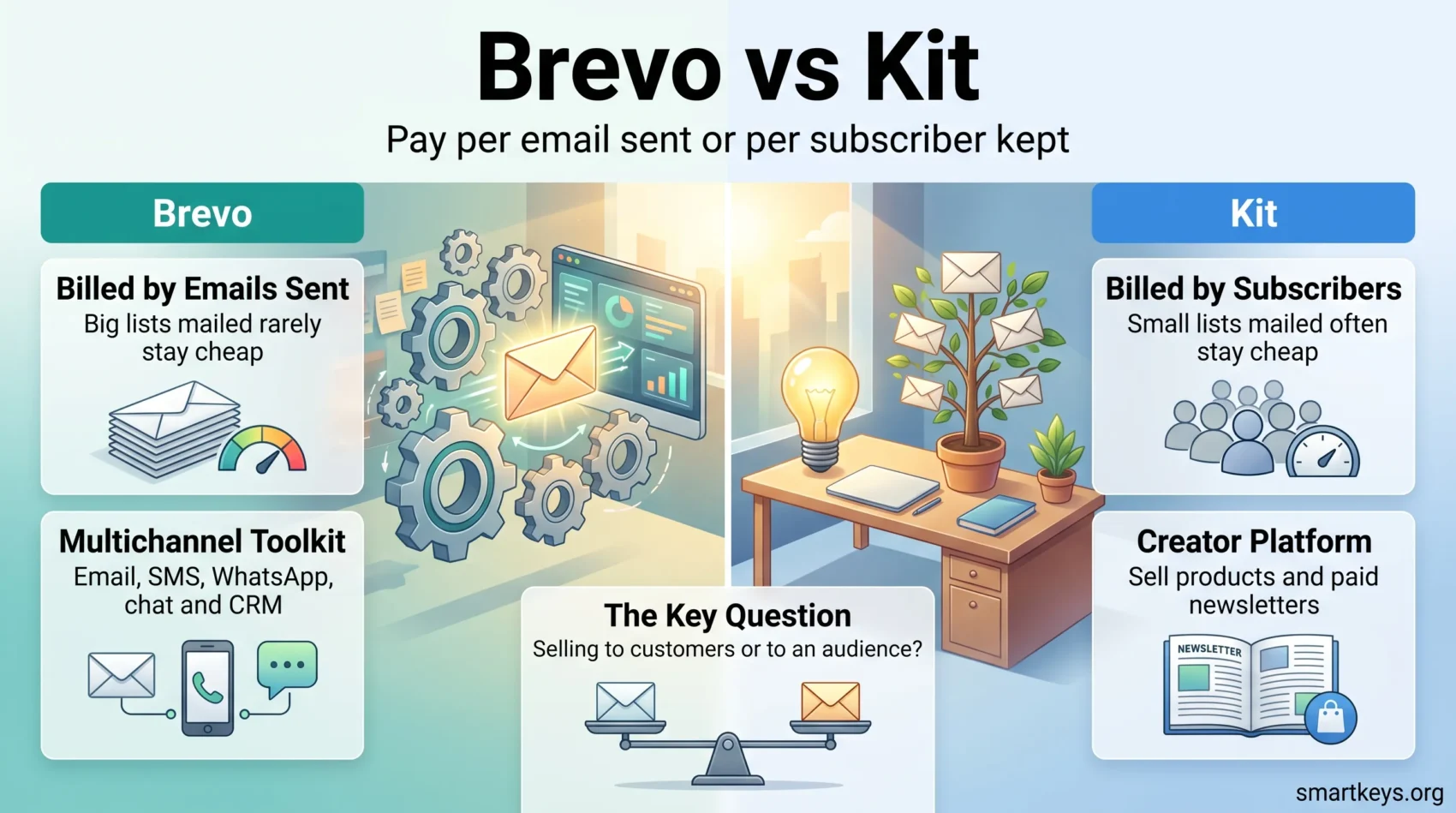
One difference decides most of the choice. Brevo charges for the emails you send. Kit charges for the subscribers you keep. Depending on how often you mail your list, that can swing your bill by hundreds of dollars a year.
Key Takeaways
- Sendinblue is now Brevo and ConvertKit is now Kit. Reviews still using the old names are out of date on price too.
- Brevo bills by email volume, so a large list you mail rarely stays cheap.
- Kit bills by subscriber count, so a small list you mail daily stays cheap.
- Kit’s free plan reaches 10,000 subscribers but allows one automation. Brevo’s has no practical contact cap but stops at 300 emails a day.
- Brevo is a broad business toolkit: email, SMS, WhatsApp, chat and a built-in CRM. Kit is a creator platform with product and paid newsletter selling built in.
- The real question: does your business sell to an audience or to a customer list?
Sendinblue Is Now Brevo, ConvertKit Is Now Kit
Sendinblue announced its rebrand to Brevo on 4 May 2023, presenting it as a move from an email sending tool to a full customer relationship platform. ConvertKit followed in 2024, taking the shorter name Kit and positioning itself around the creator economy rather than email alone.
The renames matter for a practical reason: pricing tables written before the changes are still online, and their numbers no longer hold. Both platforms have repriced and reshuffled their plans since.
The character of each tool did not change. Brevo is still the volume-priced, multi-channel option for a business with a customer database. Kit is still the creator-first option built around one person publishing to an audience.
What Each Platform Is Built to Do
Both store contacts, send campaigns, segment lists, automate sends and report results. The differences sit around that core.
Brevo wraps the email engine in a wider communications stack: SMS, WhatsApp on higher tiers, a shared inbox, live chat and a sales CRM included rather than sold separately. It assumes you have customers with orders and support tickets attached.
Kit wraps the same engine in publishing and selling tools: landing pages, forms, a recommendation network, and native selling of digital products and paid subscriptions. It assumes you have readers, and that some will pay you directly.
Neither is better in the abstract. A Shopify store and a paid newsletter need different software. If you are still working out which model you follow, our overview of how digital marketing strategies have evolved is a useful starting point.
What to Look for in an Email Platform in 2026
Before comparing feature lists, settle four things.
Sending economics. Work out your monthly send volume, not your list size. Ten thousand subscribers mailed monthly is 10,000 emails. The same list mailed daily is 300,000. Those two numbers point at different platforms.
Segmentation depth. Both segment by tags and behaviour. Only Brevo also segments on purchase and CRM data, which matters for e-commerce.
Automation you will actually build. A welcome sequence and an abandoned cart flow cover most of the value for a small business. Anything beyond that is worth paying for only if you will build it.

Those criteria tell you more than any feature table. If your needs sit between these two tools, compare MailerLite and ActiveCampaign, Mailchimp and Klaviyo, or our Mailchimp review.
Ease of Use
Kit: Deliberately Plain
Kit strips the interface back. The editor produces text-forward emails that look like something a person wrote, which is what a newsletter audience expects. Building a form, connecting it to a sequence and scheduling a broadcast takes minutes on day one. The cost of that restraint: if you want a designed template with columns, product blocks and brand styling, Kit will frustrate you.
Brevo: More Power, More Screens
Brevo gives you a drag-and-drop builder, a template library, a CRM, an SMS module and a chat inbox. That breadth is the point, and it is also the learning curve: new users routinely spend a week working out which module owns which piece of data. Past that, the depth pays off. Firing a transactional email from your checkout and having it share contact data with your sales pipeline is straightforward in Brevo, and simply not something Kit does.
Deliverability: Getting Into the Inbox
Honest comparison here is hard, because independent testing is patchy. EmailToolTester’s January 2024 deliverability round put Brevo at an 88.3% average inbox placement rate. Kit was not scored: the testers could not set up DMARC authentication on their sending subdomain, so no comparable figure exists. Treat any article claiming a precise head-to-head winner with suspicion.
Your own setup does most of the work anyway. Authenticate your sending domain with SPF, DKIM and DMARC, drop subscribers who have not opened anything in six months, and warm up gradually rather than blasting a cold list on day one. Both platforms support all of this, and neither can rescue a list you bought.
Pricing: Two Billing Models, Not Two Price Tags
Brevo Charges for Emails Sent
Brevo’s free plan sends up to 300 emails per day and does not meaningfully cap stored contacts. Paid plans scale with monthly send volume.
According to EmailToolTester’s pricing tracker, Starter runs about $9 per month at 5,000 emails and about $29 at 20,000. Standard, which adds marketing automation, A/B testing and landing pages, runs about $18 at 5,000 emails and about $65 at 20,000. Professional targets higher volumes and adds WhatsApp and push channels, contact scoring and phone support. Enterprise is quoted individually.
Two costs catch people out: removing Brevo branding is a paid add-on on Starter, and phone support starts at Professional.
Kit Charges for Subscribers
Kit’s free plan goes up to 10,000 subscribers, unusually generous, but it caps you at a single automation, keeps Kit branding on forms and emails, and requires you to display recommendations from other newsletters.
Paid plans scale with list size. At 1,000 subscribers, Creator is $39 per month and Pro is $79. At 5,000 those rise to $89 and $139. At 10,000 they reach $139 and $189. Annual billing saves roughly 17%.
Creator unlocks unlimited automations and sequences, subject line A/B testing, SMS marketing, 100 plus integrations and Kit MCP for connecting AI tools. Pro adds engagement analytics, deliverability reporting, unlimited team users and a newsletter referral system. Kit also takes 3.5% plus 30 cents of anything you sell through its commerce features.
Which Model Costs You Less
Run your own numbers, because the answer flips.
A consultant with 8,000 contacts sending one newsletter a month sends 8,000 emails: roughly $9 to $18 on Brevo, around $119 on Kit’s Creator plan. Brevo wins comfortably.
A newsletter writer with 3,000 subscribers publishing four times a week sends about 48,000 emails a month. Kit’s Creator plan at that list size runs $59 to $89. Brevo Standard at that volume climbs well past it, and the creator tools Kit bundles have no Brevo equivalent.
The rule of thumb: infrequent sending to a big list favours Brevo, frequent sending to a smaller list favours Kit.
Automation and Segmentation
Both build automations on a visual canvas where you drag triggers, conditions and actions into a flow. Kit’s version is easier to learn. Triggers are the events a creator cares about: someone subscribed, bought, clicked, or was given a tag. A welcome sequence that tags readers by what they clicked and sends different follow-ups is a fifteen minute job. The limit is that everything revolves around the subscriber: no order, no deal stage, no support ticket.

Brevo’s builder handles more because it has more data. It can branch on website behaviour, purchase history and CRM fields, then act across email, SMS and WhatsApp in one flow. An abandoned cart sequence that emails after an hour and texts after a day is native here.
The trade-off is setup effort. Brevo’s automation performs only as well as the tracking and contact attributes you configured first, and that work is fiddly. Teams already running a separate CRM should check how the two share data. Anyone weighing a heavier suite can compare our HubSpot Marketing Hub review and Adobe Marketo Engage review.
Feature Comparison
Where Kit Is Stronger
- Selling to your audience. Digital products, paid newsletters and tips work natively, with no separate checkout tool.
- Audience growth. The Creator Network recommends your newsletter to readers of other newsletters, a real acquisition channel.
- Tagging. One subscriber, many tags, no duplicate list management.
- Speed to first send. Less to configure, less to get wrong.
Where Brevo Is Stronger
- Transactional email. Order confirmations, password resets and shipping notices from the same account as your campaigns.
- Multiple channels. SMS on all paid tiers, WhatsApp and push on Professional.
- Included CRM and shared inbox. Sales and support data sits alongside marketing data.
- Cost at scale. A hundred thousand contacts mailed monthly costs a fraction of subscriber-based pricing.
For stores, the transactional and purchase-data side usually tips the decision. Our guides to e-commerce personalization and e-commerce trends cover what that data makes possible, and the Shopify review covers the platform most of these integrations assume.
Brevo vs Kit: Making the Right Choice
Choose Brevo if you run a business with customers rather than readers: you need transactional email, you want SMS or WhatsApp in the same tool, you have a large list you mail occasionally, or you want a CRM without paying for a second product. It suits small businesses that would rather consolidate tools than add subscriptions.
Choose Kit if your audience is the business: you publish regularly, you sell courses, memberships or digital products, and you would rather send a plain email that gets read than a designed one that gets skimmed. Anyone building around courses should also weigh Kajabi against Teachable and our LearnWorlds review, since those platforms bundle their own email.
If you send a public newsletter and monetisation is the priority, add a third name to the shortlist: Beehiiv combines referral growth tools and paid subscriptions in one dashboard and competes directly with Kit.
Whichever you pick, start on the free tier and send real campaigns before you pay. Both free plans are large enough to test properly, and an hour inside the product settles this faster than any comparison table, including this one.
Found this useful?
Make SmartKeys a preferred source on Google, and our articles will surface more often in your Top Stories, AI Overviews, and AI Mode.
Add as Preferred Source




