

Remote and hybrid teams now run on software that does far more than pass messages along. It transcribes the meeting, drafts the summary, translates the chat, flags the task nobody picked up and answers routine questions before a person ever sees them. That is what AI remote collaboration means in practice: not a robot colleague, but a layer of automation sitting inside the tools your team already opens every morning.
The question in 2026 is no longer whether these features exist. They ship by default in Slack, Microsoft Teams, Zoom, Asana and almost everything else. The useful question is narrower: which of them save real time, which ones quietly create new work, and which ones are now regulated.
This guide covers what the evidence actually supports, what the European rules require from August 2026, and how to introduce these tools without paying for software nobody opens.
Key Takeaways
- About 25% of paid full days in the US were worked from home in May 2026, so distributed work is a settled pattern rather than a phase.
- Half of US employees used AI at work in early 2026, but only 13% used it daily. Adoption is broad and shallow.
- The problem these tools are aimed at is fragmentation: Microsoft measured an interruption roughly every two minutes during core working hours.
- Meeting assistants and real-time translation produce the clearest, most measurable wins.
- AI that infers emotions from faces or voices is banned in EU workplaces, with narrow medical and safety exceptions.
- From 2 August 2026, a chatbot in the EU has to tell people they are talking to a machine.
- No tool fixes an unclear process. Decide who owns which decision before you buy anything.
Where Remote Work Actually Stands in 2026
Remote work neither took over the economy nor disappeared. It settled. Stanford’s Survey of Working Arrangements and Attitudes (SWAA) put roughly 25% of paid full days in the US as worked from home in May 2026, against under 6% before the pandemic. That is the baseline every collaboration tool is now designed around.
The tooling settled too. Video calls, shared documents and team chat stopped being emergency measures and became the default way work moves. What changed more recently is that vendors started building AI features directly into those same products instead of selling them separately.

Adoption of those features is wide but thin. Gallup’s Q1 2026 survey found that 50% of US employees had used AI at work at least occasionally, 28% used it at least a few times a week, and 13% used it daily. In other words, most people have tried it, and a minority have made it part of how they work. That gap matters when you plan a rollout: buying licences is easy, changing daily habits is not.
It also helps to be clear about what you are solving. Distributed teams struggle with three specific things: information that lives in one person’s head, coordination across time zones, and meetings that expand to fill the calendar. Those are the problems worth pointing software at. For the wider picture of how remote work reshaped the workplace, the pattern is the same everywhere: the technology was the easy part.
What AI Collaboration Tools Actually Do
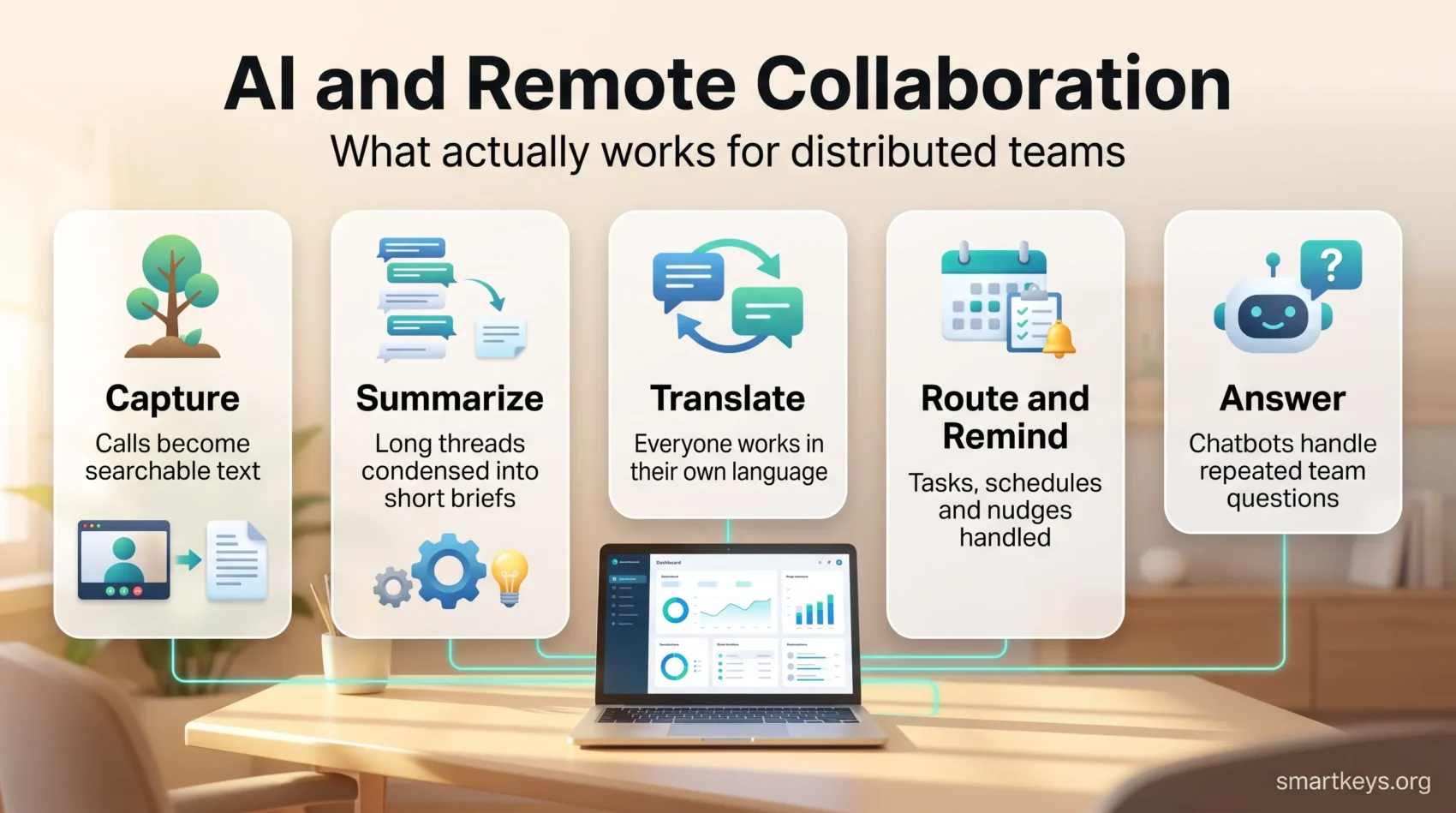
Strip away the marketing and most of these features fall into five groups.
Capture. Transcription and note-taking turn a call into searchable text, so the person who missed it can read it in three minutes instead of watching an hour of video.
Summarise. The same models compress a long thread, document or meeting into a short brief. This is the most reliable use, because summarising is a task that tolerates small errors.
Translate. Live captions and message translation let people work in their own language without waiting for a bilingual colleague.
Route and remind. Scheduling assistants, task extraction and status nudges handle the small coordination work that otherwise eats a manager’s day.
Answer. Internal chatbots respond to repeated questions about policy, process or documentation, so the same query does not reach five people.
Nothing on that list is a strategy. Each item removes one specific piece of friction, and teams that treat them that way get value. Teams expecting a transformation usually do not. Keep that in mind before comparing AI collaboration tools for global teams in detail.
The Real Problem: A Workday Cut Into Pieces
The strongest case for automating collaboration is not speed. It is protecting attention.
Microsoft’s 2025 Work Trend Index research on the “infinite workday” measured what a typical day now looks like inside its own products. Employees were interrupted roughly every two minutes during core hours, around 275 times a day, by meetings, emails or chats. The average person received 117 emails and 153 Teams messages per weekday. More than half of meetings were ad hoc calls with no calendar invite, and meetings after 8pm had risen 16% year over year.
Half of all meetings fell between 9am and 11am or 1pm and 3pm, which are exactly the hours most people would use for concentrated work if the calendar left them alone.
That is the shape of the problem. A tool that saves four minutes on note-taking is useful. A tool that removes an entire recurring meeting is worth far more. This is why a meeting audit usually pays back faster than any AI licence.
Meeting Assistants: Notes, Summaries and Action Items
Meeting assistants are the clearest win available to a remote team right now, and the easiest to get wrong.
What they do well: record the call, produce a transcript, generate a summary, and pull out decisions and action items. The practical effect is that attendance becomes optional for people who only needed the outcome. A colleague eight time zones away reads the summary instead of joining at midnight.
What they do badly: they cannot tell you what mattered. A summary reflects what was said, not what was decided, and models still misattribute statements when several people talk over each other. Anyone treating the generated notes as a record of decisions without reading them is storing up trouble.
Three habits make the difference. Assign one human owner per meeting who checks the summary before it is shared. Keep a short standing agenda so the model has structure to summarise. And decide in advance where notes live, because a transcript nobody can find is not documentation. A repeatable AI meeting notes workflow is worth more than the choice of vendor.
Recording also has a consent dimension. In much of Europe and in a number of US states, recording a conversation means telling participants and sometimes obtaining their agreement. Turn the announcement on and leave it on.
Real-Time Translation and Cross-Language Teams
Live translation is the feature that most obviously does something a person could not do cheaply before. Captions in a second language during a call, or automatic translation of chat messages, let a team hire for skill rather than for shared fluency in English.
The quality is good enough for routine work and not good enough for everything. Machine translation still struggles with idiom, humour, industry jargon and legal precision. Use it for standups, project chat and internal documentation. Do not use it unreviewed for contracts, disciplinary conversations or anything a regulator might read. A short overview of the current options is in our guide to real-time translation tools.
The second benefit is subtler. When everyone reads in their own language, the people who are slowest in English stop being the quietest in meetings. That is a real inclusion gain, and it is one of the few areas where a technical feature genuinely changes who gets heard. It pairs naturally with the way cross-border teams already handle time zones and local law.
AI in Project Management and Task Coordination
Every major project tool now advertises AI features. The useful ones are unglamorous.
Task extraction turns a meeting summary or a message thread into draft tasks with owners, so coordination does not depend on someone remembering. Status rollups generate the weekly project update from activity already in the system, which removes a report a manager used to write by hand. Risk flags surface work that has stalled or dependencies that slipped, based on patterns in the data rather than on someone noticing.
Two cautions apply. First, forecasting features are only as good as the data behind them. A team that does not update task status will get confident predictions built on fiction. Second, pricing has changed shape: most vendors now meter AI usage separately from seats, through credits or per-action charges, so a heavy month can cost noticeably more than a light one. Read the metering terms before you commit, and check the current plans rather than a comparison written last year. Our guide to AI in project management covers how these features fit an existing workflow.
Automating the Routine Work Around Collaboration
A surprising share of collaboration is administration: scheduling, chasing, copying information from one system to another, answering the same question again. This is where automation earns its keep, and much of it does not need AI at all.
Start by writing down the tasks your team repeats weekly. Most lists contain a few obvious candidates: onboarding checklists, request intake, routine approvals, status reminders, moving data between a form and a tracker. Automate those first, because the rules are clear and the failure modes are visible.
Add AI where the input is messy rather than structured. Sorting free-text requests into categories, drafting a first reply, or extracting fields from a document are jobs that rules handle badly and models handle well. Keep a human approval step wherever the output leaves the company or affects someone’s pay, access or employment.
Then watch the tool count. Adding a workflow tool to fix a problem caused by too many tools is a common and expensive mistake, which is the core of what our piece on work tech overload describes.
Team Analytics: What You May Measure, and What You May Not
This is the area where enthusiasm most often collides with the law.
Useful and legitimate: aggregate delivery data, cycle times, how long work sits waiting, whether documentation gets used, and voluntary survey responses. These tell you where a process is slow. They also work without inspecting individuals.
Not legitimate in the EU: inferring emotions from biometric data at work. Since 2 February 2025, the EU AI Act has prohibited AI systems that infer emotions from facial expressions, voice or other biometric signals in the workplace and in education, with narrow exceptions for medical and safety purposes. Engagement scoring from a webcam, attention tracking during calls and voice-based mood detection all fall on the wrong side of that line. Text sentiment analysis is treated differently, because it is not based on biometric data, but it still sits under data protection law and under works council agreements in much of Europe.
Even where monitoring is legal, it is rarely free. Surveillance that employees notice tends to cost trust, and trust is the thing a distributed team can least afford to lose. Our coverage of AI in employee monitoring and of emotion recognition at work goes through the boundaries in detail, and data privacy at work covers what employers owe staff about their data.
The Rules That Apply From August 2026
Two dates matter for anyone running AI inside a collaboration stack in Europe.
The prohibition described above has applied since February 2025. From 2 August 2026, Article 50 of the EU AI Act adds transparency duties. Providers must make sure an AI system that interacts directly with people tells them they are dealing with a machine, unless that is obvious from the context. Generative systems must mark their output in a machine-readable way so it is detectable as artificially generated. Deployers must disclose when emotion recognition or biometric categorisation is in use, and must label deepfakes and AI-generated text published to inform the public, unless a human reviewed and took editorial responsibility for it. Penalties for breaching the transparency rules reach 15 million euros or 3% of worldwide annual turnover. A limited extension to 2 December 2026 applies only to the marking requirement for systems already on the market before August.
In practice this means three concrete tasks. Label your internal chatbots. Keep a list of which AI features are switched on in which tool and who owns each one. Write down what your staff are and are not allowed to paste into an external model. A short internal standard, of the kind described in our generative AI usage guidelines, is faster to produce than most people expect. Our overview of AI regulation in 2026 covers the wider compliance picture.
How to Roll These Tools Out Without Wasting Money
The evidence on returns is sobering. MIT’s 2025 State of AI in Business report found that around 95% of enterprise generative AI pilots produced no measurable effect on profit and loss. The projects that failed generally were not technical failures. They were pilots without an owner, without a defined process and without a way of telling whether anything improved.
A rollout that works usually looks like this.
Pick one repeated problem. Not “improve collaboration” but “our weekly project update takes a manager two hours” or “our support team answers the same twenty questions”.
Measure it before you start. Hours spent, response time, number of meetings, whatever the problem is made of. Without a starting number you cannot tell a real improvement from enthusiasm.
Run it with one team for a month. Long enough to get past novelty, short enough to stop cheaply.
Write down the rules. Who reviews AI output, what data may go in, where results are stored.
Decide honestly. Keep it, change it or drop it. Dropping a tool that did not work is a good outcome, not a failure.
Managers carry more of this than they expect, because adoption is a leadership problem rather than a licensing one. The habits in remote leadership apply directly.
Where AI Still Does Not Help
Some problems in distributed teams look technical and are not.
Trust is the clearest example. People commit to work they helped shape and to colleagues they know something about. No summary tool creates that. Deliberate practices do: structured onboarding, one-to-ones that actually happen, and occasional time together. The evidence in remote employee engagement is consistent on this, and simple team building for remote teams still does work that software cannot.
Isolation is the second. Remote and hybrid staff report high engagement and high loneliness at the same time, which is a combination worth taking seriously rather than automating around. Our coverage of remote work and mental health and of hybrid workspaces and wellbeing sets out what employers can realistically change.
The third is decision-making. When nobody knows who decides, a faster tool produces faster confusion. Clarity about ownership has to come first. That is also the foundation of a working digital headquarters, and it is why asynchronous communication succeeds in some teams and stalls in others.
Conclusion
AI has become a normal part of remote collaboration rather than a differentiator. The features that consistently earn their cost are the modest ones: turning a call into text, compressing a thread, translating a message, drafting a task, answering a question that has been answered before.
The gains come from choosing a specific problem, measuring it, and being willing to switch a tool off. The risks come from the opposite habit: adding features because they are included, monitoring because it is possible, and assuming a summary is the same thing as a decision.
Distributed work is settled. What separates teams now is not which AI features they have switched on, but whether they were clear about the problem before they switched anything on at all.
Found this useful?
Make SmartKeys a preferred source on Google, and our articles will surface more often in your Top Stories, AI Overviews, and AI Mode.
Add as Preferred Source




