

Remote work accessibility means building your tools, meetings and documents so an employee with a disability can do the job without needing a workaround first. It covers the setup at home, the software your team runs on, and what happens when someone needs a change.
About 25% of US paid full days were worked from home in May 2026, against roughly 5% to 6% before the pandemic, according to the Survey of Working Arrangements and Attitudes. Once a quarter of the work happens outside the office, your digital workplace matters as much as the ramp at the front door. The employment gap is still wide: in 2025 the employment-population ratio for people with a disability was 22.8%, against 65.2% for people without one, the Bureau of Labor Statistics reported in March 2026.
Small changes, from live captions to a lower desk, remove barriers that offices create. This hybrid work policy template is a starting point.
Key Takeaways
- Remote work drove real employment gains for people with physical disabilities, according to NBER research.
- Most accommodations are cheap: 61% cost the employer nothing at all.
- Decisions made once, in your tools and templates, beat one-off fixes.
- Captions, keyboard access and clear documents help everyone.
- 2026 brought new digital accessibility deadlines in the US and the EU.
Why Remote Work Accessibility Matters in 2026
Working from home removed obstacles that had little to do with the job: the commute, the inaccessible building, the fixed 9-to-5 that ignores fatigue and appointments.
What the employment data shows
Economists Nicholas Bloom, Gordon Dahl and Dan-Olof Rooth studied US employment from 2019 to 2024. Employment among workers with a physical disability rose 14%, while employment for workers without a disability stayed roughly flat. Their analysis attributes 68% to 85% of that rise in full-time employment to the growth of working from home.
When an occupation moves online, someone who cannot easily travel to an office can apply for the job. That progress depends on remote and hybrid work staying available, and on the digital workplace being usable once people are hired.
The business case: hiring, retention and everyday friction
Accessible design widens who can work for you. At an employment-population ratio of 22.8%, a large pool of experienced candidates is underused. Accessibility work also removes friction for everyone: captions help someone in a noisy room, keyboard shortcuts help power users, clear headings help anyone skimming on a phone. Teams that get this right tend to see it in remote employee engagement and in day-to-day productivity, because fewer people are quietly working around a broken tool.
How to Design Accessible Remote Work Experiences
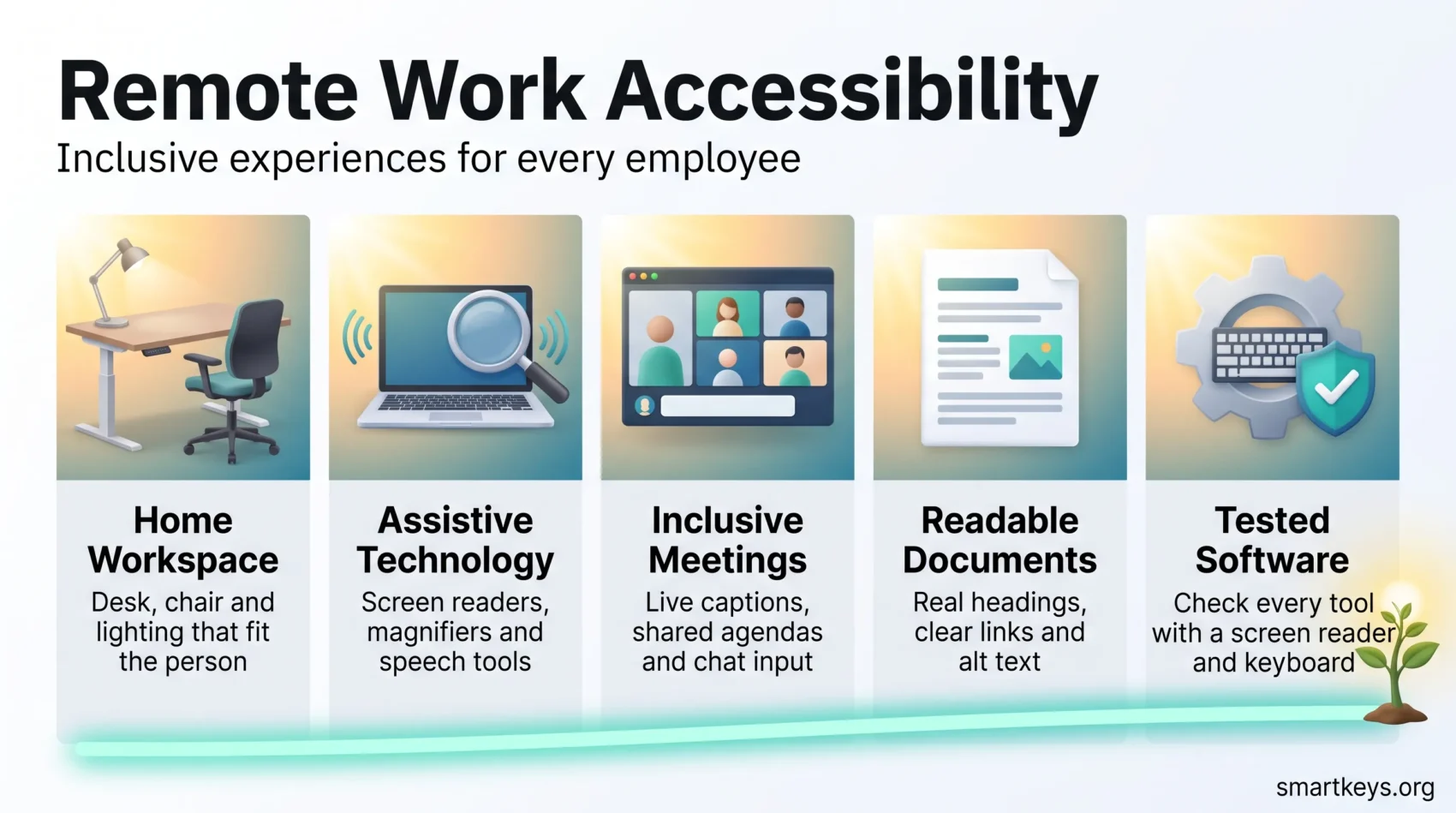
The work splits into five areas: the physical setup, assistive technology, meetings, documents, and the software you buy. Start with whichever costs the most time.
Set up a home workspace that fits the person
A desk that clears a wheelchair, an adjustable chair with lumbar support, a monitor at eye level and a clear path across the room solve more problems than any app. The principles that make any home office productive apply here with less margin for error. Our guides to workplace ergonomics, standing desks and workspace lighting cover the specifics.
Match assistive technology to the task
Assistive technology is any software or hardware that helps someone operate a computer: a screen reader that speaks the interface aloud (NVDA and JAWS on Windows, VoiceOver on Apple devices), a magnifier, a high-contrast theme, or speech recognition. Windows, macOS, iOS and Android ship with these built in, so the fastest fix is often to switch one on rather than buy anything. And they only work if your other software cooperates: a screen reader cannot read a button that has no label.
Make meetings work for everyone on the call
Turn on live captions and save the transcript. Zoom, Microsoft Teams and Google Meet all include this. Share the agenda and slides beforehand, so nobody is reading and listening at once. Let people contribute by chat as well as by voice. Recording also lets people catch up later, the idea behind asynchronous work. Where a call is not essential, a silent meeting often serves people better. Our notes on hybrid meeting etiquette and AI meeting notes cover the routines that make this stick.
Write documents that assistive technology can read
Structure beats decoration. Use real heading styles rather than large bold text, because a screen reader uses headings to navigate. Write link text that names the destination, so “the 2026 policy” instead of “click here”. Add alt text to images that carry information, keep tables simple, and never use colour alone to signal something important.
Buy software that has been tested for accessibility
Ask vendors for their accessibility conformance report, usually called a VPAT. It states which parts of the Web Content Accessibility Guidelines (WCAG), the standard for accessible digital content, the product meets. WCAG 2.2 is the current version; WCAG 3.0 is still a working draft, so do not write it into a contract. In Europe the equivalent is EN 301 549.
A short test beats a long document: ask a vendor to demonstrate their tool with a screen reader and with the mouse unplugged. Many AI collaboration tools fail that quickly.
Train the people, not just the platform
Give managers a routine, not a lecture. The W3C Web Accessibility Initiative publishes free tutorials and checklists. Fold accessible documents into remote onboarding so it becomes a default rather than a correction.
From Policy to Practice: Accommodations, Rules and Measurement
Design gets you most of the way. The rest is process: what happens when someone needs something specific.
Make requesting an accommodation predictable
A reasonable accommodation is a change to how a job is done that lets a qualified employee do it: software, a schedule change, or equipment. Under US law, employers must engage in an interactive process: a genuine back-and-forth about what would work.
Make asking easy. Publish one form, one named contact in HR, and one expected response time. Say up front which budget pays, so a manager is not negotiating over a $200 headset.
The cost objection rarely survives the data. The Job Accommodation Network surveyed 1,425 employers about accommodations made between 2019 and 2024 and found 61% cost nothing at all. Where there was a one-time cost, the typical figure was about $300.
Know which 2026 rules apply to you
In the US, the Americans with Disabilities Act and the Rehabilitation Act still govern workplace accommodations, including remote and hybrid arrangements. That has not changed. What did change is the separate rule on digital accessibility for state and local government: the Department of Justice published an interim final rule on 20 April 2026 pushing those deadlines back to 26 April 2027 for governments serving 50,000 people or more, and 26 April 2028 for smaller ones and special districts. Healthcare organisations funded by the Department of Health and Human Services face a Section 504 deadline of 11 May 2026.
In the EU, the European Accessibility Act has applied since 28 June 2025. It covers consumer-facing products and services such as e-commerce, banking and e-books, and it reaches non-EU companies selling into the market. Services from microenterprises, meaning fewer than 10 staff and under 2 million euros turnover, are exempt.
Neither is an employment law, but both push everyday business software toward being accessible by default.
Measure inclusion instead of asserting it
- Track hiring, promotion and retention for staff who disclose a disability.
- Log accommodation requests: how many, how long to resolve, how many approved.
- Watch for proximity bias, where remote staff are quietly passed over.
- Audit hiring tools, since AI hiring bias can screen people out before a human sees them.
- Publish the trend yearly so leaders act on evidence.
A high approval rate means little if the process felt like asking for a favour, so pair the numbers with what people tell you. See also our overview of diversity and inclusion trends and the practices in neurodiversity inclusion.
Conclusion
Remote work quietly did something decades of policy did not: it opened full-time jobs to people who could not easily get to an office. Keeping that gain is a design problem, not a budget problem. Captions on by default, documents with real headings, software tested with a screen reader, and an accommodation process people can use.
Start with whatever your team already complains about. Fix it in the template, the tool or the policy rather than case by case, and it keeps working for everyone who joins.
Found this useful?
Make SmartKeys a preferred source on Google, and our articles will surface more often in your Top Stories, AI Overviews, and AI Mode.
Add as Preferred Source




