Remote work did not take over the economy and it did not disappear. It settled. Roughly a quarter of paid full days in the United States were worked from home in May 2026, according to the Stanford-run Survey of Working Arrangements and Attitudes (SWAA), against about 5% before the pandemic. That is the backdrop for a question a lot of people are still arguing about: does working from home actually help you get more done?
The honest answer is that it depends on things you can control. This guide walks through what the current evidence supports about remote work productivity, where the popular statistics fall apart, and which habits, tools and employer practices make the difference. If you want the wider picture of how remote work reshaped the workplace, start there and come back.
Key Takeaways
- About 25% of US paid full days were worked from home in May 2026 (SWAA).
- A randomised trial published in Nature found hybrid work cut resignations by a third with no drop in output.
- Studies of fully remote work disagree sharply, which usually reflects the setup rather than the location.
- Remote and hybrid staff report the highest engagement and the highest daily stress (Gallup, 2026).
- Working from home saves about 72 minutes of commuting a day, and roughly 40% of that goes back into work.
- Boundaries, a defined workspace and outcome-based management matter more than any single tool.
Where Remote Work Actually Stands in 2026
Before looking at productivity, it helps to know how common remote work still is. The picture is steadier than the headlines suggest.
How Much Work Happens at Home Now
The SWAA, run by researchers including Stanford economist Nicholas Bloom, asks US workers where they worked on each day of the previous week. In May 2026 it put roughly 25% of paid full days at home. Before 2020 the figure sat near 5%. The level has barely moved for three years, which is the important part: this is a new normal, not a temporary spike.
Most of that is hybrid rather than fully remote. People split the week between home and an office, and the mix has held even through repeated return-to-office pushes.
What the Commute Savings Really Buy
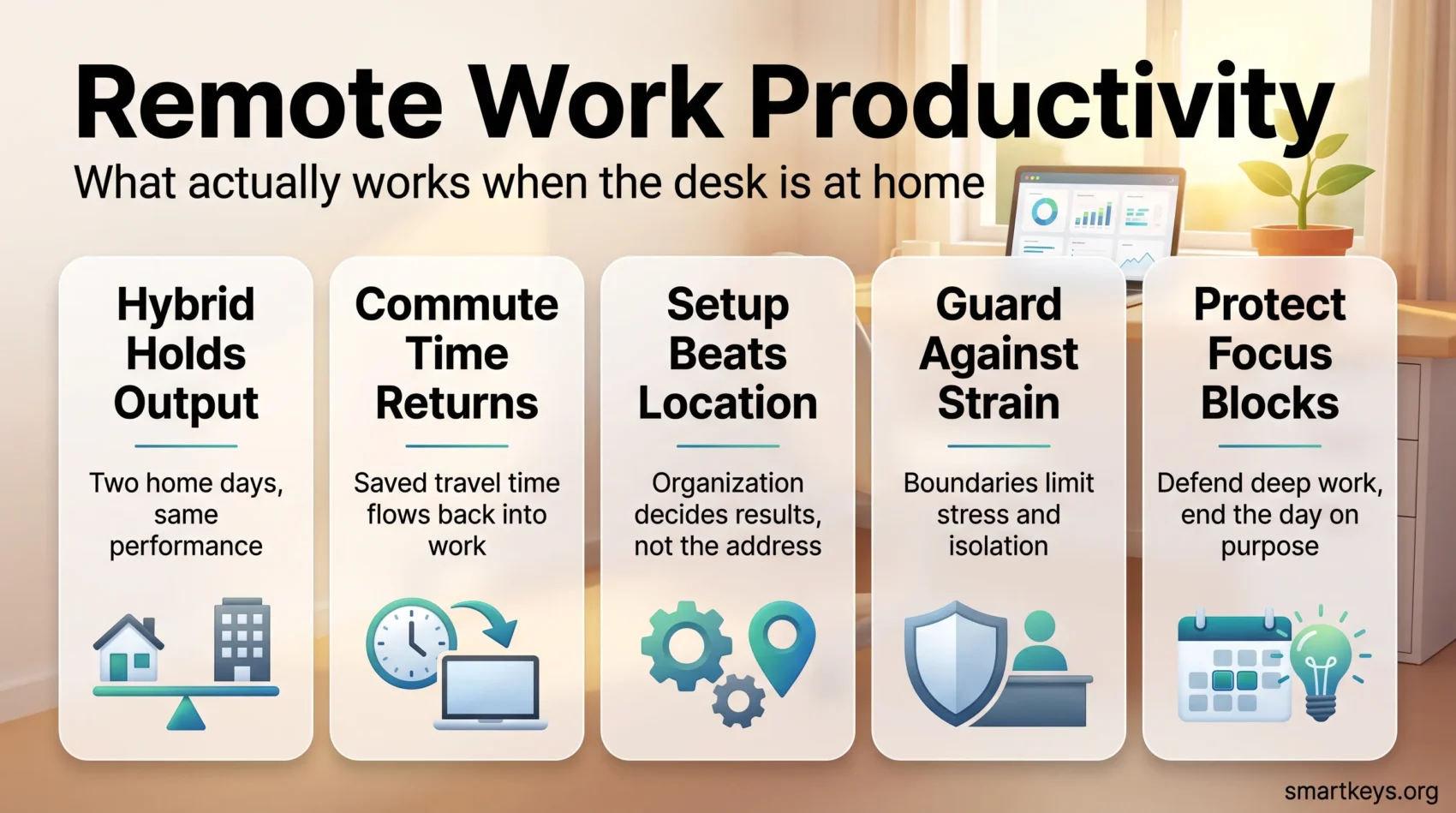
The clearest measurable gain from working at home is time. A study by Aksoy, Barrero, Bloom, Davis, Dolls and Zarate covering 27 countries found workers saved an average of 72 minutes a day by not commuting. They put about 40% of that back into their job, 34% into leisure and 11% into caregiving.
That is a real productivity effect, and it is worth naming honestly: much of the measured benefit of remote work comes from the commute you no longer make, not from being mysteriously sharper at your kitchen table.
Does Remote Work Make People More Productive?
This is where the numbers get messy, and where most articles quote whichever figure suits their argument. The research genuinely disagrees, so it is worth seeing why.
What the Strongest Study Shows
The best evidence available is a randomised controlled trial published in Nature in 2024. Bloom and colleagues assigned 1,612 graduate employees at the travel company Trip.com to either full-time office work or a hybrid schedule with two days at home. After six months, hybrid workers matched office workers on performance reviews and on lines of code written. Promotion rates were the same. Resignations fell by 33%.
The takeaway is narrow but solid: two days at home per week costs nothing in output and buys a large retention gain. It does not prove that five days at home works equally well.
Why Other Studies Point the Other Way
Research on fully remote work is far less consistent. A study of about 10,000 IT professionals at an Asian technology firm found productivity fell roughly 20% during pandemic-era remote work, even though total hours rose by around 30%. Coordination costs, more meetings and more interruptions ate the difference.
Self-reported figures look rosier. Barrero, Bloom and Davis found most workers rated themselves more productive at home than they had expected, and estimated a modest economy-wide gain of about 5%, most of it from saved commuting.
So the three findings are not contradictory. Hybrid holds output steady. Fully remote can go either way. Self-assessment runs optimistic. What separates a good remote setup from a bad one is not the address, it is the organisation around it.
The Three Factors That Decide Remote Productivity
Across the literature, the same three levers keep appearing.
Organisational support. Clear goals, a well-defined role and communication norms that do not depend on catching someone at their desk. This is the factor employers control and the one that varies most between companies.
External pressure. Caring responsibilities, an unsuitable flat, noise, or the slow drain of isolation on mental health. These are the conditions the employee lives inside and can only partly change.
Individual setup and habits. Whether you have a workspace that signals “working”, whether you protect focus time, and whether you can stop at the end of the day. This is the part you can act on this week.
The Three Problems That Quietly Erode Output
Flexibility comes with predictable failure modes. Naming them makes them easier to counter.
Stress and Burnout
Gallup’s 2026 State of the Global Workplace report found exclusively remote and hybrid employees both reported daily stress at 46%, against 39% for on-site staff who could work remotely. The same groups reported the highest engagement, at 25% and 24% against a global average of 20%. Engaged and strained at the same time is an uncomfortable combination, and it is the single clearest signal in the remote work data. Practical burnout prevention is not a nice-to-have here.
Isolation
The same Gallup data put daily loneliness at 23% for fully remote workers and 22% for hybrid ones, above on-site comparison groups. Loneliness is not only a wellbeing issue. It slows the informal exchanges that resolve small problems before they become large ones. Deliberate team-building for distributed teams and regular non-work contact help more than another status meeting.
Boundaries and Fragmentation
Microsoft’s Work Trend Index research on the “infinite workday” found employees were interrupted roughly every two minutes across meetings, email and chat, received about 153 Teams messages a day, and that meetings scheduled after 8pm had risen 16%. Without a commute to end the day, work expands. A clear right to disconnect, written down and respected by managers, is the countermeasure.
Eight Habits That Protect Remote Productivity
None of these are complicated. They work because they replace structure the office used to supply for free.
1. Judge yourself on output, not hours. Decide at the start of the day what “done” looks like, then measure against that instead of how long you sat at the desk.
2. Keep a workspace that means work. It does not need a separate room. It needs to be somewhere you only work, so sitting down is itself a cue. Our guide to setting up a productive home office covers the details.
3. Fix the chair and the light before the software. A supportive chair, a screen at eye level and decent lighting cost less than most tool subscriptions and pay back daily. See ergonomics at work and lighting for focus.
4. Block focus time and defend it. Two protected blocks a day beat eight fragmented hours. Time blocking and a team-wide no-meeting policy are the two mechanisms that hold up in practice.
5. Use a timer when starting is the hard part. The Pomodoro Technique is a starting device more than a productivity system, and that is exactly its value on low-motivation days.
6. Keep one trusted task list. Work scattered across chat, email and memory generates constant low-level anxiety. One list, reviewed daily, removes it. Our task management guide covers the mechanics.
7. Default to writing. Written updates let colleagues in other time zones stay useful without joining a call. Asynchronous tools exist for this, but the habit matters more than the tool.
8. End the day on purpose. A short shutdown routine, closing tabs and noting tomorrow’s first task, does the job the commute used to do. It is a core part of managing yourself without a manager in the room.
Tools Worth the Setup Time
Tools do not create productivity, but the wrong ones create friction every single day.
Tracking Work
A shared task or project tool answers the question “what is everyone doing” without a meeting. Asana suits teams that want structured projects and reporting; Trello’s board view suits smaller, visual workflows. Our Asana versus Trello comparison covers pricing and fit.
Talking and Meeting
Chat platforms keep conversation organised by topic, which is why they beat email threads for day-to-day coordination, and why they become a distraction machine when notification settings are left at their defaults. See Slack versus Microsoft Teams for the platform decision.
For calls, the useful question is not which tool but how many. A meeting audit usually removes more wasted hours than any software change.
Building a Schedule That Fits Your Energy
One genuine advantage of remote work is that you can put demanding work where your attention actually is. Most people have a two to three hour window of sharpest thinking. If your calendar fills that window with recurring calls, you spend your best hours on your easiest work.
Start by mapping which hours you think most clearly, then move one demanding task into that slot and one meeting out of it. Reviewing the calendar once a week is what makes this stick. Flexibility also has a documented link to commitment: Gallup’s engagement figures for remote and hybrid staff sit above every on-site group, and control over one’s own schedule is a recurring reason people give.
Flexibility is not the absence of structure. It is structure you chose.
What Employers Owe Remote Teams
Much of what determines remote productivity is decided above the individual.
Equipment and Support
A laptop that copes with video calls, a second screen, a decent chair and reliable IT support are the baseline, not a perk. Some companies handle this through a stipend that staff spend themselves, which is usually cheaper than shipping furniture and better matched to what people need.
Communication and Check-ins
Regular one-to-ones do more for remote teams than any monitoring tool. They surface blockers early and give people a place to raise problems that would otherwise sit unspoken. This is a skill managers have to learn deliberately, which is why remote leadership looks different from managing a room.
Measuring Output Without Micromanaging
The instinct to compensate for lost visibility with surveillance is strong and counterproductive. Activity metrics such as keystrokes or “active” time measure presence, not value, and staff learn to game them within days.
Outcome-based management works better and is simpler than it sounds. Agree what a good week produces, make progress visible in a shared tool, and review the result rather than the hours. That gives you the oversight you need and leaves people the autonomy that made remote work attractive in the first place. Trust, once you have set it up this way, is not a leap of faith. It is a reporting structure.

Conclusion
Remote work is neither the productivity miracle nor the disaster it was sold as. The strongest study we have says a hybrid week costs nothing in output and keeps a third more people in their jobs. The weaker evidence on fully remote work says results depend on how the work is organised, not on where the desk is.
That is good news, because organisation is something you can change. Protect a couple of focus blocks, keep a workspace that means work, write things down instead of scheduling calls, and end the day deliberately. If you manage a team, give people the equipment, the clarity and the trust to do the same. The rest of building durable remote habits follows from there.
Found this useful?
Make SmartKeys a preferred source on Google, and our articles will surface more often in your Top Stories, AI Overviews, and AI Mode.
Add as Preferred Source