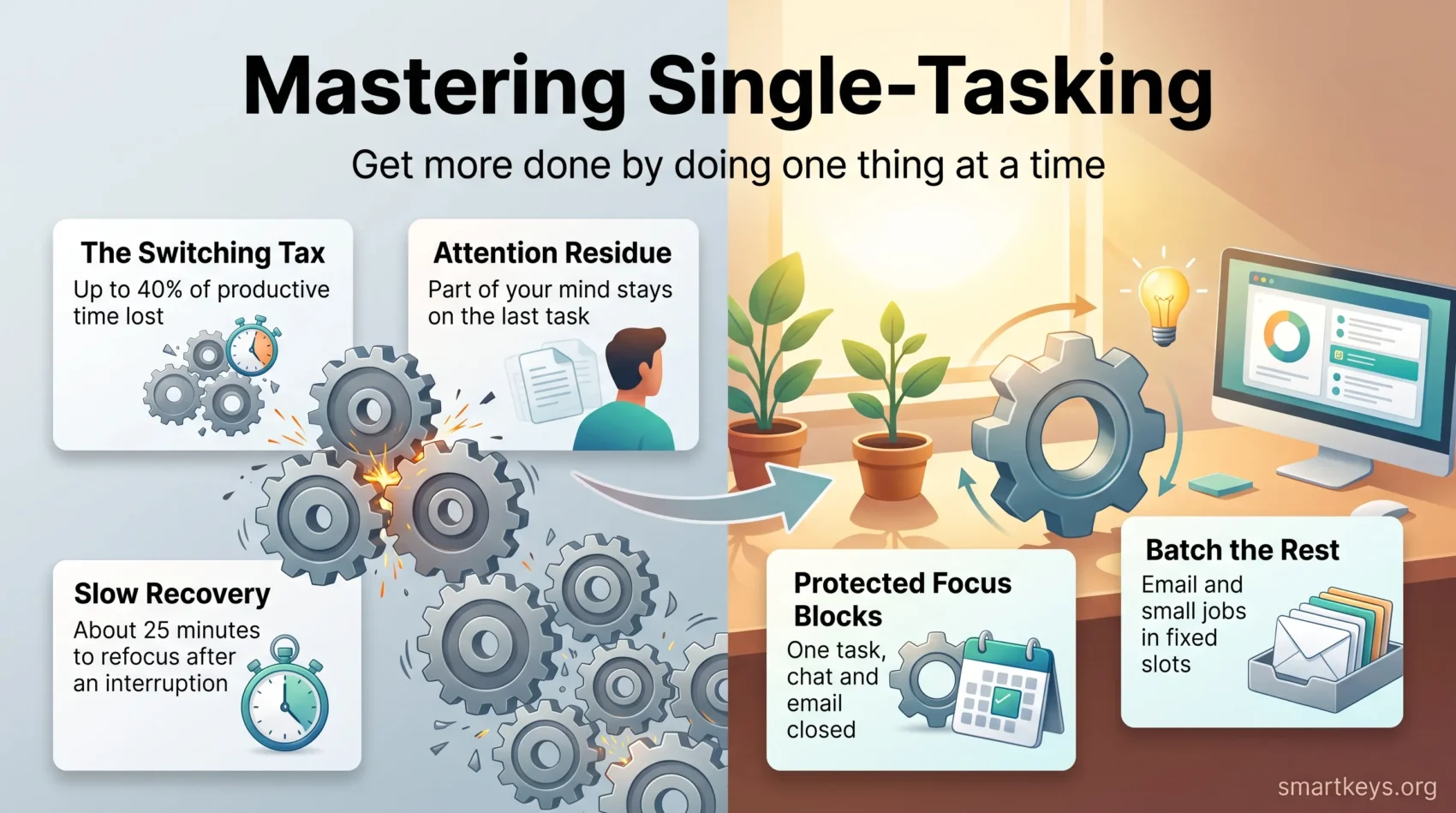
Single-tasking, also called monotasking, means giving one task your undivided attention until it is finished or until a planned break. That sounds obvious. It is also close to impossible in a normal workday. Microsoft’s June 2025 Work Trend Index found that people working in Microsoft 365 are interrupted every two minutes by a meeting, an email or a notification.
Those switches are not free. The American Psychological Association, citing psychologist David Meyer, reports that the brief mental blocks created by shifting between tasks can cost as much as 40 percent of someone’s productive time. Single-tasking is not a productivity fashion. It is how you stop paying that tax.
This guide covers what the research supports, how to set up your day, and which habits survive a busy week.
Key Takeaways
- Single-tasking means one task, one window of attention, until a planned stopping point.
- Switching has a measurable price: lost time, more mistakes, and up to 40 percent of productive time according to the APA.
- Pairing hard thinking with an automatic physical action is fine. Pairing two thinking tasks is not.
- Fixed blocks, batching and a work/break rhythm protect focus far better than willpower.
- Cutting nonessential commitments does more for your attention than any app.
What single-tasking is and why it beats multitasking
Single-tasking is a deliberate choice: one task, everything else closed, for a set period. Its opposite is not really doing two things at once. Apart from automatic actions like walking, the brain does not run two thinking jobs in parallel; it alternates very quickly. What feels like multitasking is usually rapid switching.
Switching is where the cost sits. Every time you leave a task you have to reload it later: where you were, what you decided, what came next. Do that thirty times a day and much of your time goes into reloading rather than producing.
An example. Block 60 minutes to draft one report with chat and email closed. You will usually finish with a cleaner draft than after 90 minutes of moving between the draft, your inbox and two Slack threads. Less elapsed time, fewer things to fix. That gap is the switching cost made visible.
You will also see the word monotasking. It means the same thing. Author Thatcher Wine made the term popular with his book The Twelve Monotasks, which treats everyday activities such as reading, walking and listening as attention practice. Do them with nothing else running, the argument goes, and focusing at work gets easier too. That is practical advice rather than a lab finding, but the core idea holds: concentration is a skill you train, not a trait you either have or lack.
This does not mean working in silence all day. It means your day has a few protected windows where one thing gets full attention, and everything else is handled in batches. For the evidence on the other mode, see our guide to the science behind multitasking.
The evidence: what task switching actually costs
Three lines of research point the same way. None say multitasking is impossible. They say it is expensive.
Switching costs, measured in time
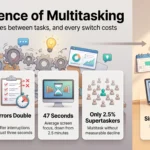
In 2001, Joshua Rubinstein, David Meyer and Jeffrey Evans published experiments in the Journal of Experimental Psychology: Human Perception and Performance. People lost time whenever they switched tasks, and lost more as the tasks got harder. Summarising that work, the APA cites Meyer’s estimate that these mental blocks can cost as much as 40 percent of productive time. Treat 40 percent as a laboratory upper bound, not a promise about your Tuesday. The direction is what matters: more switches, less output.
Attention residue: the last task follows you
Sophie Leroy described the mechanism in a 2009 paper in Organizational Behavior and Human Decision Processes. When you leave a task unfinished, part of your attention stays with it. She called this attention residue. You are physically in the next meeting, but a slice of your thinking is still on the half-written proposal.
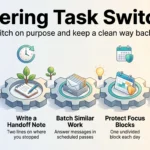
The fix follows from the finding: before you switch, spend 30 seconds writing down where you stopped and what comes next. That small act of closure lets you put the task down.
Interruptions and recovery time
Gloria Mark’s research at the University of California, Irvine tracked how long office workers stay on one screen before switching. It was about two and a half minutes in 2003, 75 seconds by 2012, and 47 seconds in her recent measurements. After a significant interruption, she found it takes roughly 25 minutes to get back to the original task. Set that beside Microsoft’s normal workday: 153 Teams messages and 117 emails per person. Nobody concentrates by accident. Our piece on shrinking attention spans covers the trend in more detail.
When multitasking is actually fine
One activity automatic, one light: that combination works. A podcast while you wash up costs almost nothing, because the physical part needs no conscious decisions. If both activities require thinking, do them one after the other. This is why walking meetings work well for open discussion and badly for anything involving notes and numbers.
Set up your space and time to focus on one task
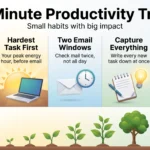
Make focused work the default state of your calendar, not something you squeeze in. Start by noticing when your energy is highest. Most people have one or two hours a day when hard thinking is easier, and most people spend them in meetings. Microsoft found half of all meetings fall between 9 and 11 in the morning and 1 and 3 in the afternoon. Those are exactly the windows worth protecting.
Then find out where your attention goes. Run a distraction audit for one day: note every interruption, its source, and what you were doing. Honest logging usually reveals two or three repeating patterns you can fix with a rule rather than willpower. Our walkthrough on conducting a time audit covers the method.
Design a focus-friendly workspace
Clear the surface of everything that is not part of the current task, so starting requires no decisions. Add one visual cue that means work mode, such as headphones on. Small signals make it easier to begin, and beginning is where most focus attempts fail. The same applies on screen: close tabs that belong to other tasks, or give the task its own virtual desktop so unrelated apps are out of view. See our guides to desk organization and managing distractions in an open office.
Protect your time and attention
- Set a team-wide focus time policy so no-meeting hours are a shared rule rather than a personal preference.
- Use status signals: do not disturb, a chat status with a return time, a marker on the door.
- Run tighter meetings: a clear agenda, fewer attendees and a shorter slot free up more focus time than any app.
- Agree response-time expectations for chat, because most messages do not need an answer within five minutes. Our guide to instant messaging boundaries has sample tiers.
- If you lead a team, go first: block your own focus time where others can see it and do not expect instant replies. A focus policy that nobody in charge follows rarely survives a busy month.
Keep a short next-actions list beside you. The next action mindset stops a focus block turning into ten minutes of deciding what to do.
Time management techniques that make single-tasking stick
Single-tasking needs a container. These methods give you one, and they combine well.
Plan each block in one sentence
Before a block starts, write one sentence that names the task and the result you want, for example: “Draft sections 2 and 3 of the client proposal.” Then note the one or two things most likely to derail you and a counter-move for each. If the client emails, it waits for the noon batch. If pricing stalls you, mark the gap and move on to section 3.
When the block ends, write down what you finished and the next step. It takes a minute, and the following session starts warm instead of cold.
Pomodoro and focus sprints
Francesco Cirillo’s Pomodoro Technique runs 25 minutes of work followed by a 5-minute break, with a longer break after four rounds. The short interval is the point: 25 minutes is small enough that starting feels easy. Focus sprints apply the same idea over 45 to 90 minutes, for work that needs a longer run-up. Pick a rhythm, set a timer, and put the block on your calendar. Our Pomodoro guide covers Cirillo’s original steps and where the method fits badly.
Time blocking, batching and chunking
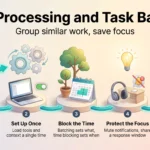
Time blocking assigns every part of your day to a category in advance: deep work, admin, meetings, breaks. Batching groups similar small jobs so you pay the setup cost once. Chunking breaks one large task into pieces that fit inside a single block. Email is the clearest case for batching. Kushlev and Dunn’s 2015 study in Computers in Human Behavior had 124 adults limit email checking to three times a day. Their workload did not change, but their daily stress fell. See email batching for a workable schedule.
Flowtime and the two-minute rule
Flowtime is the flexible cousin of Pomodoro: you continue while concentration holds and break when it fades. It suits creative work that resists being chopped into 25-minute pieces. If you want a starting point, time-tracking company DeskTime reported in 2014 that its most productive users worked about 52 minutes and then took a 17-minute break. When DeskTime repeated the analysis in 2021, the pattern had shifted to roughly 112 minutes of work and 26 minutes of break. There is no magic ratio. The consistent signal is that productive people take real breaks, although app data like this shows a pattern rather than proving cause and effect. The two-minute rule handles the other end of the scale: if something takes under two minutes, clear it during your admin block. Use it inside a processing slot, never as a licence to interrupt a focus block.
Tools and habits that protect your attention
A handful of tools helps. A large collection of them becomes the problem you were trying to solve.
Timers, blockers and sound
Three categories are worth having: a timer, a site blocker, and background sound if silence is not available. Point the blocker at the two or three sites that genuinely derail you. Blockers do the heaviest lifting, because they remove the decision instead of testing it. Our comparison of website blockers covers what the main options cost and how strict each one is.
Notification control and automation
Default notification settings are built for engagement, not for your output. Turn off everything that is not genuinely urgent, mute group channels during focus blocks, and set fixed times to check the rest. Our guide to managing work notifications goes setting by setting. Then automate the repetitive work that keeps pulling you back: recurring reports, routine replies and data entry.
Analog methods and pre-task rituals
Keep paper within reach. When an unrelated idea arrives mid-block, writing it on a pad takes five seconds and keeps you in the task; opening a new tab costs you the block. If your head is already crowded before you start, a two-minute brain dump onto the same pad clears it. A short pre-task ritual helps too: same chair, same drink, two minutes of tidying, then start. It is a signal that separates preparing from working, which makes the first five minutes less negotiable. For matching your hardest work to your energy rather than the clock, see energy and productivity management.
Single-tasking in practice: a sample day and common pitfalls
Lock one block for your most important work before anything else reaches the calendar. Both templates below are starting points.
Individual contributor:
- 8:30 to 10:30: deep work on one project, chat closed
- 10:45 to 11:15: admin and buffer
- 12:30 to 1:00: email batch
- 2:00 to 4:00: meetings with 10-minute buffers
Manager:
- 8:00 to 9:30: planning block
- 10:00 to 11:00: one-on-ones
- 12:30 to 1:00: email and delegation
- 3:00 to 4:30: focused review and wrap-up
Both share one protected block early, communication in batches, and buffers so an overrun does not eat the next commitment. Breaks matter as much as blocks; see short breaks for what actually restores attention.
Common blockers and how to fix them
Overcommitting is the biggest one. If you have agreed to more than fits, no scheduling method saves the week. Cap recurring meetings and decline low-value requests while declining is still cheap. Our guide to saying no has language you can reuse.
Tool sprawl gives every tool its own notification stream. Consolidate where you can and close what this block does not need.
Context creep is the drift where a 60-minute block on one task becomes 20 minutes on four. Keep a capture list for whatever arrives, and hold the block to its scope.
Unclear priorities cause a different failure: focusing hard on the wrong thing. Sort the list before you start, using the Eisenhower Matrix or any method you will actually repeat.
Conclusion
Pick one task, give it a block, and defend the block. That is the whole practice. The research is consistent: switching costs time, leaves attention residue and makes errors more likely, while a protected hour produces work you do not have to redo.
Start small. Choose one 60-minute block tomorrow, close chat and email for its duration, and write down where you stopped before you leave. Do that for a week before adding anything else. Then judge the result by output rather than effort: what you finished, never how many windows you kept open.
Found this useful?
Make SmartKeys a preferred source on Google, and our articles will surface more often in your Top Stories, AI Overviews, and AI Mode.
Add as Preferred Source