Tools
Tools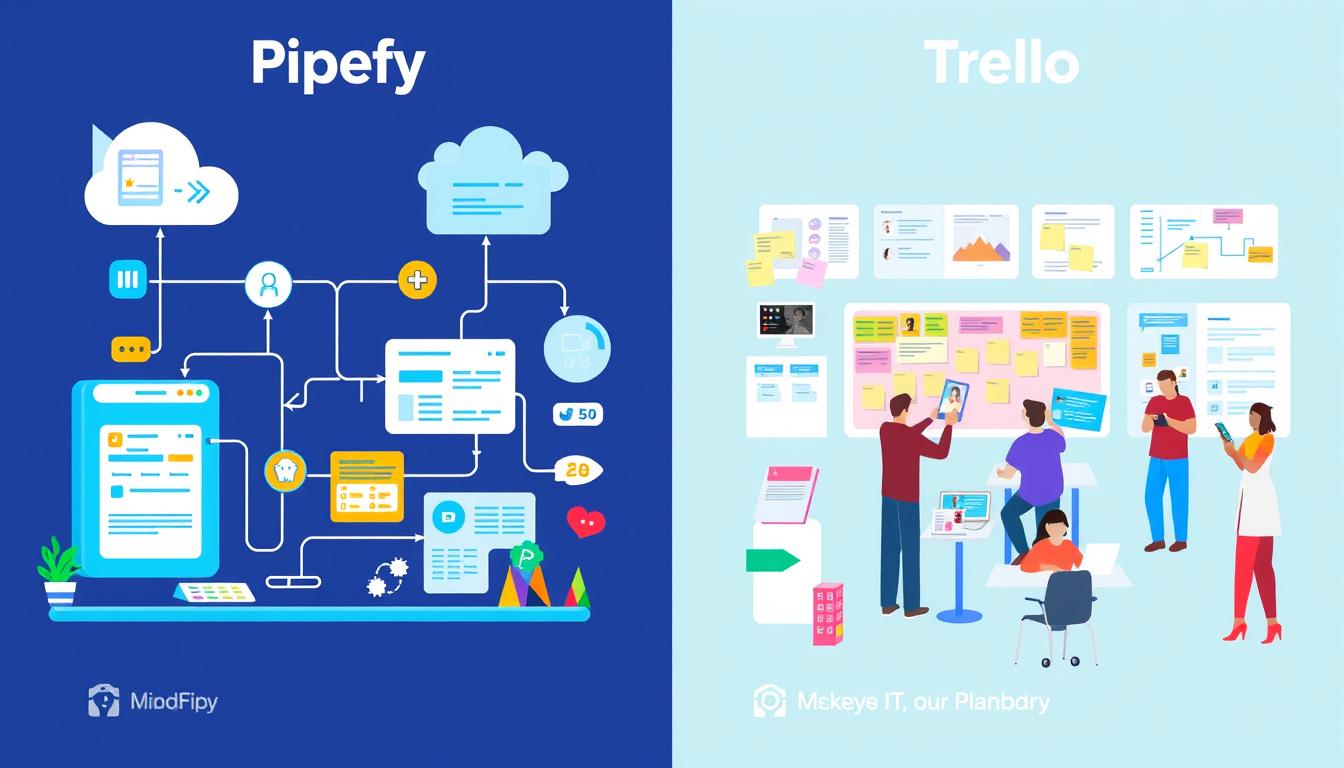
Last Updated on December 9, 2025
In today’s fast-paced business world, having the right workflow management tools is crucial for team productivity. Whether managing a large project or daily tasks, the choice of tool significantly impacts your organization’s efficiency. This comparison focuses on two leading project management tools: Pipefy and Trello. Each platform brings unique features to enhance collaboration and streamline processes. Knowing their strengths and weaknesses is key to making the best choice for your team.
Key Takeaways
- Pipefy and Trello each cater to different workflow management needs.
- Trello offers a free tier with three paid plans, making it accessible for small teams.
- Pipefy’s pricing model is customizable, ideal for complex projects.
- Trello’s user-friendly interface supports project management with visual task organization.
- Both tools provide robust integration options to enhance workflow efficiency.
- Pipefy excels in automation capabilities, while Trello focuses on simplicity.
- Understanding your team’s specific requirements is essential to choosing the right tool.
Introduction to Workflow Management Tools
In today’s fast-paced business world, workflow management tools are crucial for organizations aiming to optimize their operations. These tools facilitate task coordination among team members, boosting team collaboration and ensuring project success. By automating routine tasks, they alleviate employee workload, enabling them to concentrate on more critical tasks.
Statistics show that 73% of chief economists are optimistic about technological advancements driving global growth. Additionally, 64% see artificial intelligence as a pivotal force in this transformation. This underscores the vital role of productivity tools like workflow management solutions in propelling global business progress.
Many leading companies rely on various project management platforms. For example, Hive is used by teams at Google and Starbucks, while Kissflow offers customizable forms to streamline workflows. Tools like ProofHub improve team collaboration with features aimed at meeting deadlines efficiently. When searching for workflow tools, it’s crucial to understand each tool’s unique strengths to find the perfect match for your team.
The growing focus on efficiency and automation shows that businesses must embrace tools offering real-time data and analytics. These features enhance decision-making, promoting consistency and transparency. This, in turn, builds trust with stakeholders. As you explore workflow management further, consider how the right tools can enhance your team’s productivity and project management skills.
Key Features of Pipefy
Exploring Pipefy reveals a suite of features aimed at boosting project management efficiency and customization. It makes tailoring processes to your needs straightforward, freeing your team to concentrate on critical tasks.
Customizable Workflows
The Pipefy features stand out, especially its customizable workflows. You can craft workflows that are both flexible and tailored to your team’s processes. This ensures tasks and projects align perfectly with your business goals. Visual task tracking helps team members monitor progress and manage their roles effectively.
Automation Capabilities
Pipefy also boasts impressive automation capabilities. Its tools simplify repetitive tasks, boosting team productivity by eliminating manual work. Automation saves time, enabling your team to tackle strategic initiatives that yield results. Integrating with third-party apps enhances efficiency further in project management. For insights on automation’s impact, visit this resource.
Key Features of Trello
Trello has become a top choice for efficient project tracking. Its visual task management system lets users create boards, lists, and cards. This setup offers a clear view of progress, making it easy to organize tasks and work with your team.
Visual Task Management
Trello’s core feature is its visual task management. It allows you to plan using color-coded cards and simple layouts. By dragging and dropping tasks, you can prioritize work based on your team’s needs. This clarity improves communication and keeps everyone on the same page.
User-Friendly Interface
Trello’s interface is designed to be easy for teams of all sizes. Its straightforward design makes it simple to start using without a long learning process. This simplicity is great for smaller teams or less complex projects, boosting efficiency and team engagement.
Pipefy vs Trello: A Comprehensive Comparison
In the world of project management tools, Pipefy vs Trello stands out. Pipefy excels in workflow automation, perfect for complex projects. It offers customizable processes, ideal for organizations needing detailed workflow management.
Trello, however, focuses on simplicity and visual task management. It’s great for small teams and straightforward projects. Its board and card system is easy to use, making it perfect for beginners.
Here are some key points to consider in this feature comparison:
- Pricing: Pipefy has a free plan for small teams or personal projects. Paid plans start at $18 per user per month, offering advanced features. Trello’s free plan allows 10 boards per workspace, with paid plans starting at $5 per user per month.
- Automation: Pipefy leads in workflow automation, integrating with over 750 apps. It offers extensive automation options. Trello supports 587 automations but focuses more on user experience.
- Support: Pipefy provides top-notch customer support, including video tutorials, FAQs, chat, and 24/7 phone assistance. Trello’s support is not as comprehensive.
- Target Audience: Pipefy is best for medium and larger organizations needing detailed workflow designs. Trello appeals to a broader audience, from individuals to large corporations.
The choice between Pipefy and Trello depends on your team’s specific needs. Both tools aim to enhance productivity through efficient project management and workflow automation.
Pricing and Plans for Pipefy
Understanding Pipefy’s pricing is key to seeing if it fits your team’s needs. It offers both free plans and competitive paid tiers. This flexibility helps organizations of all sizes find a suitable workflow management solution.
Free and Paid Options
Pipefy’s free plan is a great starting point for smaller teams. It lets them explore its capabilities. For more features, paid plans start at $19 per user per month. This makes advanced functionalities like automation and integrations accessible.
Unlike some competitors, Pipefy doesn’t require a minimum number of users. This is a big plus for individual users.
Value for Larger Teams
For bigger organizations, Pipefy tailors pricing to meet specific needs. This ensures your team gets the right tools without breaking the bank. Pipefy focuses on team value, boosting productivity through better processes. It’s a top choice for companies aiming to improve their workflow management.
Pricing and Plans for Trello
Trello’s pricing is designed to be accessible, appealing to small teams in need of effective project management tools. It offers a range of plans, from basic to advanced, ensuring there’s something for everyone. Whether you’re just starting or require more sophisticated features, Trello has a plan that aligns with your budget and needs.
Affordability for Small Teams
Beginners can start with Trello’s free plan, which allows up to 10 boards per workspace. It’s perfect for personal use or small projects, offering essential features without cost. For those needing more, Trello’s Standard plan starts at $5 per user per month. This plan unlocks additional features, making it an affordable option for small teams.
The Premium plan offers advanced tools, including timeline views, for teams needing more capabilities. This plan enhances project oversight and facilitates better team collaboration. With Premium plan pricing from $10 to $17.50 per user per month, you can select a plan that meets your needs.
As your team expands, Trello remains a cost-effective choice. Its pricing system allows for seamless scaling, ensuring you enjoy premium features that boost productivity. Moving to paid plans unlocks a wealth of integrations and tools, enhancing your project management experience.
Use Cases and Real-World Applications
Understanding the practical uses of workflow management tools is key. Both Pipefy and Trello are designed to fit specific needs, making them valuable in various settings. They cater to different team requirements and project management scenarios.
Pipefy in Large Organizations
Pipefy excels in large organizations with complex processes. It’s particularly beneficial in logistics, where teams can manage intricate operations efficiently. Pipefy automates repetitive tasks, cuts down on errors, and quickens delivery times.
By streamlining processes, organizations can scale their operations smoothly. They avoid getting bogged down by inefficiencies.
Trello for Creative Teams
Trello is a top choice for marketing and design teams. Its visual interface makes it easy to manage content calendars and collaborative projects. It’s simple to track progress, assign tasks, and brainstorm ideas in a visually appealing way.
Trello boosts team collaboration and keeps projects on track. It’s a go-to platform for creative professionals.
User Interface and Experience
The user interface of each workflow management tool is crucial in shaping the overall user experience. Pipefy’s design is centered on productivity, offering a wide range of tools for creating and tracking workflows. Customizable templates boost functionality, but they can also present a challenge for new users due to the extensive options available.
Trello, on the other hand, is known for its simple and intuitive layout. This design appeals to users who value ease of use and visual task management. The Trello interface provides quick access to key features, making it ideal for teams that need straightforward solutions.
Both platforms cater to different user preferences. Users often choose between Pipefy and Trello based on their preferences for complexity and visual appeal. The choice can greatly impact workflow efficiency and user satisfaction with the tool.
Integrations and Compatibility
Pipefy and Trello stand out for their ability to connect with third-party apps, boosting your workflow management. Pipefy boasts over 794 integrations, linking to many productivity tools. This allows for seamless automation and better data flow. Notable integrations include Google Drive, Zendesk, and Salesforce, making project timelines more efficient and task management better.
Trello, a leader in project management, offers a wide array of integrations. It connects with apps like Slack, Google Calendar, and Dropbox, ensuring smooth collaboration. This compatibility supports various workflow functions, including task assignment and document management.
Tools like MailChimp for marketing or QuickBooks Online for finance management add to third-party compatibility. For instance, Pipefy automates purchase orders with QuickBooks. Trello integrates with CRM platforms to streamline communication and task creation. Both tools’ diverse integration landscapes allow you to customize your workflow management to meet your specific needs.
- Popular Pipefy Integrations:
- Google Drive
- Zendesk
- Salesforce
- Common Trello Integrations:
- Slack
- Google Calendar
- Dropbox
Whether you prefer Pipefy’s broad capabilities or Trello’s user-friendly design, both platforms offer essential integrations. By leveraging these integrations, you’ll be well-prepared to manage projects efficiently and productively.
Conclusion
Choosing between Pipefy and Trello requires understanding your team’s workflow and project management needs. Pipefy stands out for its process automation and customization, ideal for complex projects. Its user-friendly interface integrates various features seamlessly, ensuring you have everything at your fingertips.
For those prioritizing simplicity and visual task management, Trello is the better option. Trello’s kanban-style boards are intuitive for managing tasks, especially for smaller teams and less complex projects. This simplicity streamlines your workflow, making task prioritization easier.
Ultimately, a detailed comparison of both tools will help you decide which aligns with your goals. Consider your team’s capabilities, project complexity, and preferred collaboration methods. This will guide you in making an informed choice for your workflow management needs.