Tools
Tools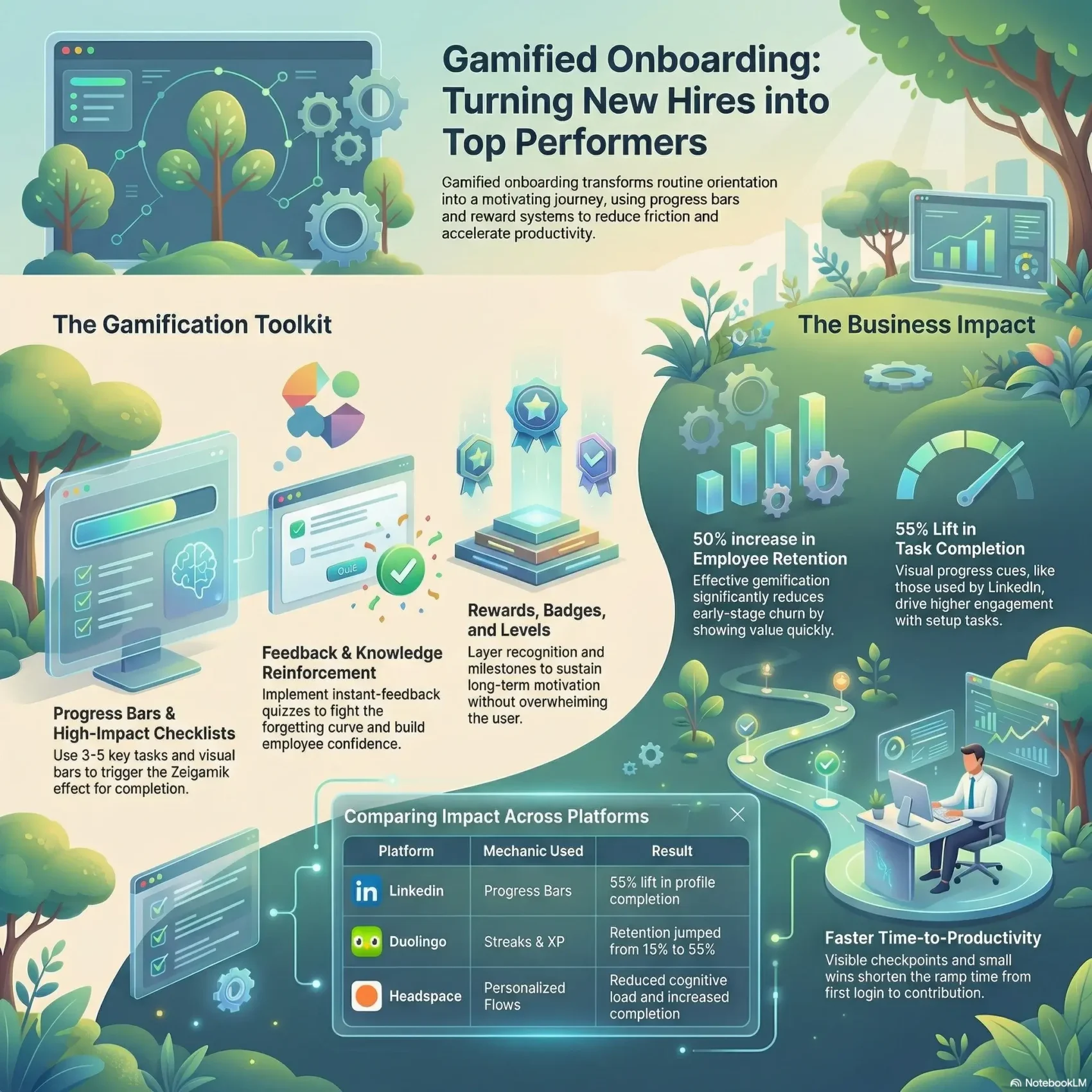
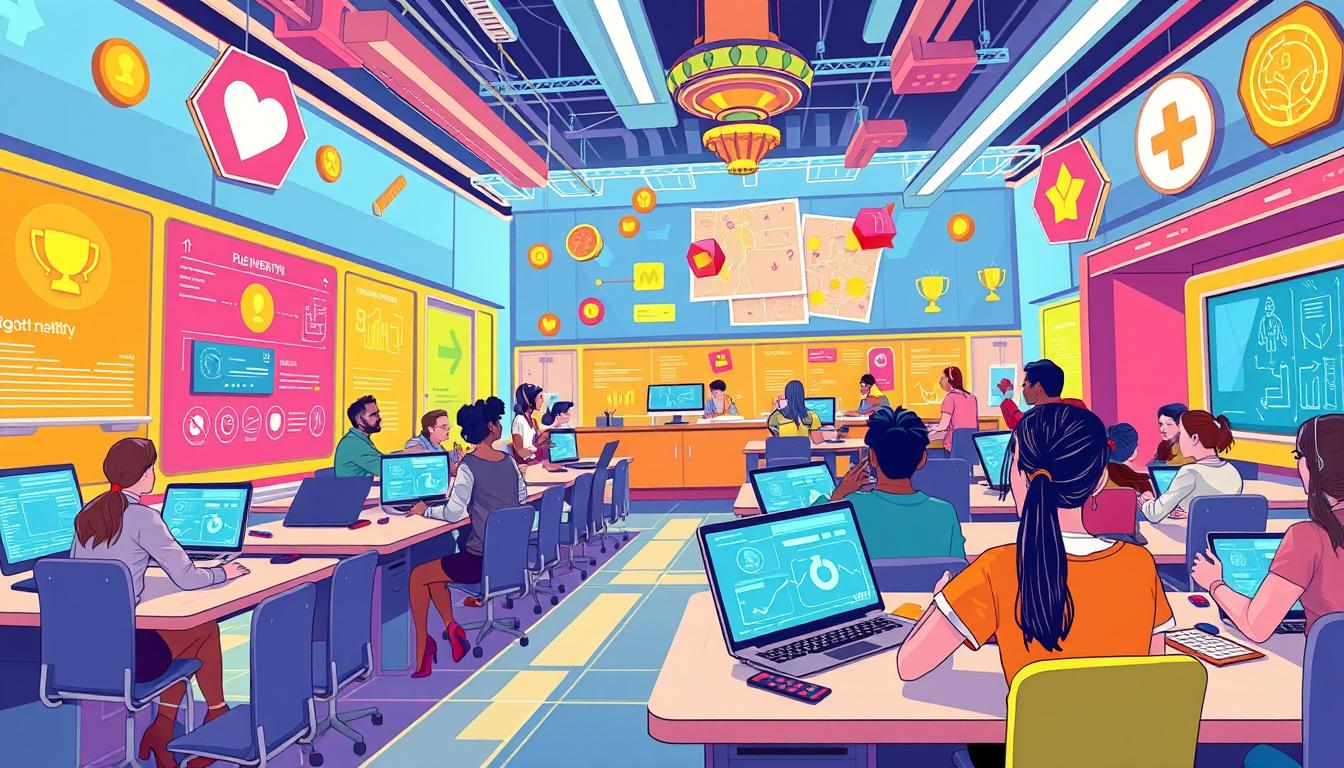
You can turn routine orientation into a motivating journey by adding simple game elements like progress bars, points, badges, and leaderboards. These mechanics make each step visible and rewarding, so users know where they are and what comes next.
This approach reduces friction in the onboarding process so a new hire feels guided, not overwhelmed. When tasks become interactive challenges, activation and retention improve for both employees and customers.
You’ll connect every activity to clear value for the user, speeding time-to-contribution and reinforcing culture. Practical examples — from progress bars that boost profile completion to points and streaks that build habits — show how small design choices drive real success.
Later sections will show specific mechanics, measurement tips, and ethical guardrails so you can implement with confidence and measure participation, completion, and performance.
Key Takeaways
- Use progress bars and checklists to make the journey clear.
- Apply points, badges, and leaderboards to increase engagement.
- Focus each step on clear value to speed time-to-contribution.
- Measure participation, completion, and performance to prove success.
- Keep motivation healthy with ethical guardrails and simple design.
- See an applied example and workplace framing at smartkeys.org.
Why your onboarding needs a game plan right now
Act now: early drop-off mirrors app behavior, and your new hires need clear, fast guidance. Up to 83% of mobile app installers quit within 24 hours and 25% leave after one use. The same rapid churn can happen in the first weeks of a new role.
Effective onboarding gamification can lift retention by as much as 50% when you show value quickly. Short, personalized flows — like Headspace asking about experience first — cut cognitive load and increase completion.
Your current challenges are familiar: too many steps, unclear expectations, and low motivation. Small design changes compound. Visible progress and simple checklists reduce drop-off and boost user satisfaction.
- Focus on moments that matter: first login, first task, first contribution.
- Sequence questions: ask what matters now and defer the rest.
- Combine quick wins (progress bars) with deeper fixes (personalization).
Measure what matters: track participation, completion rates, and time to value. With that data you can iterate and increase retention and long-term user engagement.
What onboarding gamification is and how it works
Good design turns routine setup into a guided path where users see progress, feel rewarded, and learn faster. In practical terms, gamification onboarding applies clear mechanics — points, badges, progress indicators, and leaderboards — to motivate action without adding noise.
Employee vs. customer flows: where they match and where they differ
Both employee and customer journeys use the same elements to shape behavior. They share progress cues, feedback loops, and social proof.
Employees focus on culture, role readiness, and learning milestones. Customers focus on activation, product comprehension, and aha moments that show value fast.
The psychology that makes game mechanics work
Usefulness, ease, and fun are your north stars. If an experience feels relevant, simple, and enjoyable, users participate more.
“Unfinished tasks pull attention — make them visible to invite completion.”
Progress indicators and checklists reduce cognitive load so a user sees the next step. Seed early wins to trigger the endowed progress effect. Positive feedback like badges or recognition creates quick reinforcement. Add social features carefully; leaderboards or peer shout-outs give accountability and camaraderie.
- Define mechanics by moment, not for novelty.
- Surface what matters, when it matters.
- Test with data to ensure mechanics increase real value.
The benefits you’ll see from gamified onboarding
Clear progress markers and timely rewards turn a long setup into a fast, focused sprint toward contribution. When you make steps visible, users move faster and feel less overwhelmed.
Faster time to productivity and clearer time to value
Small wins shorten ramp time. Visible checkpoints and instant feedback speed activation. New hires reach useful product work sooner because they know what to do next.
Result: a shorter path from first login to measurable value for the team and the product.
Higher engagement and retention during the first 90 days and beyond
Tidy progress bars, recognition, and role-specific steps keep motivation steady. Timely praise reduces drop-off and builds routine.
- Visible progress helps users self-manage and ask better questions.
- Milestones create natural moments for manager check-ins and alignment.
- Higher engagement drives stronger retention across early cohorts.
Better knowledge retention and confidence through active learning
Quizzes, scenario checks, and instant feedback make learning stick. Active practice improves knowledge and raises confidence before someone applies skills on the job.
“What you measure improves — make progress visible to improve outcomes.”
Bottom line: thoughtful gamification is a tool for growth, not just fun. Measure participation, completion, and sentiment so you can iterate and improve the onboarding process and the overall experience.
Gamified onboarding mechanics you can put to work
Start with simple mechanics that make tasks feel lighter and progress visible at a glance.
Progress bars use the Zeigarnik effect to nudge completion. Show remaining steps and celebrate each finish so users keep going. Place a small bar on the dashboard for quick wins and clear momentum.
Checklists should list 3–5 key tasks that unlock the biggest gains. Short lists reduce anxiety and guide action. Pair items with clear outcomes so a user knows why each step matters.
Layer recognition with badges and points tied to observable behaviors, not just logins. Add rewards and occasional milestone celebrations to sustain long-term motivation. Use levels to pace growth without overwhelming the user.
Include quick quizzes with instant feedback to fight the forgetting curve. Leaderboards can add friendly competition when segmented by cohort or team. Finally, streaks and reminders reward consistency and build habit.
- Use bars to make progress tangible and celebrate completions.
- Build short, outcome-focused checklists for fast activation.
- Layer badges, points, and rewards to reinforce effort.
- Introduce levels and milestones to sustain engagement.
- Add quizzes with instant feedback to improve recall.
Tip: Keep every element purposeful—each mechanic should serve a learning or performance outcome in your process and design.
Gamified onboarding examples to inspire your design
Practical case studies reveal which small mechanics drive big gains in completion and retention. Below are compact examples you can use as patterns, not templates.
Progress bar success: LinkedIn’s profile completion boost
LinkedIn added visual progress cues and subtle prompts. Result: a 55% lift in profile completion. Use a single progress bar to show remaining steps and celebrate the finish.
Points and streaks: Duolingo’s habit-forming approach
Duolingo awards XP, leaderboards, and streaks. Over 6 million users keep 7+ day streaks, and retention jumped from about 13% to 55%. Points make returning a clear, simple action.
Milestones and celebrations: Asana-style reinforcement
Small animations mark finished tasks. Those micro-celebrations reinforce effort and signal progress to the user.
- Badges (LMS, Strava): visible rewards that mark mastery and encourage repeat use.
- Team leaderboards: segment by cohort to build friendly competition and camaraderie.
- Start small: pick one or two mechanics, measure completion rates, then expand.
“Simple visual cues and timely recognition often outperform complex layers for a new user.”
Gamified onboarding
Start the relationship with a quick, personal prompt so every user feels seen from day one.
Use a welcome flow to personalize the journey
Begin with a friendly welcome that asks one or two role questions. Tailor the next screens based on answers so the experience is relevant and short. Data shows interactive welcome screens can raise activation by ~47% for product trials.
Guide setup with a short, high-impact checklist
Limit tasks to 3–5 items. Focus on the steps that unlock the biggest gains. Progress indicators and a tight checklist can lift activation rates by about 40% in HR platforms.
Reinforce with contextual nudges and timely rewards
Use contextual nudges when a user is paused or close to a milestone. Offer small, timely rewards—recognition or access—to reinforce effort at the moment of completion.
- Instant feedback: show success immediately after a completed task.
- Role-aware cues: surface only what matters for that user’s journey.
- Smart reminders: nudge users when they near a reward or step.
Keep every element purposeful: prompts, rewards, and feedback should move the user through the onboarding process toward clear outcomes.
A step-by-step process to implement onboarding gamification
Start by naming the outcomes that matter. Define the business goals you want the program to move—time to productivity, checklist completion, or first milestone attainment. That clarity keeps the design tied to measurable success.
Define goals and success criteria tied to your culture
Align metrics with values. Choose goals that reflect your culture and role needs. For example, use levels and recognition where learning mastery matters, and a simple progress checklist for fast ramp roles.
Set specific criteria: target time to productivity, task completion rates, and first-week contributions. Share these with managers so everyone knows what success looks like.
Map the journey: from first login to role-ready milestones
Map the full process and identify the few tasks that unlock the biggest gains. Design each step with clear entry/exit criteria and visible progress.
- Sketch the end-to-end journey and mark key milestones.
- Pick mechanics that match culture—levels, leaderboards (opt-in), or badges.
- Pilot with a small cohort, gather feedback, and iterate fast.
- Equip managers with dashboards and talking points to celebrate progress.
Action now: sequence a minimal viable program, ensure device access and accessibility, and run weekly reviews to refine and scale toward sustainable success.
How to measure the impact of your onboarding gamification
Pick a tight set of metrics that reveal whether the experience speeds learning and reduces drop-off. Start with a baseline so you can compare before and after changes. Use quantitative signals and quick surveys to capture full context.
Engagement signals
Track participation, task completion rate, and completion time to see whether more users finish critical steps and how fast they do it.
Visualize funnel drop-offs to target where users stall and what to improve next.
Learning outcomes
Measure quiz performance and watch on-the-job behaviors to validate knowledge transfer.
Combine scores with manager observations to confirm that training translates into real work.
Retention and time metrics
Monitor early attrition and cohort retention rates to understand long-term impact beyond the first weeks.
Calculate time to productivity and activation milestones to quantify speed-to-value improvements.
Surveys and qualitative feedback
Use lightweight, in-flow surveys at key stages to collect feedback while the experience is fresh.
Pair quantitative data with comments to understand the why behind behavior changes and to guide iteration.
- Compare cohorts: test different mechanics to isolate what moves the needle.
- Review rhythm: build regular reports so data informs design decisions.
- Share wins: publish results to align stakeholders and sustain investment.
“Measure task completion rates before and after changes, and use both numbers and user comments to improve the process.”
Implementation tips, change management, and ethical guardrails
Implementing new mechanics needs a simple, staged plan that honors culture and capability. Start small, test with a pilot group, and expand based on measured results. This keeps the experience manageable and aligned to your goals.
Balance competition to avoid stress and encourage collaboration
Keep competition healthy. Segment leaderboards by cohort, reward personal bests, and spotlight team wins. Make social features opt-in so users who prefer privacy aren’t pressured.
Design for accessibility, personalization, and device coverage
Ensure compliant design, mobile readiness, and simple navigation so all users can participate. Personalize tasks to role and skill level to meet people where they are.
- Keep competition healthy: segment leaderboards and emphasize growth.
- Design for everyone: accessibility, mobile, and clear flows.
- Make features opt-in: respect comfort with social comparison.
- Train and narrate change: equip managers with messages and FAQs.
- Document principles: avoid manipulative mechanics and over-reliance on rewards.
“Focus recognition on mastery and improvement to protect psychological safety.”
Tools and capabilities to scale your onboarding gamification
Pick platforms that let your team build and iterate flows without waiting on engineering. No-code builders let you add progress bars, checklists, and nudges quickly so you can test what works for your users.
Run A/B tests to validate which strategies move completion and learning outcomes. Small experiments reveal whether points, banners, or tooltips change user action.
No-code flows, A/B testing, and in-app analytics
Use in-app analytics to watch behavior, milestone attainment, and drop-off in real time. That data helps you tune checklists, bars, and rewards for the biggest impact.
- Choose tools that support no-code flows so you can update progress bars and checklists without code.
- Run A/B tests to compare strategies and prove what raises completion and retention.
- Integrate with HRIS or LMS to keep user data in sync and automate cohorts.
- Request a demo focused on your use case—role ramp, compliance, or manager enablement—and insist on KPI tracking.
- Train admins to read dashboards so you close the loop quickly on what’s working.
“Start with one flow, measure impact, then expand with confidence.”
Vendor examples: Userpilot offers interactive checklists, progress indicators, banners, A/B testing, and analytics. Centrical links gamification to performance and coaching for employee ramp.
Conclusion
Finish strong: small, visible steps in the initial days turn uncertainty into steady progress.
Recap: gamified onboarding makes your program clearer, faster, and more motivating. Visible progress, tight checklists, and instant feedback lift engagement and improve retention.
Start where impact is highest: the first week and the first meaningful milestones in the journey. Pick one flow, launch it this month, and collect quick feedback so you can iterate.
Measure participation, completion, and time to productivity to prove success. Use real examples like LinkedIn, Duolingo, and Asana as patterns, and keep design ethical and inclusive.
Now take action: design for usefulness, ease, and enjoyment—then keep improving your onboarding experience.