Working from home is quiet in the wrong way. Nobody sits at the next desk, nobody is about to ask how the draft is going, and nothing stands between you and the tab you swore you would not open.
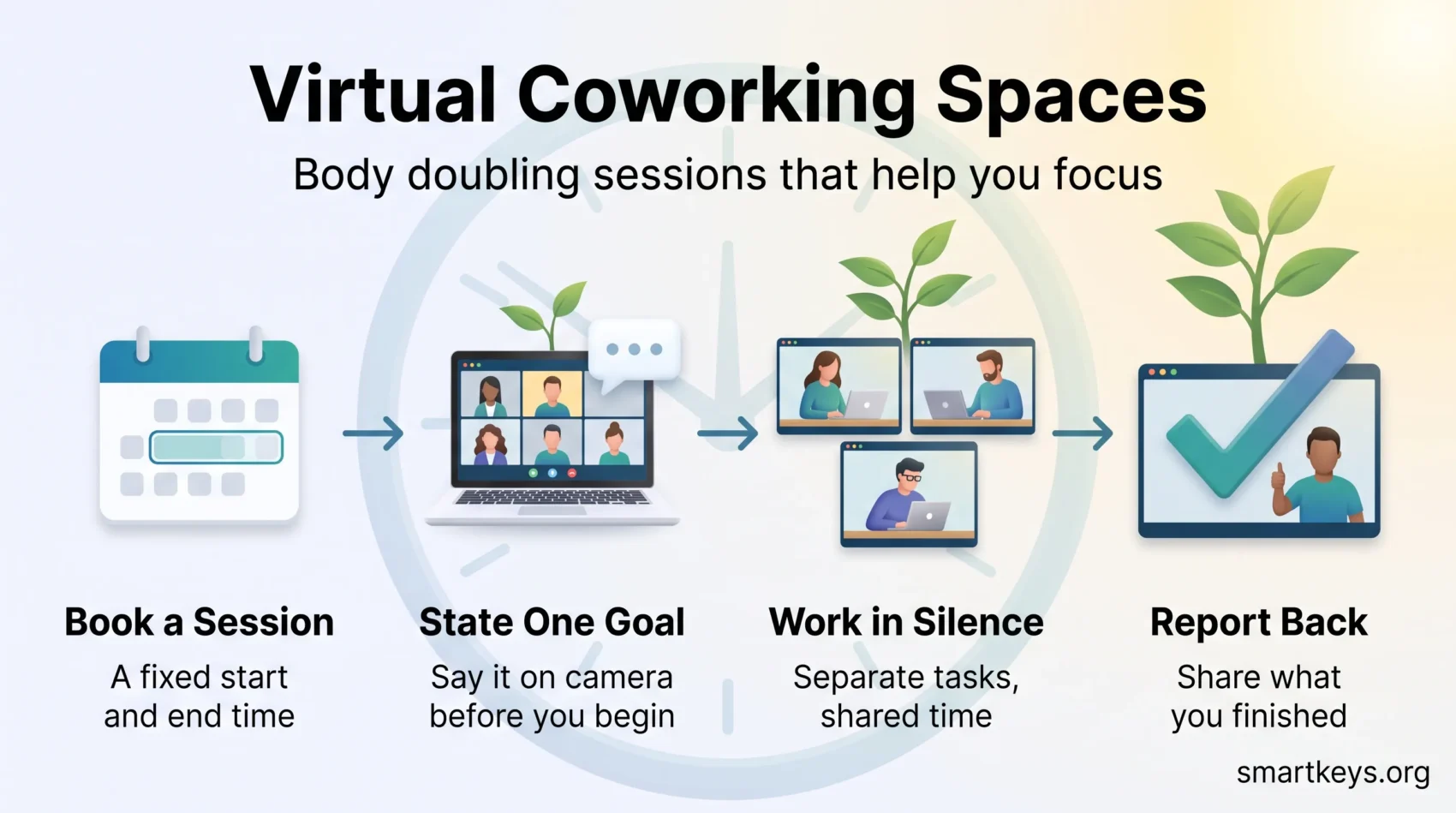
A virtual coworking space fills that gap: a scheduled online room where several people work on their own separate tasks at the same time, with a check-in at the start and a short report at the end. Nobody supervises anybody. The others are simply there, and for most people that is enough to get started. It is a tool for your own focus, not for team bonding; how a distributed team builds connection is covered in our guide to building a strong remote company culture.
Key Takeaways
- A virtual coworking space is a scheduled online room for parallel solo work, not a meeting.
- The effect is social, not supervisory: stating a goal and knowing someone will ask about it makes starting easier.
- Free options exist: Focusmate allows three sessions a week, and community rooms cost nothing.
- Paid memberships buy facilitation: Caveday is $35 a month, Flow Club $40 a month.
- The research is mostly survey based. Treat vendor productivity figures as marketing, not measurement.
What a Virtual Coworking Space Actually Is
The name borrows from physical coworking, which makes it confusing. A coworking space in the ordinary sense is a building you pay to sit in. The virtual version is a video room you join for a fixed block to work on something entirely your own.
Three things define the format:
- A fixed start and end. The block has a clock, so it has a finish line. That alone changes how a task feels.
- Separate work. You bring your task, everyone else brings theirs. No shared agenda, no common deliverable.
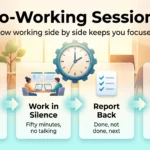
- A quiet middle. Talking happens in the first two minutes and the last three. Everything between is silent.
You will also see this called body doubling, a term from the ADHD community for working in the presence of another person to make a task easier to begin. Same behaviour, different label. For the mechanics of running one with a single partner rather than a platform, see our guide to co-working sessions with an accountability partner.
Why Working Beside Strangers Helps You Start
The effect is well described by the people who use it and thin in controlled trials. The clearest published work is an ACM SIGACCESS study by Tessa Eagle, Leya Breanna Baltaxe-Admony and Kathryn E. Ringland, presented in 2023. They surveyed 220 adults, mostly neurodivergent, about how they use body doubling.
Four themes recurred: accountability to someone who could see whether they followed through, companionship that made a dull task less isolating, easier emotional regulation on anxious work, and mirroring. Nobody described being monitored. Presence is doing the work, not pressure.
The older root is social facilitation, the finding that the mere presence of other people changes performance. It helps on tasks you already know how to do and can hurt on tasks that are new and difficult. So a shared room suits the expense report you keep avoiding better than the skill you are learning for the first time.
Be sceptical of the big numbers. Focusmate published a February 2024 survey of 834 of its own members in which 99% reported improved productivity, with an average self-reported gain of 143%. That polls people who already chose the product, relies on self-assessment, and has not been peer reviewed. The direction is plausible; the number is not.
Platforms Worth Trying in 2026
Prices below are the vendors’ own published figures. Start with a free tier or a trial.
Focusmate: one-to-one pairing
Focusmate matches you with another member for a booked slot. You both state a goal on camera, work in silence, then report back. The free plan allows three sessions a week; Plus costs $8 per month billed annually, or $12 monthly, for unlimited sessions. One-to-one pairing creates the strongest obligation: if you do not show up, one specific person notices.
Caveday: facilitated group sessions
Caveday runs guided sessions it calls Caves, hosted by a facilitator who keeps time and sets the rhythm. Sessions come in 30 minute, one hour and three hour lengths, run seven days a week, with unlimited bookings. Membership is $35 a month, or $105 billed quarterly, with a two week free trial. If you have drifted in unstructured rooms, hearing someone call the phases out loud tends to fix it.
Flow Club: guided rooms at scale
Flow Club offers hosted sessions with prompts and music, advertising more than 2,500 live sessions a week. It costs $40 a month, or $33.33 a month billed annually, with a free trial first. A plain video call with a colleague, incidentally, costs nothing at all.
Free options
- Community rooms. Many Discord servers and Slack workspaces run permanent voice channels for silent work. Free and drop-in, but nobody notices if you skip a day.
- Shut Up & Write! A free global writing community running online sessions through Meetup: check-in, silent block, short debrief.
- Study with me videos. Recorded sessions on YouTube with a visible timer. No booking and no obligation, which is both the appeal and the weakness.
Other services occupy the same space, including Flown, which runs facilitated deep work sessions. Check plans on the vendor’s own page, because pricing here changes often.
How to Pick a Format That Fits Your Work
One-to-one pairing suits short sprints and people who respond to a specific person waiting. Facilitated group rooms suit longer blocks and anyone who has tried a timer alone and quietly stopped. Recorded videos suit awkward time zones but carry no obligation, so they help least when you need help most.
On length: fifty minutes suits most knowledge work. Twenty-five minutes, the classic Pomodoro interval, suits admin and anything you have been putting off, because the finish line is believable. Three hour sessions are for one large piece of work you have already defined.
Then be honest about what is actually going wrong:
- You cannot start. A shared room is the right tool, and this is where systems built around attention differences lean on it most.
- You start and then drift. The bigger win is quieting notifications and reducing task switching.
- You have no time to protect. That is a calendar problem: a no-meeting focus window or a time-blocked week comes first.
- You feel isolated. Sessions help, and so does the wider picture of remote work and mental health.
- Your desk is the problem. No room fixes a bad chair or a dark corner. Start with the home office setup.
Two habits decide whether the routine lasts. Bring a task you can finish inside the block, and keep a countdown in view, either the platform’s or a visual timer. Then pause afterwards, because short breaks restore attention in a way a second grinding hour does not.
When Virtual Coworking Is the Wrong Tool
It will not fix an overloaded week. If everything on your list is genuinely urgent, that is a prioritisation problem, and protecting personal time does more than another subscription.
It also suits novel, difficult thinking badly, because social facilitation cuts the other way there. A long solo deep work block usually beats a shared one.
And it is a thin social diet on its own. If loneliness is the main problem, address it through your team’s remote culture. Employers building the wider setup will get more from virtual office infrastructure and from the way virtual reality is being tested for remote collaboration than from focus rooms.
Conclusion
A virtual coworking space is one of the cheapest work habits available: no equipment, no training, and in several cases no money.
Pick one task you have been avoiding, book a free session this week, and set a goal you can finish inside the block. If it beats a normal hour at your desk, book the next one before you close the tab. The gain comes from repetition, not intensity.
For the layer above this, our knowledge worker focus framework covers attention and information load, and the AR and VR workspaces guide shows where shared digital rooms may go next.
Found this useful?
Make SmartKeys a preferred source on Google, and our articles will surface more often in your Top Stories, AI Overviews, and AI Mode.
Add as Preferred Source