Last updated: August 2026. All prices verified against Tidio’s public pricing page and help center.
Tidio Review at a Glance
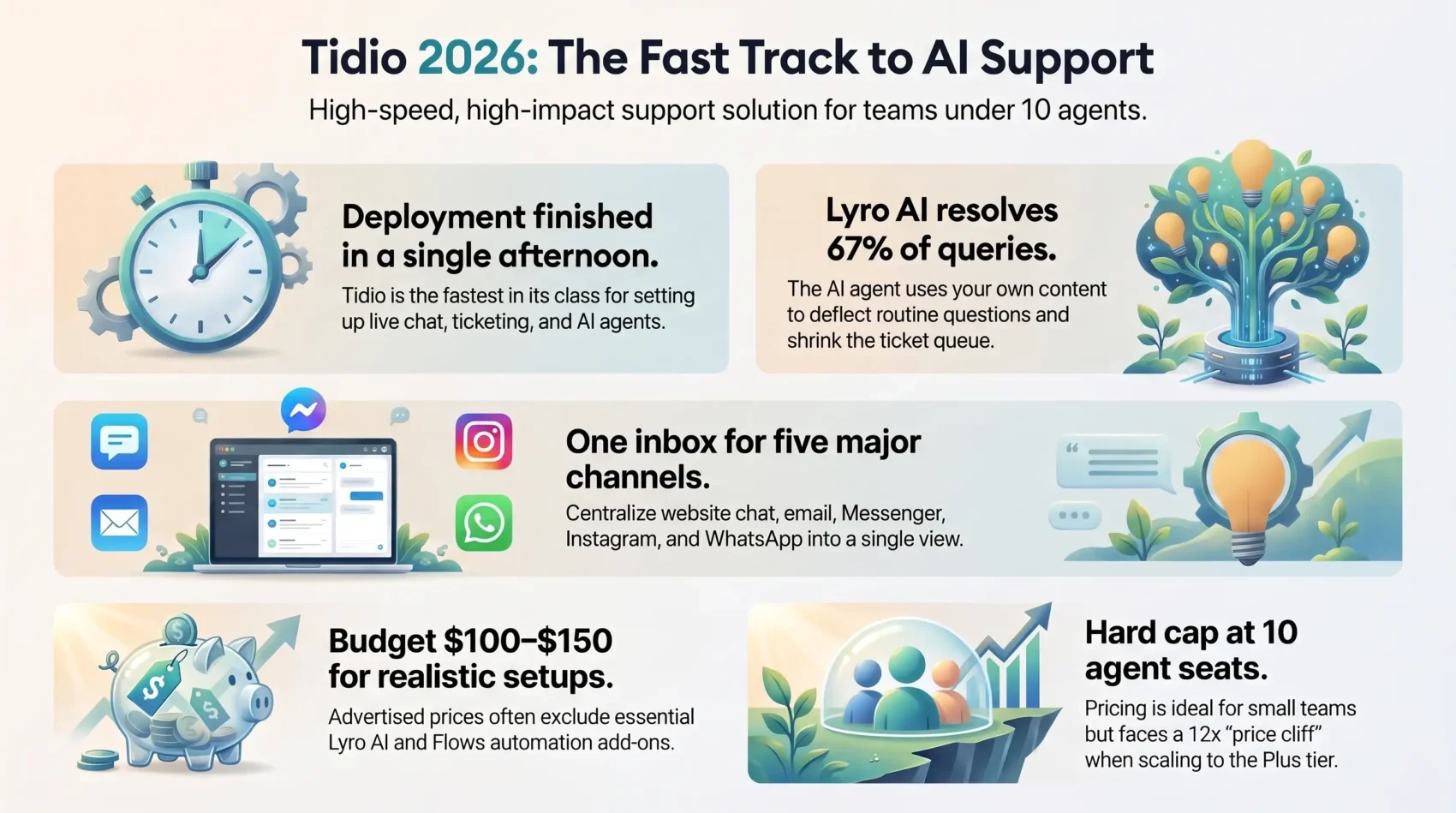
The short version: Tidio is the fastest way for a small ecommerce or SMB support team to get live chat, ticketing and an AI agent running in an afternoon. The catch is the bill. Tidio sells three separately metered products, and the headline price only covers one of them.
- Best for: Shopify, WooCommerce and WordPress stores with 1–10 agents that want AI deflection without a six-week implementation.
- Skip it if: you need more than 10 seats, HIPAA compliance, or predictable flat-rate billing at high volume.
- Real-world cost: plan on $100–$150 per month, not $29, once Lyro AI and Flows are added.
- Standout feature: Lyro, which Tidio says resolves up to 67% of common questions using only your own content.
Key Takeaways
- Live chat plus AI deflection cuts first-response time and shrinks the ticket queue.
- One inbox covers website chat, email, Messenger, Instagram and WhatsApp.
- Lyro answers routine questions and hands complex cases to agents or a ticket.
- Lyro and Flows do now work together through Lyro Tasks — a change from earlier versions.
- Three separate quotas (conversations, Lyro, Flows) make budgeting the hardest part.
What You Get with Tidio Right Now
Tidio bundles live chat, an AI agent and a unified inbox so a small team can handle more conversations without hiring. Setup is fast and the interface stays uncluttered — which is exactly why 300,000+ businesses use it.
Who Tidio is for
Small and mid-size businesses that want faster replies and clearer context benefit most. You manage website chats, email and Facebook Messenger from one place instead of switching tabs. If you are still mapping out your wider service stack, our overview of customer service trends for 2026 puts these tools in context.
Start for free todayCore value
You get features that reduce tickets and speed up response: a genuinely free tier, drag-and-drop Flows, and an AI agent that handles common queries and escalates the rest.
- Free plan: 50 billable conversations per month, the widget, REST API access and a one-time pool of 50 Lyro conversations.
- Real-time visitor tracking and proactive messages let you offer help or a discount at the moment of hesitation.
- Analytics show trends so you know when to scale plans and seats.
Key Features That Impact Your Bottom Line
Smart automation plus live chat and a unified inbox let you run support and sales conversations from one screen. That cuts response time and reduces follow-ups.

Live chat and unified inbox
The chat widget is light and brandable. Canned responses and typing preview let agents reply faster and keep conversations moving. Note that removing the “Powered by Tidio” badge is a paid add-on (around $20 per month) on the Growth plan and only free from Plus upward.
Lyro AI agent for automated answers and tasks
Lyro trains on your website URLs, uploaded files, Q&A pairs and — on Plus — external databases from your existing support tools. It runs simple tasks like order checks and escalates complex issues to an agent or creates a ticket automatically. Tidio publishes customer results between roughly 73% and 94% resolution, with 67% as the headline claim.
Flows automation builder with triggers, conditions and tags
The Flows builder supports triggers, conditions, actions and a “To another Flow” element, so you can reuse steps and build branching journeys quickly. Around 40 templates cover the common cases. The same logic works for internal use cases too — see our guide to HR chatbots for employee support.
Widget, proactive messages and visitor tracking
Real-time tracking shows who is browsing so you can send proactive messages that prevent bounce. Used well, this is a retention lever as much as a support one — the same logic behind most customer retention strategies.
Helpdesk ticketing and agent tools
- Convert chats to tickets and assign them to agents to keep workloads clear.
- Tags, custom fields and integrations with Shopify, WooCommerce, Mailchimp, Zendesk and Zapier add context to every conversation.
- Macros, internal notes, automatic chat assignment and satisfaction surveys arrive on the Growth plan.
- Dashboards reveal message volume, response times and operator performance.
If you need deeper ticket workflows, SLAs and multi-department routing, a dedicated helpdesk like Zoho Desk goes further than Tidio does.
Live Chat Experience: From First Ping to Resolved Conversation
A fast, branded widget starts every conversation and gives agents the context they need before replying.
Pre-chat fields and typing preview mean your team sees intent and can answer accurately. Canned replies and shortcuts cut handle time without cutting quality.
Customizable widget, canned replies and typing preview
You match the widget to your site and collect key details before the first message lands. Typing preview helps agents avoid overlap and send clearer messages.
Auto-assignment rules, teams and operating hours
Automatic routing sends each conversation to the right agent or team based on skills and availability. Set operating hours to capture after-hours leads, route them to tickets, or let Lyro handle the simple asks.
- Transcripts and notes: keep history for smooth follow-ups.
- Real-time insights: spot stuck shoppers and jump in.
- Scalable rules: as chats grow, assignment keeps wait times low.
Lyro vs. Flows: How Tidio’s AI and Automation Work Together
This is the part of Tidio that changed most. Older reviews — including our previous version of this article — reported that Lyro and Flows could not be combined. That is no longer accurate. Tidio now documents a clear interaction model between flows, Lyro and live agents.
The priority order
Tidio processes an incoming conversation roughly in this sequence:
- Flows (excluding “Visitor says” flows), driven by triggers and conditions.
- “Visitor says” flows, which are disabled automatically when you switch Lyro on — but can be re-enabled manually.
- Lyro Tasks, which are custom flows that run inside a Lyro conversation without interrupting it.
- The Lyro AI agent, which takes over only if no flow or task has claimed the conversation.
- Live agents, who can join or take over any chat at will, including Lyro’s.
What Lyro Tasks actually solve
Lyro Tasks are the bridge that used to be missing. They trigger on specific words or phrases during a Lyro chat, run your flow logic, then return control to Lyro. The one exception: if a task uses “To another flow”, the flow takes over and the Lyro session ends.
The remaining limitation
Flows still cannot hand a visitor to Lyro, and Lyro cannot proactively open a conversation — it only reacts to incoming messages. So proactive outreach stays a Flows job, and reactive Q&A stays a Lyro job. Map that boundary before you build, or you will duplicate logic across both systems.
Designing Flows that lift conversions
Build Flows that trigger on first visit, exit intent or checkout linger. Apply conditions and tags to personalize outreach and pre-qualify leads before routing to sales.
- Proactive messages: gentle incentives to reduce cart abandonment.
- Split tests: try variants to see which copy converts.
- Decision trees: document when Lyro answers, when a flow guides, and when a human steps in.
Lyro Connect: using Lyro outside Tidio
Tidio now sells Lyro as a standalone agent that can reply inside Zendesk, Intercom or Salesforce. It is gated to Plus and Premium and billed from about $0.50 per conversation on top of your plan — worth knowing if you already own a helpdesk and only want the AI layer.
Automate your support nowTidio Pricing 2026: What You’ll Actually Pay per Month
Tidio bills three independent meters, and this is the single most misunderstood thing about the product. Customer Service (live chat, ticketing, email), Lyro AI Agent, and Flows are separate products. Tidio confirms each “can be purchased individually or as part of a bundled plan in any configuration.” The advertised price covers Customer Service only.
Base plans (Customer Service)
| Plan | Monthly | Annual (per mo.) | Billable conversations |
|---|---|---|---|
| Free | $0 | $0 | 50 / month |
| Starter | $29 | ~$24.17 | 100 / month |
| Growth | $59 | ~$49.17 | 250, scaling to 2,000 |
| Plus | from $749 | custom | custom volume |
| Premium | quote only (~$2,999) | custom | unlimited |
The add-ons that decide your real bill
- Lyro AI: from about $39 per month ($32.50 annually) for 50 conversations, roughly $78–$140 for 200. Free and Starter include only a one-time, non-renewable pool of 50 Lyro conversations — not 50 per month. Once it is gone, Lyro stops until you buy the add-on.
- Flows: from about $29 per month ($24.17 annually) for 2,000 visitors reached.
- Branding removal: roughly $17–$20 per month on Growth; included from Plus.
A realistic Growth-tier setup — base plan plus Lyro plus Flows — lands around $105–$150 per month. Budget for that number, not for $59.
Three things to watch before you sign
- The $59-to-$749 cliff: there is no tier between Growth and Plus. Outgrow 2,000 conversations or 10 seats and the next step is a 12x jump.
- Automatic upgrades: Tidio can auto-upgrade your tier at around 95% quota usage. Set your own alerts at 60–70%, or disable auto-upgrade and accept that service stops at 100%.
- Geo-pricing: European buyers are quoted in euros at parity (€29 where US buyers pay $29), which at current exchange rates is a meaningful premium.
All paid plans include a 7-day trial of premium features with no credit card, and annual billing saves roughly 17%.
Try Tidio completely risk-freePricing tied to conversation volume rather than seats is great below 10 agents — and punishing above it.

Analytics and Reporting: Conversations, Agents and Sales Impact
Built-in analytics turn message volume into staffing and growth signals. Dashboards summarize flow outcomes, operator performance, message counts and lead capture.
Dashboards for flows, operators, messages and leads
Your dashboard shows conversation and message trends over time, which helps you plan shifts and decide when automation covers demand. Lead dashboards tie chat activity back to pipeline so you can quantify sales impact. Advanced analytics are gated to Growth and above.
Lyro performance: answer rates, transfers, time saved
Lyro reports cover answer rate, transfers to agents and estimated time saved. “Suggestions” flag content gaps so you can add help articles and cut future escalations.
What’s still missing
High-level flow outcomes are visible, but step-by-step branch analytics remain limited. You see result rates, not every decision node. If granular funnel attribution matters to you, plan to export and analyze elsewhere.
- Track volumes to know when to staff up.
- Coach agents using operator dashboards.
- Compare AI and live chat by time of day and page.
- Export reports to share with sales and leadership.
Ease of Use and Setup: From Signup to First Chat in Minutes
Onboarding is genuinely quick — this is Tidio’s strongest competitive advantage.
At signup you enter your name, email, website and primary goal. Onboarding then shows tailored install instructions for Shopify, WordPress and other platforms.
The dashboard walks you through Inbox, Flows, Visitors, Contacts and Analytics. A visual builder and roughly 40 templates let you ship a Flow without code. Use triggers and tags to separate new from returning visitors, and test end-to-end before publishing.
- Connect your site and go live in minutes using the platform guides.
- Drag-and-drop templates speed up automation for first-time users.
- iOS, Android and desktop apps keep agents responsive on the move.
- Fine-tune branding, canned replies and hours as feedback comes in.
“The learning curve is low enough that most teams are answering real chats on day one.”
Integrations and Channels: Where You Can Use Tidio
Connect every touchpoint so your team answers in one place. Website chat, email, Facebook Messenger, Instagram and WhatsApp all land in a single inbox.
One-click plugins for Shopify, WordPress, WooCommerce, BigCommerce and PrestaShop pull store data into conversations, so agents see orders and carts without leaving the inbox.
- Central channels: web, email, Messenger, Instagram and WhatsApp in one thread view.
- Extend with integrations: Mailchimp, Omnisend, Zendesk, Pipedrive and Zapier connect marketing and CRM. A “Send to Zapier” action lives directly inside the Flow editor.
- API and Flows: call APIs inside Flows to fetch order status, create CRM records or trigger external events.
- Targeting: tags and segments let you send a timely discount to returning visitors hovering at checkout.
Because Instagram and Messenger DMs land in the same inbox, Tidio doubles as a light social commerce tool. For the wider strategic picture, see our guide to mobile commerce trends for 2026.
On compliance: Tidio holds SOC 2 Type II, GDPR and CCPA certifications. It does not offer HIPAA or FedRAMP coverage outside the top tier, which rules it out for regulated healthcare and public-sector use.
Tidio Alternatives: How It Compares
Tidio sits in a crowded field, and the right answer depends on what you are optimizing for.
- vs. Intercom: Intercom is more enterprise-native with deeper product tours and reporting, but it costs more and takes longer to deploy. Our Intercom review breaks down where that premium is justified.
- vs. Chatbase: If you only want an AI agent trained on your docs — no live chat team, no ticketing — a purpose-built bot is cheaper and simpler. See our Chatbase review.
- vs. a full helpdesk: Teams that live in tickets rather than chat will outgrow Tidio’s ticketing quickly.
Strengths and Trade-offs: Is Tidio Right for Your Team?
Pros
- Fastest setup in its class: templates and a drag-and-drop builder get automation live in minutes, not weeks.
- Genuinely capable AI: Lyro trains on your own content only, which keeps answers brand-safe, and published resolution rates are strong.
- Multichannel from day one: web, email, Messenger, Instagram and WhatsApp in one inbox.
- Cheap below 10 agents: conversation-based pricing beats per-seat competitors for small teams.
- Deep ecommerce hooks: native Shopify and WooCommerce context inside the conversation.
Cons
- Three meters, one confusing invoice: Lyro and Flows are never included in the base price.
- The Growth-to-Plus cliff: a 12x jump with nothing in between leaves mid-market teams stranded.
- Hard 10-seat cap on all self-serve plans.
- Thin social marketing features: no advanced broadcast campaigns on Facebook or Instagram.
- Limited flow-level analytics and no branch-by-branch attribution.
- Billing reputation: quota-triggered upgrades still draw complaints in public reviews. Set usage alerts early.
“For most teams the balance is the point: humans handle nuance, automation clears the repetitive 60–70%.”
Verdict
Tidio is an easy recommendation for small ecommerce and SMB teams — and an easy pass for anyone above 10 agents. Start on the free plan (50 conversations, 50 one-time Lyro conversations, 100 Flow visitors) to validate fit on real traffic before spending anything.
Centralizing website chat, email and social channels in one inbox is the immediate win: customers stop repeating themselves and agents stop tab-switching. The AI layer is the second win, provided you budget for it honestly from the start.
The deciding question is not whether Tidio works — it does. It is whether your conversation volume and headcount will stay under the Growth ceiling for the next 12 months. If yes, few tools deliver this much value for around $100 a month. If no, price out Plus before you commit, because the jump is steep and there is nothing in between.
Claim your 7-day free trialFound this useful?
Make SmartKeys a preferred source on Google, and our articles will surface more often in your Top Stories, AI Overviews, and AI Mode.
Add as Preferred Source