Most companies do not have an integration problem because they bought bad software. They have one because they bought a lot of good software. Zylo’s 2026 SaaS Management Index puts the average company at 305 SaaS applications, with spend still climbing roughly 8% year over year even as app counts flatten out. Every one of those tools holds data the others need.
Workato is one answer to that. It is an integration platform as a service (iPaaS): a hosted layer that connects your applications, moves data between them in near real time, and automates the steps in between without a dedicated integration team writing custom code for every pair of systems. This Workato review covers what the platform actually does in 2026, how its shift into AI agents changed the product, what pricing really looks like, and which companies it fits.
Key Takeaways
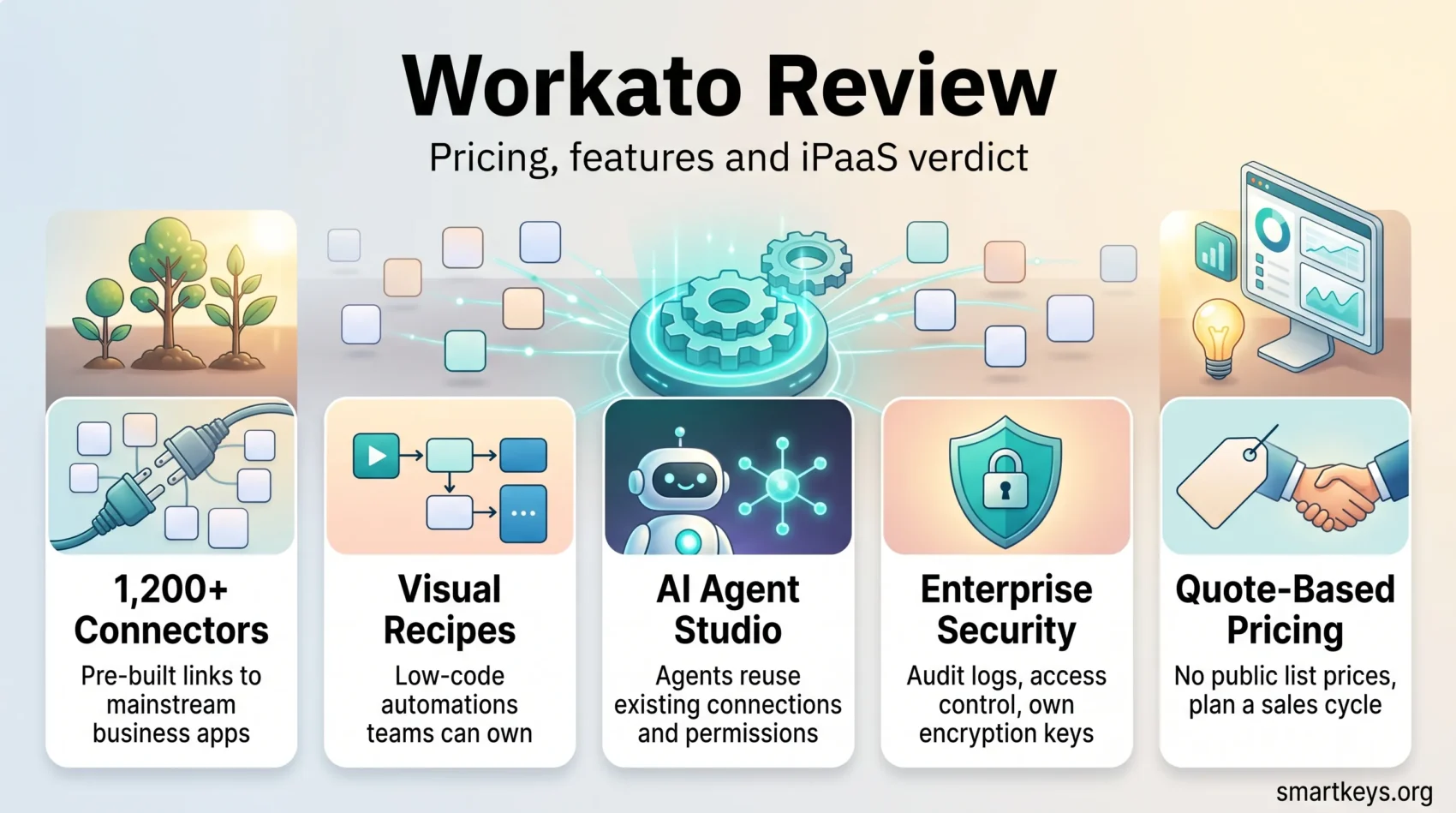
- Workato lists more than 1,200 pre-built connectors, covering most mainstream SaaS and several on-premise systems.
- Automations are built as “recipes” in a visual, low-code editor, so business teams can ship integrations without engineering time.
- Since 2025 the platform has expanded well beyond integration into AI agent orchestration through Workato One and Agent Studio.
- Pricing is quote-based. Workato publishes no list prices, which makes budgeting harder than with self-serve competitors.
- Security and governance are the strongest part of the product: SOC 2 Type II, ISO 27001, HIPAA and PCI-DSS 4.0, plus enterprise key management.
- Best fit: mid-market and enterprise teams with many systems and real compliance requirements. Overkill for simple two-app automations.
What Workato Does
Workato sits between your applications and keeps them in sync. Unlike classic ETL tools that run in scheduled batches, it moves data as events happen: a deal closes in the CRM, and the invoice, the onboarding ticket and the Slack notification all follow within seconds.
The building block is the recipe. A recipe is a trigger plus a sequence of actions, assembled in a visual editor rather than written in code. “When a new employee is added in the HR system, create accounts in these six tools, assign a laptop, and post to the IT channel” is a recipe. So is a nightly reconciliation between two finance systems.
That model is what separates Workato from developer-first integration tooling. Operations, finance and HR teams can build and own their own automations, while IT keeps control of connections, credentials and permissions. It is the same idea behind the wider move toward hyperautomation across business functions, applied to the integration layer specifically.
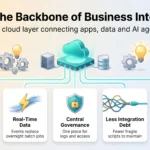
Workato also runs on both cloud and on-premise systems through an on-prem agent, which matters for companies still running ERP or database workloads inside their own network. For a broader view of where this category sits, our overview of iPaaS as the backbone of business integration covers the market rather than a single vendor.
What Changed: Workato One and AI Agents
The Workato of 2026 is a noticeably different product from the Workato of 2024. In March 2025 the company launched Workato One, splitting the platform into two halves: Workato Orchestrate for classic data and application integration, and Workato Agentic for building and running AI agents. Alongside it, Workato acquired DeepConverse for its search and automated support technology.
Agent Studio is the piece most buyers will care about. It lets teams build, deploy and govern AI agents (Workato calls them Genies) that act across CRM, ERP, HR, IT and finance systems using the same connectors and permissions as the integration layer. The platform supports Anthropic’s Model Context Protocol, and Workato said in March 2026 that it planned to ship more than 100 production-ready MCP servers during the year.
In July 2026 Workato added a Headless API, so agents can be embedded in web apps, mobile apps or other agents rather than living in one chat window, and Agent Guardrails, a three-layer control set that blocks, redacts or tokenizes personal data before it reaches a model, routes high-stakes actions through human approval in Slack or Teams, and logs every interaction in an auto-redacted conversation history.
This is the honest reason to look at Workato now rather than a cheaper connector tool. If you only need to move records between two apps, the agent layer is noise. If you are trying to put AI agents into real business workflows with an audit trail your compliance team will accept, it is the point.
The company reported 35% year-over-year ARR growth for the fiscal year ending 31 January 2026, which suggests the pivot has not cost it momentum. Treat vendor-reported growth as directional, not audited.
Key Features of Workato
Automation with recipes
Recipes are pre-configured, reusable automation flows built from triggers, actions, conditions and loops. You assemble them visually, test them against live data, and version them. Workato ships a large community library, so most common patterns (lead routing, ticket escalation, invoice sync) start from a template rather than a blank canvas.
More than 1,200 pre-built connectors
Workato’s connector library covers over 1,200 applications, including Salesforce, Slack, NetSuite, Workday, SAP and the major databases. Where no connector exists, an HTTP connector and an SDK let you build a custom one, and custom connectors can be shared across your workspace. If your stack is standard, you will rarely need to.
Low-code and no-code building
The editor is designed for people who understand a business process but not an API. Field mapping, error handling, retries and data transformation are configured through the interface. Developers still get formula functions, custom scripts and callable recipes when a step needs real logic, which keeps the platform from hitting a ceiling on complex work.

Workato Pricing: What Is Public and What Is Not
Here is the part most reviews get wrong: Workato does not publish list prices. There is no pricing table, no per-seat number, no free-forever tier. Every figure you see quoted online comes from resellers, benchmarking firms or negotiated deals, not from Workato.
What the company does publish is its edition structure. Workato sells Standard, Business and Enterprise editions, plus the newer Workato One edition that bundles the agentic capabilities. It also splits usage into Workato for Business (internal, department-wide automation) and Workato for Product (embedded automation you resell inside your own SaaS).
Quotes are built from a base platform fee plus usage, and the variables that move the number are recipe volume, task volume, how many connections you run, whether those connectors are standard or premium, seat count, and the support tier. Benchmarking data collected by procurement platforms such as Vendr puts mid-market Business Edition deals in the tens of thousands of dollars per year and Enterprise deals well into six figures at list, with meaningful discounts available on negotiation. Those are third-party estimates from observed contracts, so treat them as a starting range, not a price list.
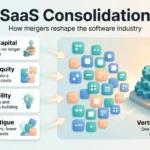
Two practical implications. First, budget for a sales cycle: you cannot swipe a card and start. Second, model your task volume before the call, because that is the lever the quote turns on. If you are running a broader SaaS consolidation exercise or already tracking cloud cost optimisation, fold the integration platform into the same review rather than treating it as a separate line item.
How Workato Compares to Other iPaaS Tools
Workato competes in three directions at once, and the right comparison depends on what you are replacing.
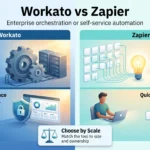
Against lightweight automation tools like Zapier and Make, Workato is heavier, more expensive and considerably more capable. Those tools win on speed to first automation and on price for small teams. Workato wins once you need governance, environments, error handling at volume and shared ownership across departments. Our Workato vs Zapier comparison goes through that trade-off in detail, and the Zapier vs Make breakdown covers the lighter end of the market.
Against traditional enterprise integration platforms, Workato’s pitch is time to value. Classic middleware projects are scoped in quarters; Workato deployments are typically scoped in weeks, because business teams do much of the building. The trade-off is less control over the runtime and a dependency on the vendor’s connector roadmap.
Against the AI agent platforms now appearing from every major software vendor, Workato’s advantage is that its agents inherit an existing, permissioned connection layer. An agent that already knows how to authenticate into your ERP is a different proposition from one that needs an integration project first.
Where Workato does not win: if your requirement is one integration between two well-known apps, or if you need transparent, self-serve pricing, this is the wrong tool.

User Experience and Ease of Use
The drag-and-drop recipe builder is the platform’s best-liked feature, and the reason non-engineers can own automations at all. Templates, guided setup and a searchable community library shorten the path from idea to working flow.
Ease of use is relative, though. Workato is easy compared to writing integrations by hand and harder than a consumer automation app. New users consistently report a real learning curve in the first few weeks, particularly around data mapping, error handling and how jobs are billed. Most organisations that succeed with it invest in training a small internal group first, then let that group support everyone else. Setting up an internal automation practice is part of the implementation, not an optional extra.
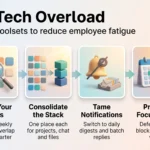
Once teams are past that curve, the collaboration and monitoring features carry a lot of weight: shared recipe libraries, job-level logs, and dashboards that show which automations are failing and why. That visibility is what stops citizen-built automation from turning into another layer of tech overload.
Security, Governance and Compliance
This is where Workato justifies its enterprise positioning.
Audit logs and governance
Every action inside the platform is logged, which gives you an evidence trail for auditors and a way to answer “who changed this recipe and when”. Role-based access control lets you separate who can build recipes, who can approve them and who can connect to production systems. Environments (development, test, production) keep experiments away from live data. For teams building a broader data governance strategy, these controls slot into the framework rather than fighting it.
Data protection
Workato supports role-based access control with both predefined and custom roles, and enterprise key management so you can hold your own encryption keys and encrypt connection and job data with them. Its published compliance set includes SOC 2 Type II, ISO 27001, HIPAA and PCI-DSS 4.0, which covers most regulated-industry procurement checklists. The 2026 Agent Guardrails release extended the same thinking to AI: personal data is blocked, redacted or tokenized before it reaches a model.
If your integration layer touches customer or employee records, treat this as the section that matters most. Assess it alongside your privacy compliance framework and, for anything agent-related in Europe, your EU AI Act obligations. A zero-trust approach to access applies to automation service accounts just as it does to people.

Workato Review: Pros and Cons
Strengths
- Connector breadth: more than 1,200 pre-built connectors means most integrations start from configuration, not development.
- Business-team usability: the visual recipe builder genuinely lets non-developers own automations, which removes IT as the bottleneck.
- Governance depth: audit logs, RBAC, environments, enterprise key management and a serious compliance certification set.
- Agent orchestration: AI agents that reuse existing connections and permissions, with guardrails built in rather than bolted on.
- Scalability: the platform is built for high job volumes across many departments, not just a handful of workflows.
Weaknesses
- Opaque pricing: no published rates, mandatory sales conversation, and costs that scale with usage in ways that are easy to underestimate.
- Learning curve: the first few weeks are slower than the marketing suggests, especially around error handling and data mapping.
- Cost for small teams: for startups and small businesses, the value rarely justifies the entry point compared with lighter tools.
- Vendor dependency: your automations live in Workato’s runtime and connector model, which makes migrating away non-trivial.
Where Workato Fits in Practice
The strongest use cases are the ones that cross departments. Employee onboarding and offboarding, where HR, IT, finance and facilities all need to act on the same event, is the classic example. Quote-to-cash, where CRM, billing and ERP have to agree. Support workflows that need customer data from three systems to answer one ticket. Each of these fails in the same way without an integration layer: someone re-keys data, and the copies drift apart.
Workato’s own positioning is that these processes should be owned by the teams that run them, with IT setting the guardrails. In practice that works when there is a central automation group that reviews what gets built, maintains shared connections, and retires recipes nobody uses. Without that, you trade an integration backlog for an automation sprawl problem.
Two things worth checking before you commit. Confirm that connectors exist for your less common systems, and test them, because connector depth varies more than connector count suggests. And map your task volume honestly, since that is what the invoice tracks. Integrations with mainstream tools like Salesforce, HubSpot, Marketo and Slack are well covered; niche and homegrown systems are where projects slow down. Automating finance processes in particular tends to surface those edge cases early.
Verdict
Workato is a strong iPaaS for organisations that have outgrown point-to-point integrations and lightweight automation tools, and that need governance they can show an auditor. The connector library is genuinely broad, the recipe model puts automation in the hands of the people who understand the process, and the security and compliance story is one of the best in the category.
The reservations are real too. Pricing is opaque and usage-based, the first few weeks are harder than the demo suggests, and small teams will get better value elsewhere. The agentic features added since 2025 are the most interesting part of the roadmap, but they are also the newest, so evaluate them against your own workflows rather than the marketing.
Short version: if you have many systems, several departments building automations, and compliance obligations, Workato earns its place. If you have two apps and a spreadsheet, it does not. Either way, run a scoped proof of concept on one real cross-department process before signing, and treat the result as part of your wider digital transformation and team productivity planning.
Found this useful?
Make SmartKeys a preferred source on Google, and our articles will surface more often in your Top Stories, AI Overviews, and AI Mode.
Add as Preferred Source