
Your team spent an hour last spring choosing a vendor. Six months later, a new manager asks why you picked that one, nobody remembers the details, and the debate starts again. This is called re-litigating a decision: reopening a choice that was already made, without any new information.
A decision log stops that loop. It is a short, shared record of what your team decided, why, who approved it and when. When the question comes back, you open the entry instead of rebuilding the argument from memory.
This guide shows which decisions belong in a log, what each entry should contain, and the habits that keep it useful. It works for team leads, project managers and freelancers alike.
Key Takeaways
- A decision log records the choice, the reasoning, the alternatives and the owner, so nobody has to rely on memory later.
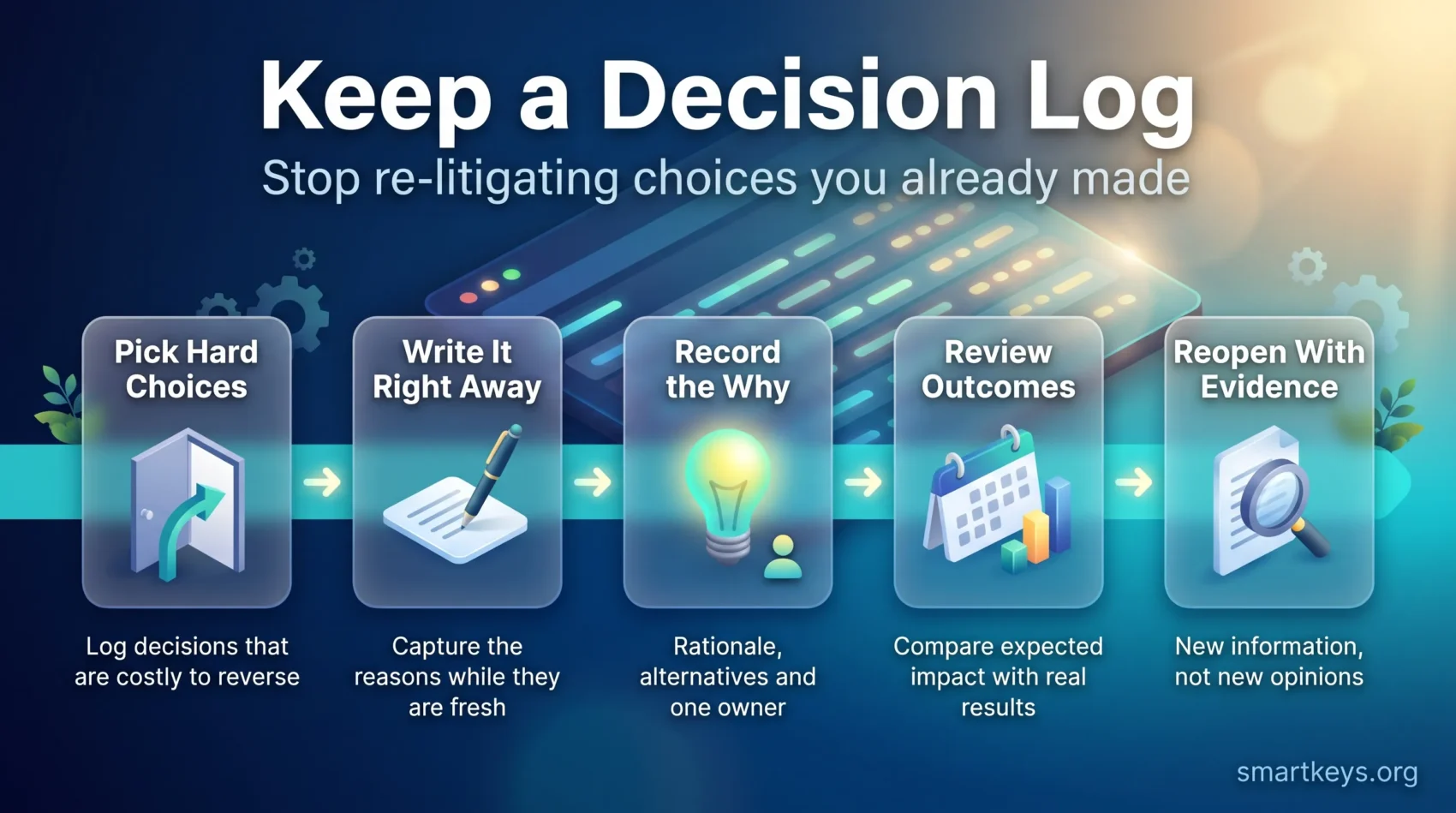
- Log decisions that are costly to reverse or affect several people. Skip small, easily undone choices.
- Write the entry soon after the decision, while the reasons are still fresh.
- Set a review date and compare the expected impact with what actually happened.
- Agree on a simple rule for reopening a decision: new information, not new opinions.
What Is a Decision Log?
A decision log is a running list of important decisions, one entry per decision. Each entry answers the same few questions: what did we decide, why, what else did we consider, who made the call, and when.
It differs from meeting notes. Notes capture everything that was said in one meeting. A decision log keeps only the outcomes, across all meetings, chats and emails. Many important choices are made outside meetings anyway: in a quick call, in a Slack thread or during an urgent fix.
Software teams use a similar idea. An architecture decision record (ADR) is a short document that explains one technical design choice and its consequences. Michael Nygard popularized the format in a 2011 blog post, and Martin Fowler describes it in his overview of architecture decision records. A decision log applies the same thinking to every kind of team decision, not only code.
Why Teams Keep Re-Litigating Decisions
Decisions rarely get reopened because people are difficult. They get reopened because the reasoning disappears. Three situations cause most of it.
- New people join. A new hire or a new client contact sees a choice that looks odd and has no way to learn why it was made.
- Memories drift. Two people who were in the same meeting remember the outcome differently a few months later.
- The reasons were never written down. The decision itself might be in a ticket, but the trade-offs and constraints were only discussed out loud.
A log fixes all three by giving everyone the same reference. It also makes ownership visible: when the entry shows who approved the choice and why, a challenge has to engage with that evidence. That helps when departments with different priorities share a project. It also fits participatory management, where many people contribute but one person owns the choice.
Which Decisions Should You Record?
If you log everything, nobody reads the log. A useful filter is to ask whether the decision is hard to undo. Jeff Bezos described this idea in his 2015 letter to Amazon shareholders. He split decisions into “one-way doors,” which are costly or impossible to reverse, and “two-way doors,” which you can walk back through easily.

One-way-door decisions almost always belong in the log. Two-way doors usually do not, unless they affect several teams. In practice, these categories cover most entries:
- Strategic choices: target customers, feature priorities, major roadmap changes.
- Execution choices: scope, budget, staffing, vendor selection and deadlines.
- Technical choices: architecture, platforms, frameworks and integrations, plus security and compliance decisions.
- Cross-team choices: workflow changes, tool switches, pricing and new ways of delivering work.
A quick test helps: if someone could reasonably ask “why did we do this?” in six months, write it down. If you want a framework for how the decision itself gets made, see our guide to decision-making models. The log records the result of whichever model you use.
Who Benefits From a Decision Log?
The log helps anyone who has to act on a decision they did not make.
Project managers, product teams and engineers
Project managers and product teams can point to the entry when a stakeholder asks why a milestone moved or a feature was cut. Engineers can record why they chose one design over another. That stops a later team from “fixing” something that was a deliberate trade-off.
Operations, leadership and compliance
Finance and operations can trace vendor and budget choices back to their reasons. Compliance teams get a clear approval trail for audits. Leaders benefit during change management, because people accept a change more easily when they can see why it happened.
Freelancers and small teams
A freelancer can keep one log per client. When a client asks for a change that contradicts an earlier approval, the dated entry settles it calmly.
What to Include in a Decision Log Template
Keep the template short enough that people will actually fill it in. These core fields cover most needs:
- ID and title: a short number (for example DL-014) and a one-line summary.
- Date: when the decision was made.
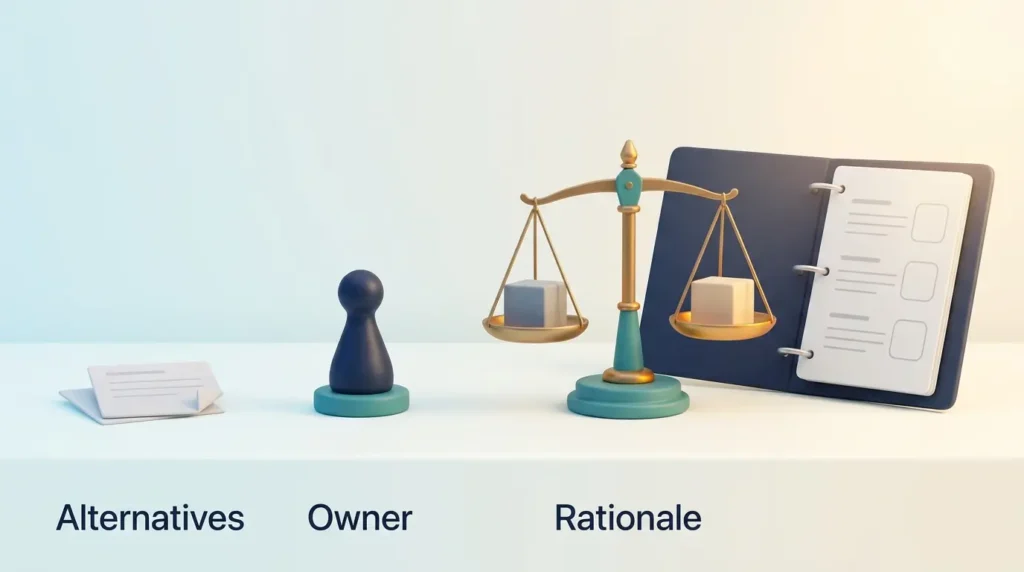
- Decision maker: the one person accountable for the call.
- Contributors: who was consulted.
- Context and rationale: the problem, the constraints, the assumptions and why this option won.
- Alternatives considered: what you rejected and why.
- Expected impact: what you think will change, ideally in a way you can check later.
Optional fields add value for larger projects: status (proposed, approved, implemented, reversed), impact level, links to supporting documents, follow-up owners and a review date. If you work in a regulated area, an approval signature or sign-off field makes audits easier.
The rationale is the most important field and the one people skip most often. A good rationale also notes disagreements. If someone argued for a different option, record their main point. It shows the concern was heard, and it tells future readers what to watch for.
Project Decision Log Template: A Filled-In Example
Here is a sample entry for a typical product decision. Use it as a pattern for your own entries.
Sample entry: changing a product’s release schedule
Entry ID: DL-014
Title: Move from quarterly to bi-weekly releases
Category: Product decision
Date: February 12, 2026
Decision maker: Head of Product
Contributors: Engineering, QA, Customer Success
How to make the reasoning and expected impact easy to scan
Rationale: Quarterly releases bundle many changes together. When something breaks, it is hard to find the cause, and customer feedback arrives months after the work is done. Smaller, more frequent releases shorten that feedback loop and lower the risk of each deployment.
- Alternatives considered:
- Keep quarterly releases (rejected: feedback too slow)
- Move to monthly releases (rejected: still bundles too many changes)
- Expected impact:
- Faster customer feedback
- More predictable release dates
- Fewer rollbacks per release
- Concern raised: QA worried about test capacity. Follow-up: automate the regression suite before the third release.
- Linked documents: release metrics dashboard, sprint performance analysis
- Review date: May 30, 2026
How to Use a Decision Log Day to Day
A log only works if it becomes a routine. These steps keep it simple.
- Agree on the criteria. Decide as a team which kinds of decisions go in. Use the one-way-door test as a starting point.
- Write the entry right away. Record it the same day, ideally before the meeting ends. Reasons fade fast.
- Name one keeper. One person maintains the log and checks each entry with the decision maker. Everyone else can propose entries.
- Share it where people already work. Post a link in the project channel or include new entries in your status updates.
- Link it to the work. Connect entries to the tasks, tickets or timeline items they affect, so people find the reason where they see the change.
AI meeting assistants can pull candidate decisions from a transcript, as our AI meeting notes workflow shows. A person should still confirm each entry, because AI summaries can miss the reasoning or misstate who approved what.
Decision Log Best Practices
The difference between a log people use and one they forget usually comes down to a few habits.
Keep entries short and searchable
Aim for an entry someone can read in under a minute. Use clear titles with the key nouns, such as “Vendor: chose X for payroll,” so a search finds them.
Link decisions to evidence and follow-up actions
Add links to the research, specs or meeting notes behind the choice. List follow-up actions with a named owner. A decision without an owner for the next step often stalls.
Make ownership and approval clear
Separate who decided, who was consulted and who maintains the entry. One accountable decision maker per entry avoids the “I thought you approved it” problem. Open access to the log also supports a transparency culture, because anyone can see how choices were made.
Review recent entries regularly
Spend five minutes on new entries in sprint reviews or your weekly review. It keeps everyone aligned and catches entries with missing details while people still remember them.
Common Decision Log Mistakes to Avoid
Most logs fail in predictable ways.
- Logging everything. When minor choices crowd the log, the important ones get lost.
- Recording the what but not the why. An entry without a rationale cannot stop a debate.
- Scattering decisions. If some live in chat, some in email and some in the log, nobody trusts the log.
- Never updating status. A decision that was reversed but still shows as “approved” causes confusion.
- Treating it as a weapon. If the log is used only to say “you agreed to this,” people stop contributing honestly.
How to Handle Requests to Reopen a Decision
A decision log is not meant to freeze every choice forever. Circumstances change, and some decisions should be revisited. The goal is to stop reopening them for no reason.

A simple rule works for most teams: a logged decision can be reopened when there is new information that was not available at the time. Examples include new data, a changed budget, a new legal requirement or a clear failure against the expected impact. A different opinion about the same facts is not enough.
When someone raises a past decision, read the entry together first. If that does not answer it, ask what has changed since the original date.
Review Decisions, Track Outcomes and Document Changes
The review date turns the log from a record into a learning tool. On that date, compare the expected impact with what actually happened.
For the DL-014 example, the May 30, 2026 review would check:
- Did customer feedback arrive faster after the switch to bi-weekly releases?
- Were release dates more predictable?
- Did rollbacks per release go down, and did QA keep up?
Add a short outcome note to the entry. Over time, these notes show which assumptions held, so your team judges similar decisions better.
When a decision is reversed, do not edit the old entry to hide it. Mark it as reversed and create a new entry that links back to it. Record the reason, the date, the replacement decision and the new owner. Anyone can then follow how the project’s direction changed over time.
Choose a Template and a Shared Home for Your Records
The best tool is the one your team already opens every day. A spreadsheet works well for small teams. Use one row per decision and one column per field.
Larger teams often get more value from a shared workspace where entries can link to tasks, files and comments. Wiki and database tools such as Notion, Confluence or Airtable work well for this. So do the project tools your team may already use; our ClickUp vs Asana comparison and Monday.com vs Notion comparison can help you pick one. Engineering teams often keep ADRs as text files next to the code, so they are versioned with it.
Whatever you pick, keep one home. A log that lives in two places soon becomes two logs that disagree. Treat it as part of your knowledge management, next to your standard operating procedures. Then people who find “how we work” also find “why we work this way.” That pays off when someone leaves, as our guide to employee offboarding explains.
Conclusion
A decision log is a small habit with a large payoff. It keeps the reasoning behind important choices in one place, so new people can catch up and old debates do not restart without a reason.
Start small. Pick a simple template, name one keeper, and record only the decisions that are hard to undo or affect several people. Add a review date to each entry and check the results when it arrives.
Within a few months, you will have a record that answers “why did we do this?” in seconds. It also takes some pressure off everyday choices and helps against decision fatigue, because settled questions stay settled.
Found this useful?
Make SmartKeys a preferred source on Google, and our articles will surface more often in your Top Stories, AI Overviews, and AI Mode.
Add as Preferred SourceFAQ
What is a decision log?
A decision log is a shared record of important decisions, with one short entry per decision. Each entry states what was decided, why, which alternatives were considered, who made the call and when. Teams use it so that the reasoning behind a choice survives after the meeting ends. When someone later asks why the team chose a vendor, moved a deadline or picked a technology, they can read the entry instead of relying on memory. That saves time and prevents the same debate from starting again.
How is a decision log different from meeting notes?
Meeting notes record what was discussed in one meeting, while a decision log records only the outcomes, across all meetings and channels. Notes are useful for the people who attended, but they quickly pile up and are hard to search months later. A decision log pulls out the few choices that matter and adds their reasoning and owner. Many decisions also happen outside meetings, for example in chat or email, and those belong in the log too. The two work best together: link each log entry to the notes where the decision was discussed.
Which decisions should go into a decision log?
Record decisions that are hard to reverse or that affect several people or teams. Typical examples are strategy and priority choices, scope and budget changes, vendor selection, staffing, technical architecture, and security or compliance decisions. Small choices that one person can easily undo usually do not belong in the log. A practical test is to ask whether someone could reasonably ask “why did we do this?” six months from now. If the answer is yes, write a short entry. If not, skip it so the log stays readable.
What should a decision log template include?
A good template includes an ID, a short title, the date, the decision maker, the contributors, the rationale, the alternatives considered and the expected impact. The rationale matters most, because it explains the constraints and trade-offs behind the choice. Optional fields such as status, impact level, linked documents, follow-up owners and a review date help on larger projects. Keep the template short. If it takes more than a few minutes to fill in, people will stop using it and the log will fall out of date.
When is it okay to reopen a logged decision?
Reopen a logged decision when there is new information that was not available when it was made. Good reasons include new data, a changed budget, a new legal requirement or results that clearly miss the expected impact. A different opinion about the same facts is usually not enough. Start by reading the entry together, because it often answers the question already. If the decision does change, mark the old entry as reversed and add a new entry that links back to it, so the history stays clear.
What tools can I use for a decision log?
You can start with a simple spreadsheet, with one row per decision and one column per field. As the team grows, a shared workspace such as a wiki, a database tool or your project management software makes it easier to link entries to tasks, files and comments. Engineering teams often store architecture decision records as text files next to their code. The specific tool matters less than having one agreed home that everyone can search. A log split across several tools quickly becomes unreliable.
How do I review decisions and track outcomes?
Give each important entry a review date and, on that date, compare the expected impact with what actually happened. Add a short outcome note that says which assumptions held and which did not. Over time, these notes help your team judge similar decisions better. A few minutes in a sprint review or weekly check-in is usually enough. If the review shows the decision should change, update the status and add a new linked entry rather than rewriting the original one.