

You’re deciding whether a conversational survey tool is worth paying for when free form builders already sit in your stack. This review looks at what SurveySparrow does in 2026, what each plan actually costs, and where the limits show up.
SurveySparrow says it serves more than 100,000 customers across 149 countries and has been building conversational surveys since 2017. The pitch is a chat-style flow instead of a long form, wrapped in modules for CX (customer experience), employee experience, NPS, reputation management and ticketing.
Expect a practical look at the builder, the distribution channels, the AI analysis layer and the plan gates, plus the response caps that decide your real bill. If you want a wider comparison first, our SurveyMonkey review and the Alchemer vs Google Forms comparison cover the two obvious alternatives.
Key Takeaways
- Paid Surveys plans start at $19 per month billed yearly (Basic), then Starter at $39 and Business at $79, with Enterprise on request. There is no longer a published Professional tier.
- A free forever plan exists, but it caps you at 75 responses per quarter and three active surveys.
- Response allowances are annual, not monthly: 2,500 on Basic, 15,000 on Starter and 36,000 on Business.
- Response volume, not seats, is the limit that usually forces an upgrade. Extra users are $49 each per month.
- CX, Brand, Research, Documents and 360 Assessment are separate products with their own pricing, not modules included in a Surveys plan.
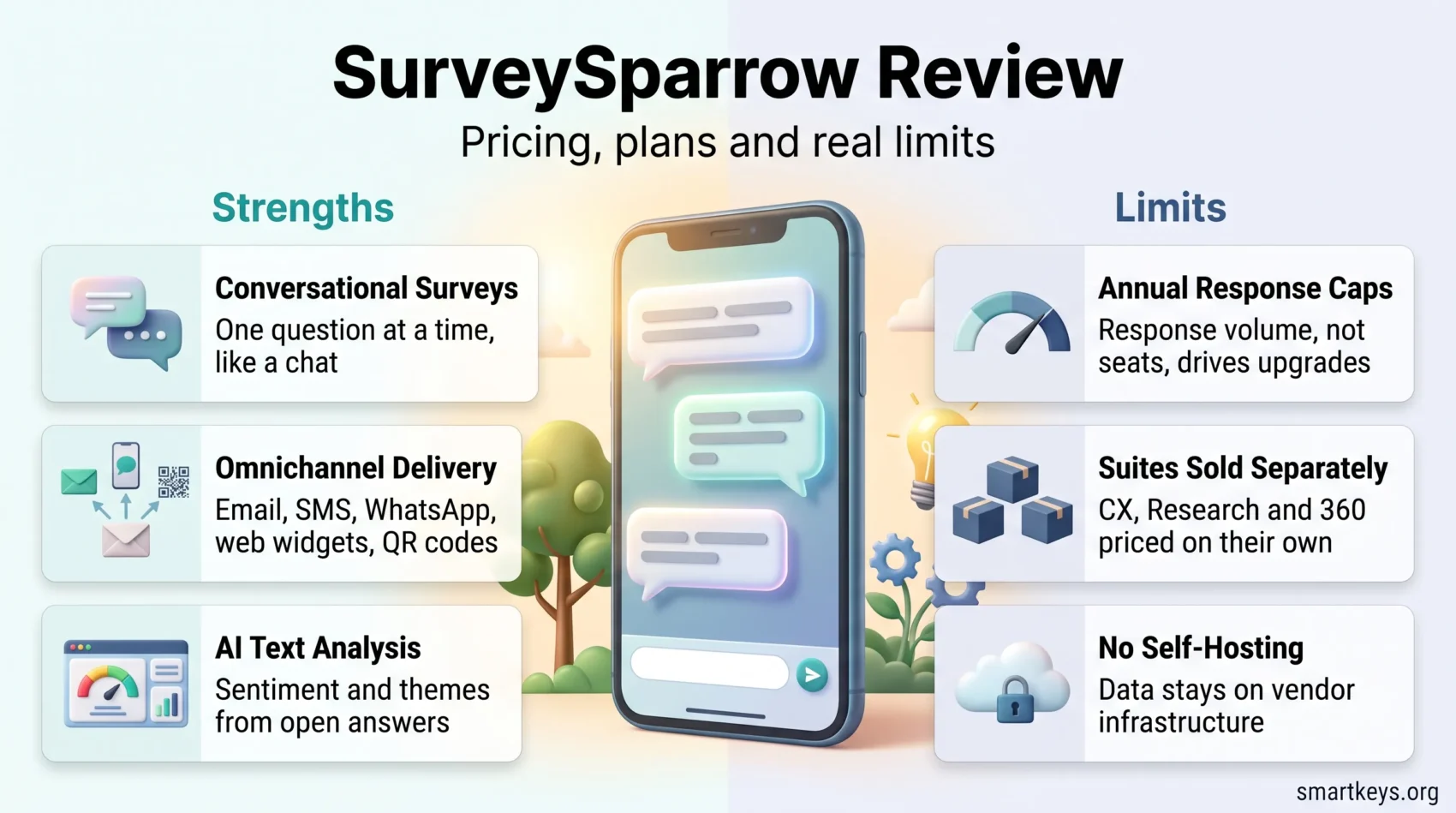
- Conversational surveys, omnichannel delivery and built-in ticketing are the genuine strengths.
- No self-hosting: if data residency or code-level control is mandatory, an open-source tool fits better.
What You’ll Learn in This SurveySparrow Review
You’ll get a compact guide to the features, workflows and costs that matter when you run surveys and then have to act on the answers.
Expect hands-on coverage of the builder, logic rules and template library, so you can judge how fast a survey goes live without losing flexibility.
We’ll walk through omnichannel delivery (email, web widgets, SMS and WhatsApp), plus dashboards and the AI text analysis that turns open answers into themes you can act on.
- How the builder, display and skip logic, and templates speed setup without hurting data quality.
- The feature stack: omnichannel delivery, exports to PDF, CSV, XLSX and SPSS, and scheduled reporting.
- Experience-management modules: NPS automation, anonymous 360 assessments, reputation tools and ticket workflows.
- What each plan costs in 2026, and which caps push you to the next tier.
By the end, you’ll know where the platform saves time, where it limits control, and which decision points to settle before you roll it out.
Quick Take: Is SurveySparrow Right for You in 2026?
For teams that need usable feedback quickly, a conversational format is easier to finish than a twenty-question grid. And finished surveys are the only ones worth analyzing.
- Conversational UI that asks one question at a time. SurveySparrow markets “up to 40% higher response rates” through its SmartReach feature. Treat that as a vendor claim and measure your own baseline.
- Real omnichannel reach: email with an embedded first question, SMS, WhatsApp, web widgets, QR codes and offline mobile apps.
- An AI layer the vendor brands as Echo AI, SmartReach, SpotChecks, CogniVue, Co-Pilot, Enrich AI and Wing AI, alongside 360 assessments, reputation tools and a large template library.
- Approachable UX. Software Advice puts the platform at 4.4 out of 5 across 123 reviews, with ease of use its strongest sub-score at 4.46.
Cons at a glance
- Response caps bite before seat counts do. Basic allows 2,500 responses per year, and the free plan only 75 per quarter.
- No self-hosting and no attribute-based in-product targeting, which matters if you need strict data residency or fine-grained segmentation.
- Web intercepts can be blocked by ad-blockers, and reviewers still report occasional bugs and slow support. Test both during the trial.
Bottom line: choose SurveySparrow if you value managed convenience, higher completion and omnichannel delivery. If data control, portability or a tight budget rule the decision, evaluate the alternatives in the section below first.
Explore SurveySparrow for Free

How SurveySparrow Works: Builder, Logic and Templates
The builder lets you craft either a chat-style flow or a classic form. You pick the layout that fits your audience and switch when needed. The drag-and-drop editor removes the need for code, so setup stays a task rather than a project.
Flexible editing and question types
The editor supports multiple choice, opinion scales, ratings, yes/no, text input, contact fields, matrix, rank order, drag-and-drop ranking, constant sum and file upload. Those last few matter more than they sound. Ranking and constant-sum questions (where respondents split a fixed number of points across options) capture trade-offs that a five-point scale flattens.
Note the plan gate. Advanced question types and custom branding sit on the Business tier, so a cheap plan can quietly rule out the question format your study needs.
Smart flow control
Display logic and skip logic keep respondents on relevant paths and cut completion time. Piping reuses earlier answers to personalize later prompts. For example, if someone names a product in question two, question five can mention that product by name. Both display and skip logic start on the Basic plan; the free tier does not include them.
Ready-made templates
You get a large library of predesigned templates across CSAT (customer satisfaction), employee experience, market research and events. Survey translation starts on the Starter tier, and auto-translation into 130+ languages comes with Enterprise. Templates and naming conventions keep forms consistent when several teams build at once.
- Quick test paths: validate logic before launch to avoid dead ends.
- Branding: custom branding unlocks on Business, so budget for it if white-labeling matters.
- Practical tip: pilot piping with a handful of respondents before a wide rollout; reviewers report the flow is easy to misconfigure.
Omnichannel Distribution to Boost Response Rates

Delivering questions where people already are reduces friction. One platform covering email, SMS and web means fewer gaps between touchpoints.
Email, SMS and WhatsApp
You can send email with the first question embedded, schedule sends and automate reminders. SMS connects through providers such as Twilio, and WhatsApp reaches mobile-first audiences. Embedding the first question in the email body is a Starter-tier feature. It is one of the few settings that reliably moves completion, because a single click starts the survey instead of loading a landing page.
See Interactive Survey Templates
Web delivery: pop-ups, widgets and inline embeds
Pop-ups and chatbot-style widgets capture feedback in context, and inline embeds sit inside content without interrupting a session. Note: ad-blockers may suppress third-party scripts, so expect a skewed channel mix rather than a representative one.
Offline, mobile and QR codes
iOS and Android apps with offline mode keep field collection working without connectivity. QR codes suit events and retail, and social sharing extends reach for public studies. Track channel attribution so you can compare performance instead of guessing.
- What to configure: channel per touchpoint, scheduled sends and staggered reminders.
- Practical tip: stagger reminders rather than stacking them. Two well-spaced nudges beat four in a week.
Analytics and Reporting: From Completion Rates to AI Insights

Live metrics show where respondents pause, drop off or finish. That visibility is what lets you fix question order before the next send rather than after the campaign.
Real-time dashboards
You monitor response rate, completion rate and average completion time, then filter by channel, period or respondent attributes. Cross-tabs (tables that compare answers between groups, such as new vs returning customers) and trend lines show whether a change actually improved anything. Custom dashboards are an Enterprise feature; lower tiers use the standard reporting views.
AI text analysis and key drivers
CogniVue is SurveySparrow’s analysis layer for open text, covering sentiment and themes. Key driver analysis, which estimates which factors move an overall score the most, is positioned in the top tiers. Word clouds and topic clusters make patterns scannable. If feedback analysis is the core problem you are solving rather than a by-product, compare it against a dedicated approach in our guide to voice of customer AI and the broader shift toward augmented analytics.
Exports and scheduled delivery
Export to PDF, CSV, XLSX and SPSS, and schedule reports daily, weekly or monthly so stakeholders stop asking. SPSS, IBM’s statistics software, is the detail that matters for research teams. Native SPSS export is rare outside dedicated research tools.
- Real-time metrics surface friction early, while you can still fix it.
- AI categorizes open answers by topic and tone instead of leaving you with a spreadsheet of quotes.
- Filters and cross-tabs let you compare cohorts on equal terms.
- Full exports move data into BI (business intelligence) or statistics workflows without manual cleanup.
Specialized Capabilities for Experience Management
The experience modules are what separate this from a form builder. They link customer and employee feedback to workflows that create follow-up actions.
NPS automation with segment-based follow-ups
NPS (Net Promoter Score) asks how likely someone is to recommend you on a scale from 0 to 10 and sorts answers into promoters, passives and detractors. Automated NPS flows send each group a different follow-up and route messages by segment. Rolling windows show whether scores move across cohorts rather than reacting to a single bad week.
Note that CX surveys are capped at one on every self-serve plan. If you want separate NPS programs per product line, that limit arrives early.
360-degree assessments and employee experience
Multi-rater 360 assessments collect feedback on one person from their manager, peers and direct reports while preserving anonymity. They come with role-aligned competency models and development reports managers can use. The same NPS logic also works internally; our guide to employee NPS shows how to run it. If you are assembling a wider people stack, our overview of employee experience platforms shows where a survey tool ends and a suite begins.
Reputation management and ticket workflows
Reputation tools centralize reviews and categorize sentiment so replies go out faster. Case workflows auto-create tickets on criteria such as a low NPS score, with internal notes, status tracking and SLA (service level agreement) fields that set a deadline for the response.
That ticketing is useful, but it is not a helpdesk. For volume support you still want a dedicated tool. See our Zendesk review, the lighter Tidio review, or Chatbase if you want a bot answering from your own documents.
- NPS runs end to end, from invite to handling, without exporting anything.
- 360 tools give HR development-ready data with anonymity built in.
- Tickets and SLAs turn negative feedback into a tracked fix instead of a lost note.
SurveySparrow Pricing in 2026: What Each Plan Really Costs
This is where most reviews go vague. Here is what SurveySparrow lists on its own pricing page as of October 2026. Two things to understand before reading the numbers.
First, these are the Surveys plans only. CX Suite (NPS, CSAT and CES, the customer effort score), Brand, Research, Documents and 360 Assessment are separate products on their own tabs. Second, response allowances are annual on yearly billing, not monthly. That is the detail most comparison articles get wrong. Displayed rates are per month, billed yearly.
- Free: $0. 75 responses per quarter, 1,000 contacts, one user, three classic surveys plus one CX survey, ten questions per survey, email surveys and basic integrations.
- Basic: $19/month. 2,500 responses per year, 10,000 contacts, one user, 100 classic surveys, unlimited questions. Adds display and skip logic, email notifications and Slack.
- Starter: $39/month. 15,000 responses per year, 20,000 contacts, one user, 1,000 classic surveys. Adds survey translation, email embedding, HubSpot and post-completion redirects.
- Business: $79/month. 36,000 responses per year, 200,000 contacts, three users. Adds custom branding, advanced question types, workflows and webhooks (automatic data pushes to other apps), respondent location tracking and 24×5 chat support.
- Professional: discontinued. SurveySparrow no longer publishes this tier. HIPAA compliance, required in the US for handling patient health data, has moved to Enterprise.
- Enterprise: custom. CSS customization, auto-translation into 130+ languages, custom dashboards, key driver analysis and a dedicated CSM (customer success manager).
The quarterly option costs far more than it looks
If you cannot commit to a year, quarterly billing is not a small premium. Basic becomes $39 a month with 600 responses per quarter, Starter $59 with 3,600, and Business $149 with 9,000. There is no month-to-month option.
Run the arithmetic over a full year and the gap is stark. Basic billed yearly costs $228 for 2,500 responses. Basic billed quarterly costs $468 for 2,400. You pay roughly double for slightly fewer responses. SurveySparrow advertises up to 40% savings on yearly billing; on the entry plan the real difference is closer to half.
The suites are separate purchases
This is the part that catches people who read only the Surveys tab. NPS, CSAT and CES live in the CX Suite. Reputation monitoring and social listening sit under Brand. Advanced research methods such as MaxDiff, Gabor Granger, Van Westendorp and conjoint analysis belong to Research. These are standard techniques for testing which features or price points people actually prefer. Documents and 360 Assessment are billed separately as well, and several suites are quote-only.
So if the plan is to run conversational surveys, an NPS program and a 360 review cycle on one subscription, price all three before budgeting. The $79 Business plan covers the first one.
Where the tiers actually bite
Responses are the meter that matters, and reading them as annual changes the picture completely. A quarterly NPS wave to a 3,000-person list exhausts Basic on the first send. One annual engagement survey for a 200-person company uses 8% of the same allowance. Same plan, same price, entirely different value. Work out your yearly response volume first and let that pick the tier.
Seats are the second pinch point. Basic and Starter are single-user plans, so the moment a colleague needs to edit a survey you are on Business at $79, whatever your response volume.
Extra users are $49 each per month on top of the three included with Business, so a five-person team costs $177 a month rather than $79. And check the trial terms: SurveySparrow offers a 14-day trial with Business features capped at 50 responses, which is enough to test a flow but not to run a real wave.
Discounts and programs
The vendor lists a startup program at $500 for $2,000 of credit, a 50% student discount and 15% for NGOs. If your usage is seasonal, model a full year rather than a peak month. Annual rates are what the site displays, and the quarterly equivalents are higher. Our guide to the freemium and free-trial model explains what vendors optimize for during that window.
Where SurveySparrow Falls Short
When a program needs tight data control or precise targeting, a vendor-managed service starts to chafe. The friction shows up in three places: hosting, in-product targeting and reliability.
Data residency and the lack of self-hosting
Your data lives on vendor infrastructure. There is no self-hosted edition, so regulated deployments that require a specific storage location (data residency) or a code audit will struggle. HIPAA compliance is available, but only on Enterprise. Document where data sits and who can access it before you commit. Our piece on customer data platforms applies the same discipline to first-party data generally.
Targeting limits and ad-blockers
In-product targeting relies on static triggers, such as a page visit or a time delay, rather than segmentation by user attributes like plan or role. That reduces precision and can push repeat visitors toward survey fatigue. Widgets loaded from vendor domains may also be suppressed by ad-blockers. If in-app targeting is the point, a product-analytics tool with guides built in is the better fit. Our Pendo review covers that category.
Reliability and support
Reviewers mention occasional bugs, delayed integration syncs and logic quirks that slow build time. Support scores 4.34 in the Software Advice sample, so the average experience is decent. Response times vary by plan, though, and chat support only starts on Business. Keep reproduction steps and screenshots ready when you open a ticket.
- If your security policy demands full control, this is not the tool.
- Pilot distribution to catch ad-blocker or sync issues before a launch depends on them.
- Confirm which tier includes the support channel you expect to use.
What Users Actually Say
The pattern in public reviews is consistent: people find it easy to use and like the conversational format. The complaints cluster around integrations and advanced features sitting behind higher tiers.
What reviewers praise
Software Advice reports an overall 4.4 out of 5 from 123 reviews, with ease of use at 4.46, customer support at 4.34, value for money at 4.31 and functionality at 4.29. Reviewers highlight the intuitive interface, strong customization and branding, the engagement lift from the conversational style, and offline mode for fieldwork.
Where the complaints cluster
The recurring criticisms are narrower integration options than competitors, contact uploading that reviewers would like to see handled in batches, advanced features locked behind paid tiers, and automation depth that lags dedicated tools. None of these are dealbreakers on their own. Together they explain why functionality is the lowest sub-score.
Practical tip: validate your own integration path during the trial. If SurveySparrow needs to write into your CRM or email tool, test that specific connection. That could be a Salesflare-style automation CRM, a lightweight CRM like folk.app or Mailchimp on the email side.
SurveySparrow vs the Alternatives
Your shortlist depends on which constraint binds hardest: budget, data control or research depth.
Against SurveyMonkey and Alchemer
SurveyMonkey is the incumbent with the deeper research feature set and the wider template library; SurveySparrow undercuts it on price at comparable tiers. Alchemer sits further toward advanced research and enterprise workflows, while Google Forms remains free and adequate for internal one-offs. The two reviews linked in the introduction cover both in detail.
Against open-source Formbricks
Formbricks is the option to weigh if hosting and code access decide the outcome. Its cloud Hobby tier is free with 250 responses a month and is hosted in Frankfurt; Pro runs $74 a month for 2,000 responses and Scale $325 for 5,000. Self-hosting is available, which is the part SurveySparrow cannot match.
Read the response math carefully, though. At 2,000 responses a month, Formbricks Pro costs more than SurveySparrow Business, so “open source” is not automatically cheaper. It is a control decision, not a budget one.
Against keeping surveys inside a tool you already pay for
Many suites include basic feedback collection. Before adding a subscription, check whether your CRM, helpdesk or engagement platform already covers a simple CSAT or pulse survey. A CRM comparison, an internal HR chatbot or one of the AI engagement survey tools built into HR suites may already answer the question you were about to buy a tool for.
Who Should Choose SurveySparrow
Balance delivery speed, data access and how much engineering support you can realistically call on. If you want quick wins and higher completion, a managed conversational tool pays for itself in setup time alone.
Pick SurveySparrow when a marketing, CX or HR team needs NPS, 360 and reputation modules without adding vendors, and when someone other than an engineer has to maintain the program. Business at $79 is the realistic tier for a small team, because it is the first plan with more than one seat.
Try SurveySparrow for Your Team
Pick something else when compliance requires a specific hosting location or a code audit, when in-product targeting must key off user attributes, or when you only need a handful of internal forms a year. In that last case the free tier or a free form builder is the honest answer.
Practical tip: run a time-boxed pilot with real respondents. The trial gives you Business features for 14 days and 50 responses. That is enough to test the flow, the integration and the export, which are the three things that break after you have paid. A short discovery loop like the one in our design thinking guide will tell you what to ask before you worry about which tool asks it.
Conclusion
SurveySparrow is a solid mid-market choice with a clear personality: conversational surveys, wide distribution, decent AI text analysis and experience modules that close the loop between an answer and an action.
The trade-offs are equally clear. Responses are the real meter and they are counted annually. Single-user plans stop at $39, and quarterly billing costs roughly double for the same volume. There is no self-hosting, and the NPS, reputation, research and 360 products are sold separately. Several features you might assume are standard (custom branding, advanced question types, chat support) start on the $79 Business tier.
Priced honestly, the realistic SurveySparrow is Basic at $19 for a solo program or Business at $79 for a team. Compare that against what your current stack already does, use the trial on the flows that would hurt to lose, and choose an open-source tool if control matters more than convenience.
Get Started with SurveySparrow Today
Found this useful? Make SmartKeys a preferred source on Google, and our articles will surface more often in your Top Stories, AI Overviews, and AI Mode.FAQ
How much does SurveySparrow cost in 2026?
Is there a free SurveySparrow plan or free trial?
Do conversational surveys really improve completion rates?
Which distribution channels does SurveySparrow support?
What logic and personalization can you apply?
What analytics and export options are available?
Can you automate NPS follow-ups and close the feedback loop?
Does SurveySparrow handle employee experience and 360 assessments?
What are the most common SurveySparrow limitations?
How does SurveySparrow compare to SurveyMonkey and Formbricks?





