

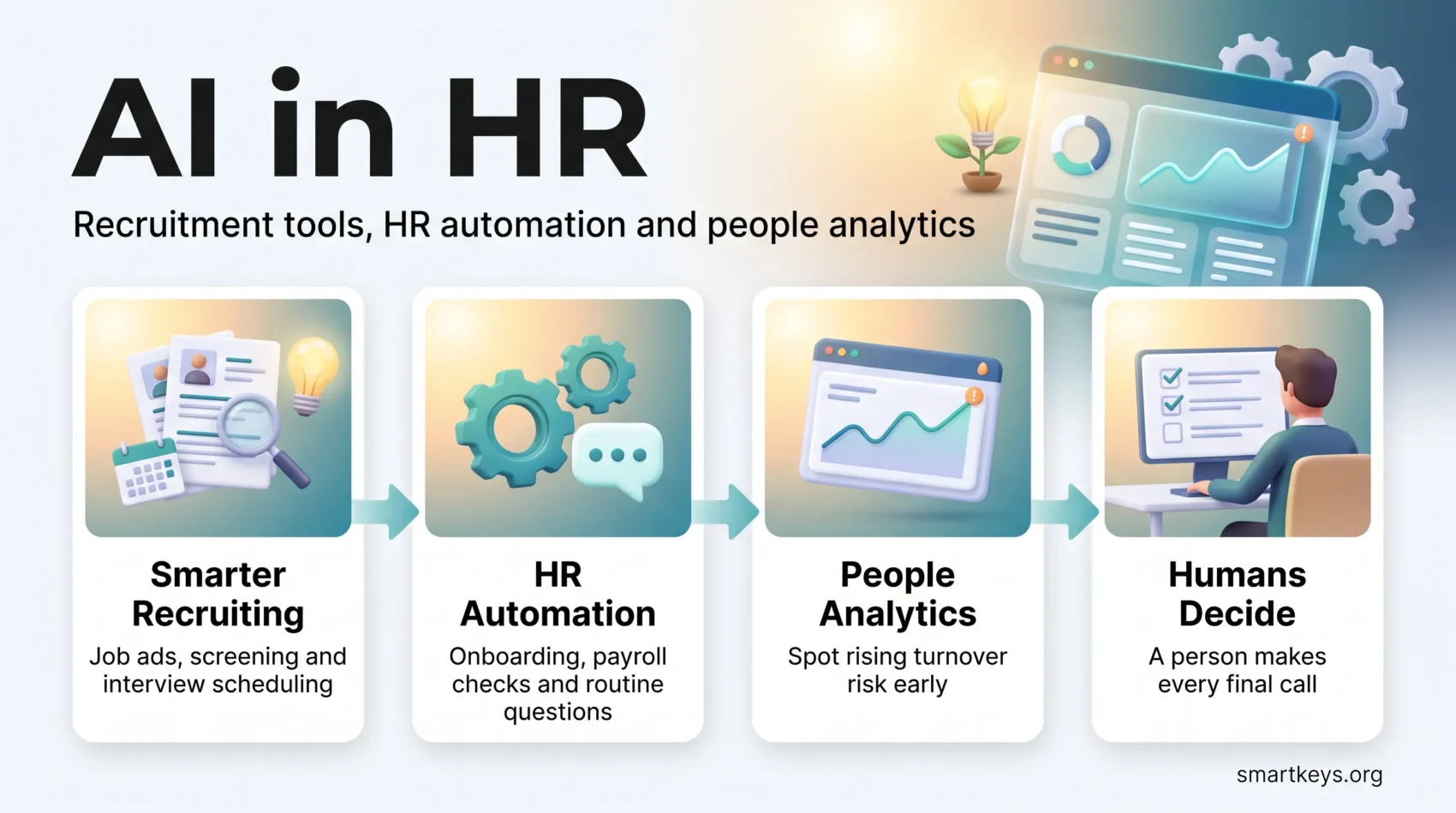
AI in HR is no longer a pilot project reserved for large enterprises. Recruiters use it to write job ads and screen applications, HR teams use it to answer routine employee questions, and analysts use machine learning to spot who might leave. This guide focuses on that practical side: which AI recruitment and HR automation tools exist, what they really do, where they go wrong, and which rules apply in 2026. If you want the bigger picture first, start with our overview of the wider HR trends reshaping people teams and come back here for the tool level.
Adoption is real but still uneven. SHRM’s State of AI in HR 2026 report, based on a survey of 1,908 HR professionals, found that 39% of organizations use AI in their HR functions. Among companies with 5,000 or more employees, the figure is 60%. Recruiting is the most common use case.
Key Takeaways
- AI in HR is used most in recruiting: writing job postings, screening and matching résumés, and scheduling interviews.
- HR automation software takes over repetitive admin such as payroll checks, onboarding paperwork and routine employee questions.
- Machine learning finds patterns in HR data, for example which teams show early signs of rising turnover.
- AI can reduce some hiring bias, but it can also copy old bias from historical data. Audits and human review are essential.
- Hiring and employee evaluation count as high-risk AI uses under the EU AI Act, and New York City already requires bias audits.
- The safest way to start is a small, measurable pilot in one process, with a person making every final decision.
What AI and Machine Learning Mean in HR
Artificial intelligence (AI) is software that performs tasks that normally need human judgment, such as reading a résumé or answering a question in plain language. Machine learning is the part of AI that learns patterns from past data instead of following fixed rules. If the terms are new to you, our plain-language AI glossary explains the most common ones.
In HR, these tools do three kinds of work:
- Language tasks: drafting job ads, summarizing interview notes, answering policy questions in a chat window.
- Matching tasks: comparing candidate profiles with job requirements, or employees with internal roles and courses.
- Prediction tasks: estimating which teams are at risk of turnover or where skills gaps will open.
A simple example: a recruiter receives 400 applications for a customer support role. An AI screening tool ranks them against the listed skills, flags ten strong matches and sends each one a scheduling link. The recruiter still reads the shortlist and decides who gets an interview. The tool removes the sorting work, not the judgment.
That split matters. AI in HR works best as support for human decisions, not as a replacement for them. Where a decision affects someone’s job or pay, a person should be able to explain it, which is why explainable AI that shows how a result was reached is becoming a buying criterion for HR software.
AI Recruitment Tools: From Job Ad to Interview
Recruiting is where most HR teams meet AI first. SHRM’s 2026 research names writing and optimizing job postings, screening and matching résumés, and scheduling interviews as the most widespread uses.
Writing Job Postings
Generative AI, the kind of AI that writes text, can turn a few bullet points into a complete job ad in seconds. It can also check wording for jargon or phrases that may discourage some applicants. The recruiter still needs to confirm pay ranges, requirements and legal wording. Our guide to writing job descriptions with AI covers prompts and review steps.
Sourcing and Screening Candidates
Most companies manage applications in an applicant tracking system (ATS), software that collects applications and tracks each candidate through the hiring stages. Modern ATS platforms add AI features that rank applicants, suggest matching profiles from past applicants and highlight missing qualifications. Smaller teams can start with an affordable ATS such as Workello, while enterprise suites like Workday bundle these functions with the rest of HR.
Talent intelligence platforms such as Eightfold go a step further. They use machine learning to infer skills from career histories, so a candidate without the exact job title can still surface as a match. For a comparison of current options, see our overview of AI hiring tools for screening and sourcing.
Interview Scheduling on Autopilot
Scheduling is pure logistics, which makes it an easy win. Conversational AI assistants text candidates, offer open slots from the interviewers’ calendars and handle rescheduling. Paradox, one of the best-known providers of this approach for high-volume hiring, became part of Workday in October 2025. For a store or warehouse hiring dozens of people a month, this can cut days of email back-and-forth from every hire.
HR Automation Software Beyond Recruiting
Once a candidate is hired, a different set of tools takes over. HR automation software handles the repetitive admin that fills an HR team’s week:
- Onboarding: sending contracts, collecting documents, creating accounts and assigning first-week tasks automatically.
- Payroll and time data: flagging missing hours, unusual overtime or mismatches before payroll runs.
- Employee questions: answering “How many vacation days do I have left?” or “Where is the parental leave policy?” at any hour.
The last point is where HR chatbots come in. They sit inside Slack or Microsoft Teams, pull answers from the policy handbook and complete small tasks such as booking time off. Our guide to HR chatbots for employee support explains which integrations decide whether they work.
The benefit is time, not magic. Automation frees HR staff for conversations that need a person, such as a difficult performance talk or a return from long leave. The limit is data quality: if the underlying records are messy, automation spreads the errors faster.
AI for Employee Experience, Learning and Performance
AI also shapes how employees experience work after they join. Three uses stand out.
Listening to Employees
Text analysis can read thousands of open survey comments and group them into themes such as workload, manager support or pay. HR sees in hours what used to take weeks of manual coding. You can learn how this works in our guide to AI-powered employee engagement surveys. For distributed teams, pair the insights with communication strategies for remote engagement, because data alone does not fix a disconnected team.
Personalized Learning
Learning platforms use AI to compare an employee’s current skills with the skills a target role needs, then suggest short courses to close the gap. An accountant moving into financial planning, for example, might get a path covering forecasting tools and presentation skills instead of a generic course catalog. See our overview of AI learning platforms for personalized training.
Performance Conversations
Performance tools such as Lattice use AI to summarize feedback from several sources and draft talking points for managers. This supports continuous performance management with regular check-ins instead of one stressful annual review. The AI prepares the conversation. The manager still has to have it.
Can AI Reduce Bias in Hiring?
AI can reduce some forms of bias, but only if it is designed and checked carefully. Tools can hide names, photos and ages during screening, so early decisions focus on skills. Structured interview tools ask every candidate the same questions and score answers against the same criteria. Our guide to DEI tech tools such as blind screening shows how these features work in practice.
When AI Copies Old Bias
The risk runs the other way too. A model trained on past hiring decisions learns the patterns in those decisions, including unfair ones. The best-known case is Amazon, which, as Reuters reported in 2018, dropped an experimental recruiting tool after it learned to downgrade résumés that mentioned women’s activities. The lesson: historical data is not neutral. We cover causes and fixes in detail in our article on how AI hiring bias happens and how to audit for it.
Candidate Trust
Candidates are skeptical. A Pew Research Center survey of US adults found that 71% oppose AI making the final hiring decision. At the same time, 47% said AI would do better than humans at treating all applicants the same way. The practical takeaway: use AI to structure and speed up the process, tell candidates when you use it, and keep a person responsible for the final call.
HR Analytics: Machine Learning for Workforce Decisions
HR analytics, also called people analytics, means using workforce data to make better people decisions. Machine learning adds prediction. Instead of only reporting last quarter’s turnover, a model can flag teams where warning signs such as falling engagement scores, rising overtime and fewer internal moves appear together.
Here is how that looks in practice. An analytics dashboard shows that turnover risk is rising in one regional sales team. HR checks the data, talks with the team lead and learns that a new commission plan confused people. A clear explanation and one adjusted rule fix the problem before anyone resigns. Our guides to workforce analytics tools and using AI to predict and reduce employee turnover go deeper.
Two cautions apply. First, predictions are probabilities, not facts about a person, so they should trigger a conversation, not a decision. Second, employees need to know what data is collected and why, or analytics quickly erodes trust.
Rules for AI in HR in 2026
Regulation is catching up with HR technology, and it matters most for recruiting and evaluation tools.
- European Union: The EU AI Act classifies AI used for recruitment, promotion decisions and performance evaluation as high-risk. After the 2026 Digital Omnibus agreement, the main obligations for these systems are scheduled to apply from December 2027. Employers should still map their tools now, because vendors and works councils are already asking.
- New York City: Local Law 144 has required independent bias audits and candidate notices for automated employment decision tools since July 2023.
- Other US states: Illinois and Colorado have passed their own rules on AI in employment decisions, with different scopes and timelines.
Our overview of current AI regulation for businesses tracks these rules in more detail. None of this is legal advice, so check your own obligations with counsel before rolling out a high-impact tool.
Challenges When Introducing AI in HR
Most AI projects in HR stall for ordinary reasons, not technical ones:
- Messy data: duplicate employee records or inconsistent job titles make matching and predictions unreliable.
- Legacy systems: a new AI tool that cannot connect to the existing HR system creates yet another data silo.
- Skills: HR teams need enough understanding to question a tool’s output instead of trusting it blindly.
- Trust: employees resist tools they see as surveillance, and candidates drop out of processes that feel automated and cold.
- Cost: licenses, setup and training add up, while the benefit is often hard to measure without a clear baseline.
How to Start: A Practical Roadmap
You do not need a large budget to get value from AI in HR. A simple sequence works for most teams:
- Pick one bottleneck. Interview scheduling or repetitive employee questions are good first candidates because the results are easy to measure.
- Measure the baseline. Record time-to-hire, hours spent on scheduling or the number of routine tickets before you start.
- Check the vendor. Ask how the tool was tested for bias, what data it uses and whether results can be explained.
- Run a 60 to 90 day pilot with one team, and keep a person in charge of every decision that affects a candidate or employee.
- Train the people who use it. A short digital skills gap analysis shows who needs support before the rollout grows.
If the pilot saves time without hurting candidate or employee experience, expand it step by step. If it does not, you have learned that cheaply.
Conclusion
AI in HR is most useful where the work is repetitive and rule-based: sorting applications, scheduling interviews, answering routine questions and spotting patterns in large amounts of data. It is least trustworthy where the stakes are highest, in final hiring, pay and performance decisions, which is exactly where regulators are now drawing lines. Teams that start small, measure honestly and keep people accountable for decisions get the benefits without the backlash.
Found this useful?
Make SmartKeys a preferred source on Google, and our articles will surface more often in your Top Stories, AI Overviews, and AI Mode.
Add as Preferred Source




