A walking meeting is exactly what it sounds like. You hold the conversation on foot instead of around a table. It costs nothing and needs no room booking.
The evidence is narrower than the headlines suggest. Walking reliably helps people generate ideas. It does not help with decisions that need one right answer, and it adds less activity than you might assume. Knowing which meetings suit the format separates a useful habit from a gimmick.
Key Takeaways
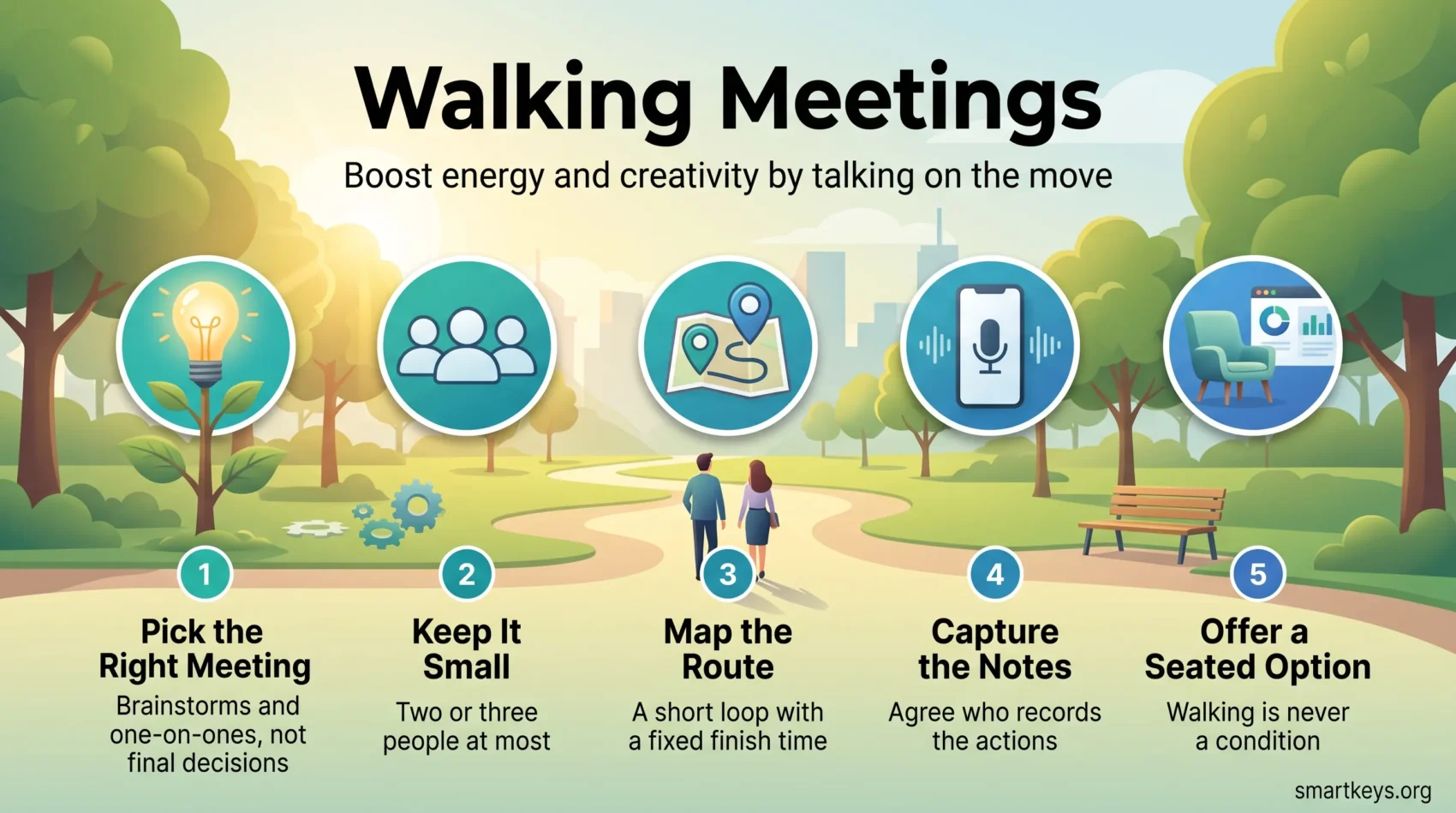
- Walking lifts idea generation. Use it for brainstorms, coaching and one-on-ones, not for final decisions.
- Keep the group to two or three people so everyone can hear and speak.
- Agree before you leave who captures the notes and how.
- Never make attendance conditional on walking. Offer a seated option every time.
- The activity gain is modest. Treat it as a bonus, not a fitness plan.
What the Evidence Says About Walking Meetings
Three findings do most of the work here: what walking does to thinking, what it does for health, and why a phone call beats a video call.
Walking helps idea generation, not decision making
In 2014, Stanford researchers Marily Oppezzo and Daniel Schwartz ran four experiments with 176 participants, published in the Journal of Experimental Psychology: Learning, Memory, and Cognition. Walking raised creative output by roughly 60% on divergent thinking tasks, meaning open questions with many valid answers. On tasks with one correct answer, walkers scored slightly worse than people who stayed seated. Treadmill walking in a plain room worked almost as well as walking outdoors.
The rule follows directly. Walk when you want options; sit when you need to choose between them. A walk is a good place to open a hiring brief. The seated follow-up is where you pick the candidate.
The activity gain is real but small
The Walking Meeting pilot study, run with university staff in Miami in 2015 and published in Preventing Chronic Disease in 2016, tracked 17 office workers with accelerometers. Work-related moderate to vigorous activity rose from roughly 107 minutes a week to about 117 after two weeks.
Ten extra minutes is a genuine gain, but it will not reach the World Health Organization guideline of 150 to 300 minutes of moderate activity per week, and the study was small and short. Walking meetings work best as one of several movement breaks in a sedentary day, alongside standing desks and whatever exercise routine already fits your week.
Fewer screens, less meeting fatigue
Walking also gets people away from the camera. In a randomized field experiment with 103 employees, published in the Journal of Applied Psychology in 2021, Kristen Shockley and colleagues found that having the camera on during virtual meetings increased daily fatigue, regardless of how many meetings people had. The effect was stronger for women and for newer employees.
An audio walk removes the camera entirely. Nobody watches their own face or checks Slack in another window, much as short, focused work sprints work: one topic, a time limit, no second screen.
How to Run a Walking Meeting
Most walking meetings fail for boring reasons: too many people, no agreed route, or no notes.
Start with the right kind of meeting
Good candidates: brainstorms, coaching conversations, weekly one-on-one meetings, and catch-ups that would otherwise be a status email. Bad candidates: anything with a spreadsheet, a contract, a design review, or a decision that needs a record. A short meeting audit will show which of your recurring slots qualify.
Keep the group to two or three people
Pavements force groups into pairs. Among five people, two conversations start and the quietest person hears neither. For a larger team, split into pairs, walk ten minutes, rotate partners, then regroup.
Map the route before you send the invite
Choose a loop that starts and ends at the same place, with few road crossings and little traffic noise. Share the route and the finish time in the invite. A 25-minute loop is far easier to protect than an open-ended stroll, in the same way that blocking protected focus time beats hoping for a free afternoon.
Decide how the notes get captured
This is where walking meetings break down, because nobody can type while walking. Options that work: one person records a voice memo at the end, both people use voice dictation back at their desks, or you finish at a table for five minutes and write the summary together. Teams with an AI meeting notes workflow can record the audio instead, provided everyone agrees first. A quick brain dump on sitting down catches whatever surfaced last.
Making Walking Meetings Work for Everyone
A format that quietly excludes people is not a productivity win.
Treat accessibility as part of the plan
Not everyone can walk 25 minutes, keep your pace, or follow a conversation over traffic. Colleagues who lip-read need to see your face, which side-by-side walking makes hard. Ask before scheduling, offer a seated alternative without requiring an explanation, and choose step-free, quieter routes. The principle matches remote work accessibility: design the default so nobody has to request an exception.
Move it indoors when the weather does not cooperate
Rain, heat and dark afternoons end most walking habits. Corridor loops, a treadmill room or a slow lap of a shopping centre keep the format alive. An indoor walk also answers the afternoon energy slump, and pairs well with the short breaks that protect attention.
Use walking calls for remote teams
Distributed teams can do this without sharing a city. Both people take the call on headphones and walk their own route. It suits one-on-ones and open thinking, and fails for anything needing a shared screen. Say in the invite that the call is audio-only, the same courtesy good hybrid meeting etiquette asks for elsewhere. Against digital fatigue it is a cheap change, and it doubles as informal remote team building.
Mistakes That Undo the Benefit
- Inviting six people and hoping the conversation holds together.
- Bringing an agenda that needs a document on screen.
- Making it an expectation rather than an option, which turns a perk into pressure.
- Discussing pay or anything confidential within earshot of strangers.
Conclusion
Start small and specific. Pick one recurring meeting that is really a conversation, cap it at two or three people, map a 20-minute loop, and agree who writes the actions down.
Used well, they give you better idea generation, a lighter tone, less screen time and some movement in a day that has too little. Used badly, they are a normal meeting with worse acoustics and no notes. For more on pacing your day, see our guide to energy management tips, or the case for protecting stretches of deep work.
Found this useful?
Make SmartKeys a preferred source on Google, and our articles will surface more often in your Top Stories, AI Overviews, and AI Mode.
Add as Preferred Source