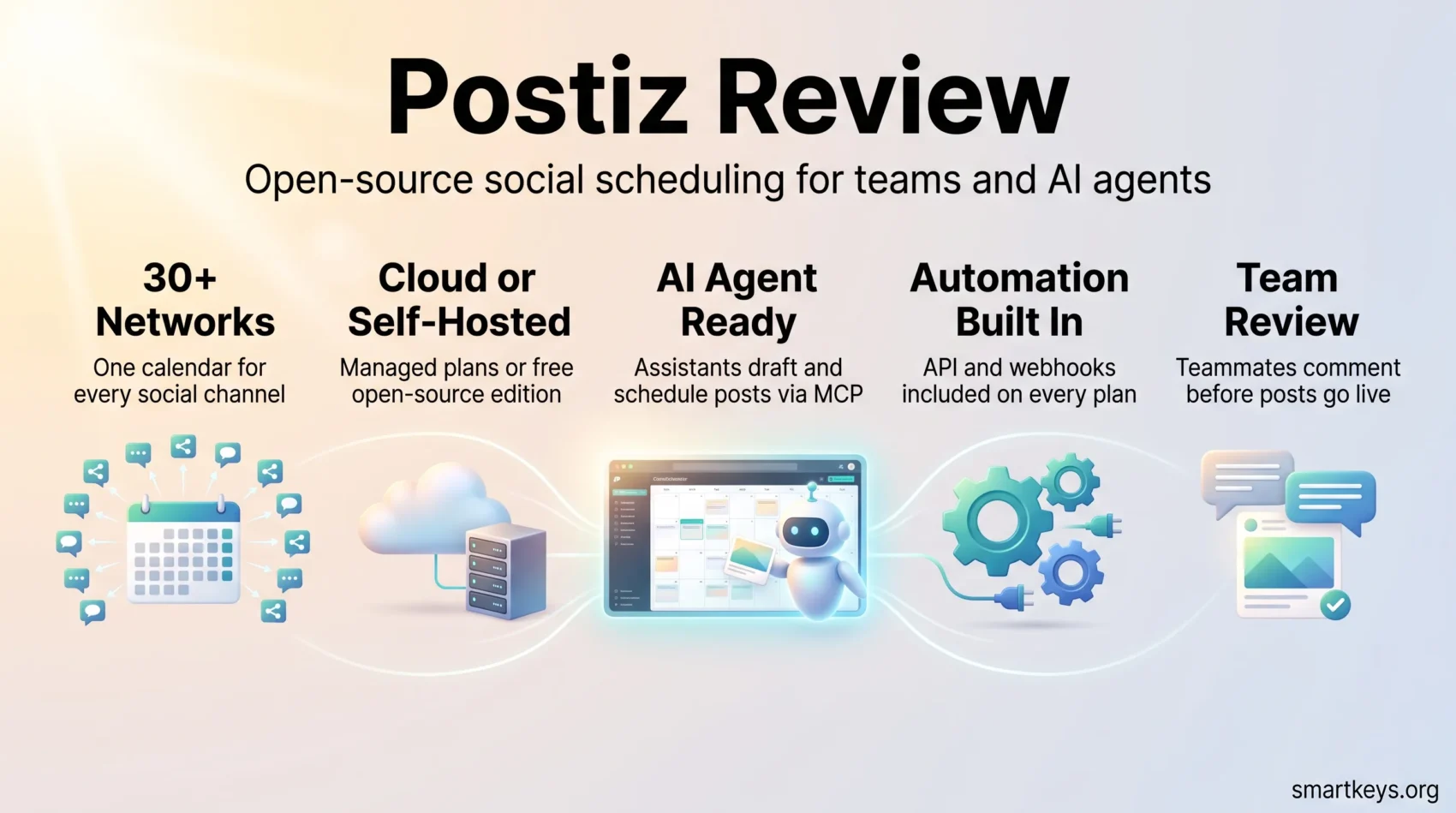
Posting the same update to LinkedIn, Instagram, Bluesky and a Discord server by hand takes time, and it is easy to forget a channel. Social media schedulers fix that. You write a post once, pick the channels and a time, and the tool publishes it for you.
Postiz is one of these schedulers, and two things set it apart. Its code is open source, so you can run it on your own server for free. It is also built to be driven by AI agents, meaning assistants such as Claude or ChatGPT that can carry out tasks for you. This Postiz review explains what the tool does, what the cloud plans cost in 2026, what self-hosting really involves, and when Buffer or Hootsuite is the better choice.
Key Takeaways
- Postiz publishes to more than 30 networks, from X, LinkedIn and Instagram to Bluesky, Mastodon, Discord and Reddit.
- Cloud plans start at $29 per month ($23 per month billed yearly), and every plan starts with a 7-day trial.
- All plans include unlimited posts, analytics, the public API and webhooks. The tiers mainly differ in channels, team seats and AI allowances.
- The self-hosted edition is free under the AGPL-3.0 license, but you run the server and set up each network connection yourself.
- A hosted MCP server lets AI assistants such as Claude and ChatGPT draft and schedule posts in your Postiz account.
What Is Postiz?
Postiz is a platform for planning, publishing and measuring social media posts. Developer Nevo David started it as an open-source project under the Gitroom name, and the code still lives in the gitroomhq/postiz-app repository on GitHub. In September 2026 it showed more than 36,000 stars.
The idea behind it is simple. You connect your social accounts once. Then you plan every post in one calendar, and Postiz publishes each one at the time you chose. It also collects performance data and lets teammates comment on a post before it goes out.
Which networks Postiz supports
The official site lists X, LinkedIn, Facebook, Instagram, Threads, TikTok, YouTube, Pinterest, Reddit, Bluesky, Mastodon, Telegram, Discord, Slack, Google My Business, Dribbble, Twitch, Kick, Medium, Dev.to, Hashnode and WordPress. It also covers smaller networks such as Lemmy, Farcaster and Nostr.
That breadth matters most for creators and developer-focused brands. If part of your audience lives on Bluesky, Mastodon or Discord, you reach it from the same calendar as LinkedIn and Instagram. For a wider view of where audiences spend their time, see our overview of how social media drives business growth in 2026.
Cloud or Self-Hosted: The Open-Source Choice
Because Postiz is open source, you can either pay for Postiz Cloud or install the free edition on a server you control.
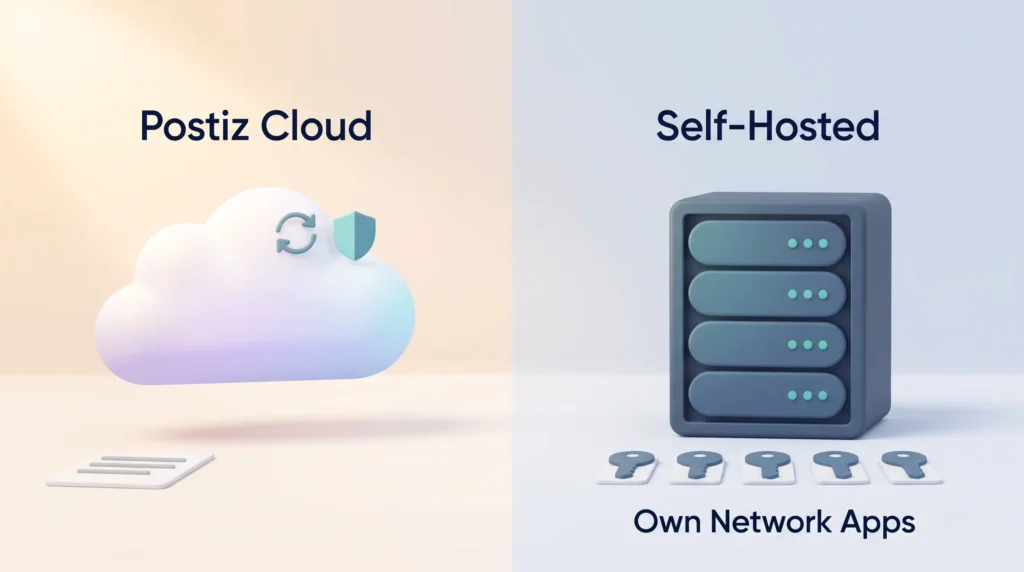
The free edition uses the AGPL-3.0 license. In plain terms, anyone may use and change the code at no cost. The main condition: if you offer a modified version to other people over the internet, you must publish your changes too. For an internal marketing team this rarely matters. For a company that wants to resell a customised version, it does. Our guide to open-source strategy for businesses explains these trade-offs in more depth.
What Postiz Cloud handles for you
With the cloud version, Postiz runs the servers, installs updates and maintains the connections to each social network. You sign up, connect your accounts and start scheduling. For most solo creators and small teams, this is the sensible option.
What self-hosting really involves
Self-hosting saves licence fees but costs time. Postiz runs with Docker Compose, a tool that starts all the parts of an application together on one server. The official documentation names one tested setup: an Ubuntu 24.04 virtual machine with 2 GB of RAM and 2 virtual CPUs. The whole configuration happens through environment variables, which are settings stored outside the code.
The bigger task is connecting the networks. Postiz Cloud already has approved developer apps with LinkedIn, X, Meta and others. When you self-host, you register your own app with each network. That app uses OAuth, the standard login handshake that lets Postiz post for you without ever seeing your password. Some networks review these apps before they grant posting access, so this step can take longer than the installation itself.
For example, a marketing agency with strict client data rules might self-host so drafts and analytics never leave its own infrastructure. A freelancer posting to five channels would spend more time maintaining the server than the $29 monthly fee is worth.
Key Features in Daily Use
Once your channels are connected, the daily work happens in a handful of features.
Calendar and per-channel edits
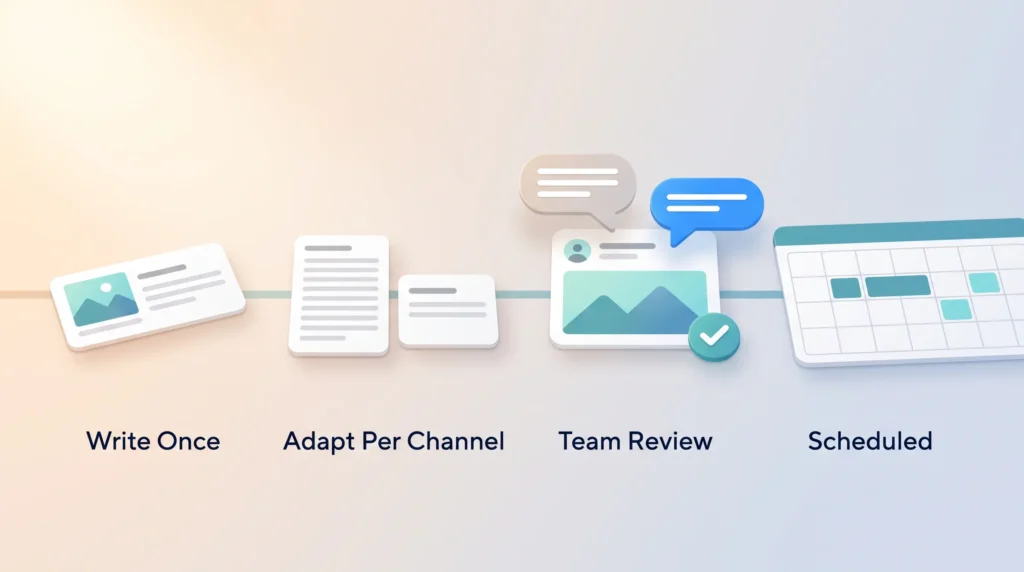
Everything starts in a visual calendar with several views. You write a post once and then adjust it per network. A LinkedIn version can run longer and more formal, while the X version stays short. That way each network gets a version that fits its format and audience. A built-in picture editor handles quick image tweaks without switching to a design tool such as Canva.
Team review and comments
Team members can leave comments on a scheduled post. This gives you a light review step: a junior marketer drafts, a lead checks tone and facts, and only then does the post go out. This matters even more in an employee advocacy program.
Repeated posts and RSS auto-posting
Two features take routine work off your plate. Repeated posts publish evergreen content, such as a signup reminder, on a fixed rhythm. RSS auto-posting watches a feed, for example your blog, and shares each new article automatically. Both help if you follow a structured content marketing strategy and want every new piece distributed without extra clicks.
AI copilot, images and video clips
An AI copilot helps you draft posts and rework them for different networks. Depending on the plan, you also get a monthly allowance of AI-generated images and short videos. A video clipping feature turns long recordings, such as a webinar, into short clips for TikTok, Reels or YouTube Shorts. As with any AI marketing tool, treat the output as a first draft and check facts and tone yourself.
Agents, MCP and API: Where Postiz Stands Out
Postiz now calls itself an agentic scheduling platform, and this feature set most clearly separates it from older schedulers.
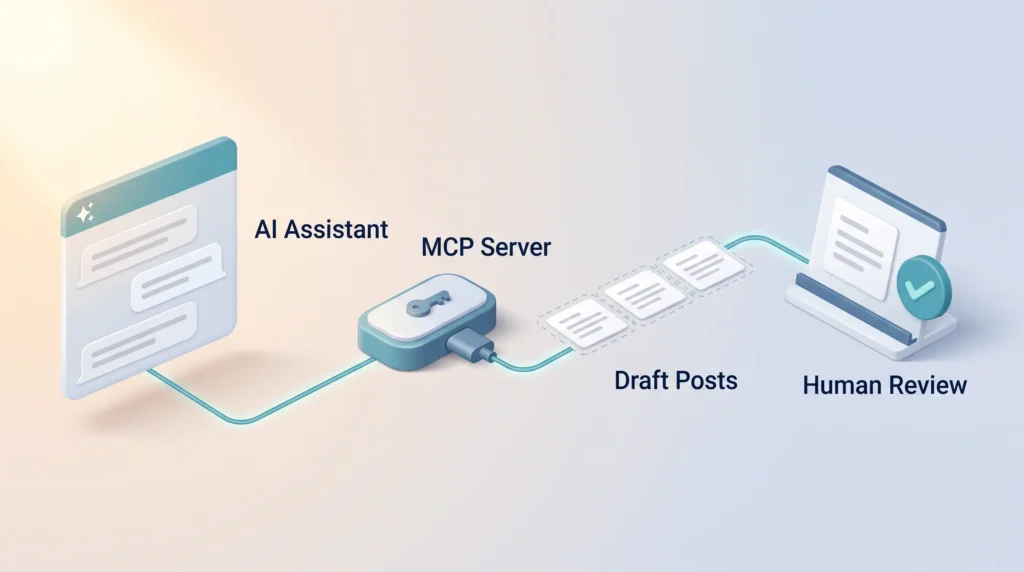
The key piece is a hosted MCP server. MCP, short for Model Context Protocol, is an open standard that lets AI assistants use outside tools; our AI glossary explains it alongside related terms. Postiz offers an MCP endpoint with OAuth sign-in, so you do not have to copy an API key. According to Postiz, it works with Claude, Claude Code, ChatGPT and Cursor. There is also an agent command-line package for developer tools.
In practice, you could ask Claude: “Turn this blog post into one LinkedIn post and three Bluesky posts, and schedule them for next week.” The assistant creates the drafts in Postiz, and you review them in the calendar before they publish. Our playbook on AI agent workflows shows how to build review steps into this kind of setup.
For classic automation, every plan includes a public API and webhooks. Webhooks are automatic messages Postiz sends to another app when something happens. Postiz also offers a custom node for n8n and an integration for Make, two popular workflow automation tools. If you are choosing between automation platforms, our Zapier vs Make comparison is a good starting point.
Postiz Pricing in 2026
Postiz Cloud has four plans. All include unlimited posts, analytics, the API, webhooks, the AI copilot and a 7-day trial. The prices below come from the official pricing page in September 2026. Yearly billing saves about 20 percent.
| Plan | Monthly | Per month, billed yearly | Channels | AI images / AI videos per month | Video clipping minutes |
|---|---|---|---|---|---|
| Standard | $29 | $23 | 5 | 0 / 3 | 60 |
| Team | $39 | $31 | 10 | 100 / 10 | 120 |
| Pro | $49 | $39 | 30 | 300 / 30 | 300 |
| Ultimate | $99 | $79 | 100 | 500 / 60 | 600 |
Standard limits the number of team members. Team and above allow unlimited members. There is no free cloud plan; the free route is self-hosting.
How to pick the right plan
Channel count is the deciding factor, so start there. A freelancer posting to LinkedIn, X, Instagram, Threads and Bluesky fits exactly into Standard. A small agency managing eight clients with three channels each needs 24 channels, which points to Pro. Because the price depends on channels rather than seats, larger teams pay the same as a single user on the same plan.
Postiz vs Buffer, Hootsuite and Other Alternatives
The right alternative depends on how many channels you run and how much reporting you need.
- Buffer is known for a clean interface and a free plan for a few channels. It is the easier start for beginners. Postiz offers flat channel bundles, more niche networks and the self-hosting option. Our Buffer vs Hootsuite comparison covers Buffer’s current plans.
- Hootsuite targets larger marketing teams with social listening, deeper reporting and approval workflows. It costs considerably more. Read our full Hootsuite review if those features matter to you.
- Sprout Social focuses on analytics, customer care and team inboxes. Our Sprout Social vs Buffer comparison explains where that extra depth is worth the price.
Who Should Use Postiz, and Who Should Not
Postiz is a strong fit for these users:
- Creators and developer brands who post across many networks, including Bluesky, Mastodon, Discord or Reddit.
- Agencies that need many channels at a flat price without paying per seat.
- Teams that want AI assistants or n8n and Make workflows to handle routine scheduling.
- Organisations with the technical skills and a reason to keep data on their own servers.
It is a weaker fit in these cases:
- You post to two networks a few times a week. A free plan elsewhere will usually do.
- You need social listening, in-depth reporting or enterprise approval chains.
- You want a free tool but have nobody to maintain a server.
Tips for Getting Started
- Use the trial with real accounts. Connect the channels you actually use and schedule a week of posts.
- Test your most important network first. Instagram publishing through official APIs generally requires a professional (business or creator) account, so check your account type early.
- Set up a review step. Decide who comments and who approves, especially if AI assistants create drafts. Add RSS feeds, n8n or MCP only once this basic workflow runs smoothly.
Verdict
Postiz is one of the most flexible social schedulers in 2026. It covers more than 30 networks, bundles channels at a flat price and includes analytics, the API and webhooks on every plan. Its hosted MCP server makes it an early choice for teams that want AI assistants to handle routine scheduling.
The limits are clear, though. Reporting is practical rather than deep, there is no free cloud plan, and self-hosting demands real technical effort. If you manage many channels, work with AI agents, or care about owning your data, Postiz is worth a trial. If you only post to a few mainstream networks, a simpler tool with a free plan will serve you well. Whatever you choose, pair it with a clear plan for building reach on social platforms, since a scheduler only distributes what you create.
Start your 7-day Postiz trial
Found this useful? Make SmartKeys a preferred source on Google, and our articles will surface more often in your Top Stories, AI Overviews, and AI Mode. Postiz is free only if you host it yourself. The open-source edition costs nothing in licence fees, but you pay for your own server and handle updates and network connections. Postiz Cloud has no free plan. It starts at $29 per month for the Standard plan with five channels, or $23 per month with yearly billing, according to the official pricing page in September 2026. Every cloud plan begins with a 7-day trial, so you can test real channels before you pay. Yes. The code is public on GitHub under the AGPL-3.0 license. You may use, study and change it at no cost. The main condition is that if you offer a modified version to other people over a network, you must also publish your changes. For a company that simply uses Postiz internally, this rarely creates obligations. If you plan to build a commercial service on a customised version, check the license terms carefully, ideally with legal advice. You need a server, Docker Compose and some technical confidence. The official documentation names one tested setup: an Ubuntu 24.04 virtual machine with 2 GB of RAM and 2 virtual CPUs. All settings go into environment variables, and changes require restarting or rebuilding the containers. The biggest task is connecting social networks. You must register your own developer app with each network, such as LinkedIn, X or Meta, and some networks review these apps before granting access. If nobody on your team is comfortable running a server, Postiz Cloud is the safer option. Postiz supports more than 30 networks. These include the major platforms X, LinkedIn, Facebook, Instagram, Threads, TikTok, YouTube and Pinterest, plus Reddit, Bluesky, Mastodon, Telegram, Discord, Medium and WordPress, and smaller networks such as Lemmy and Nostr. Keep in mind that each network sets its own rules. Instagram publishing, for example, generally requires a professional account, and some networks share less analytics data than others. Yes. Postiz offers a hosted MCP server, a standard connection that lets AI assistants use outside tools. You sign in with OAuth instead of copying an API key. According to Postiz, it works with Claude, Claude Code, ChatGPT and Cursor. You can then ask the assistant to draft posts from a blog article and schedule them in your calendar. Keep a human review step before anything publishes, because AI drafts can contain errors. Developers can also use the public API, webhooks, the n8n node or the Make integration for rule-based automation. It depends on how many channels you manage. Buffer is easier for beginners and has a free plan for a few channels, which makes it a good fit for light posting on mainstream networks. Postiz becomes the better value once you run many channels, because its plans bundle 5 to 100 channels at a flat price and include unlimited team members from the Team plan up. It also covers more niche networks, offers self-hosting and connects to AI assistants through MCP. Yes, every plan includes analytics at no extra cost. You can see how individual posts performed on each channel, for example impressions and engagement, as far as the network makes that data available. The reports support everyday decisions, such as which formats work best. They are not as deep as dedicated enterprise suites like Hootsuite or Sprout Social, which add social listening and custom reporting.FAQ
Is Postiz free?
Is Postiz really open source?
What do I need to self-host Postiz?
Which social networks does Postiz support?
Can AI assistants like Claude or ChatGPT schedule posts in Postiz?
Is Postiz better than Buffer?
Does Postiz include analytics?