

An AI agent is software that takes a goal, works out the steps itself, and carries them out with little or no human input. Chasing an unpaid invoice, triaging a support ticket, drafting a report: the agent decides the sequence instead of following a script. That is what makes agents useful, and what turns them into a management problem.
Gartner expects 40% of enterprise applications to include task-specific AI agents by the end of 2026, up from less than 5% in 2025. Most people will never choose to work with an agent. Agents will simply appear in the software they already use.
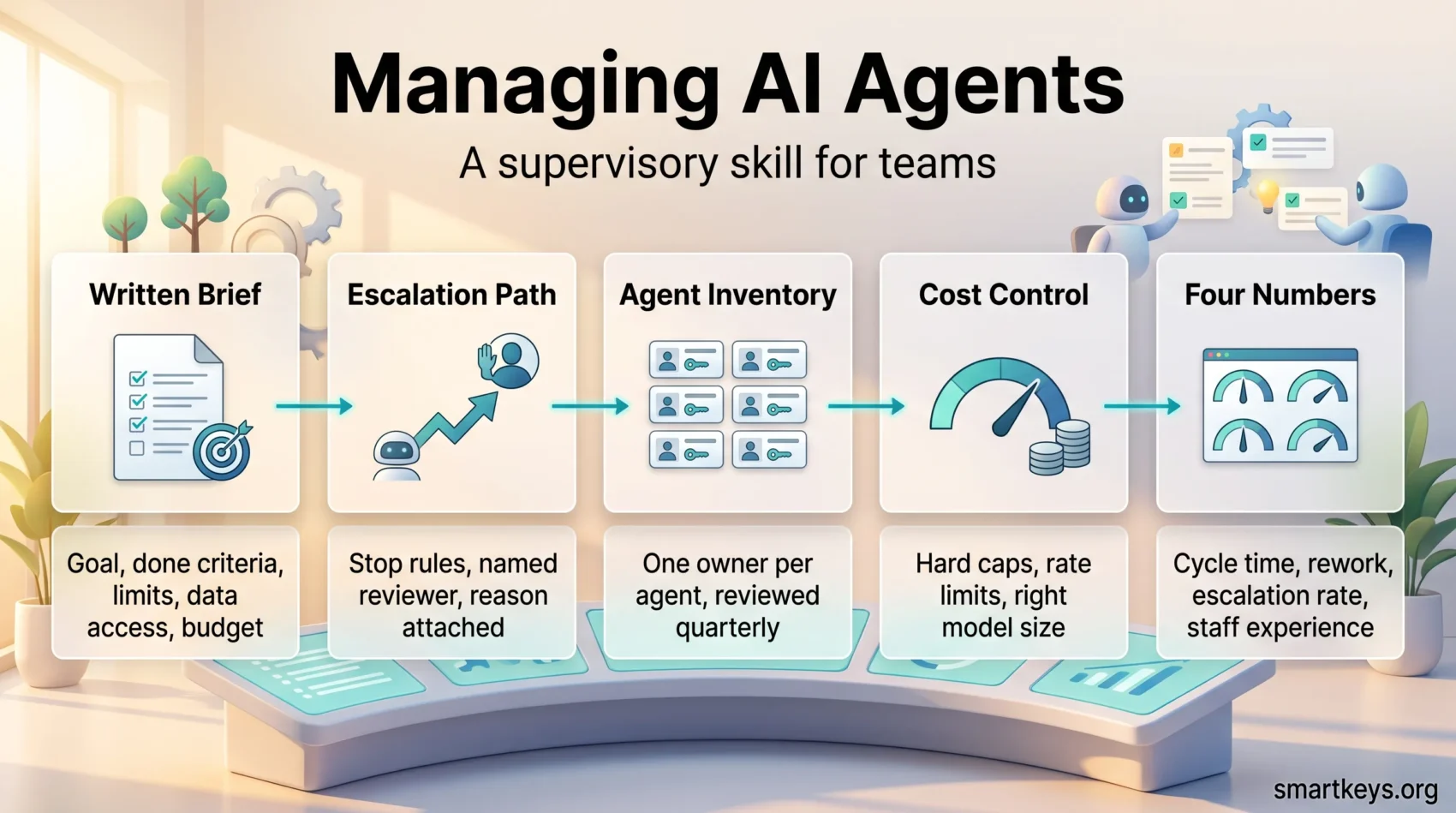
Someone has to decide what each agent may do, who checks its work, and when it gets switched off. That job looks like supervising a fast, tireless junior colleague who never asks for clarification. Here are the practical parts: the brief, the escalation path, the inventory, the cost and the numbers.
Key Takeaways
- Every agent needs a written brief: goal, definition of done, decision limits, data access and budget.
- Employees accept working alongside agents far more readily than being managed by one.
- Gartner expects over 40% of agentic AI projects to be canceled by the end of 2027.
- An inventory with a named owner per agent is the difference between governance and guesswork.
- Supervision is measurable: cycle time, rework rate, escalation rate and staff experience.
What an AI Agent Is, and Why Supervision Became Part of the Job
Three things get lumped together. A chatbot answers a question and stops. Robotic process automation (RPA) repeats a recorded sequence of clicks and breaks when the screen changes. An agent is given an outcome and picks its own route, looping until the job is done.
That freedom is the point, and the risk. A script that fails usually fails loudly; an agent that misreads a goal works confidently in the wrong direction for hours. Our overview of AI agent workflows covers the build side. Here the focus is the person accountable for the result.
Attitudes to that accountability are lopsided. Workday had Hanover Research survey 2,950 decision makers and implementation leaders in May and June 2025. In that study, 82% of organizations were expanding their use of agents and 88% of leaders expected agents to lighten workloads. But while 75% were comfortable working alongside an agent, only 30% were comfortable being managed by one. People accept a capable colleague, not an unaccountable boss.
None of that guarantees a return. Gartner predicts more than 40% of agentic AI projects will be canceled by the end of 2027, blaming escalating costs, unclear business value and inadequate risk controls. It also warns about “agent washing”, vendors relabelling chatbots and RPA as agents, and reckons only about 130 of thousands of self-described agentic vendors are genuine. Supervision decides which side of that you land on.
Give Every Agent a Written Brief
The most useful habit is a boring one: write down what the agent is for, before it runs. Five things belong in that brief, and they fit on a page.
- The objective. One sentence, in business language, not prompt language.
- Definition of done. What a correct output looks like.
- Decision limits. The value or risk threshold above which the agent must stop.
- Data access. Which systems it may read and write.
- Budget. A cap on spend or usage per day.
A Worked Example: Invoice Routing
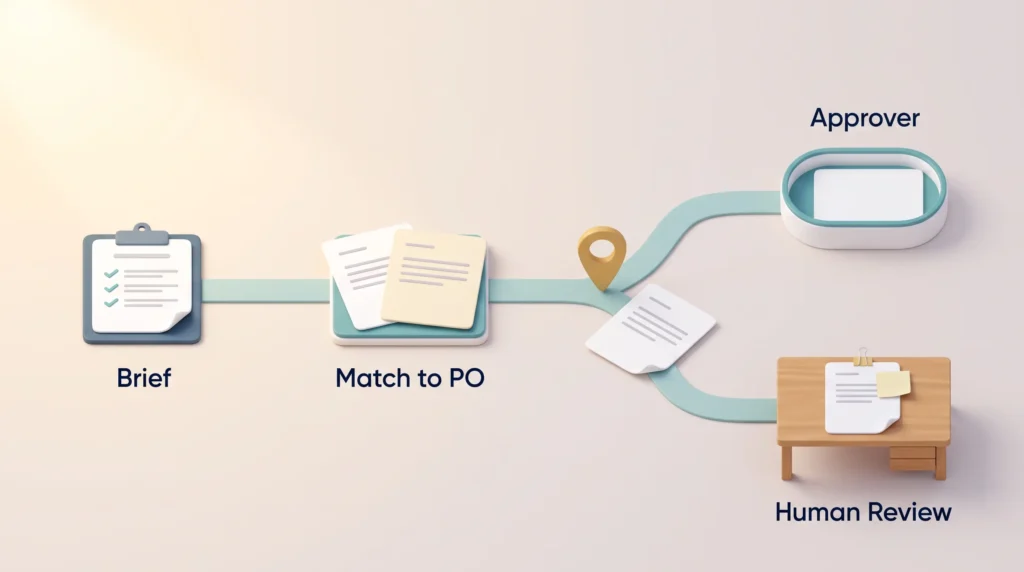
Take an agent that handles supplier invoices. Its brief might read: match each invoice to a purchase order, validate totals and tax rate, route it to the right approver, and finish within three working hours. It may not approve payment. Anything above a set value, or with a mismatch it cannot resolve, goes to a human with the reason attached.
Written that way, the brief doubles as a test plan: you can check the three-hour target, the routing accuracy and the escalation count. Vague goals cannot be audited; specific ones can. The discipline that makes delegation to people work applies here.
Write the Escalation Path First
Decide before go-live what makes the agent stop, who receives the handover, and what information travels with it. An agent without a named reviewer is an agent nobody owns.
Clear boundaries also do something for adoption that no demo achieves. In the same Workday data, trust in responsible use rose from 36% among those still exploring to 95% among those further along, while 44% named ethics and governance as the biggest barrier. Publishing your rules is how you get people to use the thing. See generative AI usage guidelines for the wording and AI ethics in the workplace for what staff are owed.
Put Agents Where the Work Already Happens
An agent that lives behind its own login gets forgotten. Embedding agents in the tools people already have open, a chat client, the CRM, an internal portal, removes the context switching that quietly kills adoption. Every major platform supports this: Microsoft renamed Azure AI Foundry to Microsoft Foundry at Ignite in November 2025 and deploys agents through it and Copilot Studio, and AWS and Google Cloud have equivalents.
Roll out in phases: one team or one high-volume process first, then widen, as in any sensible business automation programme. Measure engagement rather than uptime, because a drop in use after week two usually means the output is not trusted. If roles shift, redeploying workers for the AI era and mid-career retraining are the companion problems.
Standardize So Every Team Does Not Start From Zero
Once a second and third agent appear, the question becomes “does this work the same way everywhere”. Turn the prompts and retrieval patterns that proved themselves into reusable templates. Retrieval-augmented generation (RAG), letting a model look up your own documents before it answers, is the one most worth standardizing.
Templates should carry the unglamorous parts too: access controls, logging format, monitoring hooks, escalation defaults. If security has to be added by hand each time, sooner or later it will not be. Some organizations formalize this in an automation center of excellence; smaller teams get most of the benefit from one shared template repository with an owner.
Feed the cases where agents failed or handed back into the next version. An AI governance model that never changes is a document, not a control, and the same goes for data governance now that software acts on its own.
Keep an Inventory and Retire What You Do Not Use
Agents accumulate. Someone builds one for a campaign, the campaign ends, and the agent keeps its credentials and its access to the CRM. Nobody notices until an audit does.
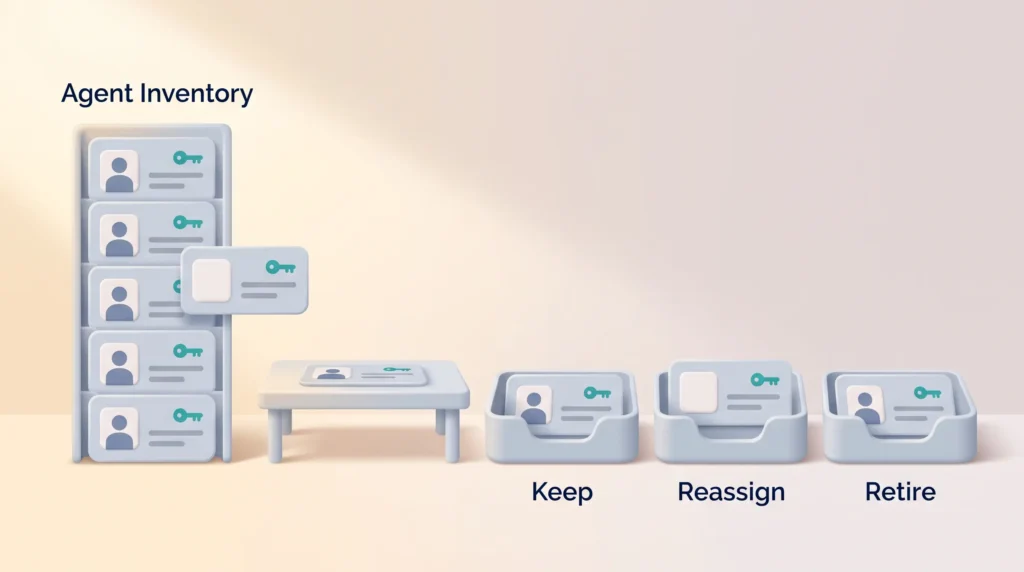
Keep a live inventory with one line per agent: what it does, who owns it, which systems it can reach, and when it was last reviewed. Ownership matters most, because an agent whose owner has left is the software equivalent of an unclaimed key card. Review the estate quarterly, and end each review in a decision: keep, update, reassign, pause or retire. It is the problem described in shadow IT, except that these tools act on their own.
Security Checks That Catch Quiet Failures
Agents fail differently from ordinary software. They rarely crash. They produce plausible output that is wrong, or they get talked into ignoring their instructions. So automate the checks nobody will run by hand: where data is stored, how long it is kept, whether a configuration has drifted from its approved state. Route alerts for jailbreak attempts and odd behaviour to whoever handles security incidents, not to a dashboard nobody opens.
Test adversarially after every significant model change. A red-team exercise, a deliberate attempt to make the agent misbehave, finds failure modes monitoring misses, because monitoring only looks for what you already thought of. In the EU, the human-oversight duties in the EU AI Act make a documented reviewer more than good practice, and a risk management framework gives the findings somewhere to land. See also AI regulation for the wider rules.
Control the Cost Before It Controls You
Agent costs creep rather than spike. A prompt gets longer, a retry loop gets added, a premium model handles a task that never needed it, and the bill moves without anyone deciding it should.
Review consumption monthly: volume, model choice, token usage. Set hard caps and rate limits so a runaway loop stops on its own instead of running all weekend. Trim prompts, cache repeated answers, and route work by difficulty, using a small model for classification and a larger one only where real reasoning is needed. Allocate quota by business priority, not by whoever asks loudest. See also AI data center energy costs.
How to Tell Whether Supervision Is Working
Four numbers cover most of it.
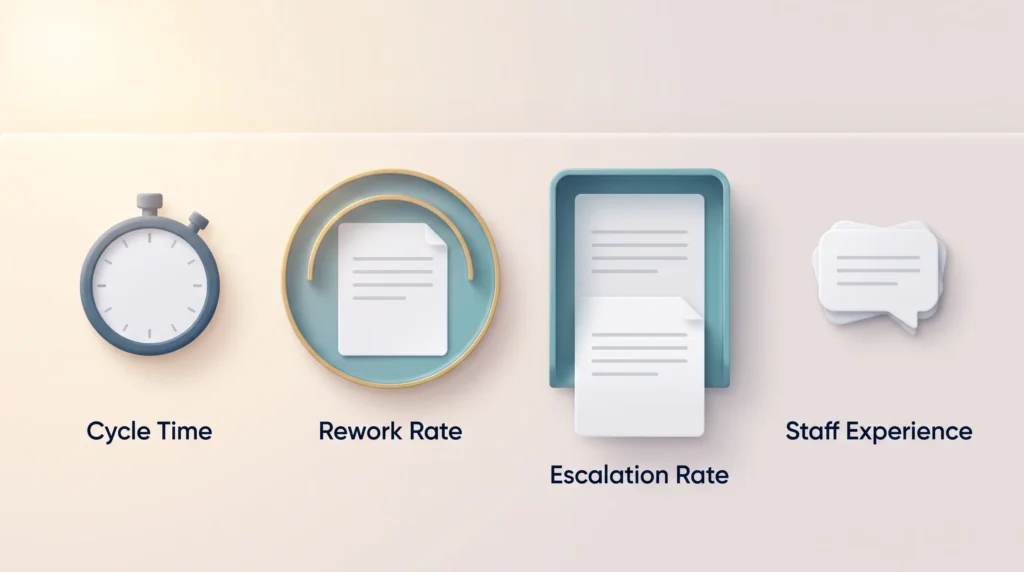
- Cycle time. How long the process takes now against a baseline measured before the agent existed.
- Rework rate. How often a human has to redo the output.
- Escalation rate. How often the agent hands back. It should fall as the brief improves.
- Staff experience. Whether people report less drudgery or more cleanup.
Rework rate is the one most teams skip and the one that exposes a bad deployment fastest. An agent that finishes twice as fast but needs a human pass every time has saved nothing. Sensible automation risk assessment starts there, and honest numbers separate real AI augmentation from an expensive pilot.
Conclusion
Supervising agents is an old discipline applied to unfamiliar workers. Define the goal, set the limits, name the reviewer, check the output, retire what no longer earns its place. Start with one process, a one-page brief, an escalation path, and the four numbers measured for a month.
The teams who do this well will not be the ones running the most agents. They will be the ones who can say, for every agent, what it is for, who owns it, and what happens when it is wrong. For where this is heading, see AI and automation at work.
Found this useful?
Make SmartKeys a preferred source on Google, and our articles will surface more often in your Top Stories, AI Overviews, and AI Mode.
Add as Preferred SourceFAQ
What is an AI agent, and how is it different from a chatbot?
An AI agent is given an outcome and works out the steps to reach it, calling tools and systems until the task is finished. A chatbot answers a question and stops. Robotic process automation sits between the two: it repeats a fixed sequence and breaks when anything changes. The practical difference is autonomy. Because an agent picks its own route, you supervise the goal and the limits, not the steps.
Who should be responsible for supervising an AI agent?
One named person, usually the manager who owns the process the agent works on, not the team that built it. That person sets what the agent may do, reviews escalations and calls the retirement. Technical teams keep the platform running; they should not judge whether an invoice was routed correctly. Record the owner in your inventory, because an agent whose owner has left still acts.
How much autonomy should an AI agent get?
Enough to finish routine cases without a human, and no more. The usual approach is a threshold: the agent handles anything below a set value, risk level or confidence score and stops for everything above it. Start narrow and widen as evidence accumulates, rather than starting wide and pulling back after an incident. Decisions that are hard to reverse, such as payments or anything affecting someone’s job, stay with a person.
Do employees accept being managed by AI agents?
Largely, no. In Workday research by Hanover Research in May and June 2025 among 2,950 decision makers and implementation leaders, 75% were comfortable working alongside AI agents but only 30% were comfortable being managed by one. The same study found trust in responsible use rising from 36% among organizations still exploring agents to 95% among those further along, so the discomfort is about opacity rather than the technology.





