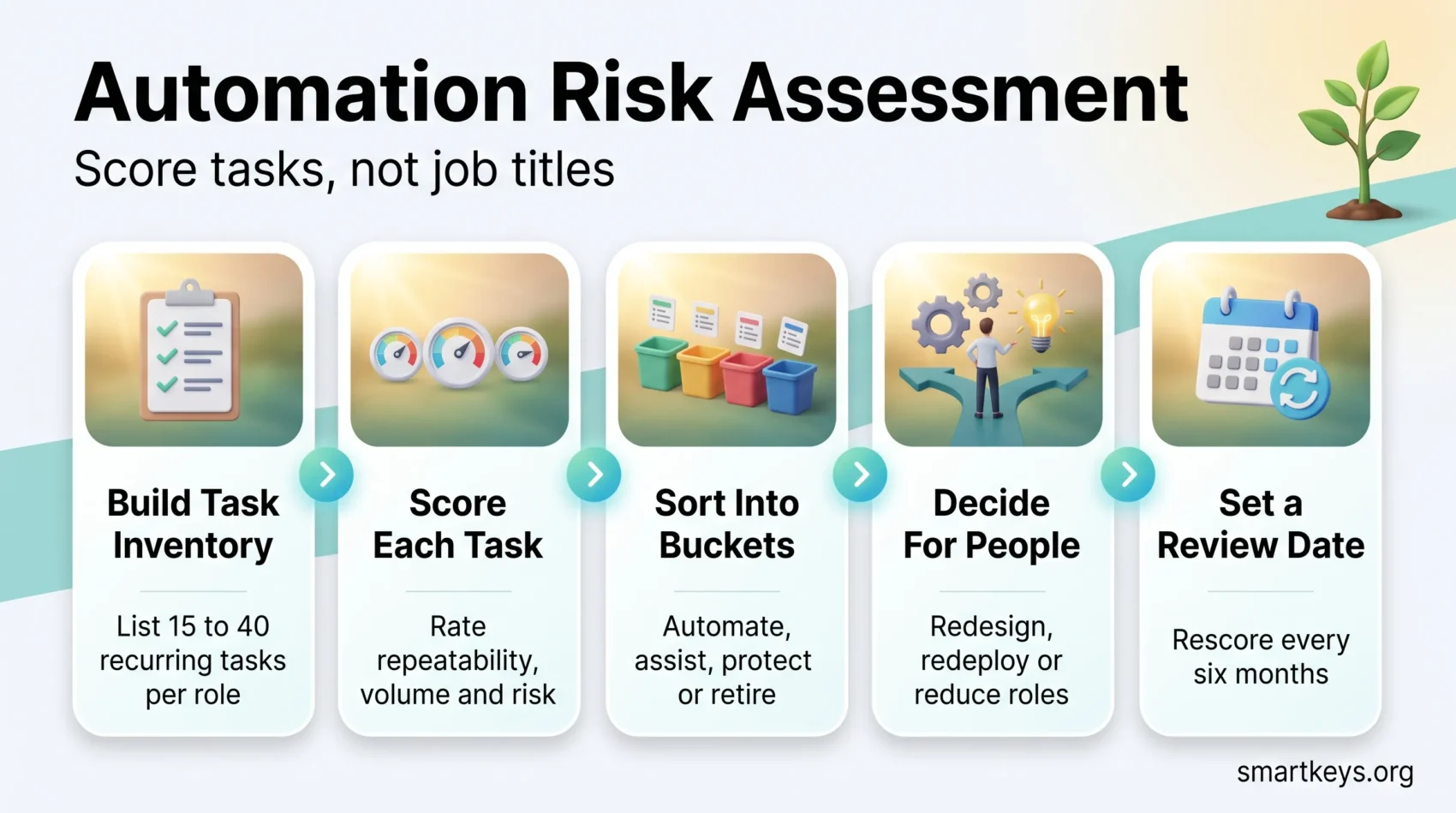
An automation risk assessment is a structured review that asks one question about every job in scope: which of the tasks in this role could software now do, and what should happen to the person doing them?
It is not a prediction that a job will disappear. It is a way to see, task by task, where AI is likely to take over routine work, so you can retrain, redesign or redeploy before the change arrives rather than after. The perspective here is that of the managers and HR teams who run that review; for the worker’s side of the story, see our overview of how workers are adapting to job automation.
This guide shows you how to run one. You will see what to measure, how to score it, what the 2026 labor market data actually shows, and how to turn a scored list into staffing and training decisions your leadership team will accept.
Key Takeaways
- Assess tasks, not job titles. Almost no role is fully automatable; most contain a mix of exposed and protected work.
- Score each task on three things: how standardized it is, how often it runs, and what it costs if the output is wrong.
- High exposure is a signal to redesign the role, not to cut it. Most tasks get assisted before they get replaced.
- Start with one department and a four to eight week pilot. A narrow first pass beats a company-wide survey nobody finishes.
- Tell employees what you are measuring and why. Assessments run in secret damage trust faster than the automation itself.
What an automation risk assessment actually measures
Most conversations about AI and jobs happen at the level of job titles. That is the wrong unit. A financial analyst does not have one job; they have perhaps forty recurring tasks, and those tasks differ enormously in how easy they are to hand to software.
Pulling numbers from three systems into a weekly report is highly standardized: the same inputs, the same format, the same output every time. Explaining to a nervous department head why their budget is being cut is not. The first task is exposed. The second is not, and adding a better model does not change that.
So the assessment works at task level. You break each role into its recurring activities, score each activity, and only then roll the scores back up to see which roles carry the most exposed work.
Exposure is not the same as replacement
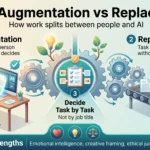
This distinction decides how useful your assessment will be. Exposure means software can now perform a task to an acceptable standard. Replacement means the organization actually stops paying a person to do it.
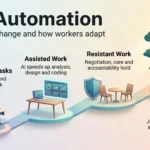
Between those two sits a much larger middle ground: the person keeps the task but does it faster with a tool, or keeps the judgment part and hands over the assembly part. Anthropic’s Economic Index, which analyzes how people actually use its AI models at work, separates automation (the user delegates a task and takes the result) from augmentation (the user works back and forth with the model). Both patterns show up heavily in real workplace use, which is why an assessment that only counts tasks as “safe” or “gone” will mislead you.
For the distinction in more depth, see our guide to AI job augmentation versus replacement.
Why this is worth doing in 2026
Two things changed. Adoption stopped being experimental, and the effect started showing up in hiring data.
The Federal Reserve Bank of Dallas reported in September 2026 that two-thirds of Texas firms surveyed that May were using AI, up from 40% two years earlier. More importantly, it found that job postings for positions with high AI task exposure fell roughly 5% relative to less exposed positions by the end of 2023, and around 8% by early 2025. Established firms drove most of that shift, not AI-native startups.
The World Economic Forum’s Future of Jobs Report 2025 puts the same trend in forward-looking terms: employers expect 170 million new roles and 92 million displaced roles by 2030, a net gain of 78 million, and expect 39% of today’s core skills to change over the same period.
Neither figure tells you anything about your own company. That is exactly what the assessment is for. For broader context on how the technology is landing across workplaces, see AI and automation at work.
How to run your first assessment in six steps
The most common failure is starting too big. A company-wide task inventory takes months, goes stale before it is finished, and produces a spreadsheet nobody trusts. Pick one department and run the whole loop end to end instead.
Step 1: Pick a narrow scope
Choose one team of roughly 10 to 40 people. Good first candidates are teams with heavy document handling, repeated data entry, or high volumes of similar customer requests: finance operations, customer support, marketing production, HR administration.
Write down what is in scope and what is not, and name one owner who signs off on the result.
Step 2: Build the task inventory
For each role in scope, list the recurring tasks. Aim for 15 to 40 per role. Anything less and you are still describing job titles; anything more and you are describing keystrokes.
The fastest way to get an accurate list is to ask the people doing the work, in a 45-minute conversation, rather than reading the job description. Job descriptions describe the role as designed. Task inventories need the role as performed.
For each task, capture four fields: what it produces, how often it runs, roughly how long it takes, and what happens if the output is wrong. If you already run workforce analytics tools, some of the volume data is already in your systems. Pulling it from there rather than asking for another form matters: repetitive tasks automation reduces survey fatigue by using targeted questions and signals you already hold.
Step 3: Score each task
Use three scores of 1 to 5 each, with no weighting on the first pass:
Standardization. How repeatable are the inputs and the expected output? A monthly variance report scores 5. A negotiation scores 1.
Frequency and volume. How much time does the organization spend on this task in total? A task that takes two minutes but runs 400 times a week matters more than a quarterly half-day exercise.
Cost of a wrong answer. What happens if the output is confidently incorrect and nobody checks? A typo in an internal summary is cheap. A misclassified insurance claim is not.
Exposure rises with the first two scores and falls with the third. A task scoring 5, 5, 1 is a strong automation candidate. A task scoring 5, 5, 5 is a candidate for assisted work with a human sign-off, which is a different decision entirely.
Step 4: Sort tasks into four buckets
Once every task has three numbers, sort them:
- Automate. Standardized, high volume, cheap to get wrong. Move these first.
- Assist. Standardized and high volume, but expensive to get wrong. The tool drafts, a person approves. Most knowledge work lands here.
- Protect. Low standardization, high judgment. Do not spend automation budget here, and do not let headcount planning quietly assume it will shrink.
- Retire. Tasks nobody can justify. Every inventory finds a few reports that no longer have readers.
The “retire” bucket often delivers the fastest return, and it needs no technology at all.
Step 5: Decide what happens to the people
This is the step most assessments skip, and it is the one employees will judge you on. For every role where a meaningful share of hours falls into “automate”, write down what the role looks like afterwards and who owns the transition.
There are usually three honest options: redesign the role around the protected tasks, move the person into a role with a real skills gap, or reduce the position. Say which one applies. Our guides to automation redeployment and internal talent marketplaces cover the mechanics of the second option.
Step 6: Set a review date before you finish
Model capability moves faster than your org chart. A task you scored as “protect” in March can become an “assist” candidate by autumn.
Put a review in the calendar for six months out, and note in the register which specific capability would change each score. That note is what makes the second pass take days instead of weeks.
Turning scores into workforce decisions
A scored inventory is an input, not an outcome. Three decisions come out of it.
Training. Map the high-exposure roles against the skills your protected tasks need, then build learning paths for that specific gap. A digital skills gap analysis turns the exposure list into a curriculum, and short, spaced lessons survive a real workweek better than a two-day workshop. If you need to defend the budget, measuring upskilling ROI is the argument finance will engage with.
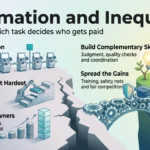
Hiring. Stop backfilling roles whose hours are concentrated in the “automate” bucket, and be explicit about why. Note that this decision lands hardest on people entering the labor market: the Dallas Fed research observed that fewer than half of online postings require more than two years of experience, so a drop in postings falls disproportionately on new entrants. That is a real effect worth planning around, not an argument against measuring. See AI and entry-level jobs.
Coverage. Concentrating a task in one tool creates a single point of failure. Decide in advance who does the work if the system is unavailable, and keep that capability alive. Workforce contingency planning covers how to document the fallback.
It also pays to start building a cross-training strategy so coverage does not depend on one person.
The rules that apply to your assessment
An automation risk assessment is workforce analysis, and in most places that makes it employee data processing.
In the EU, AI systems used for recruitment, task allocation, promotion and monitoring are classed as high-risk under Annex III of the AI Act. The timetable for those obligations moved: EU legislators agreed in 2026 to defer the high-risk deadlines, pushing the Annex III rules to December 2027. One duty already applies, though. Since February 2025, Article 4 has required organizations that deploy AI systems to ensure staff working with them have an adequate level of AI literacy.
In the United States, there is no single federal rule, but state laws in Illinois, Colorado and California, plus New York City’s Local Law 144, place duties on employers using automated tools in employment decisions.
Two practical points follow. First, an assessment that scores tasks is different from a system that scores people, and the second attracts far more regulation. Second, if your assessment feeds any tool that influences hiring or promotion, read up on AI hiring bias and EU AI Act compliance before you deploy it. For the governance layer around all of this, see building an AI governance model, generative AI usage guidelines and algorithmic management.
Where these assessments go wrong
Scoring titles instead of tasks
A published list ranking “accountant” as 78% automatable tells you nothing you can act on. It averages away the difference between the reconciliation and the audit conversation. Keep the analysis at task level, and only aggregate at the end.
Confusing capability with deployment
A model performing a task in a demo is not the same as that task running reliably inside your systems, with your data, under your approval rules. Score what you could actually put into production this year, and note the integration work separately.
Running it in secret
Employees find out. When they find out from a rumor rather than from you, the conclusion they draw is always worse than the truth. Announce the scope, explain that the unit of analysis is tasks, and publish what happens next. If you are also deploying monitoring software, the trust question gets sharper still: see AI in employee monitoring.
Treating the score as the decision
A high exposure score is a prompt to look closer, not an instruction to cut. Some tasks score high and should stay with a person anyway, because the same person also holds the customer relationship or the institutional knowledge that never appears in a task inventory. Keep an escalation route for exactly these cases, whether through a manager review or a formal automation ethics board.
Start small and run the loop twice
Pick one team. Inventory the tasks. Score them on standardization, volume and error cost. Sort into automate, assist, protect and retire. Decide what happens to the people, then set a review date.
The first pass will be rough, and that is fine. Its real value is that it replaces an anxious, abstract conversation about whether AI will take jobs with a specific list of tasks, owners and dates. The second pass, six months later, is where the accuracy comes from.
If you want to push this from one pilot into a repeatable capability, our guides to building an automation center of excellence and designing resilient workplaces around automation are the logical next reads.
Found this useful?
Make SmartKeys a preferred source on Google, and our articles will surface more often in your Top Stories, AI Overviews, and AI Mode.
Add as Preferred Source