

Automation redeployment means moving employees out of tasks that software now handles and into work that still needs human judgement. The alternative is making them redundant and hiring different people a year later. It is a staffing decision first and a technology decision second.
The problem is practical. A claims handler whose data entry is automated does not become a fraud analyst overnight. Someone has to work out which parts of the new role she can already do, what she still has to learn, and who covers her old desk meanwhile. A redeployment program organises those questions instead of leaving them to chance.
Key Takeaways
- Redeployment keeps people, and the company knowledge in their heads, inside the business while their tasks change.
- Around half of employers expect to move staff out of AI-exposed roles into other parts of their business by 2030.
- Map tasks, not job titles. The task is what gets automated, not the role.
- Short training tied to one real open role beats a broad course catalogue.
- Track internal moves, time to fill and hours shifted, not training hours completed.
What automation redeployment actually means
When software absorbs part of a job, a company has three options. It can cut the role, it can leave it alone and absorb the spare time, or it can move the person into work that is harder to automate. Redeployment is the third option, done deliberately.
The case for it is not sentimental. An experienced employee knows your customers, your systems and the exceptions that never made it into a process document. Replacing them means recruiting, onboarding and waiting months for productivity. Moving them sideways keeps the knowledge and skips the wait.
It only works when there is a real destination role with real work in it. Companies that run this well publish internal openings in one place, an approach often called an internal talent marketplace. They also treat sideways moves as normal progress rather than a demotion, an idea described by the career lattice.
Why redeployment moved up the agenda
Two pressures meet. Software is absorbing routine work, and the skills employers need are changing faster than they can hire for.
The World Economic Forum’s Future of Jobs Report 2025 puts numbers on both. Nearly 40% of the skills required on the job are expected to change by 2030. Almost half of employers expect to move staff out of roles exposed to AI disruption and into other parts of their business. Seventy-seven percent plan to upskill their existing workforce. At the same time, 41% expect to cut headcount where AI automates tasks, and 63% name the skills gap as the main barrier to transformation. Redeployment sits in that gap: the skills are missing, and the people are already on the payroll.
HR leaders are planning for it. A May 2025 Salesforce survey of 200 chief human resources officers, run with NewtonX, found they expected to redeploy 23% of their workforce into new roles or teams.
The weak point is what employees experience. LinkedIn’s 2025 Workplace Learning Report found only 15% of employees said a manager had helped them build a career plan in the previous six months. That is five points below the year before. Companies intend to move people. Most have not been told.
For the wider picture, see our overview of AI in business operations and our employee-side guide to what job automation means for the people affected.
Run the program in five steps
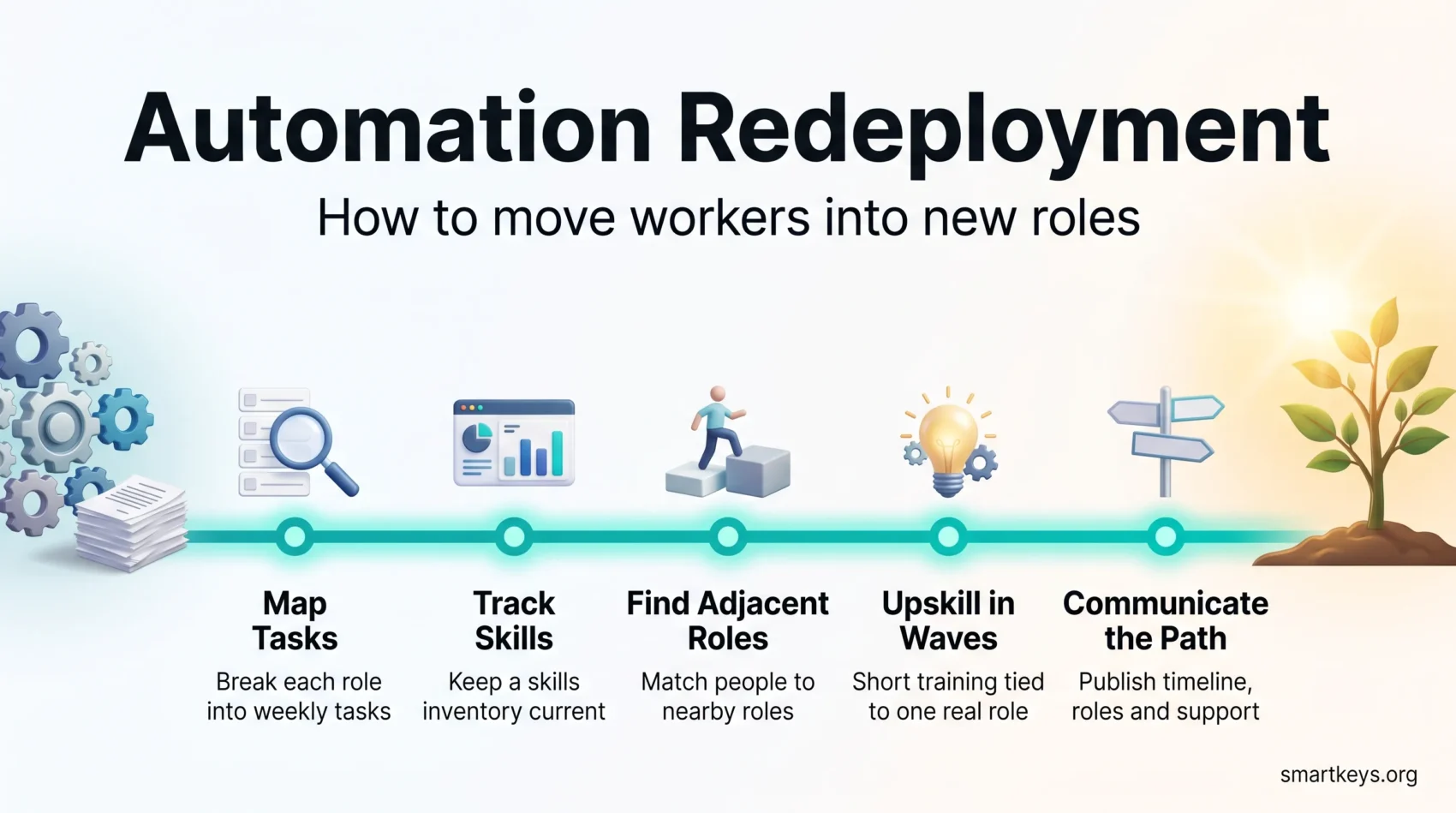
1. Map work at the task level
Job titles hide what is actually happening. Break each role into the tasks people spend their week on. Note the time each takes and how much judgement it needs. That view shows which work is genuinely at risk.
Start with high-volume, repeatable work, because that is where automation lands first. Our guide to automating repetitive tasks covers how to spot candidates, and an automation risk assessment gives you a structured way to rank them.
2. Keep a skills inventory that stays current
A skills list refreshed once a year is a document, not a tool. Aim for something that updates as people finish projects and training.
You do not need perfect data to start. A digital skills gap analysis across one department already shows where the shortfalls sit. Workforce analytics tools can keep the picture updated after that first pass.
3. Match people to adjacent roles
An adjacent role is one where most of the required skills already overlap with what someone does today. A support agent who interprets account data all day is closer to a customer success or operations analyst role than to software engineering. Adjacency shortens training time, which is the biggest cost in any redeployment.
You can widen the set of adjacent roles in advance through cross-training across neighbouring teams and structured mid-career retraining.
4. Run short upskilling waves
Train in short waves aimed at one destination role, not as an open catalogue people browse in their spare time. A wave has a start date, a named group, a defined skill target and a role waiting at the end.
Keep the format light: microlearning modules, a real project with a mentor, and a check on whether the person can now do the task. Measure by work delivered, not hours logged. To justify the budget, our guide on measuring upskilling ROI sets out which comparisons hold up. The wider upskilling trends show which skills employers pay for.
5. Communicate the path and set governance
Publish the timeline, the roles in scope, and the support people get. Uncertainty pushes good employees to start job hunting, and silence reads as bad news.
Governance can be light but it has to exist. Name a small steering group with HR, operations, IT and a business owner. Agree who enters the program, who approves a move, and how often you review results. A written internal mobility policy saves you renegotiating the rules with every manager.
Tools that make redeployment manageable
You need three things. A current view of skills and tasks. A place to publish internal openings. A way to deliver training quickly.
Workforce intelligence platforms cover the first two by connecting a skills model to your HR system. Integration with the system of record matters more than the matching algorithm: a match nobody can act on is just a report. A learning platform covers the third, if it delivers short modules and not only long courses.
Pilot before you scale. Run one wave in a single team and write down what broke. Wider process automation, sometimes called hyperautomation, follows the same pattern: test narrow, then repeat what worked.
Measuring whether redeployment worked
Keep the scorecard short enough that people remember it.
- Internal mobility rate: the share of open roles filled by existing employees.
- Time to fill: how long an internal move takes against an external hire.
- Hours shifted: time moved from routine tasks to higher-value work.
- Retention: whether the people you moved are still there six months later.
Watch the customer side too. Error rates and response times before and after a wave show whether the change helped or simply moved the problem. Hours of training delivered proves nothing on its own.
The framing that survives a budget meeting is hours, not headcount. You are moving time to work customers pay for.
Where redeployment programs fail
Most failures are organisational rather than technical, and they repeat.
- No destination role. People are trained for jobs that do not exist, then left in limbo.
- Managers who hoard talent. If letting a good person move counts against a manager, moves stop happening.
- Stale skills data. Matching runs on a spreadsheet nobody has updated since last year.
- No time to learn. Training sits on top of a full workload, so it is quietly dropped.
- A preference for outsiders. Internal candidates get judged on what they cannot do yet.
The fix is usually incentives rather than software. If internal moves count towards a manager’s results, and learning time is protected like a client meeting, the program starts to run itself.
Governance and the rules that apply
If you use AI to score, rank or match employees, that falls under employment law and, in the EU, under the AI Act. Its obligations for high-risk AI in employment decisions were originally set for August 2026, then deferred. Under the EU’s digital omnibus agreement, stand-alone high-risk systems come into scope on 2 December 2027 and systems embedded in products on 2 August 2028.
That deferral is not a reason to wait. The practical duties are ones you would want anyway. A named human reviews the system and can overrule it. Decisions are recorded. Matching is checked so it does not disadvantage a protected group. Where staff have a works council, involve it before the first wave. The wider debate is covered in our piece on algorithmic management.
Conclusion
Redeployment is unglamorous work. You map tasks, keep a skills list current, find one real open role, and run a small training wave with a manager who has agreed to take the person.
Done properly it pays back three ways. Employees keep their jobs and gain new ones. Roles get filled faster than through recruitment. The workforce adjusts as tools change instead of being rebuilt every few years.
Start narrow. Pick one team where automation is already landing, map the week, and find one adjacent role that is genuinely open. Move one person. That wave will teach you more than any plan written in advance.
Found this useful?
Make SmartKeys a preferred source on Google, and our articles will surface more often in your Top Stories, AI Overviews, and AI Mode.
Add as Preferred Source




