

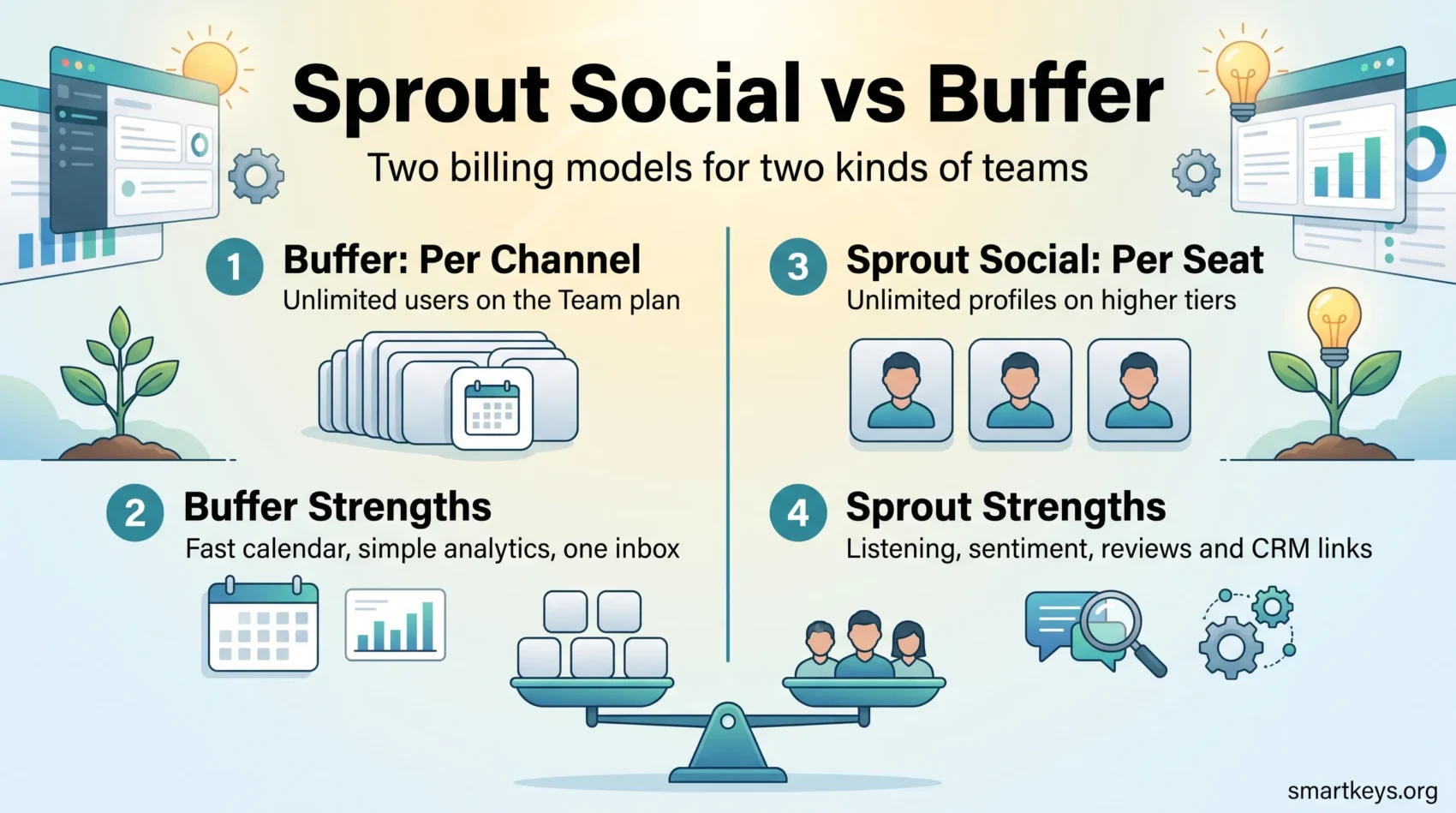
Social media management tools do one job: they let you plan, publish, answer and measure across several accounts from a single screen, instead of logging into each network by hand. Sprout Social and Buffer are two of the best known, and they sit at opposite ends of the market. Buffer is a lean publishing tool that bills per connected account. Sprout Social is a customer engagement platform that bills per person on your team. That difference decides which is cheaper for you, and it is where most comparisons go wrong. This guide covers what each does in 2026, what both cost, and which team each one fits.
Key Takeaways
- Buffer charges per channel: $5 per channel per month on Essentials, $10 on Team, plus a free plan for 3 channels.
- Sprout Social charges per seat: $79 to $399 per user per month on annual billing, plus a custom Enterprise tier.
- Buffer gets cheaper as your team grows, because Team includes unlimited users. Sprout gets cheaper as your channel count grows, because Professional and Advanced include unlimited profiles.
- Sprout adds social listening, sentiment analysis, review management and CRM integrations that Buffer does not offer.
- On Capterra, Buffer scores 4.5 out of 5 from about 1,500 reviews and Sprout 4.4 from about 600, with Buffer well ahead on value.
- Buffer offers a 14-day trial; Sprout offers 30 days with no credit card.
What Social Media Management Tools Actually Do
Posting to five networks by hand is not hard. Doing it consistently for a year, while answering comments and reporting on what worked, is. That is the gap these tools fill.
Every tool here covers four jobs: publishing on a schedule, engagement through a shared inbox, analytics on what earned attention, and collaboration so someone can review a post before it goes out. What differs is how deep each goes, and who it expects to be using it. A freelancer with three accounts needs a good calendar and little else. A retail brand with a support team needs message assignment, response time reporting and an audit trail. Buffer is built for the first case, Sprout Social for the second. Our overview of social media trends and business growth helps if your channel mix is still unsettled.

What Is Buffer?
Buffer launched in 2010 as a simple queue for scheduling tweets, and it has kept that spirit. You connect accounts, drop posts into a queue or calendar, and Buffer publishes at the times you set. The product was once split into three paid apps called Publish, Analyze and Engage. That split is gone: Buffer is now one dashboard covering publishing, analytics, engagement, an ideas board, a link-in-bio Start Page and an AI Assistant that drafts captions.
Buffer publishes to Facebook Pages, Instagram business and creator accounts, X, LinkedIn pages and profiles, Threads, Bluesky, Mastodon, Pinterest, TikTok, YouTube Shorts and Google Business Profiles. Facebook Groups and personal Instagram accounts use notification publishing, where Buffer reminds you to post rather than posting for you. Not every channel supports every feature, so check the ones you rely on.
What Buffer Does Well
Publishing Without Friction
Buffer’s calendar is why most people stay. You can queue posts far ahead, set a posting schedule per channel, tailor text for each network in the same composer, and schedule the first comment on Instagram and LinkedIn. Channel groups push to several accounts at once, which saves real time across brands.
Analytics That Answer One Question
Buffer’s reporting tells you which posts performed, when your audience is active, and how a channel is trending. The free plan keeps 30 days of history; paid plans keep it indefinitely and add branded reports for clients. Enough to steer a content plan, not enough to prove a revenue contribution.
Replying From One Inbox
Buffer’s engagement view pulls comments and replies from supported channels into one feed, marks what you have handled, and flags posts with unanswered comments. For a solo marketer that removes the daily round of opening six apps. For a support team it is thin: no assignment, no ticket status, no service level reporting.
What Is Sprout Social?
Sprout Social also launched in 2010 and now serves more than 30,000 brands. It is positioned less as a scheduler and more as a platform connecting social to the rest of the business: publishing, an engagement inbox, analytics, listening, review management and CRM and helpdesk integrations. That framing explains the price. You are not paying for a better calendar, but for reporting, listening data and a workflow that lets ten people handle inbound messages without colliding.
What Sprout Social Does Well
The Smart Inbox
The Smart Inbox is Sprout’s core feature. Messages, mentions, comments and reviews from every connected profile arrive in one stream. You can tag them, assign them, mark them complete and see how long replies take. If social is a support channel and not just a broadcast channel, this is the difference between a tool and a system. It is the social version of the shared inbox model in our look at customer service trends.
Reporting Built for Presentations
Sprout’s analytics go well past post performance: cross-network reports, paid and organic side by side, competitor benchmarking, tagged campaign reporting and team response time reports. Reports export cleanly, which sounds trivial until you assemble a monthly board update. Teams with a formal analytics practice will find the data model familiar.
Social Listening
Listening is the feature Buffer has no answer to. Sprout monitors conversations across Facebook, X, Instagram, Reddit, YouTube, Tumblr and the wider web, not just your own accounts. You can track a brand name, a launch, a competitor or an industry topic, and read sentiment across the results. That is how you learn a complaint is spreading before it reaches your inbox. Listening sits behind an add-on rather than the base plans.
AI and Review Management
Sprout has folded AI into several places: Trellis, its AI agent, plus AI Assist for drafting posts, and AI-enhanced replies and sentiment analysis on the Advanced plan. Review management pulls Google Business Profile, Trustpilot and TripAdvisor reviews in alongside social messages. Our guide to AI in marketing covers what these features do reliably, and EU AI Act compliance explains the disclosure duties that now apply to automated replies in Europe.
Where the Two Overlap
Content Calendar
Both give you a drag-and-drop calendar. Buffer’s is faster to learn and shows a clean week or month view. Sprout’s carries more metadata: campaign tags, approval status, paid promotion. If two people plan your content, Buffer is enough. If eight plan it across four regions, Sprout’s structure earns its keep.
Multi-Profile Scheduling
Both publish to multiple profiles from one composer, with per-network text variants. The practical limit differs. On Buffer it is your budget, since every extra channel adds to the bill. On Sprout, Essentials and Standard cap you at 5 profiles, while Professional and Advanced remove the cap. Teams running many accounts often find Professional cheaper than it first looks.
Team Collaboration
Buffer’s Team plan adds approval workflows and custom permissions, with unlimited users at no extra cost. Sprout charges per seat but gives each seat more: task assignment, internal notes, role-based permissions and an activity log. Buffer keeps a small team coordinated; Sprout keeps a large one accountable.
Pricing in 2026: Two Different Billing Models
This is where the comparison is actually decided, so it is worth being precise.
Buffer Pricing: Per Channel
Buffer’s free plan covers 3 channels for one user, with 10 scheduled posts per channel, 100 saved ideas and 30 days of analytics history. The AI Assistant is included.
Essentials costs $5 per channel per month, or $60 per channel per year. It removes the scheduling cap, keeps analytics history forever, and adds first-comment scheduling, a hashtag manager and channel groups. It is single-user.
Team costs $10 per channel per month, or $120 per channel per year, and adds unlimited users, approval workflows, custom permissions and branded reports. Channels above the tenth cost less per channel. Paid plans come with a 14-day trial.
Sprout Social Pricing: Per Seat
Sprout prices per user, per month, on annual billing: Essentials at $79, Standard at $199, Professional at $299 and Advanced at $399. Essentials is $99 on monthly billing, and Enterprise is quoted individually.
Essentials covers 5 profiles with scheduling, optimal send times and basic reporting. Standard adds the Smart Inbox, keyword monitoring and review management. Professional lifts the profile cap and adds message tagging, competitor reports and AI Assist. Advanced adds sentiment analysis, AI-enhanced replies, API access, helpdesk integrations and spike alerts. Premium Analytics, Listening, Employee Advocacy and Influencer Marketing are separate add-ons. The trial runs 30 days with no card.
What This Costs in Practice
A solo consultant with 4 channels pays $20 a month on Buffer Essentials. The nearest Sprout plan, Essentials, is $79 a month for 5 profiles. Buffer wins on price by a wide margin.
A five-person team running 6 channels pays $60 a month on Buffer Team, because users are unlimited. On Sprout Standard, five seats cost $995 a month, and the 5-profile cap leaves one channel unmanaged. Sprout is roughly sixteen times the price.
That gap is not an argument against Sprout. It describes what you are buying: listening data, an accountable inbox, and reporting an executive will accept. If you do not need those three things, you are paying for capacity you will not use. If you do, Buffer cannot supply them at any price.
Ease of Use and User Ratings
Buffer is easier, and the review data reflects it. On Capterra, Buffer holds 4.5 out of 5 across roughly 1,500 reviews, with 4.6 for ease of use and 4.4 for value for money. Sprout Social holds 4.4 across roughly 600 reviews, with 4.4 for ease of use and 3.9 for value.
Read that value score carefully. It does not mean Sprout is bad. It signals that many buyers paid for more than they used. Before committing, list the features you would open in a normal week and check which tier holds them.
Buffer’s learning curve is close to zero. Sprout takes longer, because there are more decisions to make: who owns which inbox, which tags you use, what your reports must show. For a third option, our Buffer vs Hootsuite comparison covers a tool sitting between these two, and the Hootsuite review goes deeper on its plans.
Integrations and Support
Buffer Integrations
Buffer keeps its list short and practical: design tools including Canva, Dropbox and Google Drive for assets, Zapier for everything else, and browser extensions for saving content as you browse. Paid plans include API access, with request limits that rise by tier. There is no CRM or helpdesk connection, which is a deliberate scoping decision.
Sprout Social Integrations
Sprout connects to Salesforce, HubSpot, Slack, Google Analytics, Zendesk, Canva and GIPHY, plus review sources such as Google Business Profile, Trustpilot and TripAdvisor. The CRM link changes how the tool is used: a social conversation can be attached to a customer record, so support and sales see the same history. Our overview of CRM trends and our HubSpot Marketing Hub review cover what that is worth.
Customer Support
Sprout offers a help centre, live training, phone support and dedicated representatives for larger accounts. Buffer supports customers by email and through its own social channels, with a detailed help centre but no phone line and no assigned contact. Fine for a solo user. For a team where a publishing failure means a missed campaign, price the difference in.

Which Tool Is Right for You?
Choose Buffer If
You are a freelancer, creator, small business or lean in-house team. Your main need is publishing consistently and seeing what worked, at a predictable cost that scales with channels rather than headcount. Buffer also suits agencies with many small clients, since channel groups and per-channel pricing map neatly onto that structure. Teams building social commerce or brand storytelling programmes on a modest budget usually land here.
Choose Sprout Social If
Social is a customer channel, not only a broadcast channel. Several people handle messages and you need to know who answered what, and how fast. You report to people who ask about share of voice, sentiment and competitor performance. You want social conversations to reach your CRM, and you run enough profiles that the unlimited tiers change the arithmetic. Brands running omnichannel marketing, B2B influencer programmes or large customer experience initiatives are the natural fit.
Conclusion
Buffer and Sprout Social are not competing for the same buyer. Buffer is a well built publishing tool at a price that suits one person or a small team, and its per-channel model means adding colleagues costs nothing. Sprout Social is an engagement and intelligence platform whose per-seat price only makes sense when several people work in it daily and someone senior needs the reporting.
Start with the honest question rather than the feature list. Do you need to publish reliably and see basic performance? Buffer, and you save four figures a year. Do you need listening, sentiment, review management, accountable inboxes and CRM-connected conversations? Sprout, and that price is what those capabilities cost.
Use both trials. Sprout’s 30 days needs a plan: connect real accounts, route a week of genuine messages through the inbox, and run one report you would send to your manager. For wider context on where paid and organic social sit in a 2026 plan, see our guide to digital marketing in 2026.
Found this useful?
Make SmartKeys a preferred source on Google, and our articles will surface more often in your Top Stories, AI Overviews, and AI Mode.
Add as Preferred Source




