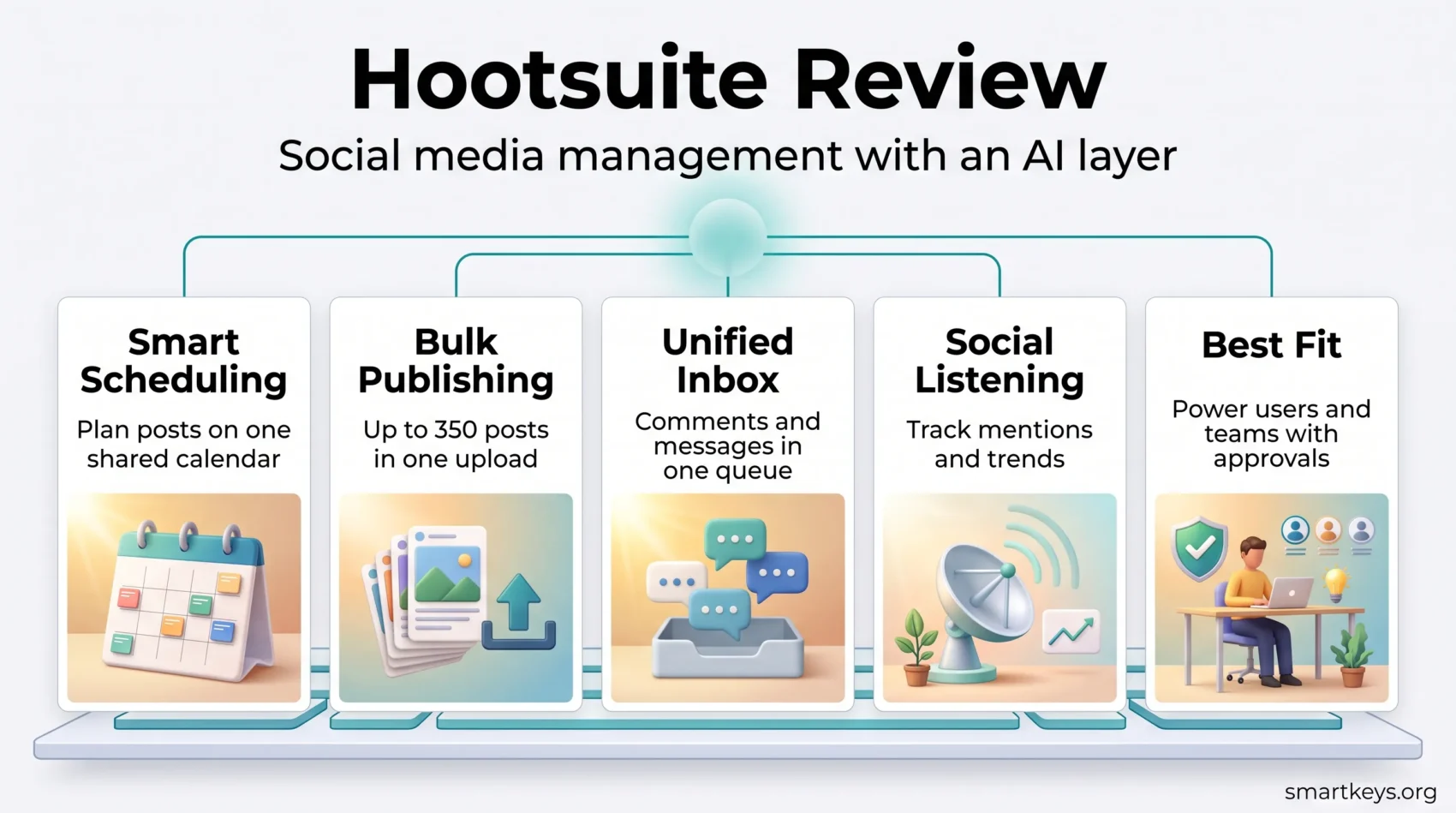
If you are choosing a platform to run your social media strategy, this Hootsuite Review covers what the product actually looks like in 2026. Hootsuite rebuilt itself in June 2026 around an AI layer and a new set of apps, retired its free plan some time ago, and now sells four paid tiers. That combination changes the answer to the only question that matters: is this the right tool for your team, or are you about to pay a premium for capacity you will not use?
This review looks at the current structure of the product, what each plan costs, where the platform is genuinely strong, and where a cheaper tool does the same job. If you are also evaluating your wider stack, our overview of how digital marketing strategies have evolved gives useful context, and the HubSpot Marketing Hub review covers the adjacent automation layer.
Key Takeaways
- Hootsuite no longer offers a free plan. Access starts with a 14-day trial, then a paid tier.
- Paid plans run from $99 to $399 per user per month on annual billing, with custom Enterprise pricing.
- In June 2026 Hootsuite launched Social OS: four apps (Perch, Nest, Lumen, Parliament) tied together by an AI agent called Wisdom.
- Bulk Composer still handles up to 350 scheduled posts at once, which remains one of the platform’s strongest practical features.
- Per-seat pricing makes Hootsuite expensive for small teams and comparatively reasonable for one power user managing many accounts.
Introduction to Hootsuite
Hootsuite is one of the longest-running tools in social media management. It started in 2008 as a way to schedule tweets and now covers publishing, engagement, listening and reporting across the major networks from a single workspace. Hootsuite says the platform has served more than 25 million users over its 18 years.
The core proposition has not changed: connect your accounts once, plan content in one calendar, answer messages in one inbox, and report on all of it together. What has changed is how much of that work the software now attempts to do for you, and what the company charges for it.
For a side-by-side with the obvious alternative, see our Buffer vs Hootsuite comparison. If your shortlist is wider, the Sprout Social vs Buffer comparison covers the other end of the market.
What Is Hootsuite in 2026?
Hootsuite is a cloud-based platform for managing multiple social accounts. It connects to Facebook, Instagram, X, LinkedIn, TikTok, YouTube and Pinterest, and it handles the full loop from planning a post to reporting on what it did.
The bigger structural change arrived on 24 June 2026, when Hootsuite announced what it calls Social OS: a rebuilt product suite with AI running through it rather than bolted on the side. Instead of one dashboard with many tabs, the platform is now organised into four named apps.
The Four Apps of Social OS
- Perch handles content creation, planning and publishing, including AI-assisted drafting and trend-based recommendations.
- Nest is the social inbox: comments, mentions and direct messages in one queue, with AI triage and sentiment tagging.
- Lumen, built on Talkwalker, is the listening and intelligence layer. Hootsuite says it monitors around 150 million sources in 187 languages.
- Parliament covers employee advocacy, with some capabilities still listed as coming soon.
Wisdom, the AI Layer
Wisdom is the agent that sits across those apps. You ask a question in plain language, and it answers using Hootsuite’s social data, then offers actions such as drafting a post or flagging a risk. It consolidates what Hootsuite previously shipped as OwlyGPT and the Yeti Agent.
Hootsuite also released Model Context Protocol connectors for Perch, Nest and Lumen, so external AI assistants can query the platform directly. That is a genuinely forward-looking move and one few competitors have matched.
Key Features of Hootsuite
Beneath the new naming, the features that most teams buy Hootsuite for are the same ones it has offered for years.
Social Media Scheduling
The social media scheduling engine remains the centre of the product. You write once, choose the networks, and place the post on a shared calendar. Recommended send times are generated from your own account history rather than generic benchmarks, which makes them more useful than they sound.
Approval workflows sit on top of this on the higher tiers, so a junior marketer can queue content and a manager can release it. For smaller operations that governance layer is overkill; for regulated industries it is the reason to buy.
Publishing Across Multiple Platforms
Hootsuite is strong at cross-platform publishing. Bulk Composer accepts up to 350 scheduled posts in a single upload, which is the fastest way to load a quarter of evergreen content in one sitting. Note that bulk scheduling is disabled during the free trial, so you cannot test this before paying.
Comments and private messages arrive in one inbox, which removes the tab-switching that eats most of a community manager’s day. Consistency across channels matters more than volume, and our guide to brand storytelling covers how to keep a single voice across them.
Understanding the Hootsuite Dashboard
The dashboard is the part of Hootsuite people either love or find cluttered, and both reactions are fair. There is a lot on screen because there is a lot in the product.
Quick Access to Social Media Metrics
The dashboard surfaces follower counts, post performance and engagement rates without a separate report. Data refreshes on a short cycle rather than in true real time, which is fine for daily management and less useful during a live campaign spike. For a broader view of how behavioural data feeds marketing decisions, see our piece on behavioral analytics.
Stream Organization for Efficiency
Streams are Hootsuite’s oldest good idea. You build columns for mentions, keywords, hashtags or competitor accounts and scan them side by side. Set up well, a stream board replaces a dozen browser tabs. Set up badly, it becomes noise you learn to ignore, so it is worth spending an afternoon pruning the ones you never read.
Hootsuite Pricing in 2026
Pricing is where most buying decisions are made, and Hootsuite’s has moved upmarket.
The Free Plan Is Gone
Hootsuite no longer offers a perpetual free tier. New users get a 14-day trial with no credit card required, and trial accounts carry daily posting limits and no bulk scheduling. If you were counting on a free plan for three accounts, that option no longer exists here, and Buffer’s channel-based pricing is the more realistic starting point.
What Each Plan Offers
All prices below are per user per month on annual billing. Monthly billing costs more.
- Standard, $99: up to 10 social accounts, unlimited scheduling, AI post and image generation, unified inbox, brand monitoring.
- Professional, $199: unlimited social accounts, automated workflows, 90-day trend forecasting, custom reports.
- Advanced, $399: everything above plus content approval workflows, message routing and team performance tracking.
- Enterprise, custom: advanced analytics, enhanced listening, single sign-on and compliance tooling.
The per-seat model is the thing to model carefully. One person running 40 accounts pays $199 a month on Professional. Five people running the same 40 accounts pay $995. Teams that need many logins should price Hootsuite against tools that charge per channel instead, and should read the terms on seat minimums before committing to an annual contract.
Hootsuite Analytics and Reporting
Analytics is the part of Hootsuite that justifies the price for larger teams. You can compare engagement across networks in one view, track audience growth over time, and export scheduled reports as PDF or CSV for people who will never log in.
The reporting is strong on what happened and weaker on why. It will show you that a post outperformed, but connecting that to revenue still requires your own attribution work. Pairing it with a search-side tool such as Semrush or Surfer SEO and Ahrefs gives a fuller picture of where demand actually comes from.

Where Hootsuite Falls Short
Three limits come up repeatedly. The first is price: $99 per seat is a serious commitment for a solo marketer or a small business, and the jump to unlimited accounts costs double that. The second is the interface, which carries the weight of a product that has absorbed features for nearly two decades. The third is that several headline capabilities, particularly parts of Parliament and Wisdom, were still marked as coming soon at launch, so buy on what ships today rather than on the roadmap.
There is also a positioning question. If your main need is publishing plus a tidy calendar, a lighter tool covers it. Our roundup of productivity apps worth using in 2026 and the Canva review cover the creation side, while Mailchimp handles the email half of the same job.
Who Hootsuite Actually Fits
Hootsuite makes sense for one power user managing a large account portfolio, for teams that need approval workflows and audit trails, and for organisations that want listening and publishing under one contract rather than two.
It fits less well for small businesses with three channels and no approval chain, and for anyone whose real problem is content production rather than distribution. If that is you, an AI-assisted marketing workflow or a video tool such as Syllaby will move the needle further than a scheduler will. Small teams weighing the wider trade-offs may find our look at small business trends and the future of work in small businesses useful before signing anything.
Conclusion
Hootsuite in 2026 is a mature, wide platform that has bet heavily on AI and priced itself accordingly. The scheduling and bulk publishing remain excellent, the listening layer is deeper than most rivals offer, and Social OS gives the product a clearer shape than the old single dashboard ever had.
The catch is cost. With no free plan and per-seat billing from $99, Hootsuite is now a considered purchase rather than a default one. Run the 14-day trial with your real accounts, model the seat count honestly, and compare the total against a per-channel competitor before you commit. Done that way, it is a defensible choice for teams with volume and governance needs, and an expensive one for everybody else.
Found this useful?
Make SmartKeys a preferred source on Google, and our articles will surface more often in your Top Stories, AI Overviews, and AI Mode.
Add as Preferred Source