
AI inference costs are what you pay every time an AI model answers a request. Inference is the moment a trained model reads your input and writes an output. Providers bill it per token, a small chunk of text of roughly three quarters of an English word. One chat reply costs a fraction of a cent. A product feature that sends millions of requests a month can cost thousands of dollars, and the bill often grows faster than anyone planned.
Prices per token have fallen sharply. The Stanford HAI AI Index 2025 found that the price of GPT-3.5-level performance fell from about $20 per million tokens in November 2022 to about $0.07 in October 2024. That is a more than 280-fold decline. Yet many teams still see their AI bills rise. This guide explains why, shows how to estimate token spend before it lands on an invoice, and covers the levers that actually lower the cost per useful result.
Key Takeaways
- Inference is a recurring cost tied to every request, unlike model training, which is a one-time project.
- Cheaper tokens do not guarantee a smaller bill, because usage, context length and agent workflows grow faster.
- A reliable budget starts with tokens per request, requests per month and separate input and output rates.
- Model routing, prompt caching, batch processing and output limits are the biggest practical savings levers.
- Tagging every request by feature and team turns a surprise bill into a number you can explain and manage.
What Are AI Inference Costs, and Why Do They Grow in Production?
There are two different cost types in AI. Training is the one-time process of teaching a model, and for frontier models it can cost tens to hundreds of millions of dollars. Most businesses never pay for that directly. Inference is what you pay to use a finished model, and it recurs with every prompt your users or systems send.
In a pilot, inference looks cheap. In production, three things change:
- More users and more features: a feature that worked for ten testers now runs for every customer, every day.
- Longer inputs: teams add documents, chat history and instructions to each request to improve answers, and every added word is billed.
- Chained calls: AI agents, systems that plan and carry out several steps on their own, can call a model ten or more times for one user action.
Economists call the underlying pattern the Jevons paradox: when something gets cheaper, people use so much more of it that total spending rises. For AI, it means a lower price per token can still lead to a higher monthly bill. If you want to see how this plays out with agents, our guide to managing AI agents covers cost control as a supervisory task.
How Is Inference Cost per Token Calculated?
The basic formula is simple. Providers quote separate prices for input tokens (what you send) and output tokens (what the model writes back), usually per million tokens. Output tokens almost always cost several times more than input tokens.
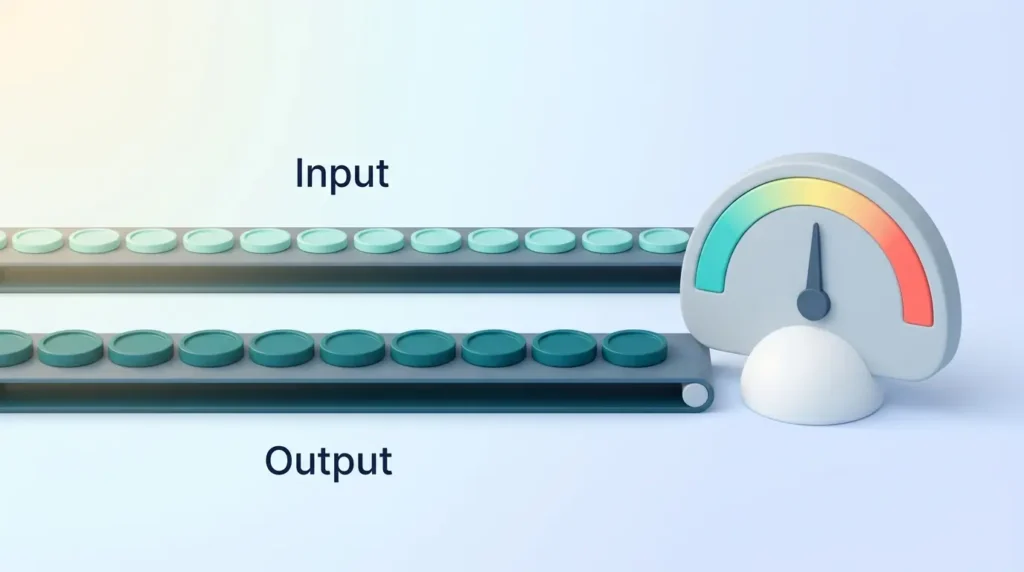
Cost per request = (input tokens × input price) + (output tokens × output price)
Here is a worked example with round, illustrative prices: $2 per million input tokens and $8 per million output tokens. Your support assistant sends 1,500 input tokens and receives 300 output tokens per request:
- Input: 1,500 ÷ 1,000,000 × $2 = $0.003
- Output: 300 ÷ 1,000,000 × $8 = $0.0024
- Total: about $0.0054 per request, or about $540 for 100,000 requests a month
Three details make real bills differ from this simple sum:
- Context length: the context window is everything the model reads for one request. Billing scales with it, so a request that carries 100,000 tokens of documents costs roughly 66 times more in input than our 1,500-token example. Some providers also charge a higher rate above a certain prompt length.
- Reasoning tokens: reasoning models “think” before they answer. OpenAI bills these hidden reasoning tokens as output tokens, even though you only see the final answer. A short reply can therefore carry a large, invisible cost.
- Discounted rates: cached input and batch processing are billed at lower rates (more on both below). Your real price is a blend of several rates, not the headline number.
If terms like context window or tokens are new to you, our AI glossary for tool buyers explains them in plain language.
What Drives AI Inference Costs in Production?
Once you know the formula, the cost drivers follow from it. Anything that adds tokens, calls or compute time adds cost.
- Model choice: the largest, most capable models charge many times more per token than small ones. Using a top model for simple tasks is the most common source of waste.
- Token volume per action: long system prompts, full chat histories and large retrieved documents inflate every request.
- Number of calls per task: AI agent workflows multiply consumption. One user question can trigger planning, tool calls, checks and a final answer.
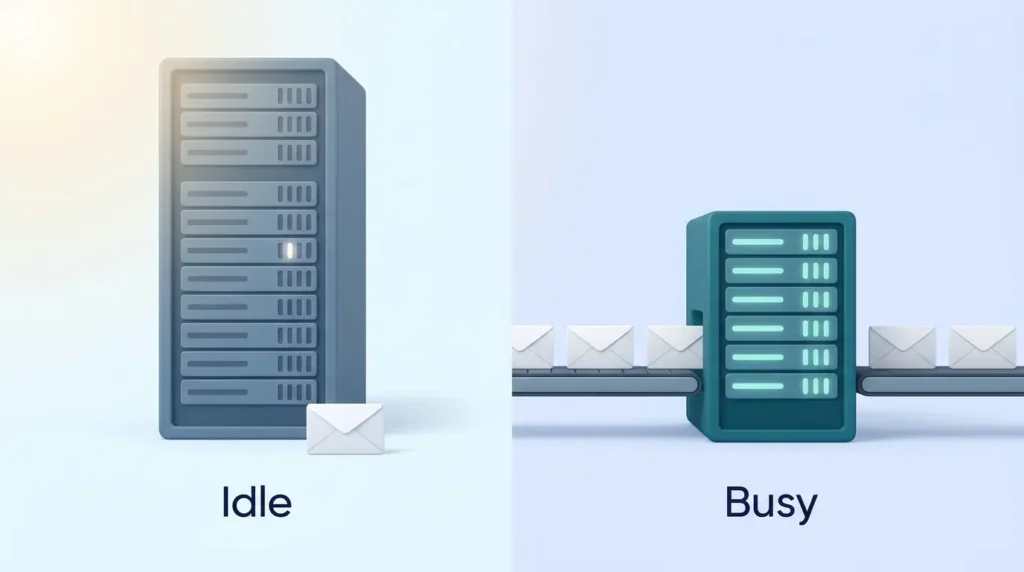
- Hardware use (if you host models yourself): idle GPUs, the specialized chips that run AI models, cost the same as busy ones.
The broader discipline of managing these numbers is often called FinOps, the practice of making engineering, finance and product teams share responsibility for cloud spend. Our overview of FinOps best practices shows how many companies now extend it to AI.
How Can You Forecast Token Spend and Build a Reliable Budget?
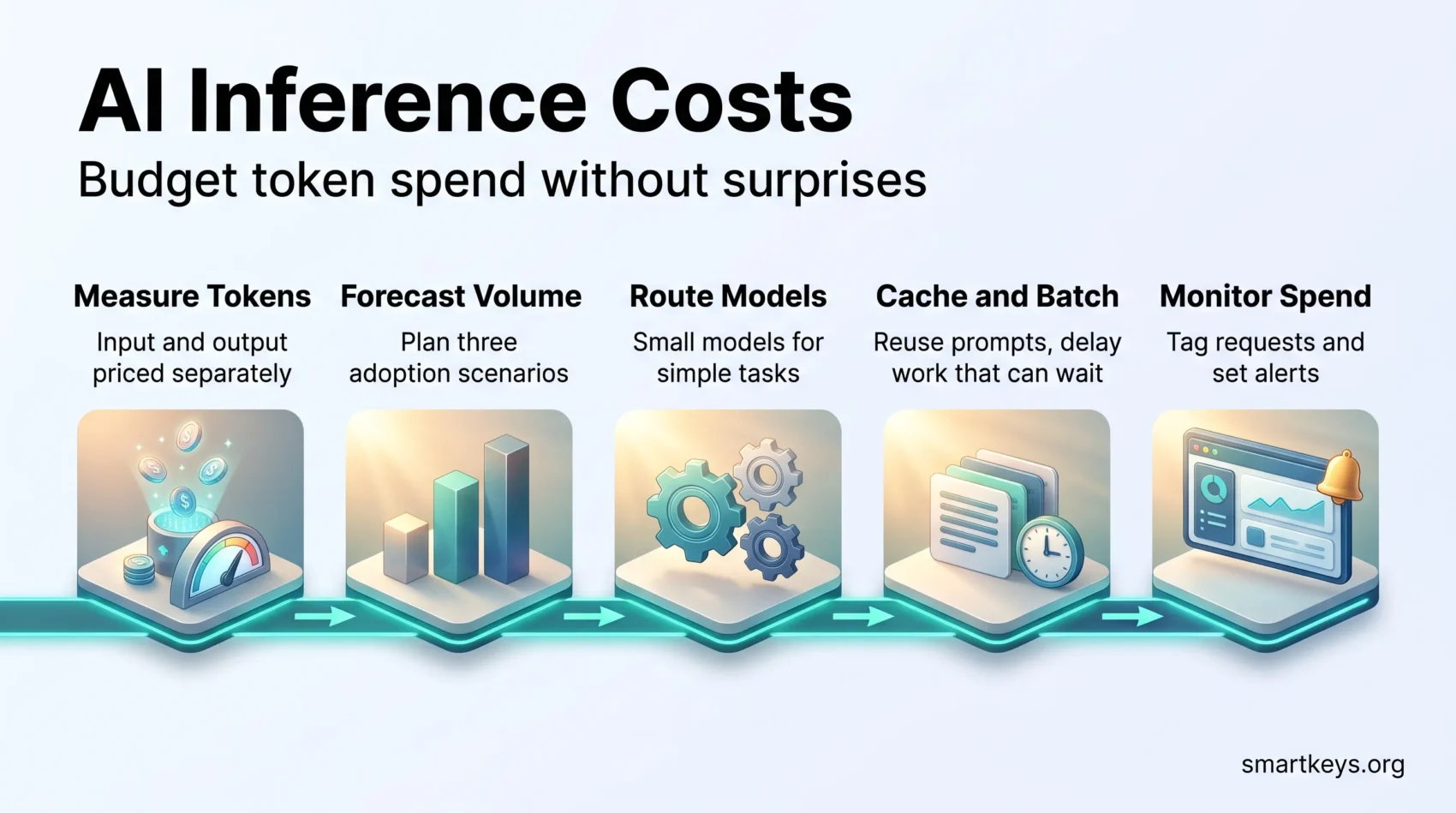
A forecast does not need to be perfect. It needs to be explicit, so you can compare it with reality. Work through these steps:
- List each AI feature separately. A chat assistant, a document summarizer and an agent have very different cost profiles.
- Measure tokens per request in a pilot. Record average input and output tokens, plus the number of model calls per user action.
- Estimate monthly volume. Multiply active users by actions per user. Separate average traffic from peaks such as launches or seasonal demand.
- Apply current prices. Use the provider’s published price list for each model, including cached and batch rates where you will use them.
- Build three scenarios. Conservative, expected and aggressive adoption. Pilots usually underestimate how much people will use a tool that works.
- Add a buffer for agents and retries. Agent tasks vary widely, and a few heavy users can account for a large share of spend.
A quick example shows why task type matters more than price per token. Using the illustrative prices above, a simple chat reply might cost about half a cent. A task where an agent calls the model a dozen times with growing context can easily cost ten to fifty times as much. At 100,000 tasks a month, that is the difference between a few hundred dollars and tens of thousands.
Finally, connect the forecast to value. A budget is easier to defend when you can show what each dollar buys. Our guide to measuring AI ROI explains how to set a baseline before you scale.
How Do You Compare API, Cloud, and Self-Hosted Inference Costs?
You have three main ways to run inference. Each shifts cost and responsibility in a different direction.
- Hosted API (for example OpenAI, Anthropic or Google): you pay per token and the provider runs everything. This suits most teams, especially with uneven or unpredictable traffic.
- Managed cloud platforms (such as Amazon Bedrock, Google Vertex AI or Microsoft Foundry, which was called Azure AI Foundry until late 2025): similar per-token billing. They add enterprise contracts, data residency options and your existing cloud account.
- Self-hosting an open-weight model (one whose files you can download and run yourself) on rented or owned GPUs: you pay for hardware time, whether it is busy or idle, plus the people who run it.
Self-hosting only pays off when GPUs stay busy. To find your break-even point, add up monthly costs for GPUs, storage, networking and staff time, then divide by the tokens you actually produce. Compare that cost per million tokens with API prices for a model of similar quality. Steady, high-volume traffic favors self-hosting. Bursty traffic usually favors an API, because the provider spreads idle capacity across many customers.
Self-hosting also brings hidden work such as updates, scaling and security. Data rules can decide the question too. Our articles on sovereign cloud and hybrid cloud strategy cover when data residency forces a particular setup, and edge AI explains when running models on local devices makes sense.
Which Optimization Strategies Lower Cost per Token?
The cheapest token is the one you never send. Most savings come from matching model and prompt to the task.

- Route tasks to the right model. Send simple jobs such as classification, extraction or short summaries to a small, cheap model. Reserve large models for tasks that clearly need them.
- Trim the prompt. Remove unused instructions, shorten chat history and retrieve only the most relevant document passages instead of whole files.
- Cap the output. Set a maximum output length and ask for concise formats. Output tokens are the expensive ones.
- Control reasoning effort. Many reasoning models let you choose a lower effort level for easy tasks, which cuts hidden reasoning tokens.
- Quantize self-hosted models. Quantization stores a model’s numbers at lower precision (for example 8-bit or 4-bit instead of 16-bit). It lowers memory needs and hardware cost, but you must test that answer quality stays acceptable.
Test every change against quality: savings that cause retries or unhappy customers are not savings. Clear, reusable prompts help too; see our guide to building a personal prompt library.
How Do Caching and Batching Reduce LLM Inference Costs?
Caching and batching are the two levers that change the price of tokens you cannot avoid sending.
Prompt caching
Prompt caching lets a provider reuse the part of a prompt it has already processed. If many requests start with the same instructions or reference material, that shared beginning (the prefix) is stored and billed at a reduced rate on later requests. Anthropic, for example, bills cache reads at a fraction of the normal input price, and OpenAI applies a discount to cached input automatically on supported models.
To benefit, put stable content first: system instructions, policies and reference documents. Put the changing user question last. Even small changes at the start of a prompt, such as a timestamp, can break the cache. Security company ProjectDiscovery reported cutting its LLM costs by 59% mainly by restructuring prompts so caching could work.
Batch processing
Not every task needs an instant answer. Nightly reports, bulk document tagging and test runs can wait a few hours. OpenAI and Anthropic both offer batch APIs that process such requests asynchronously at roughly half the standard price. Where a provider allows both, combining cached input with batch rates lowers costs even further.
If you host models yourself, continuous batching does something similar on the hardware side. The serving software groups many requests together on the GPU and adds new ones as others finish, so the chip stays busy instead of waiting.
How Do Latency, Throughput, and Quality Affect Your Budget?
Speed and quality both have a price, so decide how much of each a feature actually needs.
Balance speed against response-time targets
Two speed measures matter. Time to first token is how long a user waits before the answer starts appearing. Throughput, often measured in tokens per second, is how much text the system produces overall. A live chat needs a fast first token; a nightly summary job does not. Paying for speed nobody watches is wasted money.
Choose a quality threshold that fits each application
A tool that sorts support tickets does not need the same model as one that drafts contract clauses. Define what “good enough” means per feature, then pick the cheapest model that reliably meets it.
Measure cost per successful task rather than cost per response. If a cheap model needs three attempts or frequent human correction, its true cost includes those retries and the staff time. Our article on delegating tasks to AI helps you judge which work tolerates occasional errors.
How Does Infrastructure Affect Inference Costs at Scale?
This section matters mainly if you run models on your own or rented hardware. With a hosted API, the provider handles it.
Right-size GPUs and keep them busy
A more powerful GPU is only cheaper per token if you keep it busy. Memory size and memory speed often limit inference more than raw compute. Match the chip to the model size and expected load, and shut down or scale back capacity during quiet hours.
Scale on demand signals, not GPU use alone
GPU utilization can look high while users still wait. Better scaling signals include queue length and how many requests are being processed together. Google’s GKE Inference Gateway, for example, sends each request to the least busy model server. Google says this can lower serving costs by up to 30% and tail latency (the wait for the slowest responses) by up to 60% compared with standard load balancing. Treat vendor figures like these as upper bounds and test with your own traffic.
Count the costs around the model
Data egress fees (charges for moving data out of a cloud), storage, monitoring tools and energy all add to the total. Our analysis of AI data center energy costs and our guide to cloud cost optimization cover these line items in more depth.
How Can You Monitor Spend and Prevent Surprise Bills?
Most surprise bills come from something nobody was watching: a runaway agent loop, a prompt change that broke caching, or a feature that quietly became popular. Monitoring turns these into alerts instead of invoices.
- Tag every request. Record feature, team, customer, model and environment with each call. Finance can then link spend to business value.
- Collect usage in one place. Pull data from every provider and self-hosted model into a single dashboard so you see total spend per product, not per vendor.
- Set budgets and alerts. Use monthly budgets, daily thresholds and anomaly alerts. Most provider consoles let you set spending limits per project or API key.
- Track unit costs. Watch cost per successful task, per active customer and per feature. A rising unit cost is an early warning even when total spend looks fine.
- Review after every change. A new model version, prompt or retrieval setup can change your bill overnight without any change in customer demand.
Unapproved tools are a blind spot, since their spend never reaches your dashboards. Our guide to shadow AI at work explains how to find them. For the operational side of running models, including instrumentation, see our LLM Ops strategy playbook.
Conclusion
Treat inference as an operating expense that grows with use. Token prices keep falling, but usage can grow faster.
Start with a simple forecast: tokens per request, requests per month and current prices, in three scenarios. Then lower spend with the levers that matter most: the right model for each task, shorter prompts, output caps, prompt caching and batch processing for work that can wait.
When you compare APIs, cloud platforms and self-hosting, look beyond the hourly or per-token rate. Utilization, reliability, staff time and data rules often decide the real cost. If you sell AI-powered features yourself, our guide to usage-based pricing shows how to pass variable costs on to customers fairly. For the bigger picture, our overview of AI in SaaS covers how AI is changing software products.
Review your budget on a regular schedule. Prices, models and traffic change constantly. Regular reviews turn falling token prices into better margins instead of unexplained growth.
Found this useful?
Make SmartKeys a preferred source on Google, and our articles will surface more often in your Top Stories, AI Overviews, and AI Mode.
Add as Preferred SourceFAQ
What are AI inference costs?
AI inference costs are the charges for using a trained AI model to process requests and generate answers. Unlike training, which happens once, inference costs recur with every prompt. Most providers bill per token, with separate prices for the text you send in and the text the model writes back. The total depends on how many requests you send, how long they are, which model you use and whether discounts such as cached input or batch processing apply.
How do I calculate the cost per token for a request?
Multiply input tokens by the input price and output tokens by the output price, then add both. Prices are usually quoted per million tokens, so divide your token counts by one million first. For example, 1,500 input tokens at $2 per million and 300 output tokens at $8 per million cost about half a cent. Remember that reasoning models may add hidden reasoning tokens billed at the output rate, and that cached or batched tokens are billed at lower rates.
Why does my AI bill keep growing when token prices are falling?
Usage usually grows faster than prices fall. Once a feature works, more people use it more often. Teams also add longer instructions, chat histories and documents to each request, and AI agents can call a model many times for a single task. Reasoning models add hidden output tokens on top. The result is that cost per token drops while total tokens rise sharply. Tagging requests by feature and tracking cost per successful task shows where the growth comes from and which changes would reduce it.
When is self-hosting an AI model cheaper than using an API?
Self-hosting tends to be cheaper only when you have steady, high-volume traffic that keeps your GPUs busy most of the time. You pay for hardware whether it works or sits idle, plus the staff to run updates, scaling and security. To check, divide your full monthly hosting cost by the tokens you actually produce and compare the result with API prices for a model of similar quality. For bursty or modest traffic, a hosted API is usually cheaper and much simpler to run.
Which optimization lowers inference costs the most?
For most teams, model routing gives the biggest savings: send simple tasks to a small, cheap model and keep large models for work that truly needs them. Prompt caching comes next when many requests share the same instructions or documents, followed by batch processing for work that can wait several hours. Trimming prompts and capping output length help everywhere. The right mix depends on your workload, so measure cost per successful task before and after each change to confirm quality holds.
How does prompt caching reduce costs?
Prompt caching stores the processed beginning of a prompt so the provider does not have to process it again on the next request. Cached input is billed at a reduced rate, which can make a big difference when every request starts with the same long instructions or reference material. To benefit, place stable content at the start of the prompt and the changing user question at the end. Small changes at the start, such as a date or request ID, can prevent the cache from matching.
How can I prevent surprise AI bills?
Set spending limits and alerts before you go live, not after the first large invoice. Most provider consoles allow budgets per project or API key. Tag every request with the feature, team and customer it belongs to, and collect usage from all providers in one dashboard. Watch for sudden changes in cost per task, which often signal a runaway agent loop or a prompt change that broke caching. Review spend after every model, prompt or traffic change, since any of them can shift your bill overnight.