This review covers the Jackery Explorer line as it stands today — the v2 generation, the Plus models, and what changed now that LiFePO4 has replaced the old lithium-ion packs. Prices move constantly with promotions, so treat every figure here as a ballpark and confirm on the official store before you buy.
Need dependable portable power you can count on? This review looks at why so many U.S. buyers land on Jackery for home backup and outdoor use, and where the brand is the wrong answer.
The pitch is consistency rather than spectacle: pure sine-wave AC output, legible displays that show input and output watts, quiet operation at low load, and cases that survive being thrown in a truck bed. You will see how the Explorer line balances capacity and portability from the pocket-sized 100 Plus up to the modular 2000 Plus.
Whether you want power for a router during an outage, tools on a jobsite, or a weekend of cameras and laptops, this piece helps you pick the right unit without paying for capacity you will never use.
Key Takeaways
- The Explorer 1000 v2 is the sweet spot — 1,070Wh, 1,500W output, and a full wall recharge in about 1.6 hours for around $549.
- LiFePO4 is now the baseline. Current Explorer models are rated for roughly 4,000 cycles to 70%+ capacity, which changes the long-term value case completely.
- The 2000 Plus is the modular option — 2,042Wh, 3,000W output, expandable toward 24kWh with add-on batteries.
- Sub-20ms UPS switchover on the v2 models keeps a router, NAS, or desktop alive through an outage.
- Buy for the devices you actually need during an outage, then leave one step of headroom — not three.
Why You Keep Seeing Five-Star Jackery Reviews in the U.S.
Jackery collects high ratings because the units reliably run the gear people depend on rather than chasing headline specs. The recurring themes in owner feedback are unglamorous: the display tells you what you need to know, the fans stay quiet until you push the unit hard, and nothing surprising happens at 2 a.m. during a storm.
The appeal is practical. People use these stations for routers during outages, CPAP machines on camping trips, and lights and cameras off-grid. Pure sine-wave output means sensitive electronics behave normally, and surge headroom means motors actually start instead of tripping the inverter.
The other half of the story is grid reliability. Aging infrastructure and more frequent extreme weather have turned backup power from a hobby purchase into household planning, which is the same conversation cities are having through urban tech and smart-grid investment and companies are having through workforce contingency planning. Deciding what has to keep running comes before deciding what to buy.
- Core features over gimmicks: clean sine-wave output, honest readouts, and predictable behavior under load.
- Real-world capacity: enough surge headroom to start motors and compressors.
- Long warranty: current Explorer models ship with 3 years plus a 2-year extension when registered.
Jackery Review 2026: The Explorer Line at a Glance
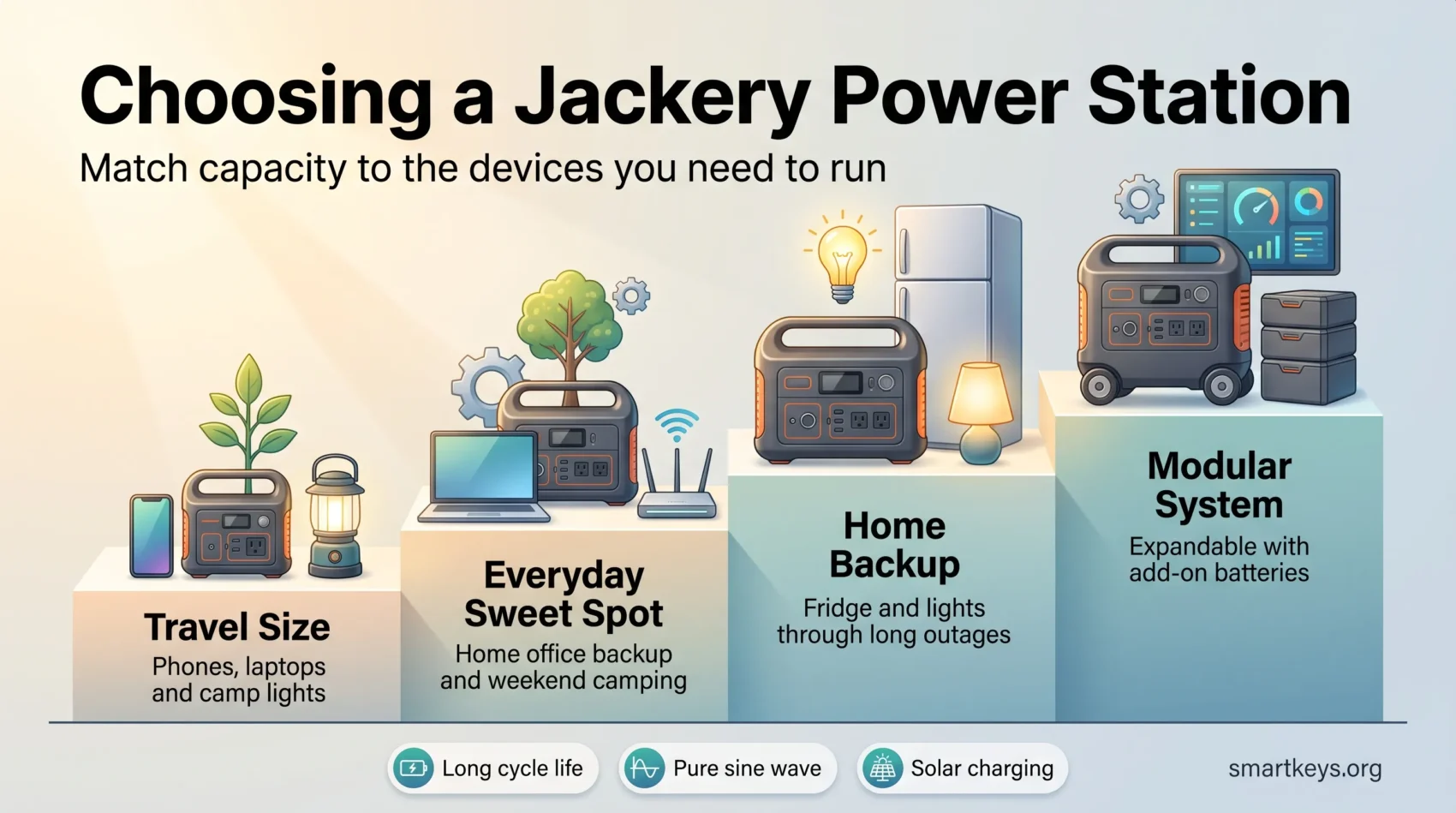
If you want a fast comparison, the current lineup covers everything from a laptop top-up to expandable home backup. The older Explorer 240 and the original Explorer 1000 that dominated earlier reviews are legacy products now; the v2 and Plus models replaced them and moved the whole range to LiFePO4 cells.
| Model | Capacity | AC output | Best for | Typical price |
|---|---|---|---|---|
| Explorer 100 Plus | 99Wh | USB only | Carry-on legal laptop top-ups | Entry |
| Explorer 300 v2 | 288Wh | 300W (600W surge) | Phones, laptops, camp lights | ~$269 |
| Explorer 600 v2 | 640Wh | 500W | Long weekends, light gear | Varies |
| Explorer 1000 v2 | 1,070Wh | 1,500W (3,000W surge) | Most buyers | ~$549 |
| Explorer 1500 v2 | 1,536Wh | 2,000W | Fridge plus lights overnight | Varies |
| Explorer 2000 v2 | 2,042Wh | 2,200W (4,400W surge) | Serious home backup | ~$899 |
| Explorer 2000 Plus | 2,042Wh (to 24kWh) | 3,000W (6,000W surge) | Modular multi-day backup | Bundle-dependent |
| Explorer 5000 Plus | 5,040Wh | 7,200W, 120V/240V | Whole-home territory | Bundle-dependent |
Explorer 300 v2 — light, simple, travel-ready
The 300 v2 is the compact entry point at 288Wh with 300W rated output and 600W surge. It weighs about 8 lbs and refills from a wall outlet in roughly 76 minutes.
Why it fits travel: the arithmetic is easy. A 288Wh pack running a 15W fan gives close to 19 hours before conversion losses; a 60W TV gets a little under four. It is a device charger with an AC outlet attached, not an appliance runner, and pricing around $269 reflects that.
Explorer 1000 v2 — the model most people should buy
This is the midrange unit that makes the rest of the lineup look expensive. You get 1,070Wh of LiFePO4 capacity, 1,500W continuous with 3,000W surge across three AC outlets, USB-C at up to 100W, and a display that shows live input and output watts.
Two numbers matter most. Wall charging takes roughly 1.6 hours, which means you can refill between rolling blackouts instead of waiting overnight. And the sub-20ms UPS switchover means a desktop, router, or NAS plugged into it never registers the outage at all. At around $549 and 23.8 lbs, it is the unit that suits the widest range of buyers.
check Explorer 1000 v2 availability & dealsExplorer 2000 v2 and 2000 Plus — scalable home backup
The 2000 v2 doubles capacity to 2,042Wh with 2,200W continuous output, recharges in about 1.75 hours, weighs roughly 39.5 lbs, and typically sells near $899. That is the tier where a fridge, a furnace fan, and lights become realistic through a long outage.
The 2000 Plus is a different proposition. Same 2,042Wh core, but 3,000W continuous with 6,000W surge, a wheeled chassis with a telescoping handle, and expansion batteries that scale the system toward 24kWh. It also accepts up to 1,400W of solar input across six 200W panels. Pair two units and you get 120V/240V output for appliances a single core cannot serve.
- Quick compare: size, weight, and ports all rise with capacity — match them to your draw and the hours you need.
- Practical note: continuous watts decide what you can run; watt-hours decide for how long.
Build, Ports, Capacity, and Output: How the Stations Handle Real Loads
Physical design matters more than spec sheets suggest once you actually move a unit to a campsite or a jobsite. The cases are plain and sturdy, and the displays stay readable in daylight.
Ports and power delivery
The Explorer 1000 v2 is representative: three 120V AC outlets sharing 1,500W of pure sine-wave output, two USB-C ports (one at 30W, one at 100W), a USB-A port, a 12V/10A car socket, and two 8mm DC inputs for solar.
The display shows charge percentage alongside live input and output watts, which is the single most useful feature on any of these units. It lets you balance device draw against incoming solar so you can tell at a glance whether the battery is gaining or losing ground.
Charging methods and time
You can refill from wall AC, a car 12V socket, or solar with MPPT tracking. Wall charging is now fast enough that it changes how you use the unit: roughly 76 minutes on the 300 v2, about 1.6 hours on the 1000 v2, and near 1.75 hours on the 2000 v2.
Solar is slower and weather-dependent. A single 100W panel realistically needs the better part of a day to fill a 1,000Wh station, which is why two-panel configurations exist.
- Practical ports: multiple AC outlets, high-wattage USB-C, USB-A, and a 12V socket you will use more than you think.
- True sine-wave output: protects sensitive gear and handles surge starts.
- Design notes: manageable weight up to the 1,500Wh tier; wheels become necessary above it.
Solar Panels and Off-Grid Charging: Refilling Without the Grid
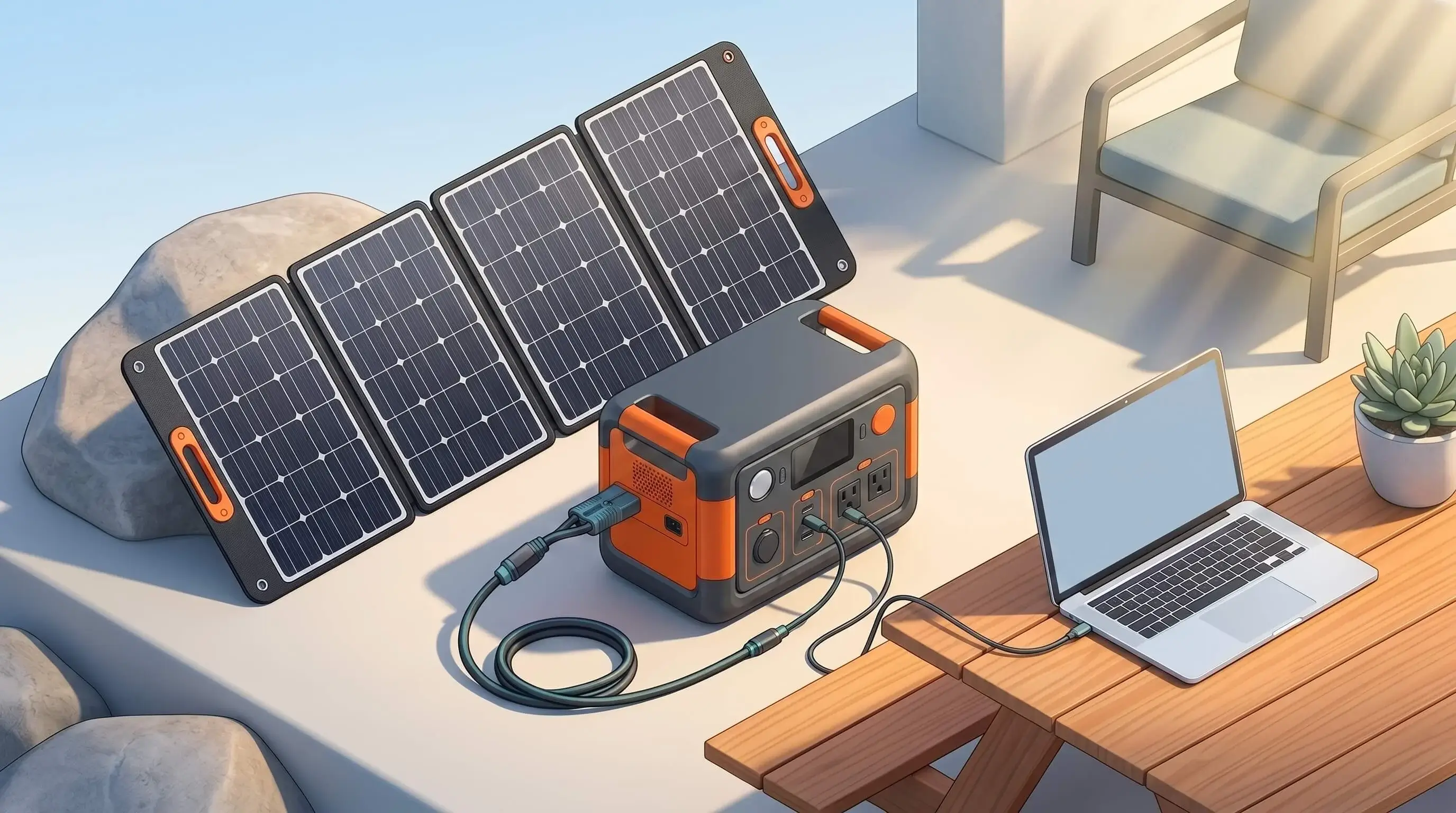
Pairing a good panel with MPPT tracking is what turns a big battery into an actual off-grid system.
The SolarSaga range has moved on from the old IP65 panels. The current lineup runs from the 40 Air up through the 100 Air, 100 Light, and 100 Prime to the 200W bifacial panel rated at 24.3% conversion efficiency and the 500 X, with IP68 water resistance across the newer models. Bifacial construction picks up reflected light from the ground, which helps on bright surfaces like snow or concrete.
SolarSaga panels in practice
Set expectations honestly. A 100W panel rarely delivers 100W. Real output depends on sun angle, temperature, haze, and how clean the glass is, and a panel flat on the ground in the afternoon will underperform badly against the same panel angled at the sun. Two panels on a station that accepts them roughly halves your charge window, which is usually the difference between finishing a charge in a day and not.
If you are weighing a battery-and-panel setup against a gas generator, the trade is quiet, emission-free operation and near-zero maintenance against slower refills. That trade-off is a small version of the same calculation running through climate tech investment and green technology adoption more broadly.
Real-world use cases
You can run a CPAP for multiple nights on a 1,000Wh-class unit, recharge tool batteries on a jobsite, keep cameras and lights going through a shoot, and top up laptops and phones across a multi-day trip. For anyone whose work has moved outside a fixed office — a pattern visible across emerging remote roles and increasingly in remote and hybrid blue-collar work — a mid-size station removes one of the last hard dependencies on a wall socket.
- Watch the display and confirm panel input exceeds your load, or the battery is quietly draining.
- Adjust angle through the day; small changes recover meaningful watts.
- Dual-panel setups let you charge the station while still powering essentials.
Price, Value, and What You Actually Get for the Cost
Before you buy, work out how price, capacity, and charge speed combine into usable power at the moment you need it. That framing keeps you from overpaying for features you will not touch.
U.S. pricing snapshot
Entry-level: the Explorer 300 v2 sits around $269 for 288Wh. Bundled with a SolarSaga 40 Air panel it has listed near $359, which is a reasonable way to add solar capability at the cheapest tier.
Midrange: the Explorer 1000 v2 lists around $549 and the 2000 v2 around $899 — roughly $0.51 and $0.44 per watt-hour respectively. The larger unit is the better value per watt-hour, as it usually is, provided you will actually use the capacity.
Modular backup: the 2000 Plus and 5000 Plus are sold mostly as bundles with panels and expansion batteries, so headline prices swing widely with promotions. Compare the total system cost per watt-hour rather than the sticker on the base unit, and check what the bundle actually includes.
- The price ladder is clear enough to match budget to real need without guesswork.
- Fast wall charging has quietly become the feature that separates generations.
- LiFePO4 cycle life means the capacity you buy is close to the capacity you still have years later.
Use this simple frame: match capacity and charge speed to the hours you need, add panels only if you will genuinely be away from a socket, and you will land on the right unit. If you want a structured way to think about when and how you use energy through the day — devices included — this guide to energy management and productivity is a useful companion.
Who Jackery Is Best For — and Where It Falls Short
Practical use, not specs alone, should decide which portable power station you buy. If you camp, live in a van, tailgate, or want light travel gear, the Explorer line works well because it gives quiet, exhaust-free power for phones, cameras, laptops, and CPAP machines.
Best-fit scenarios

The smaller models suit trips and short outages. They handle routers, lights, laptops, and small appliances without complaint, and the sub-20ms switchover on the v2 units makes them genuinely useful as a desk UPS for anyone whose income depends on staying online. That reliability matters more the more your job depends on it, which is why equipment budgets now show up in home-office policy and in the remit of roles like the chief remote officer.
The 2000 Plus scales from weekend use into deeper backup thanks to expansion batteries that reach toward 24kWh. It is also the unit worth considering if anyone in your household relies on powered medical equipment — a planning question that overlaps directly with accessible remote work setups.
Potential drawbacks
Expect fewer premium extras than rivals offer — no wireless charging pad, and app functionality that is competent rather than class-leading. Compare usable watt-hours rather than nameplate capacity across brands, since inverter losses and depth-of-discharge limits are not uniform.
There is no true 240V output from a single 2000 Plus; you need two cores for that. And like every unit with an inverter, the fans get audible under heavy draw or fast charge. That is thermal physics, not a defect, but it matters in a bedroom.
Competitive context
The point: Jackery delivers dependable output with less ecosystem complexity than its main rival. If you want one unit that works and no app-managed empire, that simplicity is the selling point.
If you want faster charging, deeper app control, and a system that scales into whole-home territory, read our EcoFlow review for 2026 first — the two brands suit different buyers. Anker SOLIX and Bluetti often undercut both on price per watt-hour, so at full list price the value gap narrows fast.
- Quiet, portable power for trips, tailgates, and jobsites.
- Keeps household essentials running through outages when sized correctly.
- Trade-offs include fewer extras and a single-core 240V limitation.
- Expansion batteries let capacity grow with your needs.
Conclusion
Practical design and honest readouts are what make a portable power station a reliable ally through outages, travel, and off-grid days.
Key point: you get clean AC output, LiFePO4 cells rated for roughly 4,000 cycles, three charging paths, and wall recharge times measured in hours rather than overnight. For most households the Explorer 1000 v2 is the right answer. Step up to the 2000 v2 if a fridge has to survive a long outage, and to the 2000 Plus only if you intend to expand.
Pairing a station with panels also shifts part of your load off the grid — the household-scale version of the push behind corporate carbon neutrality roadmaps and the capital moving through green finance.
You now have the facts to pick the right unit and charging strategy for your budget. If working through power interruptions is a recurring part of your setup, pair the hardware with steady remote work habits, a clear sense of your own productivity style, and the routines behind remote work productivity — the battery only buys you the time. Sustaining momentum through disruption is also most of what protects creativity in remote work.
find your Jackery power station nowFound this useful?
Make SmartKeys a preferred source on Google, and our articles will surface more often in your Top Stories, AI Overviews, and AI Mode.
Add as Preferred Source