The way teams work together has changed for good. Remote and hybrid models are now normal, and collaborative tools are the software that holds distributed teams together. This guide explains what these tools do, which ones suit different jobs, what they cost in 2026, and how to choose a set your team will actually use. Whether you lead a small team or manage projects across time zones, the goal is simple: clearer communication and less wasted effort.
Key Takeaways
- Collaborative tools cover messaging, video meetings, file sharing, and project tracking, often in one place.
- The biggest gains come from cutting time lost to email and to hunting for information.
- Asynchronous work, where people contribute on their own schedule, cuts meetings and helps teams across time zones.
- Free tiers from Slack, Zoom, Google, and Microsoft are enough for many small teams to start.
- Too many overlapping tools cause more confusion than they solve. Pick a small, central set.
- Security, training, and clear rules decide whether a rollout succeeds.
Why Collaborative Tools Matter for Remote and Hybrid Work
Remote work did not take over the economy, and it did not disappear. It settled. Stanford’s Survey of Working Arrangements and Attitudes (SWAA), a long-running survey of US workers, puts roughly a quarter of paid full days in 2026 as worked from home. Before the pandemic it was under 6%. Once people stopped sharing an office every day, the tools that connect them stopped being a nice extra and became the workplace itself. You can see the wider shift in our overview of the future of work.
Collaborative tools are software that helps people communicate, share files, and manage work together. Messaging apps such as Slack and Microsoft Teams replace long email chains. Video tools such as Zoom handle meetings. Cloud storage such as Google Drive and Dropbox keeps one shared copy of every file, so nobody works from an outdated version. Used well, these tools attack the two biggest time drains in office work: chasing email and searching for information.
Tools are not the whole answer, though. A strong culture across a distributed team takes deliberate effort. We cover that in our guide to company culture in remote teams.
What Collaborative Tools Actually Do
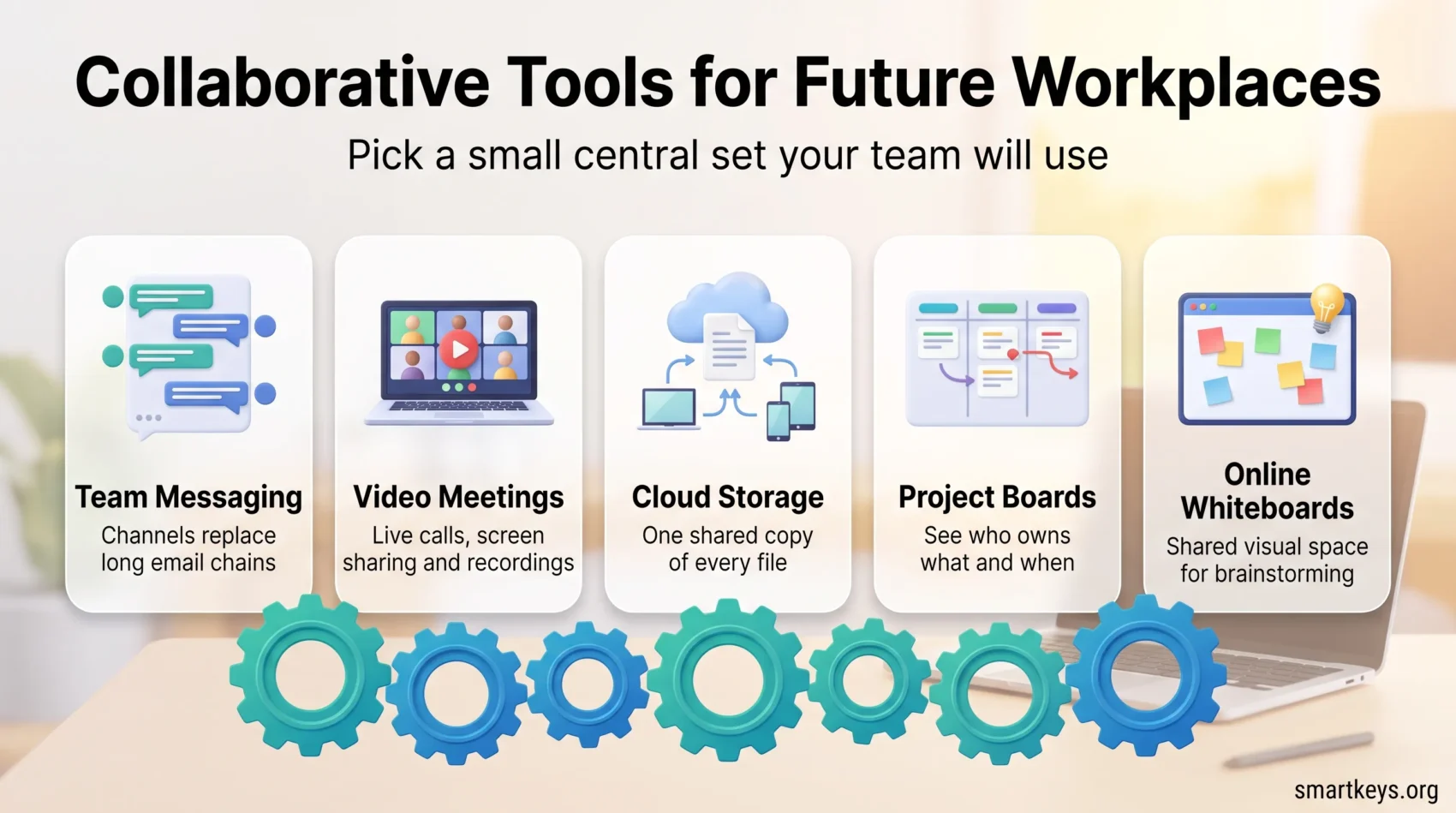
Different jobs need different tools. Most fall into a handful of categories, and a typical team uses two or three of them together.
- Messaging and chat: real-time conversation in organized channels, so discussion stays out of email. Slack and Microsoft Teams lead here.
- Video conferencing: live meetings, screen sharing, and recordings for people who cannot attend. Zoom, Teams, and Google Meet are the common choices.
- Cloud storage and file sync: a single shared location for documents, with every edit saved for everyone. Google Drive, Dropbox, and OneDrive do this.
- Project and task management: boards and lists that show who owns what and when it is due. Trello, Asana, and ClickUp are popular.
- Online whiteboards: a shared visual space for brainstorming and planning, useful when you cannot gather around a real whiteboard.
If you are weighing two options in the same category, we compare the main pairs directly: Slack and Microsoft Teams, Zoom versus Microsoft Teams, Asana and Trello, Trello and Jira, and whiteboards such as Miro and Lucidspark.
Real-Time vs. Asynchronous Collaboration
These categories support two different ways of working. Real-time (synchronous) collaboration happens live: a video call, a quick chat exchange, two people editing a document at the same moment. Asynchronous collaboration means people contribute on their own schedule, and the work moves forward without everyone being online at once.
Example: a designer in Berlin posts a draft before logging off. A product manager in New York comments over lunch, and a developer in Singapore builds the approved version next morning. No meeting, yet the project moved three steps.
Working this way has clear benefits:
- Time zones stop being a blocker. Work keeps moving while part of the team sleeps.
- Fewer meetings. Status updates live in a board or a written post instead of a recurring call.
- Better thought-out input. People can read, think, and reply properly instead of reacting on the spot.
- More voices heard. Quieter colleagues can contribute without competing for airtime.
Project boards, shared documents, online whiteboards, and short recorded video updates are the main async tools. Live conversation still wins for sensitive feedback, conflict, or a fast brainstorm, so most teams mix both. Our guide to asynchronous work shows how to set the norms that make this reliable.
The Productivity Case
Adoption jumped when offices emptied: a 2021 Gartner survey found workers’ use of collaboration tools had risen 44% since 2019. The open question now is how to use them well.
The clearest benefit is time saved. McKinsey Global Institute research estimated that collaboration technologies can raise knowledge workers’ productivity by 20 to 25% when used well. Most of the gain comes from replacing email and making information easier to find. Cut that load, and hours open up for real work.
The gains are not automatic. A tool only helps if people adopt it and use it the same way. That is why onboarding matters as much as the software itself. Our guide to remote onboarding and training covers how to get a new tool to stick.
Popular Collaboration Tools in 2026
Slack: messaging and integrations
Slack organizes conversation into channels and threads and connects to more than 2,600 other apps, so updates from your other software land in one place. Paid plans start at about $7.25 per user per month billed annually, and a free tier keeps a limited message history. Slack suits teams that live in chat and want to plug in the rest of their stack.
Zoom: video meetings
Zoom is built around reliable video. The free plan allows 40-minute group meetings with up to 100 participants, which is enough for many small teams. Paid plans remove the time limit and add larger meetings, cloud recording, and admin controls.
Microsoft Teams and Google Workspace: all-in-one suites
Microsoft Teams bundles chat, video, and file sharing and ties into Microsoft 365, so documents, calendars, and meetings sit together. Google Workspace does the same around Gmail, Drive, and Meet. If most of your files already live in one of these ecosystems, its built-in collaboration tools are usually the path of least resistance.
Design and creative work
Creative teams collaborate inside their design tools rather than around them, editing the same file in real time. For that, see our comparison of design collaboration tools like Figma and Sketch.
How to Choose the Right Tools
Start with the work, not the feature list. Write down the two or three problems you actually have, such as scattered files or meetings that overrun, then look for tools that fix those.
Scalability and integration
Pick tools that grow with you. A platform should add users and features without forcing a migration later. It should also connect to the software you already run, so data moves automatically instead of by copy and paste.
Ease of use
The best tool is the one your team will open every day. Favor a clear interface and good support over a long feature list. A powerful app that people avoid is worse than a simple one they actually use.
Security and admin controls
Check what the tool does to protect your data before you commit. Look for encryption, multi-factor authentication (a second login step, such as a code on your phone), and admin controls that let you remove access when someone leaves.
Cost and overlap
More tools are not better. Overlapping apps split conversations and files across places nobody checks. Choose a small central set and retire anything it replaces.
Common Challenges and How to Handle Them
Collaboration tools solve problems and create a few new ones. Four come up most often.
First, security. Sharing files and chat across home networks and personal devices widens the ways data can leak. Basic protection means strong access controls, company-managed accounts, and clear rules about what goes where. Our guide to cybersecurity in remote work covers the practical steps, and employee data privacy rules explains what the 2026 regulations expect.
Second, weak adoption. When people are not trained, they misuse tools, duplicate work, and pay for features they never touch. Short demos, written norms, and a named owner for each tool fix most of this. Many teams write these norms into a one-page team charter: which tool is for what, where decisions live, and expected reply times.
Third, communication overload. Constant notifications can replace one kind of stress with another. Setting quiet hours and trying formats such as silent meetings, where people read and comment in writing instead of talking over each other, keeps the volume down.
Fourth, the hybrid gap. When part of the team sits in the office, remote colleagues easily miss hallway decisions and side conversations. The fix is to treat the shared channel as the official record, where every decision is written down. In mixed meetings, everyone joins from their own laptop. Our guide to hybrid meeting etiquette covers the details.
Where Collaboration Tools Are Heading
Two shifts are worth watching. AI features are moving into every major tool, summarizing threads, drafting replies, and pulling action items out of meetings. In project tools, Asana can draft status updates from task activity, and ClickUp’s assistant, ClickUp Brain, answers questions about the work stored in your workspace. Used carefully, these features remove busywork, but someone should still check an AI summary before it is shared; see AI in remote collaboration and AI-powered assistants for what works today and what to treat with caution.
Immersive spaces are the second shift. Microsoft Teams and Meta both offer mixed-reality meeting environments, and as Generation Z enters the workforce, demand for more connected virtual settings is likely to grow. For now these suit specific cases rather than daily standups. Our look at virtual offices and hybrid workspaces and wellbeing weighs where they help.
Conclusion
Collaborative tools have become the backbone of remote and hybrid work. The point is not to own the most apps. It is to pick a small set that cuts email, keeps files in one place, and lets work move without a meeting. Start with the problems your team actually has, use the free tiers to test, and add tools only when they clearly earn their place. Do that, and the software fades into the background while the work moves faster.
Found this useful?
Make SmartKeys a preferred source on Google, and our articles will surface more often in your Top Stories, AI Overviews, and AI Mode.
Add as Preferred SourceFAQ
What are collaborative tools?
Collaborative tools are software that help a team communicate, share files, and manage work in one shared space. They include messaging apps like Slack, video tools like Zoom, cloud storage like Google Drive, and project boards like Trello or Asana. Their job is to keep everyone working from the same information, no matter where they sit. They matter most in remote and hybrid teams, where people can no longer rely on being in the same room to stay coordinated.
How do collaboration tools improve communication in remote teams?
They replace slow, scattered email with real-time messaging, video calls, and shared documents that everyone can see and edit. A question that once took a day of email can be answered in a channel in minutes, and a single shared file removes the confusion of ten versions attached to different threads. This keeps team members connected wherever they are. Some teams go further and record short updates instead of meeting live; our guide to internal podcasting shows how that works.
How does asynchronous collaboration improve productivity?
Asynchronous collaboration improves productivity by letting people contribute on their own schedule instead of waiting for a meeting. Updates, reviews, and approvals happen in shared boards, documents, or recorded videos, so fewer hours go into live calls. That protects longer stretches of focused work and keeps projects moving across time zones, because one person picks up where another left off. People also have time to think before they reply. Live conversation still suits sensitive topics or quick decisions, so most teams combine both modes.
Which teams benefit most from project management tools?
Any team juggling many tasks, deadlines, and people gains the most. Marketing, engineering, product, and technology teams use tools like Trello, Asana, and Jira to see who owns each task and what is due next. The value is visibility: instead of status-update meetings, the board shows progress at a glance. Smaller teams can start with a simple board and add structure only as projects grow more complex.
What are the most popular collaboration tools in 2026?
For messaging, Slack and Microsoft Teams lead. Zoom, Teams, and Google Meet dominate video, while Google Drive, Dropbox, and OneDrive handle files and Trello, Asana, and ClickUp run projects. Many teams standardize on one suite, either Microsoft 365 or Google Workspace, and add a specialist tool or two on top. The right mix depends on where your files already live and how your team prefers to communicate.
How much do collaboration tools cost?
Most offer a free tier that is enough to start, then charge per user each month. Slack’s paid plans begin at about $7.25 per user per month billed annually, and Zoom, Teams, and Google Workspace sit in a similar range for their entry plans. Costs add up quickly across a whole company, so the real question is not the sticker price of one tool but how many overlapping tools you are paying for. Retiring duplicates often saves more than shopping for a cheaper plan.
How do I choose the right collaboration platform for my team?
Start with the specific problems you have, such as lost files or overrunning meetings, and match tools to those. Then check three things: whether the tool scales as you grow, whether it connects to the software you already use, and whether your team finds it easy enough to open every day. Test the free tier first with a small group before rolling anything out company-wide. A tool people actually use beats a more powerful one they quietly ignore.
What are the main risks of using collaboration tools?
The three biggest are security gaps, weak adoption, and notification overload. Sharing data across home networks and personal devices raises the risk of leaks, so access controls and managed accounts matter. Without training, people misuse tools and pay for features they never touch. And a stream of constant pings can harm focus as much as it helps. Clear rules, short training, and quiet hours address most of these before they become real problems.