A waiting-for list is one place where you write down every task that now sits in someone else’s hands: an approval, a supplier quote, a signed contract, a reply you need before your own work can move. Not yours to do, but still yours to chase.
Most people keep these items in their head or buried in a sent-mail folder. That works until the day it does not. David Allen, who popularized the term in Getting Things Done, put it plainly: your mind is for having ideas, not for holding them.
Memory research points the same way. George Miller’s 1956 paper described a limit of about seven items, plus or minus two; Nelson Cowan’s 2001 reconsideration put the working figure closer to four. Either way, it is not enough for ten open requests.
Key Takeaways
- Track what other people owe you, separately from your own to-do list.
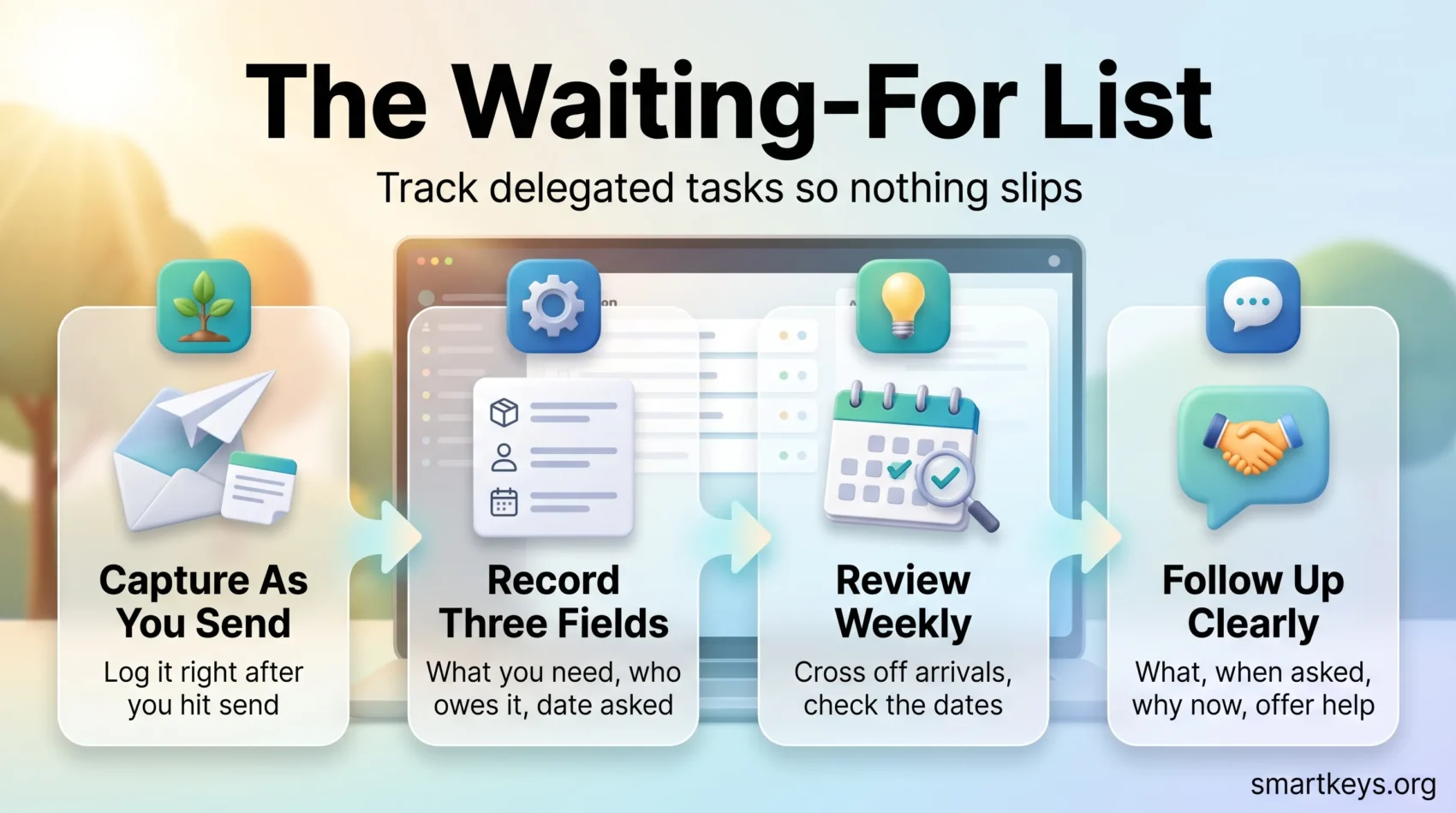
- Every entry needs three fields: what, who, and the date you asked.
- A weekly pass turns the list from a graveyard into a working system.
What a Waiting-For List Is, and What It Is Not
Your to-do list holds work you can start yourself. Your waiting-for list holds work you cannot start, because the next move belongs to somebody else. Mixed together, the items you cannot act on make the list feel heavier than it is.
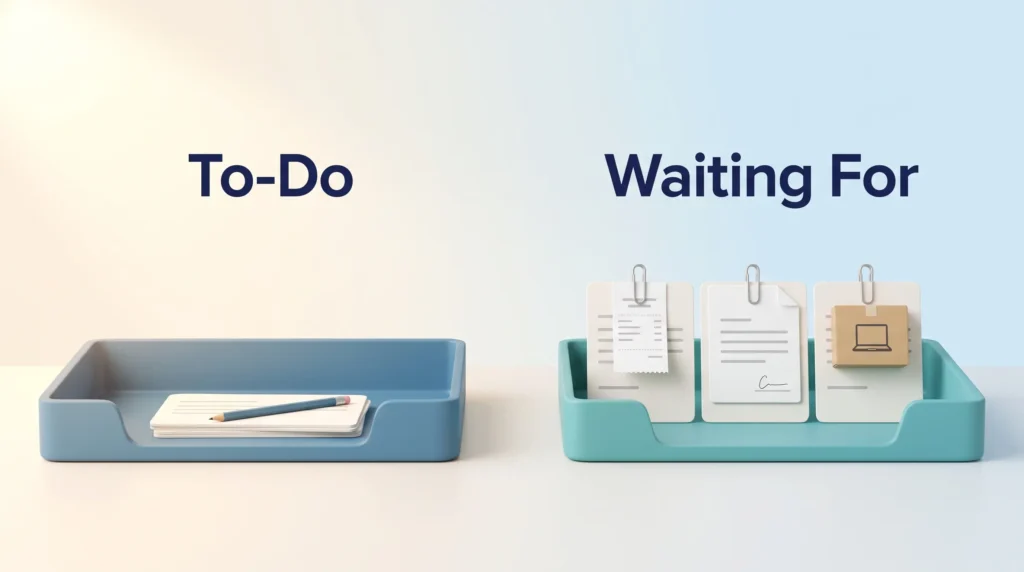
This is the delegate branch of the four Ds of time management. The four Ds tell you what to hand off; the list stops it from vanishing.
Typical entries:
- An expense claim sent to finance three weeks ago.
- A client’s signature on a proposal you need before you can schedule the work.
- IT setting up a laptop and accounts for someone starting on Monday.
Setting one up takes under a minute: a note in your phone, a section in your task manager, a line in a notebook. There is nothing to buy, which matters, because organizing instead of doing is its own problem.
The Three Fields Every Entry Needs
An entry that reads “chase invoice” is useless three weeks later. Which invoice? Who did you ask? When?
What, Who, and When
- What: the outcome you need, in plain words. “Signed statement of work for the March project,” not “SOW stuff.”
- Who: one person, not a team or a shared inbox. If you asked a department, name the individual you spoke to.
- When: the date you sent the request. People skip this field, and it is the one that tells you whether four days of silence is normal or overdue.
A finished line reads: “Signed SOW, March project, Priya in legal, asked 12 Aug.” Still readable in a month.
A Worked Example: The Approval Nobody Submitted
A pattern most people recognize: you submit an expense claim. The person handling it fills everything in, then gets pulled away and never clicks Submit. Nothing is refused. The claim just sits in a draft nobody can see.
Without a list you notice three months later, if at all. With one, the entry is still open at your next review, you ask what is missing, and the click happens that afternoon.
Sending the email is not the finish line. The outcome is the signature, the payment, the answer. Until it arrives, the item stays open.
Fitting the List Into Your Working Day
Capture as you send. Write the entry right after you hit send, while the details are on screen. Same principle as a brain dump: out of your head, into a place you trust.

Clarify once a day. Spend two minutes turning rough captures into proper entries. Some belong here, some are your own next action, some can be deleted. The same sorting step keeps a second brain usable.
Review once a week. Cross off what arrived, then read the dates. Anything sitting longer than expected gets a follow-up with a specific next step. This pass is the whole system.
Give the review a calendar slot rather than hoping for a gap, the way the daily highlight approach protects one important task. If your days are cut into meeting-shaped pieces, the maker versus manager schedule helps you find that slot.
In distributed teams, requests made in chat are the ones that get lost. Teams working in an asynchronous way write them down with a named owner and a date. Tighter instant messaging boundaries help for the same reason.
Choosing a Tool You Will Actually Open
Digital Apps Versus Paper
The tool matters less than the habit, but friction kills habits. Digital wins on access: a synced list is on your phone in a corridor, which is often where you remember you are still waiting for something. It also searches.
Paper wins on simplicity. Nothing to log into, and for some people writing by hand makes the item stick. A page at the back of a notebook is a legitimate system, and a bullet journal setup gives it a format.
A plain text file in an app like Obsidian sits between the two: searchable, synced, still readable in ten years. Our guide to digital note-taking covers the trade-offs.
Capturing Without Breaking Your Flow
The best capture method is the one you can use in five seconds. Dictating “waiting on Priya for the signed SOW, asked today” into a phone beats opening an app. Quick-note tools such as Google Keep or Apple Notes exist for this, and the daily clarify step sorts it out.
If you send the same requests often, a text expansion snippet can write the request and the entry together. If your setup is scattered across five apps, a digital declutter beats adding a sixth.
Following Up Without Becoming a Nuisance
Most people avoid following up because they do not want to seem pushy, and reasonable requests die quietly. A good follow-up is not pressure. It removes work for the other person.
What a Good Reminder Contains
Four elements: what you need, when you asked, why it matters now, and an offer of help. “Hi Priya, checking in on the signed SOW I sent on 12 August. We are holding the kickoff until it lands. Anything you need from me?”
How Long to Wait
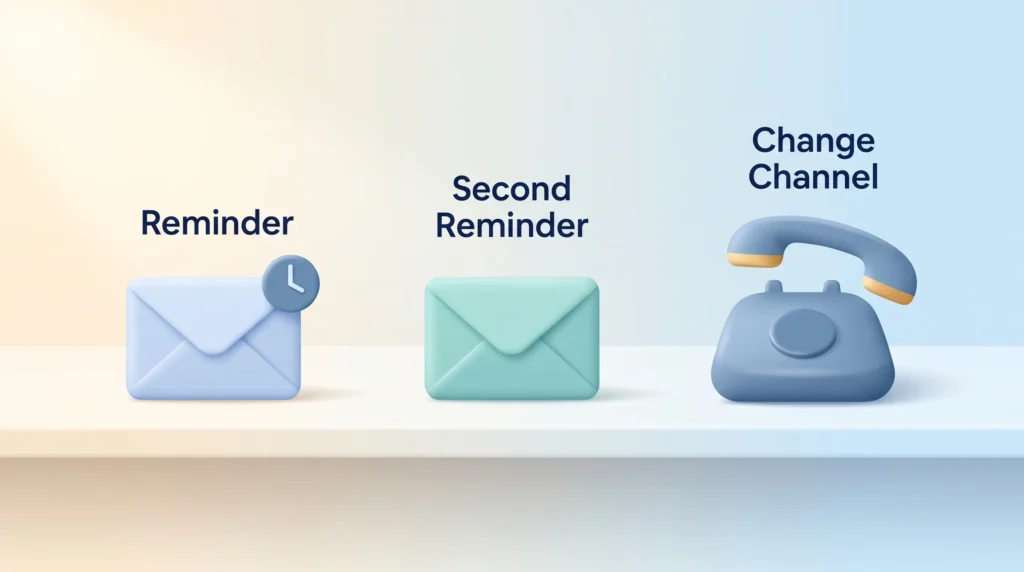
There is no universal interval, so set your own and keep to it. A workable default: one reminder after a few working days, a second about a week later, then a change of approach. A yes or no question deserves a faster nudge than a contract in legal review.
When to Change Channel
If two emails have gone nowhere, a third rarely helps. Switch to a call, or a question in a meeting you both attend. Whatever gets agreed, write it into your meeting notes with an owner and a date. An AI meeting notes workflow captures those action items for you.
When the List Keeps Growing
A list that never shrinks is telling you something. Either you are asking the wrong people, your requests are unclear, or you are handing off more than the other side can absorb. If a category of work stalls month after month, move it to someone whose job it is rather than chasing it. Carrying dozens of unresolved obligations is also a low-level stress that shows up early in burnout.
Conclusion
A waiting-for list moves delegated commitments out of your memory and into a place you check on purpose, so your attention goes to work you can actually do.
Start small. Open a note, write the three fields for everything someone owes you, and add to it each time you send a request. Review it weekly. That is the whole system.
Success is not a tidy list. It is that nothing important gets lost. A few personal productivity metrics tell you whether it works: how many items are open, how long the average one has waited, how many you chased twice. If the format does not suit you, read about productivity styles first.
Found this useful?
Make SmartKeys a preferred source on Google, and our articles will surface more often in your Top Stories, AI Overviews, and AI Mode.
Add as Preferred SourceFAQ
What is a waiting-for list?
A waiting-for list is a single record of every task where the next action belongs to someone else: approvals you requested, documents you expect, replies you need before you can continue. The term comes from David Allen’s Getting Things Done method. Keeping these items off your normal to-do list lets you see at a glance what is outstanding, who owes it, and how long it has been sitting there.
How is a waiting-for list different from a to-do list?
A to-do list holds work you can start yourself. A waiting-for list holds work you cannot start, because someone else has to act first. Keeping them apart matters: items you are unable to move make a to-do list feel longer than it really is, and once a list feels unrealistic people stop opening it. The split also changes what each entry needs. To-do items need time booked. Waiting-for items need a follow-up date.
What information should each entry contain?
Three fields are enough: what you are waiting for, who owes it, and the date you asked. Describe the outcome rather than the request, so “signed statement of work for the March project” instead of “emailed legal.” Name one person, not a team, because a request owned by everyone is owned by nobody. The date is the field people skip, and it tells you whether silence is normal or overdue.
How often should I review my waiting-for list?
Once a week works for most people, with a quick daily glance to file anything new. In the weekly pass, cross off whatever arrived, then read the dates and pick out anything waiting longer than expected. Each stale item gets one specific next step, such as a reminder email or a call, rather than a vague intention to chase it. Without that review you have a list of forgotten requests, not a system.
How long should I wait before following up?
There is no standard interval, so pick one and apply it consistently. A workable default is a first reminder after a few working days and a second about a week later, then a change of approach if nothing comes back. Match the gap to the size of the ask: a yes or no question deserves a quicker nudge than a contract in legal review. Holidays and time zones shift the timing too.
What tools work best for a waiting-for list?
Whichever one you will actually open. A note in your phone, a list in your task manager, a plain text file or a page in a paper notebook all do the job. Digital options win on search and on being with you when you remember something away from your desk. Paper wins on simplicity. The features worth having are quick capture, a visible date on each entry, and a reminder for the follow-up.