

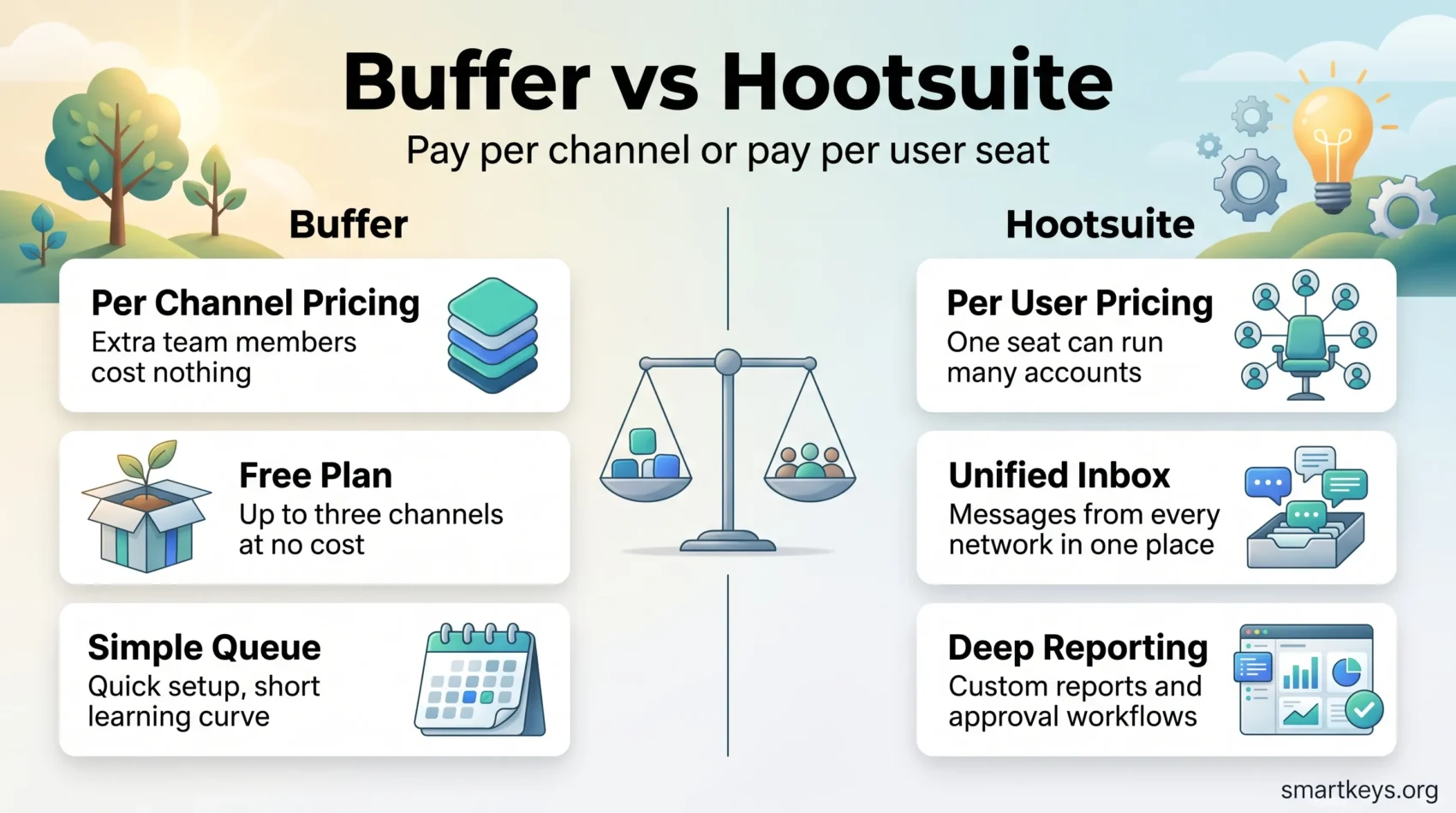
Buffer and Hootsuite are still the two names that come up first when a team goes shopping for a social media scheduler, but in 2026 they are no longer competing for the same customer. Buffer has moved further towards creators and small teams and charges per channel. Hootsuite has moved further towards marketing departments and agencies and charges per user. That single billing difference decides most of these comparisons before you ever open the dashboards.
This comparison covers what each tool does, what the current plans actually cost, where the two genuinely differ, and which one fits the way your team works.
Key Takeaways
- Buffer bills per connected channel; Hootsuite bills per user seat. Your channel count and headcount decide which model is cheaper.
- Buffer paid plans start at $5 per channel per month (Essentials) and $10 per channel per month (Team, unlimited users).
- Hootsuite starts at $99 per user per month (Standard, 10 accounts) and rises to $199 (Professional) and $399 (Advanced), billed annually.
- Buffer has a genuinely usable free plan for three channels. Hootsuite has no free tier, only a 14-day trial.
- Hootsuite wins on analytics depth, social listening, unified inbox and approval workflows. Buffer wins on speed, simplicity and cost per channel.
Introduction to Social Media Management Tools
A social media management tool does three jobs: it queues content so posting does not depend on someone being at a desk, it pulls performance data into one place, and it keeps several accounts manageable by one person or one team. Everything else on a feature list is a variation on those three.
Which of the three matters most is what separates Buffer from Hootsuite. Buffer is built around the first job and treats the other two as supporting features. Hootsuite treats all three as equally important and prices accordingly. Neither approach is wrong, but paying Hootsuite money for a Buffer-shaped problem is a common and expensive mistake.
It helps to be clear about what you are trying to achieve before comparing dashboards. If your goal is a consistent publishing rhythm, a scheduler is the whole solution. If the goal is measurable business impact, the tool is one part of a wider plan – our overview of how social media drives business growth and the broader picture of how digital marketing strategies are evolving are useful context before you commit to a subscription.
Understanding Buffer and Hootsuite
Buffer is a publishing tool first. You connect channels, build a queue, and posts go out on the schedule you set. The interface is deliberately sparse, onboarding takes minutes rather than days, and the analytics answer the question “did this post work?” rather than “how does our share of voice compare to three competitors?”
Hootsuite is a marketing platform that includes publishing. Alongside the calendar you get social listening, a unified inbox that pulls messages and comments from every connected network, custom reporting, and permission structures designed for teams where not everyone should be able to publish. It supports Instagram, Facebook, TikTok, YouTube, X, LinkedIn, Threads, Pinterest, Bluesky and WhatsApp messaging in the inbox.
The practical consequence: a solo creator on Hootsuite pays for a lot of machinery they will never switch on, and a ten-person marketing team on Buffer eventually hits a wall on reporting and approvals. Choosing well is mostly a matter of being honest about which of those two you are.
Key Features of Buffer
Buffer’s feature set is narrow on purpose. It does publishing well and adds only what supports publishing.
Simple Scheduling Functionality
The core of Buffer is the queue. You define posting slots per channel once, then drop content into the queue and Buffer fills those slots in order. There is also direct scheduling for specific times, a calendar view, and an ideas board that holds drafts before they become scheduled posts. The free plan allows 10 scheduled posts per channel at a time; paid plans remove that cap entirely.
Buffer’s AI Assistant, available on every plan including the free one, drafts and repurposes post copy from an idea or an existing post. Useful features around the edges include first-comment scheduling, a hashtag manager, and channel groups for publishing the same content to several accounts at once.
User-Friendly Interface
The interface is the strongest argument for Buffer. There is one navigation bar, a calendar, and a composer, and almost nothing else competing for attention. A new user can connect a channel and schedule their first post without reading documentation, which matters when the person managing social media also has another job. If you are assembling a lightweight stack, Buffer sits comfortably alongside Canva for producing the visuals and shows up regularly in roundups of the productivity apps worth keeping.
Key Features of Hootsuite
Hootsuite covers publishing, monitoring, engagement and reporting in one place. That breadth is what you are paying for.
Robust Analytics and Reporting
Hootsuite tracks engagement, impressions, reach and response times across every connected network and puts them in one report rather than five platform dashboards. Higher plans add custom report building, industry benchmarking, and trend forecasting that projects performance over a 90-day window. For teams that have to defend a budget line, the ability to export a branded report on a schedule is often the feature that justifies the price.
Advanced Team Management Capabilities
Team management is handled through Hootsuite’s permission and approval system. You assign access levels per user, route drafts to a reviewer before publication, and keep an audit trail of who approved what. In regulated industries, or anywhere a wrong post is a real problem, this is not a nice-to-have. Approval workflows and message routing sit on the Advanced plan; lower tiers offer permissions but not the full routing logic.
Integrated Inbox for Engagement
The unified inbox consolidates comments, mentions and direct messages from every connected network – including WhatsApp – into one queue that a team can work through together. Messages can be assigned, tagged and resolved, so replies do not depend on whoever happens to open Instagram that morning. Professional and above add automated replies for common questions, which puts the inbox in the same territory as the tooling covered in our look at current customer service trends.
Buffer vs Hootsuite: A Feature Comparison
Feature lists look similar until you check where each feature sits in the plan structure and how deep it goes.
Scheduling and Posting Functionality
Both tools schedule reliably, and for a normal weekly posting rhythm you will not notice a difference. The gap opens at volume. Hootsuite’s Bulk Composer accepts a CSV and schedules up to 350 posts in one upload across X, Instagram, Facebook Pages and Groups, and LinkedIn Pages and Profiles, with anything already scheduled counting towards that ceiling. Buffer has no equivalent bulk import; you add posts individually or through its API. For a campaign calendar planned a quarter ahead, that difference is hours of work.
Analytics and Reporting Tools
Buffer’s analytics tell you which posts performed, when your audience is active, and how a channel is trending, with a 30-day history on the free plan and full history on paid plans. Hootsuite goes further: cross-network reporting, competitor and industry benchmarking, custom report templates and scheduled exports. If your reporting currently ends with a screenshot pasted into a slide, Buffer is enough. If it feeds a wider measurement framework – the kind described in our piece on AI in marketing strategies – Hootsuite earns its keep.
Team Collaboration Features
Buffer’s Team plan includes unlimited team members, content approval workflows, custom access permissions and branded reports, which is more collaboration than Buffer is usually credited with. What it does not include is granular routing, audit trails or org-level role structures. Hootsuite is built for that: multiple approval layers, message assignment, and permissions that scale to an agency managing client accounts separately. Buffer’s model has one clear advantage for growing teams – adding people costs nothing, because you pay for channels rather than seats.
Supported Networks
Buffer publishes to Facebook Pages and Groups, Instagram, X, LinkedIn Pages and Profiles, Pinterest, TikTok, Google Business Profiles, Mastodon, YouTube Shorts, Threads, Bluesky and its own Start Pages. Hootsuite publishes to Instagram, Facebook, TikTok, YouTube, X, LinkedIn, Threads, Pinterest and Bluesky, and handles WhatsApp in the inbox. The old assumption that Hootsuite supports more networks no longer holds – Buffer covers Mastodon and Google Business Profiles, Hootsuite covers full YouTube and WhatsApp. Check your specific list rather than the headline count.
Pricing Structures for Buffer and Hootsuite
This is where the two tools stop being comparable on features alone. Buffer charges per channel; Hootsuite charges per user. The same team can find one obviously cheap and the other obviously expensive depending on which way their numbers run.
Buffer’s Affordability and Plans
Buffer’s published plans are:
- Free: $0 for up to 3 channels, one user, 10 scheduled posts per channel, AI Assistant and 30 days of analytics history
- Essentials: $5 per channel per month (or $60 per channel per year), one user, unlimited scheduling, advanced analytics, hashtag manager, first-comment scheduling
- Team: $10 per channel per month (or $120 per channel per year), unlimited team members, approval workflows, custom permissions, branded reports
Channels beyond the first ten are discounted, and paid plans come with a 14-day trial. The free tier is a real product rather than a demo, which is unusual – most schedulers use free plans as a trial funnel, and Buffer’s approach is closer to the classic freemium model done properly.
Hootsuite’s Cost and Value Proposition
Hootsuite’s published plans, all billed annually, are:
- Standard: $99 per user per month, 10 social accounts, unlimited scheduling, AI post and image generation, unified inbox, brand monitoring
- Professional: $199 per user per month, unlimited social accounts, automated inbox replies, 90-day trend forecasting, custom reports
- Advanced: $399 per user per month, plus approval workflows, message routing and team coordination features
- Enterprise: custom pricing, adding advanced listening, SSO and compliance controls
There is no free plan. Every tier offers a 14-day trial with no credit card required.
What This Costs in Practice
Run your own numbers before deciding, because the models diverge fast. A solo marketer running five channels pays $25 a month on Buffer Essentials against $99 a month for one Hootsuite Standard seat. A four-person team managing eight channels pays $80 a month on Buffer Team, where extra people are free, against roughly $396 a month for four Hootsuite Standard seats.
The arithmetic flips when channels outnumber people. An agency with one operator and forty client accounts pays a single Hootsuite Professional seat for unlimited accounts, while the same forty channels on Buffer are billed individually even with volume discounts. Count both numbers, then compare – and treat implementation time as part of the cost, a point worth keeping in mind alongside the wider problem of too many overlapping tools.
What Users Consistently Say
Public review sites are noisy, and headline star ratings tell you very little. The patterns in the written feedback are more useful than the scores.
Buffer’s praise is consistently about time-to-value: people set it up quickly, understand it without training, and keep using it. The recurring complaint is that analytics and team features feel thin once an organisation grows, and that per-channel billing becomes uncomfortable at high channel counts.
Hootsuite’s praise is about coverage: one dashboard replaces several, the inbox stops messages falling through, and the reporting is presentable to management without rework. The recurring complaint is the opposite of Buffer’s – the interface takes time to learn, and small teams feel they pay for capability they never use.
Both patterns are consistent with what the products are designed to do, which is a reasonable sign that the reviews reflect real use rather than marketing.

Who Each Tool Is Built For
Buffer: Creators, Solo Marketers and Small Teams
Buffer suits you if publishing consistency is the problem you are solving. Creators, founders posting for their own company, and small marketing teams with a handful of channels get almost everything Buffer offers on day one, and the free plan is enough to test the workflow honestly before paying. Because the Team plan includes unlimited users, a growing team can add people without the bill moving – the cost only rises when you add channels.
It is also the more sensible starting point when social is one job among several. Publishing lives next to design, email and reporting in most small operations, and a tool that takes ten minutes to learn is worth more than one with a feature you will configure once and forget.
Hootsuite: Marketing Teams and Agencies
Hootsuite makes sense when more than one person touches the account, when someone has to approve posts before they go out, and when reporting is a recurring obligation rather than an occasional curiosity. Agencies benefit most from the per-user model: one operator can run a large number of client accounts on a single Professional seat.
It is also the better fit when engagement volume is high enough that a shared inbox is genuinely necessary, or when social listening feeds work like B2B influencer programmes, employee advocacy or brand storytelling that needs to be measured rather than assumed.
Strengths and Limitations
When evaluating social media management tools, it helps to separate what each platform does well from what it simply is not built to do.
Buffer
- Strengths: low cost per channel, a free tier that is actually usable, minimal learning curve, unlimited users on the Team plan, AI Assistant on every plan including free.
- Limitations: analytics are adequate rather than deep, no bulk CSV import, no social listening, and per-channel billing that scales awkwardly for agencies.
Hootsuite
- Strengths: cross-network analytics and custom reporting, unified inbox including WhatsApp, bulk scheduling of up to 350 posts, approval workflows and routing, unlimited accounts from the Professional tier.
- Limitations: no free plan, a high entry price at $99 per user per month, annual billing on every tier, and an interface that takes real time to learn.
For teams already running marketing automation, the comparison does not stop at these two – HubSpot Marketing Hub includes social publishing as part of a wider platform, Mailchimp covers the email side of the same calendar, and Semrush pairs social posting with SEO and competitive research.
Conclusion
Buffer and Hootsuite are both good at what they were designed for, and the honest answer to “which is better” is that they answer different questions. Buffer answers “how do I publish consistently without it eating my week”, and it does so at a price that stays reasonable while your channel count stays modest. Hootsuite answers “how does a team run social media as an accountable function”, and charges accordingly.
Start with two numbers: how many channels you publish to, and how many people need access. If channels are few and people are many, Buffer’s per-channel model is cheaper. If channels are many and operators are few, Hootsuite’s per-user model is cheaper. Then check the two features that are genuinely exclusive – bulk CSV scheduling and the unified inbox on Hootsuite, a free working tier on Buffer – and see whether either is a requirement or a nice-to-have.
Both offer trials without a credit card. Use them on a real week of content rather than a test post, because the difference between these tools shows up in routine, not in demos.
Found this useful?
Make SmartKeys a preferred source on Google, and our articles will surface more often in your Top Stories, AI Overviews, and AI Mode.
Add as Preferred SourceFAQ
What is the main difference between Buffer and Hootsuite?
The main difference is scope and billing model. Buffer is a publishing tool that charges per connected channel, with a deliberately simple interface built around a posting queue. Hootsuite is a full marketing platform that charges per user seat and adds social listening, a unified inbox, custom reporting and approval workflows on top of publishing. In practice this means Buffer gets cheaper as your team grows but more expensive as your channel count grows, while Hootsuite does the opposite. Decide which of those two numbers is larger in your case before comparing feature lists, because it usually settles the question on its own.
How much do Buffer and Hootsuite cost in 2026?
Buffer offers a free plan for three channels, Essentials at $5 per channel per month, and Team at $10 per channel per month with unlimited team members; annual billing works out at $60 and $120 per channel per year respectively, and channels beyond the first ten are discounted. Hootsuite starts at $99 per user per month for Standard with 10 social accounts, $199 for Professional with unlimited accounts, and $399 for Advanced, all billed annually, with custom Enterprise pricing above that. These are the list prices published on each vendor’s own pricing page and exclude any negotiated discounts.
Do Buffer or Hootsuite have a free plan?
Buffer has a free plan; Hootsuite does not. Buffer’s free tier covers up to three channels for one user, allows 10 scheduled posts per channel at a time, and includes the AI Assistant plus 30 days of analytics history. For a creator or a small business posting to a few accounts, it is a working product rather than a limited demo. Hootsuite offers a 14-day free trial on Standard, Professional and Advanced with no credit card required, but there is no permanently free tier. Buffer also runs a 14-day trial on its paid plans if you want to test the features the free tier omits.
Which social media platforms do Buffer and Hootsuite support?
Buffer publishes to Facebook Pages and Groups, Instagram, X, LinkedIn Pages and Profiles, Pinterest, TikTok, Google Business Profiles, Mastodon, YouTube Shorts, Threads, Bluesky and its own Start Pages. Hootsuite publishes to Instagram, Facebook, TikTok, YouTube, X, LinkedIn, Threads, Pinterest and Bluesky, and handles WhatsApp messages in its inbox. Coverage is closer than it used to be, so the deciding factor is usually a specific network rather than the total count: Buffer is the one with Mastodon and Google Business Profiles, Hootsuite is the one with full YouTube support and WhatsApp messaging. Check your own list against both before subscribing.
Which tool offers better analytics and reporting?
Hootsuite, clearly, if reporting is a formal requirement. It consolidates metrics across every connected network, supports custom report templates and scheduled exports, and adds industry benchmarking and 90-day trend forecasting on higher tiers. Buffer’s analytics answer narrower questions well – which posts performed, when your audience is active, how a channel is trending – with 30 days of history on the free plan and full history on paid plans. If your reporting ends in a screenshot for a weekly stand-up, Buffer is sufficient. If someone outside the social team reads the numbers and makes budget decisions from them, Hootsuite’s reporting is worth the price gap.
Can I collaborate with my team using Buffer and Hootsuite?
Both support collaboration, at different depths. Buffer’s Team plan includes unlimited team members, content approval workflows, custom access permissions and branded reports, and because billing is per channel, adding colleagues costs nothing extra. Hootsuite goes further with layered approvals, message assignment and routing in the shared inbox, and permission structures designed for agencies managing separate client accounts – though full approval workflows and routing sit on the Advanced tier. For a small team that simply needs a second pair of eyes before publishing, Buffer is enough. For an organisation that needs an audit trail, Hootsuite is the safer choice.
Is Buffer easier to use than Hootsuite?
Yes, and that is intentional on both sides. Buffer’s interface is a calendar, a composer and a queue, so a new user can connect a channel and schedule a post without documentation. Hootsuite presents publishing, streams, inbox, analytics and listening in one workspace, which is more capable and correspondingly more to learn. The trade-off is straightforward: Buffer’s simplicity is a limitation once you need approval trails or cross-network reporting, while Hootsuite’s complexity is wasted if you only ever publish. Budget real onboarding time for Hootsuite, especially if several people will use it, and use the trial to see whether the team actually adopts it.
Which should a small business or solo creator choose?
For most solo creators and small businesses, Buffer is the more sensible starting point. Three channels cost nothing, five channels on Essentials cost $25 a month, and the learning curve is short enough that social media stays a task rather than a project. Hootsuite becomes worth considering when a second person needs structured access, when engagement volume justifies a shared inbox, or when you manage enough accounts that per-user billing beats per-channel billing – an agency running dozens of client profiles from one seat is the clearest case. Starting on Buffer and moving later is a normal path, not a planning failure.





