

You rely on steady connections to keep work moving. In 2026 that reliance is no longer a pandemic footnote. It is a permanent operating condition, and the safety net that held the weakest connections together has been removed.
The Affordable Connectivity Program (ACP) ended on 1 June 2024. At its peak it paid $30 a month toward internet service for more than 23 million U.S. households, and $75 a month in tribal and high-cost rural areas. A Brattle Group analysis estimated that roughly 5 million households dropped internet service after the subsidy stopped. A January 2025 survey by the National Lifeline Association found that nearly 40% of former participants cut back on food to keep paying their internet bill, and 36% gave up telehealth appointments.
Those households include your employees. This guide shows you how the digital divide affects your team’s ability to work from home, what the current data actually says, and which interventions hold up when a federal subsidy disappears.
Key Takeaways
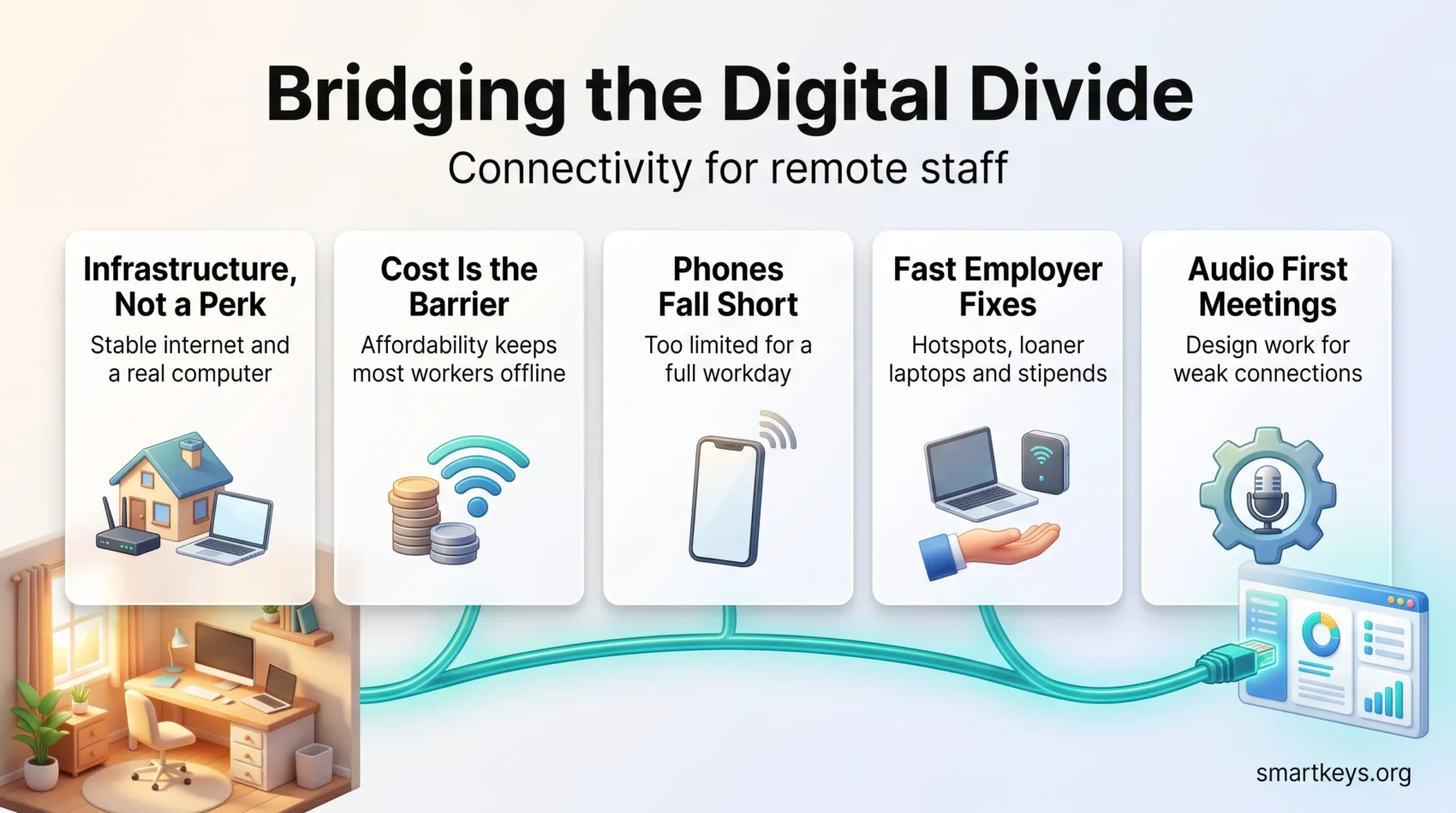
- Reliable internet and a real computer are infrastructure for distributed work, not a personal perk.
- 78% of U.S. adults have home broadband, but only 54% of those earning under $30,000 do (Pew Research Center, 2025).
- 16% of adults are smartphone-dependent: they own a phone but no home broadband. Among Hispanic adults it is 28%.
- Roughly 7.9 million U.S. households still have no internet subscription at all, based on 2024 American Community Survey data.
- Affordability, not availability, is now the binding constraint for most disconnected workers.
- Employer stipends and loaner hardware are the fastest lever you control directly. Public buildout is slower and outside your timeline.
Why connectivity belongs on your risk register
A worker with an unstable connection is not a performance problem. They are an infrastructure problem you have not budgeted for. You are likely reading this because meetings drop, files fail to upload, or someone on your team keeps missing the first ten minutes of every call.
Use short, targeted signals to prioritise help. Look at subscription type, how many usable devices a household has, and whether someone relies on a phone alone. That snapshot tells you which staff need support before projects stall.
- Which employees lack a reliable connection at home, and in which locations?
- Who depends on a single shared laptop, or on a phone only?
- Whose availability shifts around school schedules, caregiving, or shift work?
Start with low-friction fixes such as hotspots, stipends, and loaner kits, then map those against longer-term investments. If you are weighing where to hire or how much to budget for connectivity, our guide to supporting mobile and field workers covers adjacent ground you can adapt.
The digital divide, defined: access, affordability, and devices
To fix gaps you must separate availability from actual use. A fibre line on a street map does not mean a family can sign up, pay every month, or hold a video call at 9 a.m.
Access: what counts as broadband now
In March 2024 the FCC raised its fixed broadband benchmark to 100 Mbps download and 20 Mbps upload, up from the long-standing 25/3 standard, and set a long-term goal of 1 Gbps down and 500 Mbps up. That upload figure matters most to you. Video calls, screen sharing, and cloud backups are upload-heavy, and plans marketed as fast often are not.
Measure reliability with simple categories such as “always,” “usually,” and “sometimes.” That lens shows which staff are at risk of missed meetings rather than which street has a cable running down it.
Affordability: the constraint that got worse
Availability has improved. Affordability has not. Installation fees, equipment rental, and data caps push households to ration service, and the end of the ACP removed a $30 monthly cushion for more than 23 million of them.
Lifeline, the long-running federal discount on phone or internet service for low-income households, still exists. Its monthly benefit is smaller than the ACP’s, and far fewer households are enrolled. Assume that any employee who was on the ACP now pays full price or has downgraded.
Devices: the limits of a phone-only setup
A phone handles chat and a quick call. It does not handle spreadsheets, code review, long-form writing, or a full day of screen sharing. Pew Research Center surveyed more than 5,000 U.S. adults in 2025 and published the results in January 2026. It found that 16% are smartphone-dependent: they own a smartphone but subscribe to no home broadband at all.
“Phones alone often fall short; a proper computer plus stable upload bandwidth is what fair performance actually requires.”
- Plan loaner computers and a real refresh cycle, not one-off donations.
- Choose tools that degrade gracefully on poor connections instead of failing outright.
- Track which households have limited access so support reaches them before a deadline slips.
What the current data shows
The picture has improved since the pandemic, and it is still uneven enough to affect staffing decisions. An analysis of the Census Bureau’s 2024 American Community Survey, released in September 2025, counts roughly 7.9 million U.S. households with no internet subscription of any kind. That is about 6.3% of all households, down from roughly 10.2 million a year earlier.
Where the gaps concentrate
State averages hide the spread. In that same 2024 ACS analysis, Mississippi had the highest share of households offline at about 11.6%, followed by West Virginia at 10.4% and Wyoming at 9.9%. At the other end, New Hampshire sat at about 4.6%, Nevada at 4.8%, and Washington at 4.9%.
Community type matters as much as state lines. Pew’s 2025 figures put home broadband adoption at 84% in suburban areas, 75% in urban areas, and 71% in rural areas.
Income is the sharpest divide
Among U.S. adults earning under $30,000 a year, 54% have home broadband. Among those earning $100,000 or more, it is 94%. The smartphone-dependent share runs the same way in reverse: 34% of the lowest income group versus 4% of the highest.
The pattern repeats across race and ethnicity. Home broadband adoption reaches 86% among Asian adults and 81% among White adults, compared with 71% among Black adults and 68% among Hispanic adults. Smartphone dependence is 28% among Hispanic adults and 19% among Black adults.
“Income predicts connection quality more reliably than geography does. Availability maps miss this entirely.”
- Use area-level data to plan hiring, shift patterns, and equipment deployment.
- Assume affordability, not coverage, is the barrier unless you have evidence otherwise.
- Short-term fixes work precisely because the problem is usually cost, not cable.
Which roles and places absorb a weak connection
Not every job breaks the same way when bandwidth drops. Map roles in your organisation by how much they depend on synchronous, high-upload work, and you will see immediately who needs a hard connectivity floor and who does not.
Task type beats job title
Hospitality, agriculture, construction, and most care work still require presence, tools, and hands-on time. Those roles are not remote-capable regardless of bandwidth, though the scheduling, payroll, and training systems around them increasingly are, which is its own connectivity dependency.
Knowledge roles in finance, software, and professional services fit video calls and cloud tools, so they are the ones that fail visibly when a connection wobbles. Classify by task, not department. A support agent on a softphone needs more stable upload than a writer who syncs documents twice a day.
Where remote-capable jobs are thin
Some regions have both weaker household connectivity and fewer remote-capable jobs to begin with. That combination compounds. Residents cannot take distributed roles, so local employers see no reason to offer them. The connectivity gap then never registers as a business problem worth fixing.
If you hire across such regions, the equipment package is not a nice-to-have. It is the difference between a hire who works and a hire who quietly struggles. Pair it with clear expectations on visibility and promotion for distributed staff so connectivity gaps do not turn into career gaps.
“A worker who cannot join the meeting is invisible in every decision made in it.”
- Score roles by connectivity dependency before you post them in high-risk areas.
- Offer location-neutral support such as stipends, loaner gear, and setup help.
- Track outcomes by location so you can tell whether the intervention worked.
Households with students: the constraint nobody schedules around
When a household runs school and work over the same connection, both suffer. This is not a pandemic artefact. Hybrid coursework, online homework platforms, and digital textbooks are now standard, and they compete with your video calls for the same upload bandwidth.
One connection, several demands
A single shared laptop rarely serves two students and a working caregiver. Neither does a 20 Mbps upload when three people are on live video at once. Households in the lowest income band are the least likely to have either the bandwidth or the second device.
Districts distribute laptops and hotspots where they can, but coverage varies enormously by district budget. You cannot assume the school has solved it.
What you can do about it
You control your own meeting calendar. Avoid stacking mandatory live sessions into the hours when school platforms peak, and be explicit that camera-off is acceptable.
“Bandwidth is a household resource, not an individual one. Schedule as if you are sharing it.”
- Plan around predictable household peaks rather than treating them as personal problems.
- Offer asynchronous options and flexible deadlines where the work allows it.
- Support employees with a second device or a stipend before you escalate a performance conversation.
Income, wealth, and who stays connected through a bad month
Wealth determines whether a connection survives a broken router or a missed paycheque. The Federal Reserve’s 2022 Survey of Consumer Finances put median family net worth at $285,000 for White families, $61,600 for Hispanic families, and $44,900 for Black families. The typical White family held roughly six times the wealth of the typical Black family.
From a wealth gap to a connectivity gap
Less accumulated wealth means no buffer for an equipment failure, a deposit, or a reconnection fee. A household with savings replaces a dead router the same day. A household without savings goes to a library, or goes offline.
In the Federal Reserve’s household economics survey for 2025, published in May 2026, 63% of adults said they could cover a $400 emergency expense with cash or its equivalent. That share has barely moved in several years. That leaves roughly one in three who could not, and a router plus a reconnection fee lands squarely in that range.
“The question is not whether someone can afford internet this month. It is whether they can afford the month it breaks.”
- Design stipends that cover recurring cost, not a one-time signup promotion.
- Keep spare hardware in stock so a failure costs hours, not weeks.
- Target support where housing instability and low net worth overlap with poor service.
Geography: map metros, not just states
Start below the state level. State averages hide pockets where the divide is widest, and those pockets are where your pilots should go first. Smaller metros and rural counties in the Southeast, Appalachia, and the Mountain West consistently show higher shares of households with no subscription.
Communities inside the same state diverge sharply. A well-served county seat can sit forty minutes from a valley where no cable or fibre line is available at any price. There the only choices are satellite or fixed wireless, which delivers service over a radio link from a nearby tower.
Focus on local signals such as subscription type, device counts, and how many people in a household compete for bandwidth. That tells you which locations to pilot hotspots and loaner kits in first, and where remote hiring will need a heavier support package.
- Pinpoint metros and counties rather than budgeting by state.
- Work with local organisations that already distribute devices and know the households.
- Align hiring with local conditions so new hires get the right kit before day one.
“Use a simple playbook per location and track improvements as providers actually build out.”
For employers: connectivity is a business risk
Limited home bandwidth shows up as missed deadlines, security shortcuts, and quiet burnout. You need a repeatable way to find staff who are smartphone-dependent or on low-upload plans, so you can act before customers feel it.
Finding the workers who are struggling
Start onboarding with a short, confidential connectivity check. Ask about subscription type, upload speed, device count, and whether anyone else in the household is online during work hours. Repeat it annually, because circumstances change and people rarely volunteer the information.
Make it clear the answers drive support, not evaluation. If staff suspect the survey feeds a performance file, you will get useless data. This is where a broader employee experience platform earns its keep, provided the connectivity question sits with support rather than with management reporting.
Security, output, and health
Security risk rises when people work from cafés and public Wi-Fi because home service is unreliable. Pair connectivity support with the practices in our guide to cybersecurity for hybrid staff, and consider stronger authentication for remote access where sensitive systems are involved.
Output losses show as frozen screens, dropped calls, and failed uploads. The health cost is less visible and just as real: repeated technical failure in front of colleagues is humiliating, and it compounds the tool fatigue described in our piece on simplifying overloaded toolsets.
“Ship the hotspot and the laptop before day one. Set a minimum access standard. Budget the stipend as a recurring line item.”
- Identify at-risk workers and pair each with a specific, funded remedy.
- Reduce incidents by tuning tools for low bandwidth and defaulting to audio-first.
- Treat repeated connection failures as an infrastructure ticket, not a coaching moment.
What actually works: short-term fixes and long-term bets
The interventions that stabilise home setups are unglamorous and cheap relative to the cost of a failed hire. Start with what stops daily disruption, then layer in the slower structural work.
Short-term: hotspots, stipends, and loaner hardware
Deploy cellular hotspots and loaner computers first, to the highest-need households. Then add a recurring monthly stipend sized to a realistic local plan, not to a twelve-month introductory rate that expires.
Keep contingency stock. Outages, moves, and hardware failures are routine, and a spare router shipped overnight costs less than a week of lost output. Fold this into your workforce contingency planning so it is a standing capability rather than an improvisation.
Long-term: buildout, bulk rates, and policy
Negotiate bulk rates with providers in the metros where your teams concentrate, and pass the savings through as a standard package tied to role requirements. Where you have real presence, support municipal networks and streamlined permitting.
Build the architecture to tolerate bad connections rather than assuming good ones. Edge computing approaches and offline-first application design reduce how much a user’s link has to carry, and connected-device setups should be specified with constrained bandwidth in mind.
Partnerships that extend your reach
Local schools, libraries, and community organisations already run device lending and digital skills programmes. Partnering with them costs less than building distribution from scratch, and they know which households need what. Maintain a device lifecycle plan so loaners are refreshed, wiped, and secured on a schedule.
- Select tools that work under variable bandwidth and train teams to use low-data modes.
- Build a simple request path so staff can ask for help without stigma.
- Document incident rates before and after, so the budget survives the next review.
Designing work that tolerates a bad connection
Scheduling and format choices decide how much bandwidth your organisation actually demands. Most teams demand far more than the work requires, then treat the shortfall as an individual failing.
Synchronous where it earns its cost
Reserve live sessions for decisions, negotiation, and feedback. Use recordings, written updates, and internal audio updates for everything informational. Audio-first should be the default, with video requested only when it changes the outcome. Our guide to asynchronous communication tools covers the tooling side of that shift.
Record live sessions and publish a short written summary alongside them, so someone on an unstable link can catch up without streaming an hour of video.
- Avoid stacking simultaneous live events during predictable household peak hours.
- Provide downloadable materials and short clips rather than mandatory streams.
- Design workflows so critical-path items never require everyone online at once.
Accessibility and inclusion overlap here
Low-bandwidth design and accessible design solve many of the same problems. Captions, transcripts, keyboard-navigable interfaces, and text alternatives help a screen reader user and a user on a throttled connection alike. Our guide to designing inclusive remote experiences goes deeper on the overlap.
Personalise expectations rather than presence. Judge output and responsiveness within an agreed window, and pair that with the boundary practices in our guide to sustainable remote work routines.
“Audio-first as a baseline, video only when it changes the decision, downloadable materials for everyone else.”
Measuring the divide inside your organisation
Turn anecdote into a small number of tracked signals so you can see which households lack steady service and which staff lose hours to outages. Keep the measurement light or it will not survive its second quarter.
The four indicators worth tracking
Track four things. First, the type of subscription: fixed broadband, fixed wireless, satellite, or cellular only. Second, measured upload and download speed. Third, usable devices per working adult. Fourth, a self-reported reliability rating on a fixed scale running from always to never. Four signals are enough to act on.
Segment so the averages do not hide the problem
Break results down by role, income band, location, and whether the employee shares a connection with students or other remote workers. An organisation-wide average of “good” routinely conceals a support team where a third of staff are on cellular data.
Set targets and name an owner
Define a minimum access standard by role, assign one owner per metric, and link outages to missed deadlines so remediation follows the largest harm rather than the loudest complaint. Feed the results into your existing reporting rather than building a parallel dashboard, and apply the same self-service access principles so the managers who need the numbers can pull them.
- Benchmark against Census and Pew figures to see whether your population is unusual.
- Publish brief progress summaries and review quarterly.
- Retire metrics that stop changing decisions.
“Measure subscription, speed, devices, and reliability. Then act where the impact is largest.”
Policy in 2026: what is moving and what is not
Public policy sets the ceiling on what your money can buy. Two things dominate the current picture: a large deployment programme that is finally moving, and an affordability gap that no federal programme currently fills at the scale the ACP did.
Deployment: the BEAD programme
The Broadband Equity, Access, and Deployment programme, known as BEAD, carries $42.45 billion to build high-speed service in places that have none or only slow service. The NTIA restructured it in 2025 into a technology-neutral “Benefit of the Bargain” round. The last state plan cleared review on 26 August 2026, so all 56 states and territories now have approved final proposals. The agency projects savings of at least $13 billion against the original allotments.
The practical implication for you is timing. Approval is not connection. Permits, pole attachments, and construction stretch the work over years. The money also targets places where service does not exist, not households that cannot afford the service already running past their door. BEAD will not put an employee online this quarter.
Affordability: the unfilled gap
Lifeline remains, at a smaller monthly benefit and much lower enrolment than the ACP reached. Some states run their own subsidy or low-cost-plan programmes, and several providers offer discounted tiers for qualifying households. Coverage is patchy and eligibility rules differ by state.
- Track state-level subsidy programmes where your staff actually live.
- Ask providers directly about low-cost tiers before assuming full retail pricing.
- Time your own stipend commitments independently of federal programme cycles.
“Public buildout raises the ceiling. Only your budget raises the floor this quarter.”
Turning this into a standing capability
The organisations that handle this well treat connectivity the way they treat laptops and identity management: a provisioned, funded, monitored part of the employment package.
Pair hotspots with loaner computers and a recurring stipend, and target that package where smartphone dependence and low household income overlap. Validate with before-and-after checks on support tickets and meeting reliability, then scale what held.
Extend the same logic to how you hire. Location-flexible roles only widen your talent pool if the package removes the infrastructure barrier. That is also what lets programmes such as remote internships and skills-based hiring reach candidates the traditional pipeline never sees. If you are moving people between markets, connectivity belongs in your employee mobility policy and in how you set location-based pay.
“Pair devices with recurring support. One-off grants buy a good quarter, not a stable team.”
- Standardise the connectivity package by role instead of negotiating case by case.
- Convert one-off equipment grants into an ongoing line item with a refresh cycle.
- Prioritise the locations where a small package unlocks the most capable hires.
Conclusion
The path forward is steady service, the right hardware, and policies that remove failure points. Treat connectivity as core infrastructure rather than a perk, and most of the downstream problems, from missed meetings to widening inequality inside your own workforce, become tractable.
Calibrate support by role and household circumstance, set a minimum access standard, and use local data to direct the budget. Build understanding across managers so they pick the right meeting format instead of escalating a bandwidth problem as a performance issue. Track incident and attendance trends to show the gap closing.
The federal subsidy that held the weakest connections together is gone, and the deployment money that replaces it works on a multi-year timeline. In the meantime, the fastest lever is the one you already control.
Found this useful?
Make SmartKeys a preferred source on Google, and our articles will surface more often in your Top Stories, AI Overviews, and AI Mode.
Add as Preferred Source




