Workspace optimization means arranging the place you work so that the room stops competing with the job. That covers the physical things (desk height, chair, light, temperature, what sits within arm’s reach) and the digital ones (screen setup, files, notifications). None of it is glamorous. It is also one of the few productivity levers you can pull once and keep benefiting from every day afterwards.
This guide sticks to what the research actually supports. Some of the numbers you see quoted about offices come from vendor marketing rather than published studies, so the claims below are limited to findings you can trace back to a source. If you work from home, the companion guide on setting up a productive home office covers the room-level decisions in more depth.
Key Takeaways
- People allowed to arrange their own desk were 32% more productive than those at a stripped-back desk in a controlled study (Knight and Haslam, 2010).
- Adding plants to a bare office raised measured productivity by roughly 15% (Nieuwenhuis et al., 2014).
- Visual clutter competes for attention at the neural level, so a tidy desk is not just an aesthetic preference.
- OSHA suggests 68 to 76 degrees Fahrenheit and 20% to 60% humidity for office comfort, though it sets no binding rule.
- Ergonomics is about adjustability, not about buying the most expensive chair.
- Fix the physical setup first, then the digital one. Both create distractions.
Why Workspace Optimization Is Worth the Effort
Most advice about focus asks you to change your behaviour: concentrate harder, resist your phone, plan better. Changing the room is easier, because you only do it once. A desk you can work at comfortably for three hours needs no willpower to keep using.
The effect shows up in two ways. The first is friction removed: if the document you need is buried in a pile, or the chair leaves your back aching by 2pm, you lose time to problems that have nothing to do with the work. The second is fewer interruptions. Every object in your line of sight, and every badge on a screen, is one more thing your attention has to filter out.
That filtering is not free. Research on how the brain handles several things in the visual field at once shows that competing objects suppress each other, and attention has to work harder to pull one out of a busy scene (McMains and Kastner, Journal of Neuroscience, 2011). That is the case for clearing your desk, stated in neuroscience terms.
None of this makes a badly designed job manageable. A workspace cannot fix an overloaded schedule. It can stop the room adding to the load.

What the Evidence Actually Shows
Two studies are worth knowing about, because they were controlled experiments rather than surveys, and because they point in a slightly surprising direction.
In the first, researchers at the University of Exeter compared three office conditions: lean (bare desk, nothing on it), enriched (the researchers added plants and pictures), and empowered (participants chose the plants and pictures themselves). People in the enriched offices were 17% more productive than those in the lean condition. People in the empowered offices were 32% more productive, with no rise in error rates (Knight and Haslam, Journal of Experimental Psychology: Applied, 2010).
The interesting part is the gap between 17% and 32%. Decorating a space helped. Letting people decide how it looked helped roughly twice as much. Control over the space seems to matter as much as the space itself.
The second study, published in the same journal in 2014, ran three field experiments on plants in real offices. Enriching a previously bare space with greenery raised productivity by about 15%. In one experiment, participants working in a planted room completed tasks faster without making more mistakes (Nieuwenhuis et al., 2014).
Both findings are modest and both came from specific settings, so treat them as a direction rather than a promise. What they do rule out is the idea that workspace design is purely cosmetic.
Choosing a Layout That Fits the Work
There is no single best layout. There is a best layout for a given mix of work, and the honest question is which trade-off you can live with.
The common options are the private office, the team room shared by a small group, the open plan floor, the activity-based setup where people move between zones depending on the task, and the home office. Each one buys something and gives something up.
Open plan is the case worth being clear about. It makes people easy to reach and cheap to seat. It also makes concentration harder, and noise is consistently the loudest complaint employees have about their workplace. If your floor is open plan, the fix is usually not to rebuild it but to add quiet zones and agreed focus hours. The guide to managing distractions in an open office goes through the practical options, and a team-wide no-meeting focus block often does more than any furniture change.
Activity-based layouts work well when people genuinely switch modes during a day: calls, collaboration, heads-down writing. They work badly when there are not enough quiet spots to go round, because everyone then defaults to whatever desk is free.

Whatever the layout, the tools have to match it. Digital whiteboards keep shared thinking visible when part of the team is remote, and a second screen is one of the few hardware upgrades with an obvious payoff for work that involves comparing two documents. The comparison of single versus dual monitor setups covers when the second screen earns its desk space and when it just adds visual noise.
Building Movement Into the Day
Sitting still for eight hours leaves most people foggy by mid-afternoon. The workspace either makes movement easy or makes it awkward.
Easy looks like this: a printer that is not at your desk, a water jug in another room, a sit-stand desk you can raise without unplugging anything. Awkward is a setup where standing up means unplugging three cables.
Short, regular breaks are the practical version of this. Stepping away from the screen for a few minutes lets attention recover, which is why short breaks improve focus rather than interrupt it. Adding brief movement breaks to the same slot handles the physical side.
Adding Plants to Your Workspace
Plants are the cheapest change on this list with real evidence behind it. The 2014 field experiments described above found roughly 15% higher measured productivity after a bare office was planted, along with higher reported concentration and workplace satisfaction.
Be careful with the bigger claims. Figures attached to plants about air purification and sick days usually trace back to marketing rather than workplace studies. The honest version is narrower: greenery makes a space more pleasant to work in, and in controlled tests that showed up as faster task completion without more errors.
For a desk, pick something that survives neglect. Snake plants, pothos, ZZ plants and peace lilies all tolerate low light and irregular watering, which matters more than any species-specific benefit. A dead plant on the desk is worse than no plant.
Keeping Your Workspace Clean
A clean desk is not about tidiness for its own sake. It is about reducing the number of things your attention has to ignore, which is exactly the competition effect described earlier.

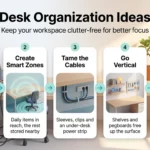
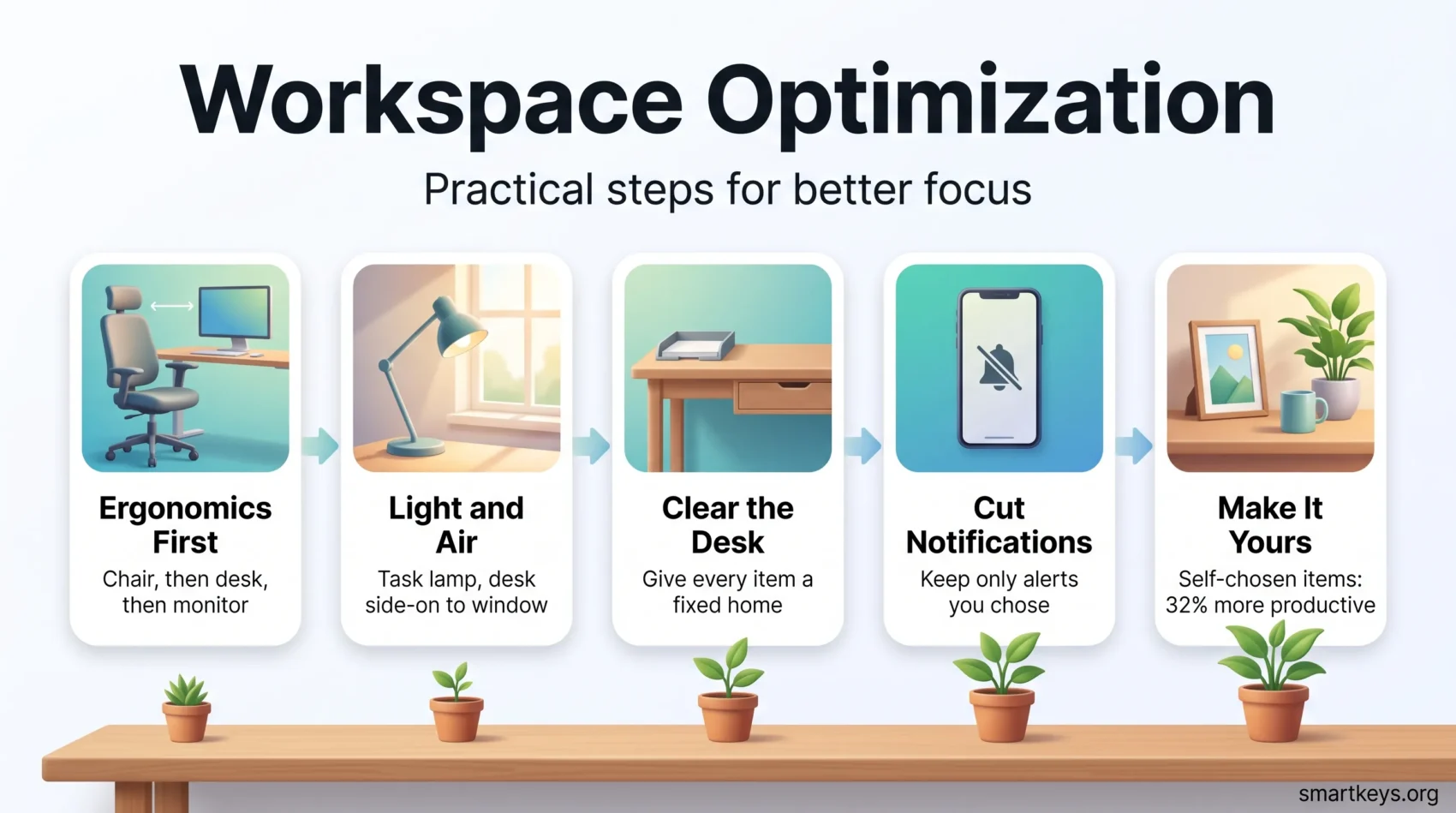
A workable rule: everything on the desk should either be in use today or have a home you can reach without standing up. Everything else goes into a drawer, tray or shelf. The point is not minimalism. It is that each item has a decided place, so putting things away takes no thought.
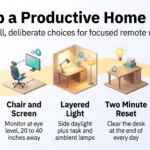
Two small habits keep it that way. Reset the desk for five minutes at the end of each day, so tomorrow starts from a clear surface. And eat somewhere else if you can, because food is the fastest route back to a cluttered desk. The guide to organizing your desk covers storage choices in more detail.
The digital side deserves the same treatment. A desktop covered in files, forty open tabs and a mail inbox used as a to-do list all create the same low-level friction as a messy desk. The guides to clearing digital clutter and building a reliable system for storing what you need later are the place to start.
Keeping Tech and Cables Under Control
Most desks now hold more devices than they were designed for. A few specific fixes deal with the usual problems.
Cable management first. A tray or a few clips under the desk keep power and data cables off the floor, which matters most if you use a sit-stand desk. Give each device a charging spot so hunting for a cable stops being a daily event.
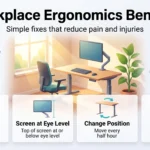
Screen position next. The top of your main monitor should sit at or slightly below eye level, roughly an arm’s length away. A stand or arm makes this adjustable rather than fixed at whatever height the box happened to be.
Then sound. Noise-cancelling headphones are the standard answer in a shared space, and they double as a visible signal that you are not available.
Finally, notifications. This is the one that undoes everything else. A perfectly arranged desk does not help if your phone and chat app interrupt you every few minutes. Deciding which notifications are allowed to reach you is part of setting up the workspace, not a separate task.
Light, Temperature and Air
These three are easy to overlook because you only notice them when they are wrong.
Getting the Light Right
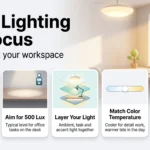
European standard EN 12464-1 sets 500 lux as the reference illuminance for ordinary office tasks such as writing, typing and reading. Most home setups fall well short of that with a single ceiling fixture, which is why a task lamp on the desk usually makes a bigger difference than a brighter bulb overhead.
Daylight is worth designing around where you can. Put the desk side-on to the window rather than facing it or backing onto it, which avoids both glare on the screen and a bright window behind your monitor. The detailed guide to workspace lighting covers colour temperature and layering in full.
Temperature and Airflow
OSHA has no binding standard for office temperature, but its guidance suggests a range of 68 to 76 degrees Fahrenheit (about 20 to 24 Celsius) and relative humidity between 20% and 60%. Treat that as a comfort band rather than a rule.
Airflow matters as much as the number on the thermostat. A stuffy room with no ventilation feels tiring long before the temperature reading looks wrong, so opening a window for a few minutes between tasks is a reasonable habit.
Decluttering Your Workspace for Focus
Decluttering fails when it is treated as a one-off project. It works when it becomes a short, repeatable routine.
Clutter also tends to follow workload. In a 2020 study of 290 US office workers, Catherine Roster and Joseph Ferrari found that heavy, fast-paced workloads were linked to emotional exhaustion. That exhaustion made people put off small decisions, and the postponed decisions showed up as office clutter (Environment and Behavior). A messy desk is often a sign of a stretched week, which is one more reason to keep the reset small enough to do on a bad day.
The 5S method borrowed from manufacturing is a decent structure: Sort (remove what is not needed), Set in order (give what remains a fixed home), Shine (clean the space), Standardise (write down how it should look), and Sustain (repeat it on a schedule). You do not need the vocabulary to use the idea, but the sequence stops decluttering from turning into rearranging.
For the first pass, sort before you organize. Take everything off the surface and split it into three piles: keep, give away and throw out. Set a timer for 20 or 30 minutes so the job has an end, and decide on each item once instead of moving it from pile to pile.
A few habits that hold up in practice:
- Handle paper once. Act on it, file it, or bin it rather than moving it to another pile.
- Limit personal items to a small, deliberate number rather than banning them, which matters for the reason the empowerment study showed.
- Give paper a simple path: one tray for incoming items, labelled folders for what you keep, and a scanner app for anything you only need to look up.
- Default to digital for notes and documents, then keep the digital side organised too.
- Book a short weekly slot for the reset rather than waiting until the mess demands attention.
Keeping a Shared Office Clear
In a shared office, clutter becomes a team problem, because nobody feels responsible for the printer table or the shelf in the meeting room. Three things help. Agree in a team meeting what the shared surfaces should look like. Store shared supplies by how often people use them, with daily items within reach and rarely used ones in a cupboard. And book a short cleanout session together once a quarter, so the job does not fall to whoever minds the mess most.
A clutter-free workspace lowers the friction in your day, and it helps most when the surroundings are quiet enough for sustained concentration, which is the point of protecting blocks for deep work. If your problem is that everything feels urgent rather than that your desk is untidy, the guide to deciding what actually matters is the better starting point.
Getting the Ergonomics Right
Ergonomics is about fit. The aim is a setup you can hold comfortably for hours without your body reminding you about it.
Start with the chair, then the desk height, then the screen. Adjust the chair so your feet are flat and your thighs are roughly parallel to the floor. Set the desk so your forearms are level when you type. Then bring the monitor up to eye level. Doing it in the other order means adjusting everything twice. The full walkthrough is in the guide to workplace ergonomics.
Standing Desks
Sit-stand desks reliably reduce sitting time and most users report feeling less stiff. The broader health claims are weaker than the marketing suggests, and the research on longer-term outcomes is mixed. The sensible approach is to alternate rather than to stand all day, since standing still for hours brings its own discomfort. The evidence is reviewed in the guide to standing desks and productivity.
Chair Support
Look for adjustable seat height, adjustable lumbar support, a seat depth that leaves a small gap behind your knees, and armrests that let your shoulders drop. Adjustability beats price. An expensive chair set up badly is worse than a cheap one set up correctly, and most people never touch the levers on the chair they already have.
Personalizing Your Space
This is where the Exeter study earns its place. Participants who chose how their own desk looked were 32% more productive than those at a bare desk, well ahead of the 17% recorded when researchers decorated the space for them. The active ingredient appears to be having a say, not the objects themselves.
In practice, that means a few things you actually chose: a photo, a print, a plant, a decent mug. Keep the number small so it does not undo the decluttering, but do not strip the desk bare in the name of focus. The lean condition was the worst performer in the study.
If you work in a shared office, check what is allowed before you rearrange anything. Some employers have rules about shared spaces, screens facing walkways or anything attached to walls. The broader direction of travel is covered in the piece on how office design is changing.
A Short Checklist
One pass at your workspace, in this order:
- Adjust the chair, then the desk height, then the monitor position.
- Add a task lamp, and turn the desk side-on to the window.
- Clear the desk surface, and give everything that stays a fixed home.
- Tidy the cables and give each device a charging spot.
- Turn off the notifications you did not consciously choose.
- Add one plant you will not kill.
- Put back two or three things that are yours, because you chose them.
Conclusion
Workspace optimization is a small, unfashionable lever that keeps paying out. The controlled evidence points to real but modest gains, and the largest single effect in that research came from letting people shape their own space rather than from any particular piece of furniture.
Start with the parts your body notices: chair, desk height, screen position, light. Then remove what your attention has to ignore, on the desk and on the screen. Then put a few things back that you actually chose. That order matters, because comfort and quiet come first and personality comes after.
None of it substitutes for how the work itself is organised. For the routines that go with the room, the guides to staying productive when you work remotely and protecting your attention span pick up where this one stops.
Found this useful?
Make SmartKeys a preferred source on Google, and our articles will surface more often in your Top Stories, AI Overviews, and AI Mode.
Add as Preferred Source