Salesforce has been the default answer to “which CRM should we buy?” for two decades, and in 2026 it is also one of the most aggressive AI platforms on the market. This review looks at what Sales Cloud actually does, what the editions cost today, how the new Agentforce credit model changes the bill, and which teams are better served by something smaller.
The short version: Salesforce is exceptionally capable and exceptionally configurable, and both qualities carry a price. Budget for the licence, then budget again for the implementation.
Key Insights
- Sales Cloud runs from a free tier through Starter Suite at $25/user/month up to Agentforce 1 Sales at $550/user/month.
- Everything above Starter Suite is billed annually, so the monthly figure is not the real commitment.
- AI is priced separately: Agentforce Flex Credits cost $500 per 100,000 credits, or $2 per customer-facing conversation.
- Customisation is the main strength and the main cost driver – implementation effort is usually the bigger budget line.
- A 30-day free trial is available, and smaller teams should use it before committing to an annual contract.
What is Salesforce CRM?
Salesforce CRM is the customer-data layer a company runs its commercial operation on. Leads, contacts, accounts, opportunities and support cases all live in one record structure, and sales, marketing and service teams work from that same structure rather than from separate spreadsheets. Sales Cloud is the sales-facing product; Service Cloud, Marketing Cloud and Data Cloud sit alongside it on the same platform.
Overview of Salesforce’s features
The platform is built around a handful of capabilities that show up in every edition to some degree:
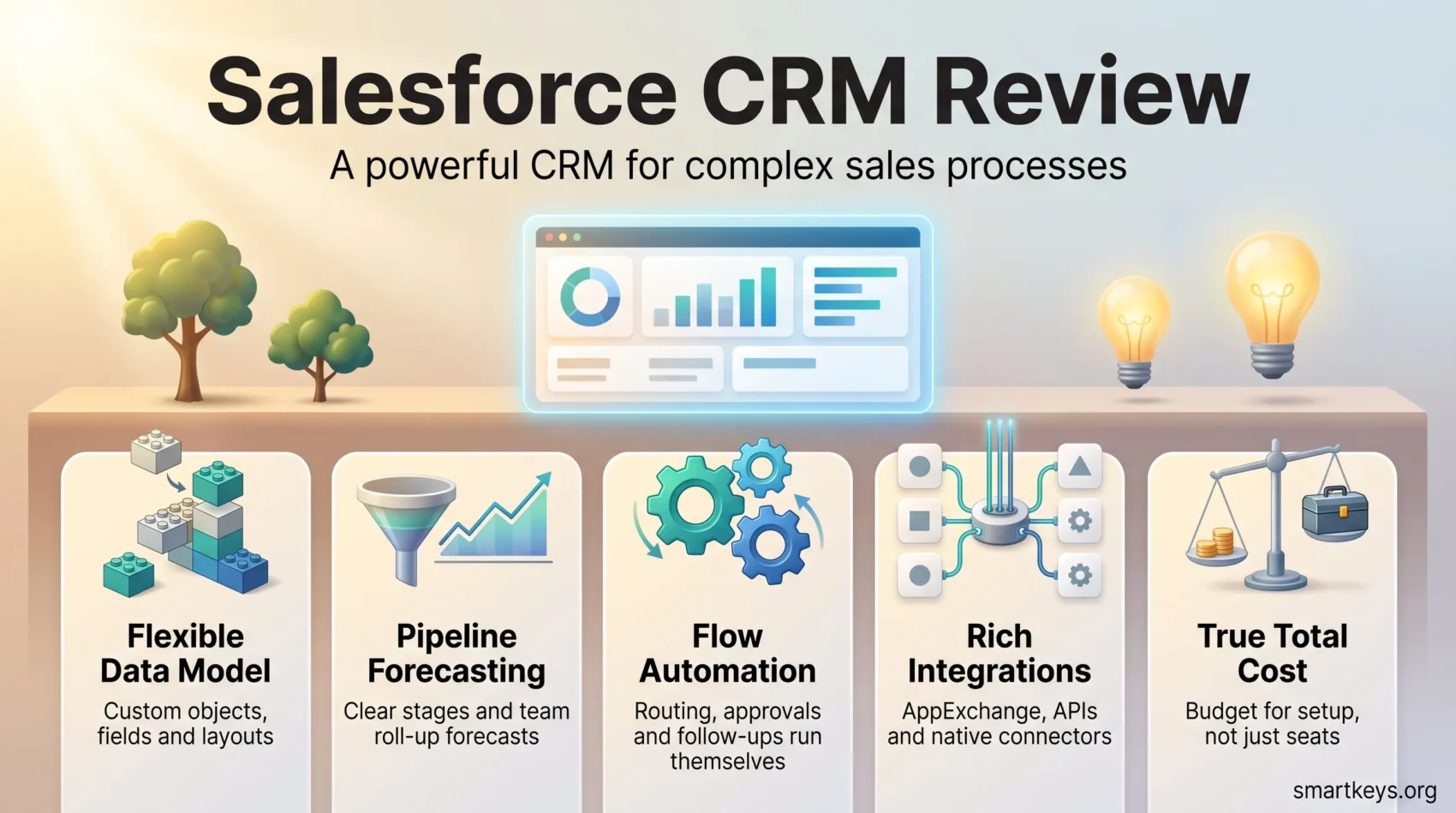
- Customisable dashboards for tracking pipeline and quota attainment in real time
- Lead and opportunity management to move deals through defined stages
- Reporting and forecasting tools that most teams eventually build their weekly cadence around
- Automation through Flow, for assignment rules, approvals and follow-up tasks
- An integration layer plus the AppExchange marketplace, which lists thousands of apps and consulting partners
That breadth is why Salesforce keeps appearing at the top of current CRM trend roundups – few competitors try to cover this much ground on one platform.
Target audience for Salesforce CRM
Salesforce is designed for companies that expect their sales process to get more complicated, not less. Teams with multiple products, territories, approval steps or compliance requirements get the most from it. A three-person consultancy that just needs a shared contact list will find the platform heavier than the job requires, and is usually better served by a lightweight CRM like Salesflare or Pipedrive.

How Salesforce CRM works
Two things define day-to-day life in Salesforce: how far you can bend the data model, and how clearly the pipeline reflects reality once you have.
Customisation options
Most configuration happens through point-and-click tools. You add custom objects and fields, build page layouts per role, define validation rules, and assemble automations in Flow without writing code. When declarative tools run out, Apex and Lightning Web Components take over. This is genuinely powerful, and it is also where projects go wrong: an over-customised org is expensive to change later, and every custom field is something a future admin has to understand.
Sales pipeline management
Opportunities move through stages you define, with probability and forecast category attached to each. Managers get roll-up forecasts by rep, team and region; reps get a queue of what to touch next. The value shows up when stage definitions are enforced – a pipeline where “Negotiation” means five different things produces confident-looking forecasts that are simply wrong.
Salesforce CRM features
Lead management tools
Contact and lead management is included everywhere, including Starter Suite. Assignment rules route new leads by territory, product or company size. Lead and opportunity scoring, which ranks records by conversion likelihood, is available on the higher editions and as an add-on rather than across the board. Teams that feed Salesforce from outbound prospecting usually pair it with an enrichment source such as ZoomInfo or Clay so records arrive complete.
Workflows and automation
Flow is the automation engine: record-triggered flows for field updates and task creation, screen flows for guided processes, scheduled flows for maintenance jobs. Done well, it removes most manual admin from a rep’s day. Done carelessly, it produces a stack of overlapping automations nobody can safely turn off. Treat automation as something you document, not just something you build.
Third-party integrations
Salesforce connects to most of the commercial software stack, either natively, through AppExchange packages, or through its REST and Bulk APIs. Teams that want to wire it into tools without a native connector generally reach for an iPaaS – see our comparison of Workato and Zapier for the trade-offs. API access itself is an edition-dependent feature, which matters if you plan to integrate heavily on a lower tier.
Salesforce CRM pricing in 2026
Salesforce restructured and renamed its Sales Cloud line-up, so older price lists circulating online are out of date. These are the current list prices published on Salesforce’s own Sales pricing page.
Sales Cloud editions
- Free Suite: $0 – a capped entry point rather than a working CRM for a growing team
- Starter Suite: $25/user/month, billed monthly or annually
- Pro Suite: $100/user/month, billed annually
- Enterprise: $175/user/month, billed annually
- Unlimited: $350/user/month, billed annually
- Agentforce 1 Sales: $550/user/month, billed annually
Starter Suite is the only edition you can pay for month to month. Everything above it is an annual commitment, which is the single most common surprise for teams that budgeted from the monthly number.
Add-ons, AI and the real cost
AI is now a separate line item. Agentforce is sold either as Flex Credits at $500 per 100,000 credits – where a standard agent action consumes 20 credits and a voice action 30 – or as flat-rate conversations at $2 each for customer-facing agents. The two models cannot be mixed in one org. There are also per-user options: an Agentforce add-on at $125/user/month for unmetered employee agent usage, industry add-ons at $150/user/month, and a $5/user/month Agentforce user licence that still draws on Flex Credits. Agentforce 1 editions bundle the add-on with an annual pool of Flex Credits.
Beyond licences and AI, the costs that catch people out are implementation, data migration and admin time. Salesforce is not a tool you switch on over a weekend, and factoring in a partner or an internal admin is the difference between a realistic budget and an optimistic one. If you are still mapping requirements, our overview of building a go-to-market strategy is a useful step before you shop for licences at all.
Salesforce CRM comparison
How it stacks up against other CRMs
Salesforce wins on depth. Where it loses is speed to value and total cost for smaller teams.
- Versus HubSpot: HubSpot is easier to adopt and has a stronger marketing side out of the box; Salesforce scales further once processes get complex. Our Salesforce versus HubSpot comparison goes through this in detail, and the HubSpot Marketing Hub review covers the marketing half.
- Versus Freshworks: Freshsales is quicker to configure and cheaper per seat. See Freshworks CRM versus Salesforce.
- Versus Pipedrive and Insightly: both are pipeline-first tools built for sales teams that do not need a platform. Compare Pipedrive and Insightly to see how they differ.
- Versus all-in-one suites: Bitrix24 bundles CRM with collaboration tools at a much lower price point, with corresponding limits.
Strengths and weaknesses
- Strengths: a data model that survives complexity, mature reporting and forecasting, a very large partner and developer ecosystem, and enterprise-grade permissions and audit controls.
- Weaknesses: a steep learning curve, real implementation cost, edition-gated features that push you upward, and an AI pricing model that requires active monitoring to keep predictable.
Benefits of using Salesforce CRM
Better customer conversations
Consolidating customer data in one place is the point of a CRM, and Salesforce does it thoroughly. Sales sees support history; service sees open opportunities; marketing sees who actually converted. That shared context is what makes follow-up feel informed rather than repetitive, and it is the foundation for anything you later build on a customer data platform.
Streamlined processes
Once automation is in place, a meaningful share of routine admin – assignment, reminders, approval routing, handover tasks – stops being manual work. Reporting stops being a spreadsheet exercise. The gain is not that any single task gets faster; it is that the process runs the same way every time, which is what makes forecasting trustworthy and sales enablement programmes measurable.
Salesforce CRM pros and cons
Pros
- Depth of functionality that holds up as the business gets more complex
- Customisation through both declarative tools and code
- Extensive integration options and a large partner ecosystem
- Scales from a handful of users to very large deployments without replatforming
- Mature permission, sharing and audit controls for regulated environments
Cons
- Steep learning curve for admins and end users alike
- Annual billing on every edition above Starter Suite
- Implementation and ongoing admin are real, recurring costs
- Consumption-based AI pricing needs monitoring to stay predictable
- Over-customisation is easy and expensive to unwind later
Who Salesforce CRM is right for
Small businesses and startups
Starter Suite at $25/user/month with monthly billing is a reasonable entry point, and the 30-day trial makes it low risk to test. The honest caveat is that small teams often adopt Salesforce for where they expect to be rather than where they are, then pay for complexity they never use. If your process fits on a kanban board today, a simpler tool will get you further faster – and migrating later is normal, not a failure.
Enterprise teams
This is where Salesforce earns its price. Territory management, complex sharing rules, multi-currency, sandbox environments, API-heavy integration and governance controls are the features that competitors either lack or bolt on. Companies running several business units on one instance get consolidated reporting that would otherwise require a separate warehouse project.
Salesforce CRM integrations
Commonly used integrations
The integrations most teams set up in the first month are unglamorous and high value:
- Slack, which Salesforce owns, for deal alerts and account channels
- Email and calendar sync, so activity capture stops depending on rep discipline
- Marketing automation – whether that is Mailchimp for email or ActiveCampaign and HubSpot for full lifecycle campaigns
- Support tooling such as Zendesk, if you are not running Service Cloud – see also Zendesk versus Freshdesk
- Data enrichment and prospecting sources, so records arrive complete rather than half-filled
Why integrations matter more than features
A CRM is only as good as the data reaching it. Integrations decide whether reps enter activity manually or whether it lands automatically, and that single difference determines whether your reports describe the business or describe rep discipline. It is also the practical foundation for AI-driven marketing and sales workflows, which need clean, current records to produce anything useful.
Verdict
Salesforce remains the most capable CRM platform available, and in 2026 the more interesting question is not whether it can do what you need but whether you are prepared to pay for the setup and governance that makes it work. For enterprise teams with complex processes, it is still the safe answer. For a small team with a straightforward pipeline, the honest recommendation is to start simpler and move up when the complexity is real rather than anticipated.
The pricing shift matters too. With AI sold on consumption and every edition above Starter Suite billed annually, the list price is a starting point rather than a total. Model your likely Agentforce usage before signing, use the 30-day trial properly, and treat implementation as a project with a budget rather than a setup step.
Found this useful?
Make SmartKeys a preferred source on Google, and our articles will surface more often in your Top Stories, AI Overviews, and AI Mode.
Add as Preferred Source