

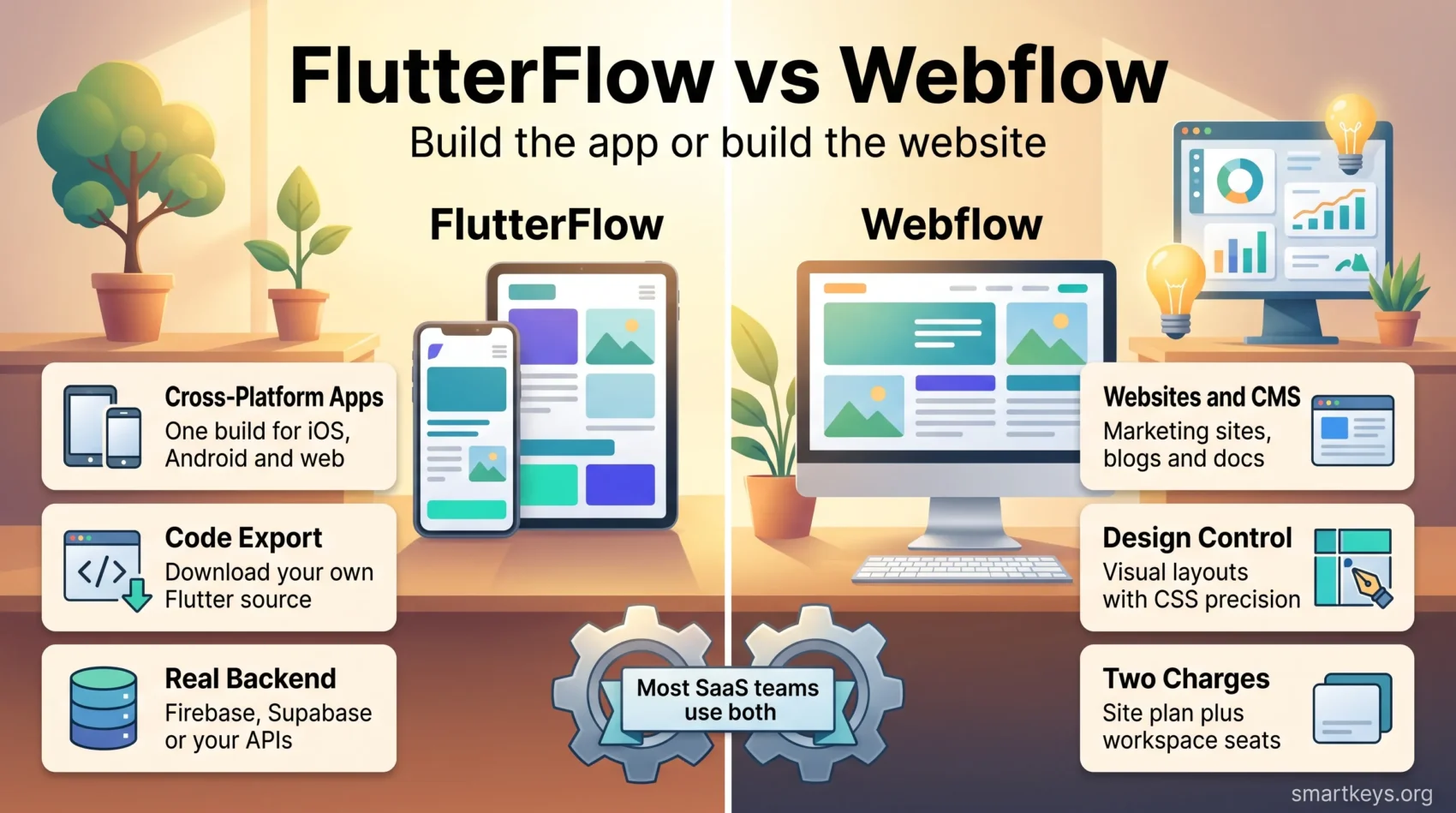
FlutterFlow and Webflow get compared constantly, and the comparison is odd once you look closely: one builds cross-platform apps from Google’s Flutter framework, the other builds websites and now hosts full-stack web apps alongside them. They overlap at the edges rather than in the middle. This 2026 update covers what each platform actually does today, what the current plans cost after both vendors repriced, and which one fits the product you are trying to ship.
Both price lists changed recently, so most comparison articles still circulating are wrong on the numbers. FlutterFlow replaced its old Standard, Pro and Teams tiers in August 2025. Webflow merged its CMS and Business site plans into a single Premium plan in 2026. The figures below come from each vendor’s own pricing pages.
Key Takeaways
- FlutterFlow builds cross-platform mobile and web apps; Webflow builds websites, with Webflow Cloud now extending it to full-stack apps.
- FlutterFlow runs from a free tier through Basic at $39/month to Business at $150 for the first seat.
- Webflow’s Basic site plan is $15/month billed yearly and Premium is $25/month billed yearly; monthly billing costs more.
- Webflow bills twice: a site plan per published site plus a workspace plan per seat.
- Code export is the sharpest difference: FlutterFlow gives you your Flutter source from the Basic plan up, Webflow does not hand over a portable application.
- For most SaaS companies the honest answer is both, in different roles, not one instead of the other.
What No-Code Platforms Actually Solve
No-code and low-code platforms replace hand-written front-end and glue code with visual builders. You assemble screens, bind them to data, define logic in a visual editor, and publish. The appeal is speed and access: people who understand the problem can build the thing, instead of translating requirements to a development queue.
The trade-off is control. Visual builders make the common 80% fast and the unusual 20% awkward, and they tie you to a vendor’s runtime, pricing and roadmap. That is why code export and data portability matter far more than feature-count comparisons, and why the same question comes up in every Bubble.io versus Webflow comparison too.
The category is also crowded. FlutterFlow and Webflow sit alongside Bubble.io for web apps, AppSheet for internal business tools, and mainstream site builders such as Squarespace and Wix. Picking correctly starts with naming what you are building, not which tool looks most capable.
What is FlutterFlow?
FlutterFlow is a visual app builder that generates Flutter code. You design screens on a canvas, wire up state and navigation, connect a backend, and FlutterFlow produces a real Flutter project underneath. Because Flutter compiles to iOS, Android and web from one codebase, a single build targets all three.
The workflow is drag-and-drop on the surface and closer to development than most no-code tools once you go deeper. You work with widget properties, conditional visibility, custom actions and custom functions. Teams that already know Flutter tend to move fastest, because the abstractions map onto concepts they recognise rather than hiding them.
Backends connect through Firebase, Supabase or your own REST APIs, which covers authentication, storage and real-time data without building a server layer first. Where an integration does not exist, teams route it through an automation platform – the same pattern covered in our comparison of Workato and Zapier and in our overview of what an iPaaS layer does.
The feature that matters most commercially is code download. From the Basic plan upward you can export the Flutter source and APK builds, and Growth adds GitHub integration so the generated code lives in your own repository. That turns FlutterFlow from a hosting decision into a starting point you can walk away from.
What is Webflow?
Webflow is a visual web design tool with a CMS attached. The Designer maps closely to HTML and CSS – you are setting flex and grid properties, not filling in a template – and it produces production markup rather than a page-builder soup. Designers who have used Figma or Sketch recognise the canvas; the difference is that this canvas publishes.
The CMS handles structured content: collections, dynamic pages, and templates driven by fields. That is what makes Webflow a genuine choice for marketing sites, documentation and blogs rather than a landing-page tool. Interactions and animations are built visually, which is where Webflow still beats most competitors on polish.
The larger 2026 change is Webflow Cloud, which lets teams deploy full-stack web apps on Webflow’s infrastructure, built on Cloudflare’s network with support for Next.js and Astro. Webflow’s announcement lists sign-up flows, pricing calculators, booking engines and internal tools as target cases. It moves Webflow from “site around the product” toward “site and some of the product”, though it is a developer feature, not a no-code one.
- Design control: layout, typography and responsive behaviour at CSS-level precision
- CMS: collections and dynamic pages for content-driven sites
- Interactions: scroll and state animations built without code
- Webflow Cloud: deployment of Next.js and Astro apps alongside the marketing site
Key Features Comparison: FlutterFlow vs Webflow
The two platforms are not competing for the same job, so the useful comparison is where their edges meet: how much design control you get, and how much application logic each can carry.
Design Flexibility and Customization
FlutterFlow’s design system is Flutter’s. You get its widget model, its layout rules and its Material and Cupertino components, which is excellent for app interfaces and constraining if you want something that looks nothing like a standard app. The Business plan adds Figma frame import, which shortens the handover from design to build.
Webflow gives finer control over visual output because it works directly in the box model. If a designer can specify it in CSS, Webflow can usually produce it. That precision is why agencies favour it, and why teams often pair it with Canva or Adobe Creative Cloud for the asset work around the site.
Backend Functionality
FlutterFlow expects a real backend and connects to one. Firebase and Supabase integrations cover auth, database and storage; API calls, custom functions and Cloud Functions handle the rest. Applications with accounts, permissions and per-user data are within normal scope.
Webflow’s CMS is a content store, not an application database, and it is not designed for user accounts, complex queries or transactional logic. Webflow Cloud changes the ceiling for teams with developers, but on the standard site plans, building intricate data-driven applications is still the wrong use of the tool.
FlutterFlow vs Webflow Pricing in 2026
Both vendors reworked their plans, and both hide real costs in the seat model rather than the headline number. These figures are list prices from each vendor’s own pricing page.
FlutterFlow plans
- Free: $0 – up to 2 projects, one editor, no code download
- Basic: $39/month – unlimited projects, code and APK download, one editor, one free custom domain
- Growth: $80 for the first seat, $55 for the second – real-time collaboration for two users, GitHub integration, branching
- Business: $150 for the first seat, $85 for seats two to five – more branches, automated tests, Figma frame import
Annual billing saves roughly 25% across the paid tiers. Paid plans also include a monthly allowance of AI generation requests and Lite credits, so heavy AI use is a variable cost rather than a flat one. The free tier is a trial in practice: without code download, nothing you build there is portable.
Webflow plans
- Starter site plan: free – 2 static pages, limited CMS, webflow.io subdomain only
- Basic site plan: $15/month billed yearly, more billed monthly – 300 static pages, custom domain, no CMS
- Premium site plan: $25/month billed yearly – the former CMS and Business plans merged, with the CMS included
- Ecommerce plans: from $29/month billed yearly, rising with catalogue size and dropping the transaction fee
- Workspace plans: a separate charge per seat, from a free Starter workspace through Core and Growth for in-house teams and Freelancer and Agency for client work
The point people miss is the double charge. A published site needs a site plan, and everyone editing it needs a workspace seat, so a small team’s real bill is both lines added together. Webflow also meters AI credits per workspace plan.
Cost comparison for startups
For a single founder shipping a mobile MVP, FlutterFlow Basic at $39/month is the realistic floor, because code download is the whole point. For a marketing site with a blog, Webflow Premium at $25/month billed yearly plus one workspace seat covers it. Running both – app in FlutterFlow, site in Webflow – is a common and defensible setup, and cheaper than it looks compared with the engineering time it replaces.
Pros and Cons of FlutterFlow
Advantages of Using FlutterFlow
- One build targets iOS, Android and web from a single Flutter codebase
- Code download from the Basic plan up, with GitHub integration on Growth and above
- Firebase and Supabase integrations cover auth, data and storage without a custom backend
- Figma frame import on the Business plan shortens design handover
- Custom functions and custom actions provide an escape hatch when the visual builder runs out
Limitations to Consider
- A real learning curve: state, data binding and backend rules are development concepts, not visual ones
- Seat pricing climbs quickly once more than one person builds in the same project
- Generated Flutter code is workable but is not what a team would have written by hand
- AI generation requests and Lite credits are metered, so costs are not fully fixed
- Not the right tool for a content-driven marketing site
Pros and Cons of Webflow
Advantages of Using Webflow
- CSS-level design control with production-quality markup
- A CMS that handles structured content properly, not just blog posts
- Visual interactions and animations without writing JavaScript
- Strong technical SEO controls, which pairs well with tools such as Surfer SEO and Ahrefs or SE Ranking
- Webflow Cloud opens full-stack deployment for teams with developers
Limitations to Consider
- The site-plan plus workspace-seat model makes the true cost hard to read up front
- The Designer rewards CSS knowledge; without it, the learning curve is real
- No native mobile apps, and no app-store distribution path
- Exporting a Webflow site does not give you a portable application, only static assets on the plans that allow it
- Migrating away later means rebuilding, which is the standard vendor lock-in risk
FlutterFlow vs Webflow: Which is Better for SaaS?
For the product itself, FlutterFlow is the answer whenever the product is an app. It handles accounts, per-user data, offline behaviour and app-store distribution, and the code export means a successful MVP can graduate into a normal engineering project instead of being rebuilt.
For everything around the product, Webflow is the answer. Marketing site, pricing pages, docs, changelog and campaign landing pages all benefit from a tool marketers can update without a deployment, which matters more as digital marketing strategies increasingly depend on publishing speed.
The overlap is narrow and Webflow Cloud is widening it slightly. If your product is a web app with a small surface area and you have a developer comfortable with Next.js, Webflow Cloud can host it next to the site. If your product needs to be on a phone, that conversation ends there.
Use Cases for FlutterFlow and Webflow
Best Applications for FlutterFlow
- Mobile apps with user accounts, real-time data and push notifications
- Internal tools that field teams use on phones and tablets
- Minimum viable products that need to reach the app stores quickly
- Client projects where handing over the source code is part of the deal
- Companion apps for an existing web product
Best Applications for Webflow
- Marketing sites where design quality is part of the positioning
- Content-driven sites: blogs, documentation, resource libraries
- Landing pages that marketing needs to ship without engineering
- Portfolios and agency client sites
- Sign-up flows and calculators deployed through Webflow Cloud
Community and Support Options
FlutterFlow runs an active community forum and publishes documentation, a changelog and video tutorials, and it inherits the wider Flutter ecosystem: packages, Stack Overflow answers and conference material that apply to the generated code as much as to hand-written Flutter.

Webflow’s ecosystem is broader on the education side. Webflow University is unusually good for a vendor’s own training material, the template marketplace is large, and an established agency and freelancer network means you can hire help rather than learn the tool yourself. Support quality on both platforms tracks your plan tier, as it does across most modern SaaS products.
What Changed in 2025 and 2026
FlutterFlow retired its Standard, Pro and Teams plans in August 2025 and replaced them with Basic, Growth and Business, adding lower-cost single-seat options at the Growth and Business tiers. If you are reading a comparison that quotes $30 or $70 per month, it predates that change.
Webflow merged its CMS and Business site plans into a single Premium plan and raised prices, with the changes reaching existing sites through 2026. Premium now includes CMS limits that previously required add-ons, and a new Team plan sits above it for larger organisations on annual contracts.
Both vendors also moved AI from a bundled feature to a metered one. FlutterFlow allocates AI generation requests and Lite credits per plan; Webflow allocates AI credits per workspace plan. That is the same direction the rest of the category is taking, and it shows up in how SaaS vendors are consolidating and repricing generally. If you resell client work, it is worth reading alongside the economics of white-label SaaS, because metered AI costs are hard to package into a fixed retainer.
Conclusion
FlutterFlow and Webflow are not really alternatives. FlutterFlow is how you build an app without a mobile team; Webflow is how you build a site without a front-end team. The question “which is better” only has an answer once you say what you are shipping.
If it is an app, FlutterFlow, and pay for at least the Basic plan so you own the code. If it is a website, Webflow, and budget for the site plan and the workspace seats together rather than the headline price alone. If it is a SaaS company, you will probably end up running both, and that is the normal outcome rather than a failure to choose.
The one decision worth taking seriously in either direction is portability. FlutterFlow’s code download gives you a genuine exit; Webflow does not offer an equivalent for anything beyond static output. Weigh that before the feature lists, because it is the part you cannot renegotiate later.
Found this useful?
Make SmartKeys a preferred source on Google, and our articles will surface more often in your Top Stories, AI Overviews, and AI Mode.
Add as Preferred Source




