

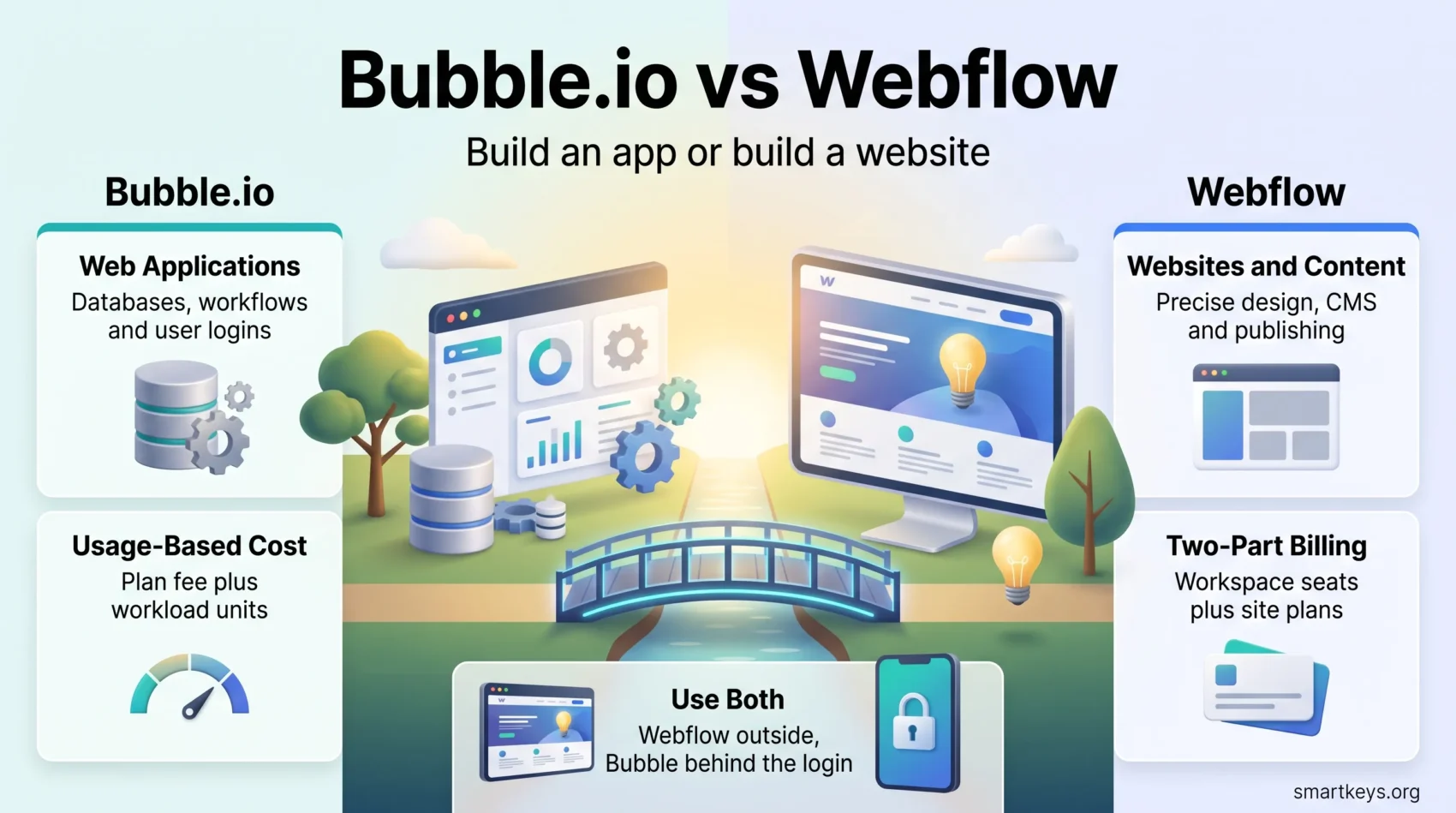
Picking between Bubble.io and Webflow is less a question of which tool is better than of what you are building. Bubble is an application platform: databases, workflows, user accounts, permissions. Webflow is a website platform: layout, content, animation, publishing. Both call themselves no-code, both use a visual canvas, and both changed their pricing this year. This comparison covers what each does well in 2026, what the plans now cost, and which projects belong where.
Key Takeaways
- Bubble suits data-driven web applications; Webflow suits marketing sites, content sites and storefronts.
- Bubble bills by plan plus workload units, so cost tracks how much your app runs.
- Webflow merged its old CMS and Business site plans into a single Premium plan in 2026, and still bills workspace seats separately from site plans.
- Webflow is faster to learn; Bubble takes longer but goes much further.
- Many teams use both: Webflow for the public site, Bubble behind the login.
What Low-Code and No-Code Platforms Actually Do
Low-code development platforms replace hand-written code with a visual canvas and pre-built components. You still make the same decisions about data structure, permissions and performance; you make them through an interface instead of a text editor. That is why they are now a normal part of how businesses ship internal software.
The practical benefits are consistent:
- Faster first version: A working prototype exists in days, shortening the loop between idea and feedback.
- Smaller build team: One or two people carry a project that would otherwise need two developers.
- Non-developers can contribute: Fewer content and workflow changes queue behind an engineering sprint.
- Cheaper to abandon: A failed idea costs weeks rather than quarters.
The trade-offs are just as consistent: you inherit the platform’s performance ceiling, hosting, pricing model and roadmap, and migrating away later is real work. Weigh that before committing. It is a live question in how low-code is reshaping technical work.
Understanding Bubble.io
What is Bubble.io?
Bubble is a no-code platform for building full web applications. It gives you a database, a visual workflow editor, user authentication, roles and permissions, an API connector and a plugin marketplace. You design the interface on a canvas, define the data types behind it, and wire up what happens when someone clicks. The result runs on Bubble’s hosting.
That scope separates it from website builders. If your product has accounts, dashboards, records users create and edit, or scheduled logic, Bubble is built for it. Our separate Bubble.io review goes deeper on the editor.
Key Features of Bubble.io
- Visual database: Data types and fields with privacy rules applied per type, not bolted on afterwards.
- Workflow editor: Actions triggered by clicks, page loads, schedules or API calls, including backend workflows.
- User roles and permissions: Account handling and access control ship with the platform.
- Plugin ecosystem: A large marketplace for payments, maps, charts and auth, plus an API connector for the rest.
- Native mobile: Bubble now sells mobile app plans alongside its web plans, sparing teams a second tool.
Understanding Webflow
What is Webflow?
Webflow is a visual web design and publishing platform. Its canvas maps onto the CSS box model, so what you build corresponds to real HTML and CSS rather than a proprietary abstraction. Designers who understand flexbox, grid and cascading styles feel at home immediately; those who do not will end up learning them.
Alongside the designer sits a CMS for structured content, a hosting layer and e-commerce as a paid add-on. It suits teams who want a marketing site the marketing team can actually update, which is why it recurs in discussions of go-to-market presence.
Key Features of Webflow
- Precise visual control: Class-based styling, breakpoints and reusable components, without hand-written CSS.
- CMS collections: Structured content types with templated pages, so a blog stays consistent as it grows.
- Template marketplace: A large library of paid and free templates for teams wanting a running start.
- Interactions and animations: Scroll-driven and state-based animation built into the designer.
- Built-in SEO controls: Per-page meta fields, clean markup and sitemaps, which pair well with the workflows in our Semrush review.
Comparison of Features and Capabilities
The clearest way to compare them is by what happens after a user logs in. In Webflow, not much: it is a publishing platform, and logged-in experiences require third-party membership tools. In Bubble, that is the entire point.
Bubble wins on data modelling, conditional logic, background jobs, API work and user-generated records. Webflow wins on layout precision, page performance, content editing for non-technical staff and design polish. Neither gap is small.
Both share a drag-and-drop canvas, both host what you build, and both lock you in to a degree. Webflow exports static HTML and CSS on paid workspace plans, which softens that for marketing sites. Bubble apps cannot be exported and run elsewhere, so treat that as a strategic decision, in the same frame as consolidating your wider SaaS stack.
Bubble.io vs Webflow: Ideal Use Cases
When to Use Bubble.io
Bubble fits when the product is the application itself:
- SaaS products and two-sided marketplaces.
- Internal tools, admin panels and operations dashboards.
- Customer portals where each user sees their own records.
- Course and community platforms with logins, progress and gated content.
- MVPs where the goal is to validate a workflow before writing production code.
It suits founders testing an idea quickly and small teams running a real product, provided you understand the workload model below. Where custom infrastructure is inevitable, treat Bubble as the validation step rather than the destination, as many teams do when staging early scaling decisions.
When to Use Webflow
Webflow fits when the site is the deliverable:
- Marketing and brand sites that need to look designed rather than templated.
- Content-heavy blogs, documentation hubs and resource libraries.
- Landing pages for campaigns, where speed of iteration matters.
- Small storefronts, though larger catalogues are usually better served by a dedicated platform such as the one covered in our Shopify review.
If your comparison is really between visual website builders rather than application platforms, our Squarespace vs Wix comparison covers the simpler end of that market, and FlutterFlow vs Webflow covers the mobile-first alternative.
Usability and Learning Curve
Webflow is faster to become productive in, but only if you already think in layouts and styles. A designer coming from Figma ships a page in an afternoon; someone without that background spends the first week learning why an element sits where it does. If your team already works in Figma or Sketch, the transfer is mostly painless.
Bubble asks more up front. You design a database before you design a screen, and the workflow editor rewards people who think in steps and conditions. Most builders report a few frustrating weeks followed by a sharp jump in capability.
A fair summary: Webflow has a shallow curve with a firm ceiling, Bubble has a steep curve with a much higher one. Pick the curve that matches how long the project needs to keep growing.
Pricing in 2026
Both platforms changed their pricing recently, and both are easy to underestimate from the headline number alone.
Bubble.io Pricing
Bubble bills a plan fee plus consumption. On annual billing, the web plans are:
- Free: $0, roughly 50,000 workload units a month, development only, no custom domain.
- Starter: $29 a month, about 175,000 workload units, one editor seat, 10 GB file storage. This is the cheapest plan that can run a live app on your own domain.
- Growth: $119 a month, about 250,000 workload units, two editor seats, 100 GB storage.
- Team: $349 a month, about 500,000 workload units, five editor seats, 1 TB storage.
- Enterprise: Custom pricing, custom capacity, unlimited seats.
Mobile and combined web plus mobile plans cost more: Starter is $42 for mobile only and $59 for both, and the difference scales up through the higher tiers.
The number that decides your real bill is the workload unit. Bubble meters server-side work: database searches, workflow steps, API calls, scheduled jobs. An inefficient search that runs on every page load costs far more than the same feature written carefully. Teams that outgrow their allowance can buy additional workload capacity instead of jumping a tier, with packs starting around $29 a month. Budget for consumption from the start, the same way you would with any usage-based pricing model.
Webflow Pricing
Webflow bills twice, and this catches people out. A workspace plan covers the people who build; a site plan covers each published site.
Site plans, on annual billing:
- Starter: Free, on a webflow.io subdomain, with 2 static pages, 50 CMS items and 1 GB bandwidth.
- Basic: $15 a month ($25 billed monthly), custom domain, 300 static pages, 10 GB bandwidth, no CMS.
- Premium: $25 a month ($39 billed monthly), full CMS with 20,000 items across 40 collections, bandwidth scaling to 2.5 TB, code components and site search.
Premium is the 2026 change worth knowing about. Webflow merged the old CMS and Business site plans into this single tier, migrating most existing sites on 29 June 2026, with Freelancer and Agency workspace sites scheduled to follow in November. Former CMS customers gained page capacity; former Business customers saw bandwidth reduced from 100 GB to 50 GB on the standard allocation, with add-ons available.
Workspace plans, on annual billing, start free for a single seat and two staging sites, then Core at $19 a month and Growth at $49 a month, with additional full seats at $39 a month and limited seats at $15. E-commerce is priced separately at $29, $74 and $212 a month for the Standard, Plus and Advanced tiers. At the top, a bundled Team platform plan runs $2,500 a month on an annual contract.
What the Price Tags Miss
Compare total cost of ownership, not sticker price. A Bubble app at $29 a month drifts upward as traffic and background jobs grow. A Webflow site at $25 sits on top of a workspace fee and grows again with seats or e-commerce. Both beat custom development for the first year or two, and neither stays cheapest forever: the same arithmetic behind most cloud cost decisions.
Community and Support
Bubble’s community is problem-solving in character: an active forum, thorough documentation, and an ecosystem of agencies building on the platform full time. When something breaks late at night, the forum usually already holds the answer.
Webflow’s community is design-led. Webflow University is one of the better free learning resources any software company publishes, and the cloneable culture means you rarely start from nothing. Support on both is tiered, with faster responses on higher plans.
- Free documentation and structured lessons on both platforms.
- Active forums where most practical questions have already been answered.
- A working market of specialist freelancers and agencies for either tool.
Building a wider toolchain, our comparisons of Workato and Zapier and Airtable and Notion cover the automation and data layers most teams add next, while the API economy explains why integration depth beats feature counts.
Verdict
Choose Bubble if the thing you are building has users who log in, data they create, and logic that runs behind the scenes. Accept the learning curve, model your data carefully, and watch workload units from day one.
Choose Webflow if you are building a site people read, and you want it designed well and editable by non-developers. Accept the two-part bill and the ceiling on interactivity.
If you need both, run both. A Webflow marketing site pointing at a Bubble application behind a login is a common setup, and cheaper than forcing either platform to do the other’s job. For where the category is heading, read our overview of micro-SaaS trends and white-label SaaS models.
Found this useful?
Make SmartKeys a preferred source on Google, and our articles will surface more often in your Top Stories, AI Overviews, and AI Mode.
Add as Preferred Source




