
Handing work to AI is now ordinary. In August 2026, 53 percent of employed Americans said they used an AI tool at work at least a few times a year, and 32 percent used one a few times a week or more, according to Gallup’s ongoing survey of the US workforce.
The hard part is no longer access. It is judgment. Every task you hand off buys you time, and every one you hand off wrongly costs you accuracy, privacy or credibility. This guide gives you a test for any task, a staged way to hand work over, and a list of the work that should never go.
Key Takeaways
- Judge each task, not each job. Most roles hold work that should go and work that should stay.
- Five questions settle most cases: how often, how much context, how reversible, how measurable, how expensive to check.
- Hand work over in stages, starting with drafts, not with actions that touch real systems.
- Keep what you carry the consequences for: final decisions, sensitive data, anything a person signs.
What Delegating to AI Actually Means
Delegating to AI means giving a defined piece of work to a tool that produces language, code or analysis, then checking the result before it counts. That is not the same as automation. A rule does the same thing every time, such as moving an invoice to a folder. AI produces a fresh answer each time, so it needs review in a way a rule does not.
That distinction decides where each tool belongs. Work with one correct output belongs in ordinary task automation and automated scheduling. Work that needs a summary, a draft, a comparison or a judgment call is where AI earns its place.
Executives have been blunt about the direction. IBM chief executive Arvind Krishna said in May 2023 that the company would pause hiring for back-office roles that machines could do. In May 2025 he told the Wall Street Journal that AI had replaced a couple of hundred human resources roles, while IBM hired more programmers and salespeople. Read that as pressure to get good at the choice, not permission to hand over everything. Gallup’s May 2026 data shows the same gap: 65 percent of employees at organizations that use AI say it improved their productivity, yet only 14 percent strongly agree it has transformed how work gets done.
What AI Does Well, and Where It Fails
Current models are strong at anything that means reading a lot of material and producing something shorter or better structured from it. Anthropic’s Economic Index report, published in June 2026, looked at Claude conversations from April 10 to June 10, 2026. The most common outputs were explanations (17 percent), documents and reports (15 percent) and guidance (11 percent). That is a fair picture of the sweet spot.
The failures are just as consistent. A model cannot know what it does not know, so a confident wrong answer looks like a confident right one. It has no stake in the outcome, so it cannot weigh a trade-off that hurts a real person. And it works only from the context you give it, so a task whose requirements live in your head comes back wrong.
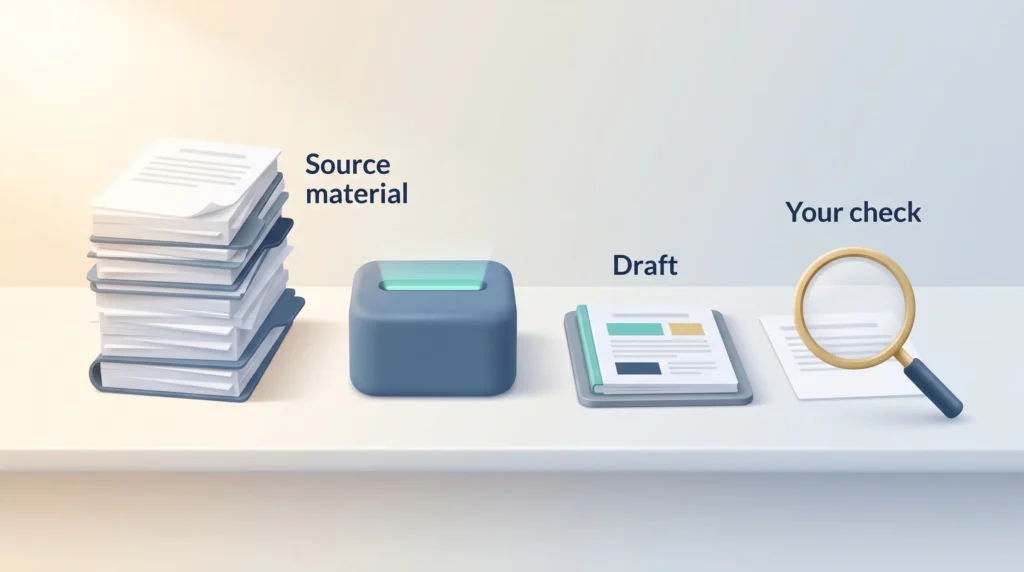
So never hand off a task whose output you could not check. If you cannot tell a good answer from a bad one, you delegated the blame, not the work. Explainable AI practices help, because a result you can trace is one you can defend.
Five Questions That Decide Whether a Task Can Go
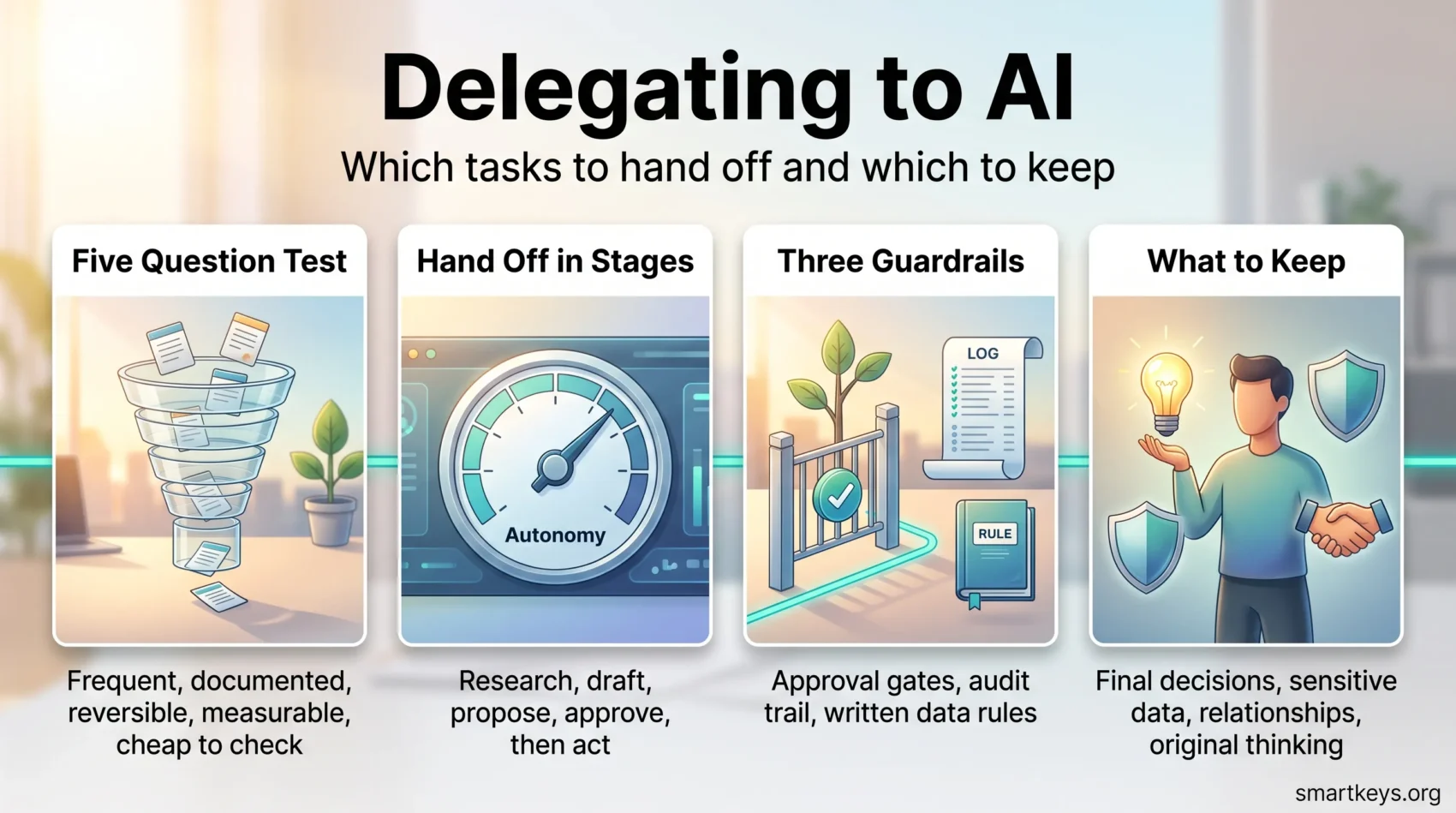
Run any candidate task through these five questions. If the first four are all a no, keep it.
- How often does it come up? Writing a good prompt takes time. A weekly task repays it; a yearly one rarely does.
- Can you write the context down? If the background fits in a brief you could hand a new colleague, AI can work with it.
- Can you undo the result? A draft email is reversible. A sent email or a deleted record is not.
- Can you measure it? You need something to compare against: source data, a checklist, last quarter’s version.
- What does checking cost? If review takes as long as the work, you moved the effort rather than removed it.
Take a team lead who spends two hours each Monday turning six project updates into one status note. It happens weekly, the source is written down, a draft harms nobody, old notes show what good looks like, and checking takes ten minutes. That task should go. The same lead also decides who takes over a struggling account: rare, half political, hard to reverse, no benchmark. That one stays. An AI meeting notes workflow is often the easiest first win, because the input is a transcript and the reviewer was in the room.
Hand Off in Stages, Not All at Once
Autonomy is a dial, not a switch. Move it one notch at a time.
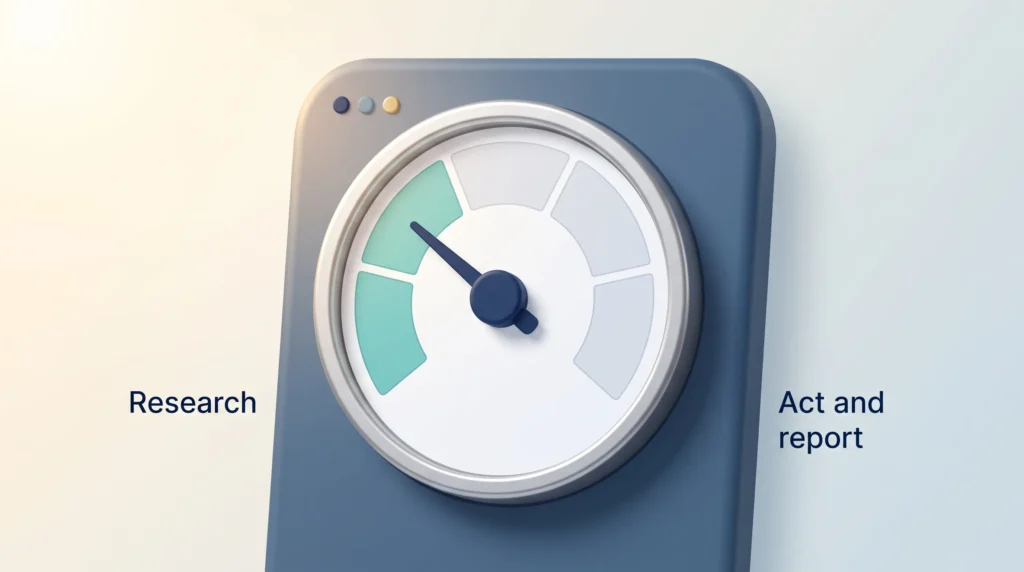
Start at research, where the tool gathers and summarizes but changes nothing. Move to drafting, where it produces something you edit and send. Then to proposing options, where it suggests three ways forward and you pick. Then to acting with approval, where it prepares the action and waits for your click. Only then, and only for low-risk work, let it act and report afterward.
Keep a short prompt library of what worked, and write down the failures too. The pattern in them shows where a task’s real boundary sits. The principles from effective delegation and outsourcing low-value tasks apply here as well, including the part where a clear brief beats detailed corrections.
Tools and Guardrails That Keep Delegation Safe
Keep the two kinds of tooling separate. Rule-based platforms such as Zapier, Make and n8n handle fixed steps that run the same way every time: move the file, post the message, create the ticket. AI handles the steps that need language or judgment. Mixing them into one opaque chain makes failures hard to trace.
The Model Context Protocol (MCP), an open standard for connecting AI assistants to tools and data, has made these connections easier to build. Anthropic created it and handed it to the Linux Foundation’s Agentic AI Foundation in December 2025. Easier connections raise the stakes: a tool that can reach your files can act on them. Three guardrails cover most of the risk.
- Approval gates on anything that leaves your organization or touches money, so a person confirms first.
- An audit trail of what the tool was asked and what it returned. Providing that record is a core job of LLM ops, the practice of running language model tools reliably in daily use.
- Written rules on data, so nobody has to guess whether customer records may be pasted into a chat window. Short generative AI usage guidelines and a clear AI governance model beat any tool setting.
Regulation matters too. Teams working in or selling to the EU should check their duties under EU AI Act compliance and wider AI regulation before automating anything that affects a person’s job. AI hiring tools are the clearest case where the law, not your judgment, sets the limit.
What to Keep: Work That Should Stay With You
Keep the decisions you are accountable for. Performance ratings, hiring and firing, pricing changes and legal positions end with a person’s name on them. A model can prepare the material; it cannot carry the consequence. That is the core argument in AI decision making and in the debate over AI and managers.
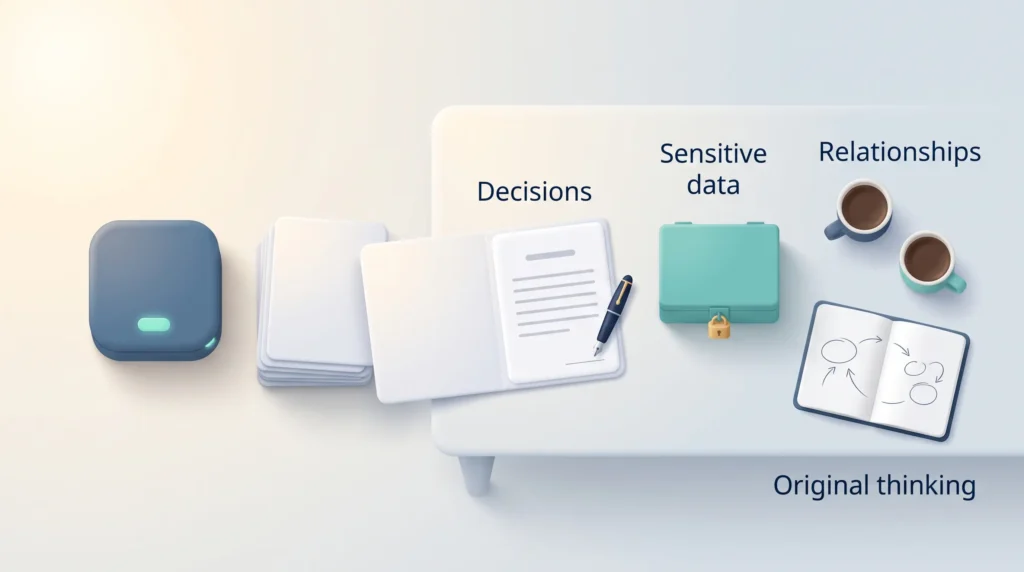
Keep confidential and personal data out unless your organization approved that tool for it. Keep relationship work: the difficult conversation, the apology, the negotiation. People can tell, and lost goodwill is expensive to rebuild. AI communication etiquette covers where disclosure is expected.
Keep the original thinking: how a problem is framed, the strategy nobody has written down yet, the judgment about what matters this quarter. A model recombines what exists; it does not decide what should exist. That is the practical meaning of collaborative intelligence, and why job augmentation tends to beat wholesale replacement.
Finally, keep measuring: how long the task took before, and how long the review takes now. The evidence on AI and automation at work and on automation risk assessment suggests many reported gains go unchecked.
Conclusion
Delegating to AI works as a series of small, specific decisions rather than one big one. Ask how often the task recurs, whether you can write the context down, whether the result can be undone, whether you can measure it, and what checking will cost. Hand over the ones that pass. Keep the work you are accountable for, the data you are trusted with, and the thinking nobody else can do for you. In a survey of about 9,700 Claude users that Anthropic reported in June 2026, just over half said they hoped AI would take over the tedious parts of their jobs. That is a reasonable place to aim, because the tedious parts usually pass the five questions.
Found this useful?
Make SmartKeys a preferred source on Google, and our articles will surface more often in your Top Stories, AI Overviews, and AI Mode.
Add as Preferred SourceFAQ
Which tasks should you hand off to AI first?
Start with recurring work that produces a draft rather than an action. Meeting summaries, first versions of routine reports, reformatting, data cleanup and comparisons against fixed criteria are the usual first wins. They repeat often enough to repay the setup time, the input is already written down, and nothing breaks if the first attempt is wrong. Avoid anything that sends, posts, pays or deletes. Those steps are hard to undo and belong later, once an approval step is in place.
Which tasks should stay with a human?
Keep anything where you carry the consequence. That covers final decisions with your name on them, such as performance ratings, hiring, pricing and legal positions. It covers confidential or personal data unless your organization cleared that tool for it. It covers relationship work: the difficult conversation, the apology, the negotiation. And it covers original thinking, meaning how a problem is framed. A model can prepare material for all of these, but it cannot be accountable for the result.
How do you know whether an AI output is good enough to use?
Decide what you will check it against before you start, not after. That might be the source document, a checklist of what a good version contains, or a previous version you were happy with. Read the output against that benchmark rather than for plausibility, because a confident wrong answer reads exactly like a confident right one. If you cannot tell a good result from a bad one in the time available, build the benchmark first or keep the task.
Is it safe to put company data into an AI tool?
It depends on the tool, the contract behind it and the type of data, which is why the answer belongs in writing rather than in each person’s judgment. Your organization should name the approved tools, the data allowed in them, and who decides unclear cases. Personal data, customer records, unreleased financials and anything under a confidentiality agreement need explicit approval. Where no policy exists, treat a public chat tool like a public web form.
How much time does delegating to AI actually save?
Less than the headlines suggest, and you cannot know your own number without measuring. Gallup found in May 2026 that 65 percent of employees at organizations using AI reported a positive effect on their productivity, while only 14 percent strongly agreed AI had transformed how work gets done. The honest check is a baseline: note how long a task took before, then track the time you now spend briefing and reviewing. The saving is the difference, not the drafting time alone.