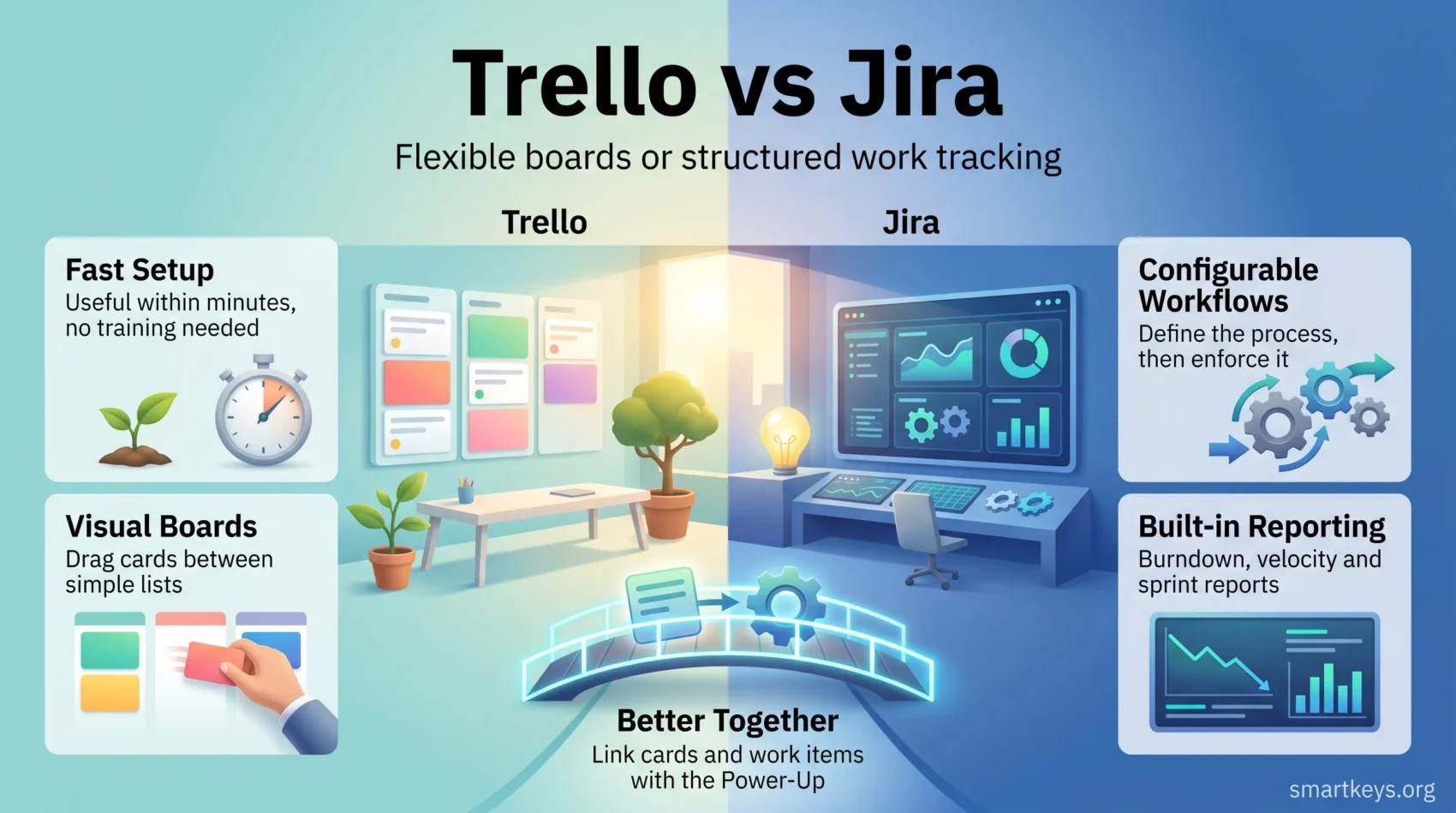
Trello and Jira both belong to Atlassian, yet they solve different problems. Trello is a visual board you can learn in an afternoon. Jira is a configurable work-tracking system that rewards teams willing to set it up properly. Choosing the wrong one usually costs far more in wasted setup time than the licence fee ever does.
This comparison covers what each tool costs in 2026, what changed after Trello’s redesign and Jira’s merger with Jira Work Management, how automation and reporting differ, and which teams should pick which. Prices are list prices on annual billing, checked in August 2026.
Key Takeaways
- Trello is built for flexibility and fast setup; Jira is built for structure, traceability and reporting.
- Trello’s paid tiers start at $5 per user per month. Jira Standard is $7.91 and Premium $14.54.
- Both have a free tier, but they cap different things: Trello limits boards, Jira limits users.
- Jira absorbed Jira Work Management, so it is no longer a software-team-only product.
- Atlassian’s Rovo AI is now bundled into paid Jira plans instead of being sold separately.
- The Trello Jira Power-Up connects the two, which is often a better answer than choosing one.
What Changed for Trello and Jira
Both products were rebuilt in ways that make older comparisons misleading, so start with what is actually different now.
Trello shipped its largest redesign in years. Atlassian introduced a new Inbox and Planner in 2025 and rolled them out broadly over the following months. Inbox is a single capture point that pulls in tasks from email, Slack, the mobile app and voice input. Planner sits beside it and lets you drag those tasks onto a connected calendar to block focus time. Reception was mixed: long-standing users pushed back publicly on the new navigation, and the rollout drew harsh criticism in the tech press. If you last evaluated Trello before 2025, the product you remember is not the one you would buy today.
Jira changed shape too. Atlassian merged Jira Work Management into Jira, so marketing, HR, finance and operations teams now work inside the same product as engineering rather than a separate SKU, and renamed “issues” to “work items” to match. The old shorthand — Jira for developers, Trello for everyone else — no longer holds.
The third change is AI. Rovo, Atlassian’s AI search and agent layer, is now included with paid Jira and Confluence subscriptions rather than sold as an add-on, with a monthly credit allowance that scales by plan. Free accounts do not get it. Our guide to AI-powered project management tools covers the wider market.
Understanding Agile Methodology
Both tools are sold to agile teams, so it helps to be precise about what that means. Agile work is organised around short cycles, frequent inspection, and the freedom to change scope when what you learn contradicts the plan. Three habits matter more than any ceremony:
- Frequent inspection: work is reviewed on a fixed cadence, so problems surface while they are still cheap to fix.
- Flexibility: scope can change mid-cycle without the plan collapsing, because the plan was never treated as a contract.
- Close stakeholder contact: the people who will use the result see it early and often, rather than at a handover.
A tool supports agile work when it makes the state of the work visible without anyone compiling a report first. Trello and Jira both manage that. They simply disagree about how much structure you must define up front.

Trello: Overview of Features
Trello’s appeal is that a new board is useful within minutes. Lists represent stages, cards represent work, and dragging a card between lists is the entire workflow engine. That simplicity is the product, not a limitation of it.
Key Features of Trello
- Multiple views: beyond the standard board, Trello offers table, calendar, timeline and dashboard views. These sit on the paid plans, so a free workspace is effectively board-only.
- Inbox and Planner: the newer capture-and-schedule layer, aimed at individual workload rather than team process.
- Power-Ups: integrations with Slack, Google Drive, Jira, Confluence and hundreds of others. Our guide to getting more out of Trello Power-Ups goes through the ones worth enabling first.
- Butler automation: rule, button and scheduled automations built with a plain-language editor, with monthly run limits set by your plan.
- Administration and security: the Enterprise tier adds organisation-wide permissions, SSO and board controls for larger deployments.
How Trello Supports Team Collaboration
Trello keeps collaboration in one place: assignees, due dates, checklists, comments and attachments all live on the card. Nobody has to learn a query language — the board is the status report.
That works until the number of boards grows. Trello has no native way to roll several boards into one portfolio view, which is where teams start looking at alternatives such as Monday.com, Asana or Pipefy.
Jira: Overview of Features
Jira takes the opposite position: define your workflow first, then let the tool enforce it. Statuses, transitions, field requirements and permissions are configurable, which is why Jira feels heavy on day one and valuable in month six.
Key Features of Jira
- Scrum and Kanban boards with backlogs, sprints, story points and configurable workflows.
- Reporting built in: burndown and burnup charts, velocity, cumulative flow, control charts and sprint reports, with no add-on required.
- Timeline and plan views for dependencies and cross-team scheduling on the higher tiers.
- JQL, a query language that turns “everything blocked, assigned to my team, older than a week” into a saved filter.
- Rovo AI on paid plans, covering search, summaries and agents, with credits pooled across the organisation.
These features are what teams are paying for. Our full Jira Software review goes deeper on setup, administration and where the complexity bites.
How Jira Enhances Agile Workflows
The difference shows up at retrospectives. Because every state change is recorded, Jira can tell you how long work sat in review, what was added mid-sprint and whether estimates track reality. Trello cannot answer that without third-party add-ons.
Jira also connects to the delivery chain: branches, pull requests and deploys from connected repositories appear on the work item, so the ticket reflects what shipped. For a cheaper option with a similar philosophy, see Zoho Projects versus Jira.
Trello vs Jira: A Comprehensive Comparison
The decision comes down to three things: how quickly people can use it, how much automation you need, and whether you must prove what happened after the fact.
User Experience and Ease of Use
Trello wins on adoption. There is essentially no training cost, which matters when half your contributors are occasional users — clients, executives, colleagues in other departments. Jira has a real learning curve, and a configuration owner is close to mandatory past a handful of projects.
The honest framing is not “simple versus complicated” but “who pays the cost”. Trello defers it to the day your process outgrows the board. Jira charges it up front.
Automation Capabilities
Both automate, with different ceilings. Trello’s Butler runs card buttons, board buttons, rules and scheduled commands, metered as Workspace command runs — 250 a month on the free plan, rising with each paid tier.
Jira’s automation engine works across projects and can create, transition, assign and link work items, post to Slack and call external services. Free accounts get 100 rule runs a month, Standard roughly 1,700, and Premium and Enterprise are effectively unlimited. If your automation crosses tool boundaries, a dedicated platform — see Zapier versus Make or Workato versus Zapier — beats stretching either tool.
Reporting and Analytics Features
This is the clearest gap. Jira ships agile reports out of the box and builds dashboards from saved filters. Trello’s dashboard view gives counts by list, label, member and due date — enough for one board, not for a programme.
For data-heavy work that is really a spreadsheet in disguise, tools like Smartsheet and Airtable or Airtable and Notion often fit better than either Atlassian product.
Pricing Plans of Trello and Jira
Both are sold per user per month. Figures below are annual-billing list prices published in 2026; monthly billing costs more and rates exclude tax.
Overview of Trello Pricing
Trello’s free plan is generous on cards and strict on boards:
- Free: unlimited cards, up to 10 boards per Workspace, unlimited Power-Ups, 250 Workspace command runs a month, and a 10 MB attachment limit.
- Standard: $5 per user per month — unlimited boards, advanced checklists, custom fields and more automation.
- Premium: $10 per user per month — the extra views (table, calendar, timeline, dashboard), workspace-level controls and unlimited command runs.
- Enterprise: $17.50 per user per month at the entry band, with the per-user rate falling as seat count rises.
The practical trigger for upgrading is rarely automation — it is the board limit.
Overview of Jira Pricing
Jira inverts the model — unlimited boards, limited people:
- Free: up to 10 users, 2 GB of storage and 100 automation rule runs a month.
- Standard: $7.91 per user per month — unlimited users, audit logs and larger automation limits.
- Premium: $14.54 per user per month — plans and dependency management, sandbox and release tracks, guaranteed uptime SLA and a larger Rovo allowance.
- Enterprise: quoted individually and billed annually only.
One detail that catches teams out: Jira’s per-user rate slides downwards as you cross seat thresholds, so a 40-seat quote and a 400-seat quote are not the same rate multiplied. Get a quote for your actual headcount rather than extrapolating.
Neither is expensive next to a general-purpose suite. If you are budgeting a full stack, compare against ClickUp, Wrike and Asana first.
Use Cases: When to Choose Trello
Trello is the right call when the work is visible, the process is stable, and the people involved will not sit through a training session. Common situations where it fits:
- Marketing campaigns and editorial calendars
- Client-facing boards where the client is an occasional visitor
- Event planning and launch checklists
- Personal and small-team task tracking
- Hiring pipelines and simple intake queues
It also fits teams that live in chat. Paired with Slack — or whichever platform won your Slack versus Microsoft Teams decision — a Trello board is often all the process a small team needs.
Where Trello stops working is predictable: when you need to know why something is late, or when an auditor asks who approved a change.
Use Cases: When to Choose Jira
Jira earns its complexity when the work has to be traceable. Software delivery is the obvious case, but the Jira Work Management merger widened it to any team with a real approval chain. It is the stronger choice for:
- Bug and incident tracking: reproducible history, severity, linked fixes and releases.
- Sprint delivery: backlogs, estimates, velocity and sprint reports that survive a retrospective.
- Dependency-heavy roadmaps: plans that span multiple teams and quarters.
- Regulated or audited work: permission schemes and a complete change history.
The prerequisite is someone who owns the configuration. Jira deployments fail more often from neglected admin than from missing features. If nobody wants that job, a lighter tool such as ClickUp or Asana, or Teamwork or Wrike, beats a badly maintained Jira.
How to Integrate Trello and Jira for Enhanced Productivity
The two products are frequently run together, and for many organisations that is the correct answer rather than a compromise.
The Trello Jira Power-Up links Jira work items to Trello cards. Attach a work item to a card and the card shows its status, so a stakeholder watching a Trello board sees engineering progress without a Jira licence. Jira and Confluence links pasted into Trello render as previews rather than bare URLs.
The pattern that works in practice looks like this:
- Business teams plan and triage on a Trello board they actually enjoy using.
- Anything requiring engineering becomes a Jira work item, linked back to the originating card.
- Executives and clients follow the Trello board; delivery detail stays in Jira where it belongs.
This avoids the usual failure mode, where a business team is handed Jira, finds it hostile, and quietly moves the real planning into a spreadsheet. The cost is discipline: two systems only stay useful if someone maintains the link between them, otherwise you get two half-accurate views of the same work.
Conclusion
The choice is about structure, not quality. If your team needs to see work move and nothing more, Trello does that faster and cheaper than anything with a comparable user base, and the 2025 redesign made it more capable for individual workload management.
If you need to answer questions about the work afterwards — how long it took, what blocked it, who changed what — Jira keeps those records, and the Jira Work Management merger means non-engineering teams are no longer second-class citizens in it.
Many organisations end up running both, connected by the Power-Up, and that is a legitimate outcome rather than an indecisive one. If neither fits, our roundup of productivity apps worth using and the Monday.com versus Notion comparison cover the main alternatives.
Found this useful?
Make SmartKeys a preferred source on Google, and our articles will surface more often in your Top Stories, AI Overviews, and AI Mode.
Add as Preferred Source