Most workplaces still measure work by the clock: hours logged, calls attended, messages answered. That habit made sense on a production line, where an extra hour meant more units. It makes far less sense for knowledge work, the kind of job where the output is a decision, a document or a piece of code rather than a physical product. There, one clear decision can be worth more than a full day of busy screen time.
Working smarter, not harder, means judging your day by what actually changed, not by how long you sat at the desk. When a whole team adopts that rule, it becomes outcome-based work, where people are managed by results instead of hours. This guide stays with your own working day: how to choose what to work on, how to protect the hours where real progress happens, how to cut the meetings and messages that eat the rest, and how to keep the energy all of it depends on.
Key Takeaways
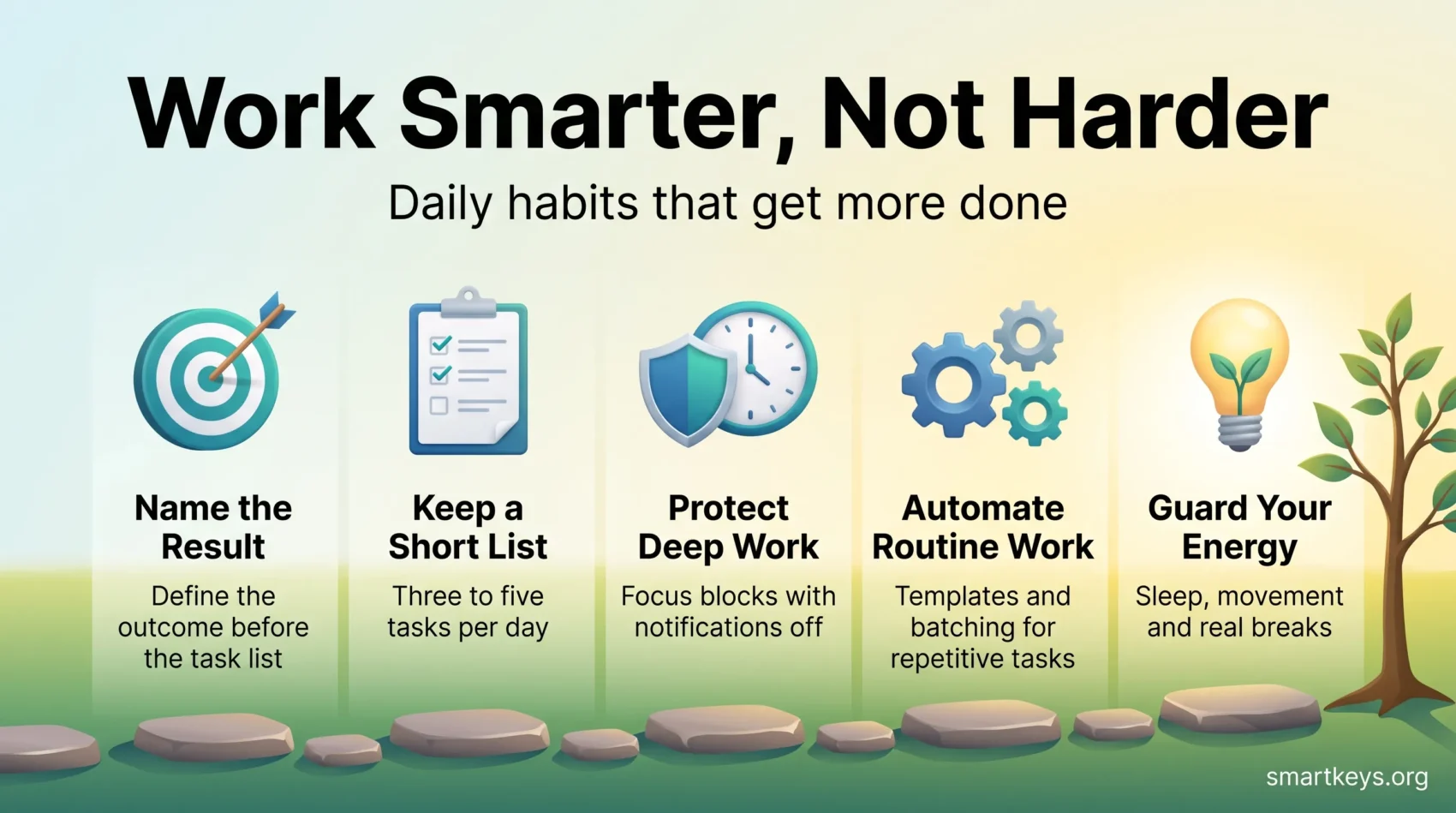
- Name the result you want before you write the task list. The list is the means, not the goal.
- Three to five meaningful items beat a list of twenty. Anything longer is a wish, not a plan.
- Deep work needs protected blocks. Interruptions cost far more than the minute they take.
- Automate and template the repetitive parts so your attention goes to work only you can do.
- Sleep, movement and breaks are not extras. They set the ceiling on everything above.
Why the hours-first habit stopped working
The working day has been chopped into small pieces. Microsoft’s 2025 Work Trend Index analysis of anonymized Microsoft 365 signals found that employees are interrupted roughly every two minutes during core working hours, around 275 times a day, and that 57% of meetings are ad hoc calls with no calendar invite at all. Nearly half of employees, 48%, said their work feels chaotic and fragmented.
Attention has shortened to match. Gloria Mark, a professor at UC Irvine who has measured computer use in real offices for two decades, found that people now stay on one screen for about 47 seconds on average before switching. Her earlier work on interrupted tasks is the source of the widely quoted finding that it takes over 20 minutes to return to the original task after a switch.

There is a second problem, and it is quieter. People often do not know which results they are being judged on. In Gallup’s July 2026 update, only 49% of US employees strongly agreed that they know what is expected of them at work, down from a peak of 61% in 2015. When expectations are vague, hours become the fallback measure, because they are the one thing everybody can count.
That is the trap. You can be fully occupied for nine hours and move nothing forward. The way out is to fix the target first and the schedule second.
- Decide what a good week produces, then work backwards to today.
- Treat interruptions as a cost, not a courtesy, and budget for them.
- Review weekly and adjust. Small corrections compound faster than big resolutions.
“Less busy, more effective: guard your focus and the rest follows.”
The mindset shift: name the result first
How you frame a task decides how much of your day it eats. A task framed as “work on the report” expands to fill whatever time is left. A task framed as “send the finance team the three revenue charts they asked for” has an end.
Decide the outcome, then the tasks
Write the finished state in one sentence before you plan anything. Then list the two or three actions that get you there, and set a deadline you would be slightly embarrassed to miss. This is also the cure for perfectionism: when the target is “good enough to send”, polish stops being infinite.
If you are unsure which outcome deserves the effort, run it through a simple ranking method first. Our guide to prioritization that focuses on what matters covers the frameworks worth knowing, and the eat the frog method is a good default when one task clearly dominates the day.
Start with why, then say no more often
Before accepting a request, ask what it is for and what happens if it does not get done. Plenty of work fails that test. Saying no is easier when you offer something instead: a later date, a shorter version, or a different owner. Every yes you give quietly borrows time from work you have already committed to.
Build systems instead of relying on willpower
Motivation is unreliable, so remove it from the equation where you can. Checklists, templates and a fixed weekly review make good work the default rather than a daily choice. Systems reduce decision fatigue, the drop in judgement quality that comes from making too many small calls in a row, so your best thinking is still available at four in the afternoon.
“Small systems beat big willpower. Make good work the default.”
Plan the day around a short, honest list
Pick three to five meaningful items each morning and treat everything else as optional. A long list feels productive and performs badly: it hides which item matters, and it guarantees that most of it rolls over. A short list forces the choice you were avoiding. The same logic, applied to goals rather than single days, is the core of doing less to achieve more.
Theme your week to cut context switching
Group work of the same type into the same day. Meetings on Tuesday, deep project work on Wednesday, admin and invoicing on Friday afternoon. Every switch between different kinds of work carries a restart cost, and clustering removes most of those switches for free.
Use time blocks and deliberately short deadlines
Put the work in the calendar rather than on a list, because a list has no capacity limit and a calendar does. Blocks of 25 to 30 minutes suit shallow tasks; complex work usually needs 90 minutes to get anywhere. Our guide to time blocking and how to get started walks through a first week. Give each block a deadline that feels tight. Work has a habit of expanding to fill whatever time you allow it.
Track one week, then apply the 80/20 rule
Estimates are usually wrong, so measure once. Log what you actually do for five working days, in rough fifteen-minute chunks, and the picture is normally uncomfortable and useful. Then look for the small share of tasks producing most of the value and defend those first. The 80/20 rule applied to real work is less about the exact ratio and more about the habit of asking which activities actually pay.
End the day with a shutdown routine
Spend the last fifteen minutes reviewing what got done, capturing loose ends, and naming tomorrow’s first task. Closing the loop matters: unfinished work keeps competing for attention until it is written down somewhere you trust. A short evening routine also makes the next morning cheaper, because the first decision of the day is already made.
For a broader set of methods, our overview of time management techniques for busy professionals covers planning, delegation and tooling in one place.
Protect the hours where deep work happens
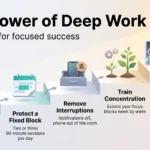
Concentration is the scarce resource, not time. Most people have two or three good hours a day for demanding work. Everything in this section is about spending those hours on something that deserves them.
One task at a time
The brain does not run two demanding tasks in parallel. It alternates, and each alternation costs accuracy and time. Commit to single-tasking for the length of one block: one document, one problem, one tab set. Set a small finish line for the session so you know when you are done rather than drifting.
Work in sprints and take real breaks
Fixed intervals give the day a rhythm. The Pomodoro technique uses 25 minutes of work and a five-minute break, which suits fragmented or unappealing tasks. Longer 90-minute blocks suit work that needs a running start. Neither number is sacred, so track how long your tasks really take and adjust.
The break matters as much as the sprint. Standing up, walking or looking out of a window restores attention; scrolling a feed does not. The evidence on short breaks and work focus is clearer about frequency than duration, so err towards short and regular.
Silence the alerts that do not need you
Turn off notifications by default and allow back only the few that genuinely require a same-hour response. Use Do Not Disturb during focus blocks, set VIP contacts so urgent calls still reach you, and tell colleagues what your response window is. Our guide to managing work notifications covers the settings worth changing on each platform.
Write if-then rules for interruptions
Decide in advance how you will react, so you are not negotiating with yourself in the moment. If a chat message arrives, then finish the current block before opening it. If a colleague stops by, then agree a time later today. Pre-made rules preserve momentum far better than good intentions.
Automate and template the repetitive work
Every hour spent on work a machine could do is an hour not spent on judgement, relationships or design. The aim is a small, boring toolset that removes friction, not an ever-growing app collection.
Where AI assistants genuinely save time
AI tools are reliable for first drafts, summaries, transcripts and reformatting: work where you can check the output quickly and the cost of a mistake is low. They are much weaker where facts, figures and accountability matter, so treat everything they produce as a draft to verify, not an answer to forward. Used that way, an assistant removes the blank page, which is often the slowest part of a task.
Batch, template and shrink the inbox
Group the same kind of small task into one slot: invoices on Friday, expenses monthly, replies in two fixed windows. Reusable templates and saved replies turn routine correspondence into a two-minute job. Our guide to automating repetitive work covers the tools worth setting up first.
Email deserves its own rules. Batching email instead of checking it constantly protects the blocks around it, and a simple triage habit of reply, archive or delegate stops the inbox becoming a second to-do list. If you want a full system, the Inbox Zero method is worth a try, though the point is a clear head rather than an empty folder.
Make meetings and messages cost less
A meeting is expensive because it multiplies: one hour with eight people costs a working day. Ask for a purpose and a short agenda before accepting, and treat a missing agenda as a reason to decline politely.
Keep sessions short and end with owners
Default to 15 or 30 minutes rather than an hour. Attention drops sharply after that, and a shorter slot forces preparation. Finish every session with named owners, decisions and dates, then send a summary that fits in one screen. Our guide to running effective meetings has a workable template.
Move status updates out of calls
Most recurring meetings exist to share information, which written updates do better and cheaper. Asynchronous working lets people read on their own schedule and keeps a searchable record. Keep the live time for decisions, disagreements and anything sensitive.
Protect team focus, not just your own
Individual focus fails if the team culture makes it impossible. A shared focus time policy with agreed no-meeting hours is one of the few changes that reliably creates deep work for everybody at once, and it removes the social cost of being unavailable.
Energy sets the ceiling on output
Your capacity for demanding work is a physical variable, not a matter of discipline. Schedule around it rather than fighting it.

Sleep, movement and food
Sleep is the biggest single input to attention, memory and judgement, which is why our guide to sleep and productivity treats it as a work tool rather than a lifestyle topic. Daily movement helps too, and it does not need to be training: a walk at lunchtime is enough to change the afternoon. Meals built around whole grains, vegetables and protein hold energy steadier than a quick sugar fix.
Breaks and time away from screens
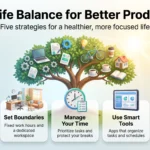
Short resets during the day and proper distance in the evening both matter. Put demanding work in your best hours, keep the low-energy stretch for admin, and set a hard stop so recovery actually happens. This is not indulgence. It is the reason tomorrow’s difficult task feels manageable.
What managers can change
Individuals can only do so much inside a system that rewards visible busyness. Leaders set the rules that decide whether smarter work is possible.
Delegate outcomes, not task lists
Hand over the result, the deadline and the decisions the person is allowed to make on their own. Then check in at agreed points rather than hovering. Vague handovers are the main source of rework, so our guide to delegating effectively is worth reading before the next big project. Ask clarifying questions at the start, when they are cheap, rather than at the end when they are not.
Make expectations explicit
Given that only half of employees strongly agree they know what is expected of them, this is the cheapest available fix. Write down what good looks like for each role and each project, and revisit it when priorities move. How to set up that model for a whole team, including what happens when a target is missed, is covered in our guide to managing by outcomes.
Test meeting-free blocks and shorter weeks
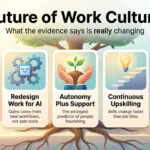
Pilot changes and measure them. The largest study so far, published in Nature Human Behaviour in July 2025, followed 2,896 workers at 141 organizations across six countries through a six-month four-day week with no cut in pay. Burnout fell, and job satisfaction, mental health and physical health all improved, with reduced fatigue and better sleep among the mechanisms behind it. The trial companies volunteered and redesigned their work first, so this is not proof that any employer can simply drop a day. It does show that reducing hours while redesigning the work is a serious option rather than a gimmick.
“Delegate clearly, ask early, and measure what matters.”
A day built around results
Putting it together, a smarter day looks fairly plain from the outside.
You start by naming the one thing that has to move today and putting it in the calendar during your best hours. You keep the rest of the list to three or four items. You take the hard task first, in a protected block, with notifications off. You handle email in two windows rather than continuously. You use templates and automation for anything repetitive, decline the meetings without a purpose, and take real breaks between blocks. You stop at a fixed time and spend the last quarter of an hour closing loops and setting up tomorrow.
None of that is dramatic. The gain comes from doing it consistently, which is exactly why the systems matter more than the motivation.
Where to start this week
Pick one change, not five. Time blocking and the shutdown routine are the two with the highest payoff for the least effort, so start with either. Run it for a full week before judging it, then add a second habit only once the first one runs without thought.
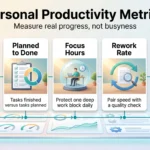
Then widen the frame. Measure your week by what shipped, what was decided and what moved, rather than by hours occupied. Keep meetings short and owned, keep the inbox in its box, and protect the few hours where the real work happens. A simple self-management framework helps you stay accountable to results rather than to activity, and that shift is the whole point.
Found this useful?
Make SmartKeys a preferred source on Google, and our articles will surface more often in your Top Stories, AI Overviews, and AI Mode.
Add as Preferred Source