Choosing between Airtable and Notion is no longer a simple spreadsheet-versus-notes decision. Both platforms rebuilt themselves around AI agents, and both now claim to run your entire team workspace. This 2026 comparison looks at what each tool actually does well, what the plans cost today, and which teams get more value from which choice.
Key Takeaways
- Airtable Team costs $20 per seat per month billed annually ($24 monthly); Notion Plus starts at $10 per seat per month on annual billing.
- Airtable Business is $45 per seat per month billed annually; Notion Business is $20 per seat per month on annual billing.
- Both offer a free plan, so you can test either tool with a small team before paying.
- Airtable is a relational database and app platform; Notion is a documentation and knowledge workspace with databases attached.
- Airtable Free caps bases at 1,000 records; Team lifts that to 50,000 and Business to 125,000.
- Airtable bundles AI credits into every plan, including Free. Notion reserves full AI access for Business and Enterprise.
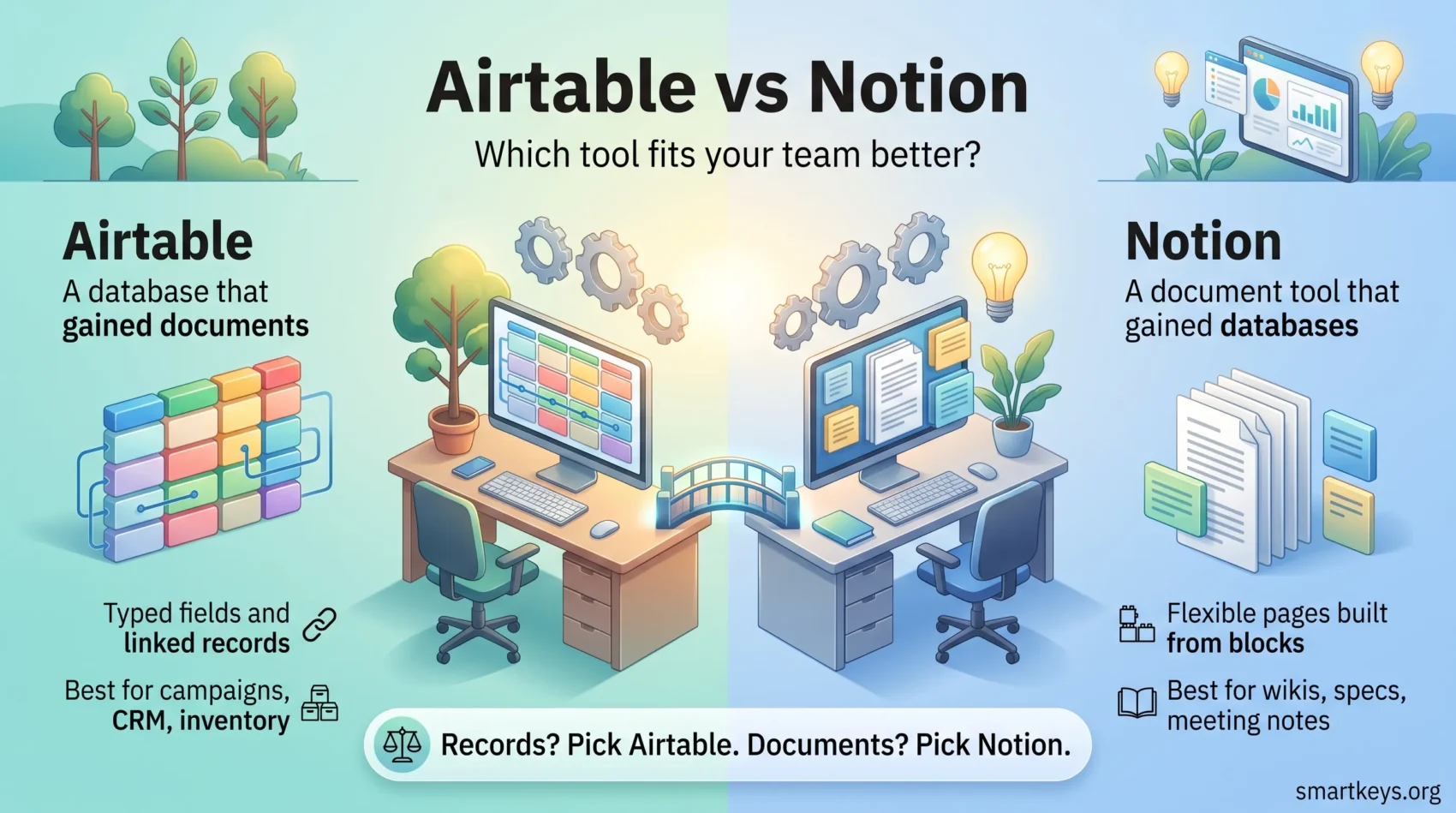
- Pick Airtable when structured data drives the work. Pick Notion when written knowledge does.
How to Judge a Team Workspace in 2026
Most teams do not fail at tool selection because they picked the weaker product. They fail because they picked a product built for a different kind of work. Before comparing feature lists, decide what your team actually produces all day: records or documents.
Three criteria separate a good fit from an expensive mistake:
- Data shape: Relational records with strict field types need a database. Meeting notes, specs, and playbooks need a document editor.
- Adoption cost: A tool nobody opens is worth nothing. Interfaces that feel familiar get used, which is why interface design matters more than raw capability.
- Integration depth: Your workspace has to exchange data with the rest of your stack. If it cannot, you end up maintaining a second source of truth by hand.
If you are still narrowing the field, our roundup of productivity apps for teams covers the wider category, and the guide to staying productive across multiple projects explains the workload problem these tools are meant to solve.
What is Airtable?
Airtable started as a spreadsheet-database hybrid and has since repositioned itself as an AI-native app platform. In June 2025 the company relaunched around Omni, an agent that builds working applications from a conversation using Airtable’s own databases, interfaces, and automations as building blocks (Airtable newsroom). The grid you remember is still there. It is now one layer of a larger platform.
Airtable Overview
An Airtable base behaves like a relational database with a friendly face. Tables hold typed fields: dates, currency, attachments, single selects, and links to records in other tables. Because the field types are strict, the data stays clean enough to filter, group, and report on without cleanup work.
That structure is why operations, marketing, and product teams use Airtable as a lightweight internal system rather than a note-taking app. If you have compared it with other grid-first tools, our Smartsheet vs Airtable comparison covers the spreadsheet end of the market in more depth.
Key Features of Airtable
- Multiple views: Grid, calendar, Kanban, gallery, timeline, and Gantt views read from the same underlying table, so each team sees the layout it needs.
- Linked records: Connect a project to its client, its tasks, and its invoices, then roll numbers up across those links.
- Interfaces: Build a simple app screen on top of a base so stakeholders see only what they need, without touching the raw data.
- Automations and AI: Trigger actions on record changes, and use bundled AI credits for summarising, categorising, and generating fields.
What is Notion?
Notion is a connected workspace where documents come first and databases support them. A page can be a meeting note, a project brief, a wiki entry, or a database view, and all of it is built from the same block system.
Notion Overview
The block model is what makes Notion flexible. Any paragraph, heading, table, or embed is a block you can drag, nest, and reuse. Teams use that flexibility to build handbooks, product specs, onboarding guides, and personal task systems inside one workspace, which is why Notion is a common home for a second brain setup and for company-wide knowledge management.
Key Features of Notion
- Block-based editing: Mix text, images, code, embeds, and databases on a single page without leaving the editor.
- Databases inside documents: Filter, sort, and group records, then embed a view of them directly in a written page.
- Template library: Start from a prebuilt structure for roadmaps, CRMs, wikis, or meeting notes instead of designing one.
- AI agents: On Business and Enterprise plans, Notion Agent handles multi-step tasks, AI Meeting Notes transcribes calls, and Enterprise Search reaches into connected apps such as Slack and GitHub.
If you want the AI side compared against a direct rival, our Notion AI vs Coda review goes deeper on that specific matchup.
Airtable vs Notion: Key Differences
The clearest way to separate the two: Airtable is a database that gained documents, and Notion is a document tool that gained databases. Everything else follows from that.
Airtable enforces structure. Field types are strict, links between tables are real relations, and views are queries over that data. That rigidity is a feature when you are tracking inventory, campaigns, applicants, or orders, and a nuisance when you just want to write something down.
Notion optimises for writing and reading. Its databases are genuinely useful, but they are looser: a property is easier to bend, which is great for a team wiki and risky for a system of record that several people edit daily.
The interfaces reflect this. Notion opens to a blank page and feels like a text editor, so new users are productive within minutes. Airtable opens to a grid and asks you to think in tables, which takes longer to learn but pays off once the schema is right.

Both integrate with the usual suspects (Slack, Google Workspace, GitHub, calendar tools), and both are commonly connected to the rest of a stack through automation platforms. If that is your route, compare the two leading options in our Workato vs Zapier review and our Zapier vs Make comparison, or read the wider case for iPaaS-based business integration.
Which Tool is Best for Data Management?
This is where the gap is widest, and where most teams should make the call.
Airtable’s Strengths in Data Management
Airtable gives you database behaviour without a database administrator:
- Typed fields keep entries consistent, so filters and rollups can be trusted.
- Linked records across tables create real relations rather than copied text.
- Many views over one table let each team read the same data in its own layout.
- Record limits that scale with the plan: 1,000 records per base on Free, 50,000 on Team, and 125,000 on Business, with attachment space rising from 1 GB to 20 GB and 100 GB per base (Airtable plans overview).
Those limits matter more than they look. A busy CRM or content calendar can pass 1,000 records in a quarter, which makes the Free plan a trial rather than a home. Teams that outgrow a grid entirely often move to a dedicated system instead; our overview of current CRM trends covers what that shift usually involves.
Notion’s Approach to Data Management
Notion handles data well as long as the data supports the writing:
- Databases embedded in pages keep records next to the context that explains them.
- Templates and flexible properties make a new tracker quick to stand up.
- Relations and rollups exist, though they are less strict than Airtable’s.
For a company handbook, a documentation hub, or an onboarding path, that combination beats a pure database. For a system of record with thousands of rows and strict reporting, it does not. Teams weighing the same trade-off between structure and flexibility often look at Monday.com vs Notion and at ClickUp, which sits between the two.
How Do Pricing Plans Compare?
Pricing has moved on both sides, and the old assumption that the two tools cost roughly the same no longer holds.
Airtable’s Pricing Structure
Airtable runs four tiers: Free, Team, Business, and Enterprise Scale. Team is $20 per collaborator per month billed annually, or $24 billed monthly. Business is $45 per collaborator per month billed annually, or $54 billed monthly. Enterprise Scale is quoted by sales (Airtable plans overview).
Every tier includes AI credits, from 500 per editor per month on Free up to 20,000 per paid user per month on Business. Revision history runs two weeks on Free and one year on the paid tiers.
Notion’s Pricing Structure
Notion runs Free, Plus, Business, and Enterprise. Plus is $10 per seat per month and Business is $20 per seat per month on annual billing, with monthly billing costing more; Enterprise is quoted by sales (Notion pricing).
The important line is AI. Free and Plus get trial-level AI only. Full access to Notion Agent, AI Meeting Notes, and Enterprise Search starts at Business (Notion AI). So the honest comparison is not Plus against Team; for an AI-heavy team it is Notion Business at $20 against Airtable Team at $20 or Business at $45.
At small scale Notion is cheaper. At larger scale the gap narrows, because Airtable’s per-seat cost buys database capacity that Notion does not sell. If subscription creep is already a concern, our piece on SaaS consolidation is worth reading before you add another seat licence.
Collaboration Features Compared
Both tools handle real-time teamwork competently. The difference is what people collaborate on.
Airtable’s Collaboration Tools
- Record comments: Discussion attaches to the row it concerns, not to a separate thread.
- Assignment and status fields: Ownership and deadlines live in the data, so views can filter by them.
- Real-time sync: Edits appear immediately for everyone in the base.
- Interfaces for stakeholders: Share a controlled screen instead of the whole base.
That model suits operational work with clear owners and states. Teams that want the same pattern in a dedicated project tool usually compare Asana vs Trello or ClickUp vs Asana.
Notion’s Collaboration Tools
- Simultaneous editing: Several people can write in the same document at once.
- Inline comments and mentions: Feedback sits next to the sentence it refers to.
- Sharing and permissions: Publish a page publicly, share with guests, or restrict to a teamspace.
- Version history: Seven days on Free, 30 days on Plus, and 90 days on Business.
This model suits teams whose output is written: specs, research, decisions, and documentation. If note-taking is the core need, our Evernote vs OneNote comparison covers the dedicated alternatives.

Pros and Cons of Each Tool
Pros of Airtable
- Serious data handling: Typed fields, relations, and rollups hold up as a base grows.
- App building without code: Interfaces and Omni turn a base into something stakeholders can actually use.
- Generous AI credits: Bundled on every plan, including Free.
Cons of Airtable
- Steeper learning curve: You have to think in tables and relations before the tool pays off.
- Higher price at scale: Business at $45 per seat per month is a real budget line.
- Weak as a writing tool: Long-form documentation is not what it is built for.
Pros of Notion
- Fast adoption: Most people are productive on day one.
- Excellent for written knowledge: Wikis, handbooks, and specs live comfortably in one place.
- Lower entry price: Plus at $10 per seat per month suits small teams.
Cons of Notion
- Looser data model: Large shared trackers drift without discipline.
- AI gated to Business: The features that define Notion in 2026 are not on Plus.
- Performance on big databases: Very large embedded views can feel slow.
Use Cases for Each Tool
Airtable Use Cases
- Content and campaign calendars: One table, several views, each team filtering to its own slice.
- Lightweight CRM and applicant tracking: Structured records with linked contacts, stages, and owners.
- Inventory and operations: Relations and rollups replace a fragile pile of spreadsheets.
- Internal apps: An interface layer gives non-technical colleagues a safe way in.
Notion Use Cases
- Company wiki and handbook: Searchable, linked, and easy for anyone to edit.
- Product and project documentation: Specs and decisions next to the tasks they generated.
- Meeting notes and research: AI Meeting Notes on Business turns calls into summaries.
- Personal organisation: Task systems, reading lists, and planning pages in one workspace.
Neither tool is a full replacement for a dedicated issue tracker. If engineering workflows are part of the picture, compare Trello vs Jira and Zoho Projects vs Jira before consolidating everything into one workspace.

User Community and Support
Both platforms have active communities, and both lean on them heavily for onboarding.
Airtable’s Community and Resources
Airtable runs an official community forum where users share base structures, automation recipes, and troubleshooting help, alongside its help centre documentation. Since the Omni launch, a growing share of that discussion is about AI-built apps rather than formulas.
Notion’s Community and Resources
Notion’s user base, known as Notioneers, is unusually prolific with templates. Between the official template gallery and independent creators, most common setups (CRM, content calendar, personal planner) already exist in a form you can duplicate and adapt in minutes. That template culture is a real part of the product’s value.
Conclusion: Which Should You Choose?
Choose Airtable if your team’s work is fundamentally records: campaigns, orders, applicants, inventory, or content pipelines. The structure will feel like overhead in week one and like infrastructure in month three.
Choose Notion if your team’s work is fundamentally written: documentation, research, planning, and shared knowledge. Budget for Business if you want the AI features, because Plus no longer includes them in any meaningful way.
Plenty of teams run both, with Notion as the knowledge layer and Airtable as the data layer. That works, but it costs two subscriptions and creates a boundary someone has to maintain. Before you commit, it helps to have a habit of organising files and folders consistently, because neither tool fixes a messy information structure on its own.
Both offer free plans, so test with a real project rather than a demo dataset. Your choice will shape your team’s productivity for years, so it is worth two weeks of trial.
Found this useful?
Make SmartKeys a preferred source on Google, and our articles will surface more often in your Top Stories, AI Overviews, and AI Mode.
Add as Preferred Source